Desert Online General Trading LLC
Dubai, United Arab Emirates
Desert Online General Trading LLC
Dubai, United Arab Emirates

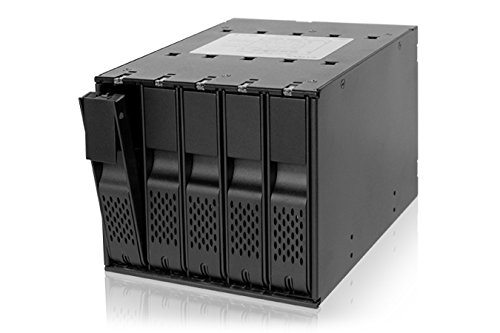

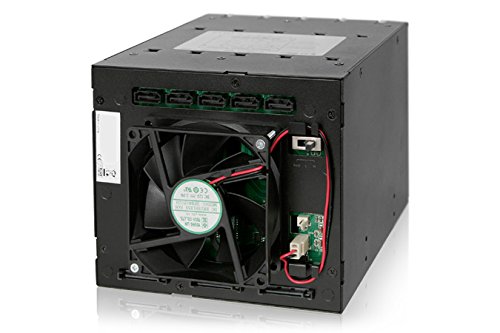


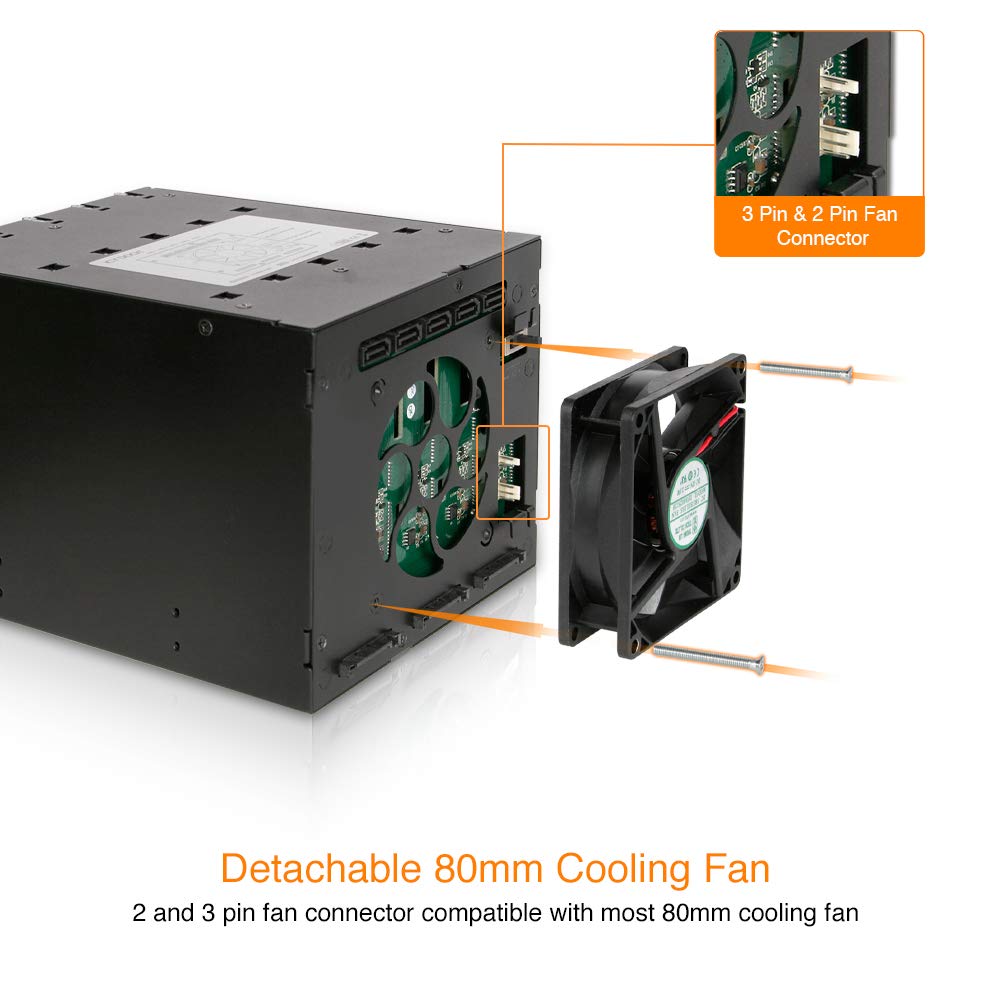

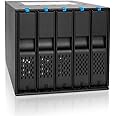
💼 Elevate your storage game with plug-and-play power!
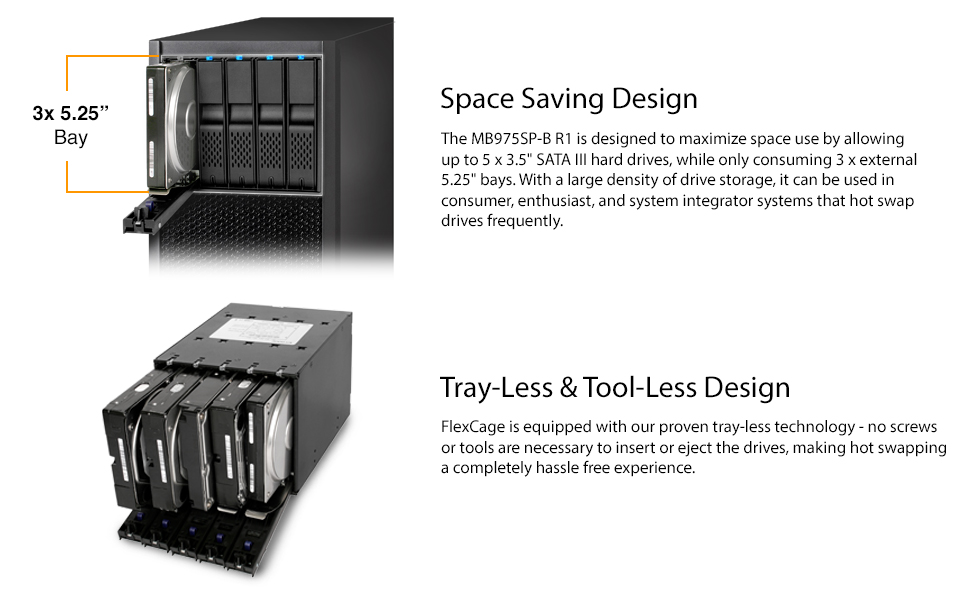
The Icy Dock FlexCage MB975SP-B R1 is a high-performance SATA hot swap backplane that fits five 3.5" SATA III hard drives into three 5.25" bays. Featuring a tray-less design for true plug-and-play hot swapping, reinforced door latches for secure drive insertion, and an 80mm cooling fan for optimal airflow, it delivers fast 6 Gbps data transfer speeds in a compact, durable form factor—perfect for professionals demanding efficient, reliable storage expansion.



| Compatible devices | 3.5“ SATA 1.5 / 3 / 6 Gbit/s hard drive x 5 |
| Hard disk form factor | 3.5 Inches |
| Max number of supported devices | 5 |
| Data transfer rate | 6 Gigabits Per Second |
| Global Trade Identification Number | 00884826504764, 04711132867251 |
| Manufacturer | Icy Dock |
| UPC | 884826504764 |
| Product Dimensions | 21 x 14.7 x 12.6 cm; 1.38 kg |
| Form factor | 3.5 inches, 5 inches |
| Anti-Tick Material | 50% ABS 50% Metal |
| Is assembly required | No |
| Batteries required | No |
C**E
Works well.. but hinge is weak
Worked well with no issues for 2 years, almost never opened the bays after being deployed. However, recently needed to change out the drives to swap to another system and the hinge broke. There was very little leverage for the built in lever to push the HDD out of the sata port inside and the hinge was made from plastic. Even though there is a metal piece that appears to keep the HDD in place when closed, it does not have a full enclosed loop to help the hinge hold on to the lever bar. Only the plastic portion pulls it. (See photo)
S**K
Not impressed considering what it cost.
I've had this one day. Some caveats:1. This is made for a server case or a case that does not have tabs for drives to rest on. If the case has tabs you have to cut them off or bend them in. There are no slots as on the Kingwins for it to slide onto the tabs.2. It says for drives >24mm high. If I had seen this I would not have bought it, as I have a few Seagate half-height drives. However, it WILL use them if you hold the drive in place from the right side while closing the door.3. I was going to mount it "sideways" because of the tabs in my case, but that would have had the drives going in upside-down, precluding the Seagates.4. It's big. When I put it where I wanted it, plugging in the cables put it too close to my graphics card. It had to go all the way to the bottom of the case, involving bending even more tabs.5. The power buttons. While a neat idea, it would be really neat if they worked. Two of the five work. the plastic used for the buttons goes from the front all the way to the back of the cage, and is flimsy. You can open the door, remove the drive and push the button way in the back with your finger to turn the bay off, but then why have a front panel button?6. The doors have a 'hidden' purple button. While this is not bad, the problem is the 'handle' used to open the bay closes too easily, forcing you to push the button again to open the 'lock'. However, you can close the door with the lock in place, it just requires more effort.Now the good stuff:1. It looks "cool". If you're going for asthetics, this is cool.2. The buttons indicate drive activity, so you can see which drives are being accessed.3. Some have said the fan is loud. It's not any louder than any other fan running, and there is good airflow keeping the drives cool.4. When inserting a drive, the connectors are solid, and it takes some effort to close the door, and you can feel the drive cinch in. You aren't going to have loose connections.5. Materials are OK. If I had made this I would have used metal doors in the front, but most of the unit is metal and somewhat well made, except for the caveats noted above.If I had known all this before hand I would have looked elsewhere, but the power buttons were the big draw. Would have been nice if they worked as they are supposed to. All I can hope is I get the full 50,000 insertions, or more. I have three drives with photos and swap them depending what type of photography, and I also back up the "keepers" on another drive. I can only hope it lasts longer that the Kingwin it replaced (2 slots went bad after ~6 years)BTW, I have had other Icy Dock products for my old IDE drives, and they were all metal and extremely well made. If this had been made like those I would have given it another star.
K**E
Don't expect too much
Pros: Fits 5 HDDs into a small spaceCons: Fits 5 HDDs into a small space. That means there is little room left between the hard drives for proper ventilation. You can forget about setting the 3-position fan speed switch to low, or auto. You'll need to set it high permanently. If all 5 drives are on and active, the fan won't be able to cool them enough to maintain low temperatures. If your ambient temperature is not really cold, your drives will reach or exceed 46 Celsius (that is considered the desirable maximum) even with the fan set to high. Some reviewer replaced the 80 mm fan with a 120 mm fan, using an adapter. That is a good idea. I would have done the same, but I could not get a 80 to 120 mm adapter. So instead, I added a second 80 mm fan on top of the original fan, and both work at the same time. Even with these two fans, I have to keep the fan switch on high to have acceptable HDD temperatures. The manufacturer should really redesign this to include a 120 mm fan instead of an 80 mm fan, and change the auto fan control to have more gain, that is, to respond to rising temperatures more aggressively. Contributing to this problem is that I think the opening grid on the front doors of the drive bay does not provide a large enough area for the air to get in, and probably creates too big of a restriction for proper air flow. At one time, when the room temperature was in the mid 70s, and all 5 drives were in heavy use, I had to place a fan in front of the PC to increase the air intake. It did help lowering the HDD temperatures.I bough this to make it easy to replace drives. You need to think about whether this convenience worth it. Placing the 5 drives inside a full-size PC tower would allow the separation of HDDs, and with added large fans to ventilate the box, you'll never have temperature issues.
K**N
Great device, just issue with power switch and connections
This is a great device, a dew issues getting it going.Do not use through an HBA card as the drives are not picked up.Some issues with the power switch and LED lights as it would not always power on but once going no issues since install.Once going this is a great device no issue with the fans noise, have this in a cabinet in office and just hear the sound of air going through the case not the fans going.
S**P
Kompakt und schnell einzubauen, aber wer hat sich diese dummen Schalter einfallen lassen?
Habe gerade zwei dieser Wechselrahmen in meinen Fileserver eingebaut. Das klappt soweit reibungslos.Den ersten Stern ziehe ich ab, weil es anscheinend nicht vorgesehen ist, die Einbaurahmen aufrecht einzubauen, sodass die Platten eben sind. Es gibt daher nur "unten" die Moeglichkeit, das Gehause festzuschrauben, bzw. wenn man es um 90 Grad dreht nur rechts. Ich muesste den einen Rahmen also so einbauen, dass die Platten auf dem Kopf liegen. Technisch moeglich, aber eigentlich auch nicht sinnvoll.Einen weiteren Stern muss ich abziehen, weil die Einschalter VIEL zu leicht versehentlich gedrueckt werden koennen, das ist mir gerade passiert und mein RAID muss nun stundenlang neu gebaut werden.Und den dritten Stern ziehe ich ab, weil die Schalter teilweise einfach nicht funktionieren. Da ich keine Lust auf langen Umstausch habe, muss ich mir da was einfallen lassen, denn zwei der Tasten bleiben einfach nicht drin, sodass in dem einen Einbaurahmen 2 von 3 Slots einfach nicht benutzbar sind.Wegen der Schalter sollte man diese Einbaurahmen auf keinen Fall in einem PC-Tower verwenden, an den jemand (Hund, Katze, kleines Kind) versehentlich gegen kommt, sonst hat man ein Problem. In einem Server ist diese Gefahr geringer (und ich bin trotzdem versehentlich drangekommen), aber die Schalter sind schlicht sinnlos.
Trustpilot
1 month ago
3 weeks ago
3 weeks ago
1 month ago