


🎞️ Scan Smarter, Not Harder — Digitize Your Memories in a Flash!
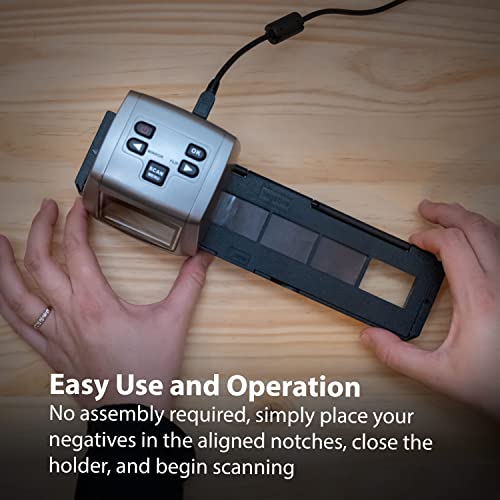
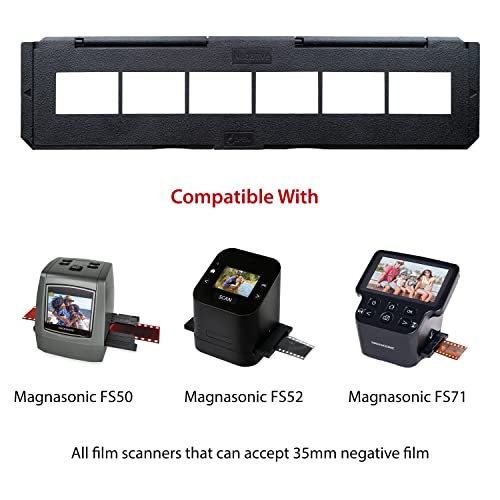
The Magnasonic Long Tray Negative Film Holder (Set of 3) is a high-quality accessory designed to hold 6 frames of 35mm negatives per tray, speeding up your film scanning process. Made from durable materials, it protects fragile film edges while ensuring perfect alignment. Compatible with all 35mm film scanners, this easy-to-use holder requires no assembly and is ideal for professionals and enthusiasts looking to efficiently convert analog memories into digital format.
| ASIN | B09NHWN84Z |
| Batteries Included | No |
| Batteries Required | No |
| Brand | Magnasonic |
| Connector Type | USB |
| Country of Origin | USA |
| Customer Reviews | 4.2 4.2 out of 5 stars (53) |
| Date First Available | 24 July 2023 |
| Item Dimensions LxWxH | 26.7 x 7.1 x 2.3 Centimeters |
| Item Weight | 191 g |
| Item model number | NT01 |
| Light Source Type | LED |
| Manufacturer | Magnasonic |
| Media type | Negatives |
| Model | NT01 |
| Model Name | Soporte de película Negativa de Bandeja Larga |
| Net Quantity | 3.0 Count |
| Power Source | AC |
| Printer Media Size Maximum | 36mm x 24mm |
| Product Dimensions | 26.7 x 7.09 x 2.31 cm; 190.51 g |
| Special Features | 3 x 35mm Negative Film Holders, Quick Start Guide, Lifetime Customer Support, 1 Year Manufacturer's Warranty |
| Tuner Technology | DAB |
A**E
Great
J**6
holds negatives well fits good, takes practice to load but once you got it down no problems
P**E
this is a must to use with the scanner. Both negatives and slides are easy to insert.
F**F
Ace *****
J**J
The Magnasonic FS71 film scanner comes with a holder for scanning a single 35mm (135) negative -- typically, one neg in a strip of several. But that single-neg holder has a big problem: It doesn't hold the negative firmly, so the neg can move around. This six-negative holder doesn't have that problem. I didn't buy this set of four strip holders until I was sure I wanted to keep the scanner. This is so refreshing to use: Line up the first frame, press the Capture button to preview it, then Capture again to make the scan... then repeat until you've done all the frames. I scanned five negatives in less than a minute. Tip: Of course, you don't want to hold the frames in your fingers (because that makes fingerprints, which -- due to the acid in your skin, can eat into the negatives and permanently damage them). You can buy white cotton gloves (which are not cheap), or you can get a box of plain white facial tissues (no "lotion" in them!) and use a tissue in your hand to align the frames to the holder. Look through the holder at a lamp so you can check that none of the frames have a blank white border (which will look black in the finished scans). And give a good spray from a can of compressed "air" to blow off any dust before you put the holder into the scanner. I didn't give this five stars because it wasn't very easy to align the negative strip exactly into the holder (without any blank edges).
Trustpilot
3 weeks ago
5 days ago