We remain fully operational. Our teams are working around the clock to ensure your deliveries continue safely.

DOWNLOAD THE APP


Customer Services
Copyright © 2025 Desertcart Holdings Limited
DOWNLOAD THE APP
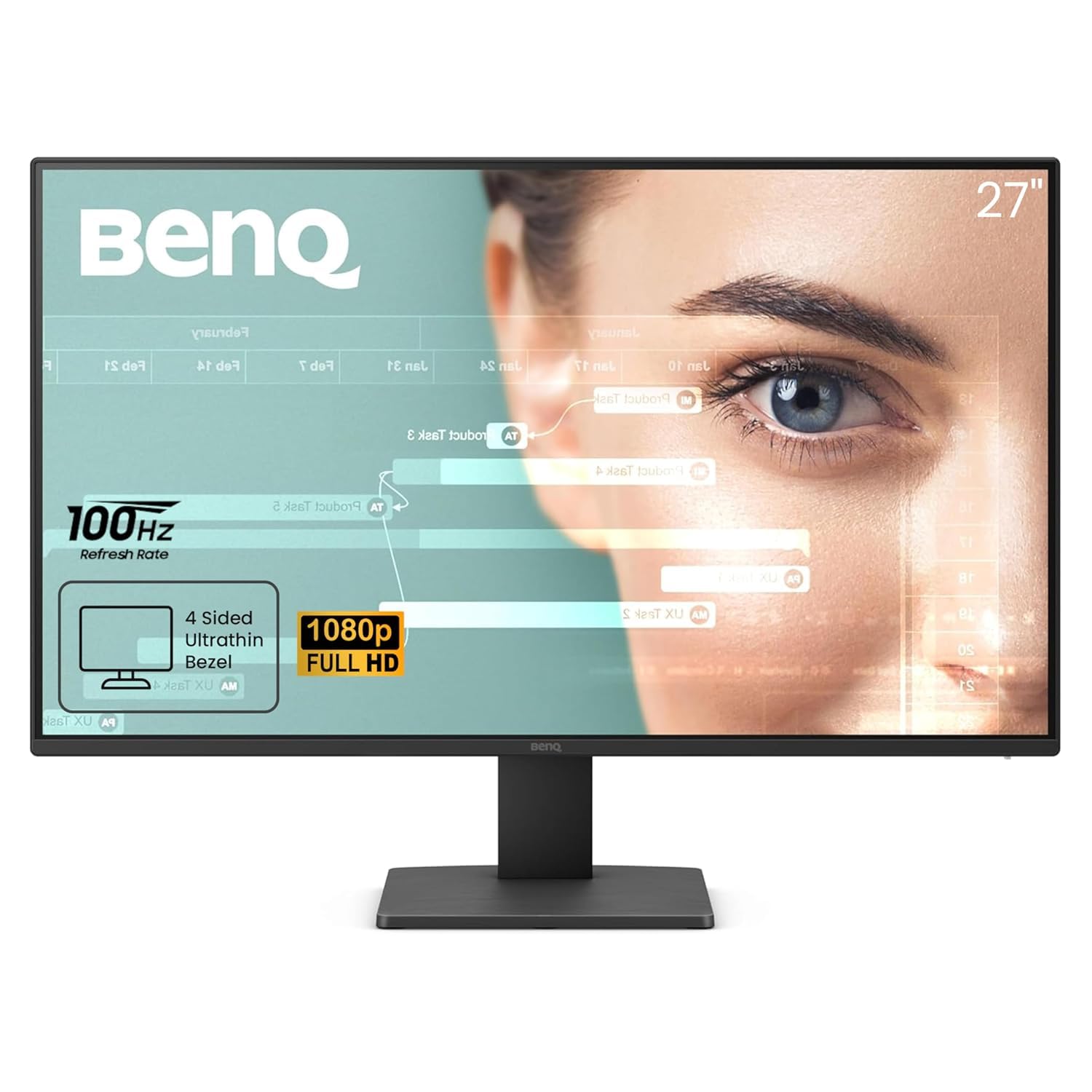
👁️🗨️ See the difference, feel the comfort — your eyes deserve the best!
The BenQ GW2791 is a 27-inch Full HD (1920x1080) IPS monitor featuring a 100Hz refresh rate for smooth visuals, 99% sRGB color accuracy, and an ultra-slim bezel design. TÜV-certified for eye care, it includes Flicker-Free and Low Blue Light Plus technologies to reduce eye strain. Connectivity options include HDMI and DisplayPort, making it a stylish, high-performance choice for professionals and multitaskers seeking vivid colors and long-term comfort.


| ASIN | B0DL169SLK |
| Best Sellers Rank | #1,103 in Electronics ( See Top 100 in Electronics ) #44 in Computer Monitors |
| Brand | BenQ |
| Color | Black |
| Customer Reviews | 4.6 4.6 out of 5 stars (20,025) |
| Date First Available | October 26, 2024 |
| Item Dimensions LxWxH | 18 x 7 x 24 inches |
| Item Weight | 12.14 pounds |
| Item model number | GW2791 |
| Manufacturer | BenQ |
| Max Screen Resolution | 1920 x 1080 Pixels |
| Product Dimensions | 18 x 7 x 24 inches |
| Screen Resolution | 1920x1080 |
| Series | GW2791 |
| Standing screen display size | 27 Inches |
M**X
Wow ..... what a great monitor !!!
First off, this is a truly great 27" monitor. I looked a long time before I found this. It has excellent color and accuracy, no distortions, wide RGB capability (99% +), very fast response time, higher contrast score than a LOT of other even higher priced monitors, nice guarantee, and way brighter display (at same brightness setting) and better color than my Dell 24" 1080p monitor !!! The ONLY oddity is the on/off button placement, and fact that you have to push the button twice to turn off the monitor. Mildly annoying but no where near a deal breaker with its EXCELLENT quality and function. You should check the specs yourself. You'll have to pay a LOT more for a better 27" monitor than this one !!! It is an absolutely great monitor at a price WAY more affordable than even $190 -$200 units
B**N
Amazing value, and an excellent monitor for those who need "just a monitor"
Since Amazon groups things together, this review is for the GW2491 For $99, this thing is absolutely outstanding. For sure, it's more feature limited than the more expensive models, but what you're left with is "just a monitor" that delivers on the basics, while omitting all the extra fluff you probably don't need. It has great color quality and a reasonably good refresh rate (100Hz, though it seems 100+Hz is becoming increasingly common... this is a good thing). It forgoes some of the extra fluff that higher end models have, saving money on features you may not need. It has no built-in speakers, built-in microphone or adaptive brightness. The monitor setup menu is remarkably minimal; the only settings are color mode, brightness, low blue light, and input (HDMI/DP). The one drawback: No height adjustable stand. This isn't something that matters in my case as I used my own monitor stand, but it's something to be aware of; it's the only thing I consider essential for a monitor to have that this one doesn't.
R**R
great price for a simple modern 1080p monitor with a quality IPS panel
This monitor is great, and it's great as a secondary monitor. It doesn't look bad next to an expensive screen. If you're looking for an additional screen under 27" good luck. Retailers are full of 22-24" 1080p monitors which look the same as the ones that came with an HP/Dell desktop in 2007. Most have huge bezels. Most have a single HDMI plug. Most have a power brick. And many of them don't even have HDCP so you can't watch Netflix on them. This monitor has a 100 mm VESA bolt pattern so you can put it on any arm. It takes a regular power plug — no power brick. It has HDCP. It's a good IPS panel. Black looks dark. There's slightly less light bleed than my more expensive LG screens. It has slightly smaller bezels than my other screens. And it has two HDMI inputs, so it's easy for me to use as an additional monitor for both my home machine and work laptop. The menus are easy to use and you can even setup shortcuts to put your three most-used adjustments on the first menu level. The speakers are worse than most — which is quite the feat when you think of how bad built-in monitor speakers are — but I don't care about that. The only slight annoyance I have is that you can't dim the light on the power button. But it's on the bottom edge of the screen, so it's easy to put a little piece of black tape over it. Of course that partially blocks those awesome speakers LOL. This monitor is a 21.5" 1920x1080 panel, so that's 102.5 dpi/ppi (pixels per inch). The bigger you go the worse it'll look next to a monitor with higher resolution. My other two monitors are a 38" 3840x1600 LG ultrawide (109.5 dpi) and a 25" 2560x1080 LG ultrawide (111.1 dpi). 21.5" BenQ GW2283 — sqrt(1920^2 + 1080^2) / 21.5 = 102.5 dpi 25" LG 25UM58 — sqrt(2560^2 + 1080^2) / 25 = 111.1 dpi 38" LG 38WN75C — sqrt(3840^2 + 1600^2) / 38 = 109.5 dpi The 25" LG 25UM58 is also a good deal. It currently costs 50% more than the BenQ for 33% more resolution. It's 75 hz, but I think the BenQ might actually have a better response time if you're gaming on it. And the 25" LG has a 75 mm VESA bolt pattern and a power brick.
M**X
Great Value Monitor with a Few Sound Quality Drawbacks
I recently purchased 2 BenQ GW2780 Computer Monitors and overall, I am quite satisfied with my purchase. The monitor offers excellent value for its price point and boasts some impressive features. One of the standout features is the Eye-Care Technology, which significantly reduces eye strain during extended periods of use. As a software developer, I spend countless hours staring at screens, and this feature has made a noticeable difference in reducing eye fatigue. The monitor's display quality is crisp and vibrant, providing a comfortable workspace for coding and design tasks. The size is also perfect for multitasking, allowing me to have multiple windows open simultaneously. However, there is one area where the monitor falls short – the built-in speakers. Unfortunately, they sound noticeably worse than my laptop speakers. For someone who occasionally enjoys watching videos or having conference calls without headphones, this could be a drawback. In conclusion, the BenQ GW2780 offers an impressive display, value for its price, and eye-care technology that is a significant benefit for those long coding sessions. While the built-in speakers may not meet everyone's audio expectations, this can easily be remedied with external speakers or headphones. Overall, I am pleased with my purchase and would recommend this monitor to fellow software developers looking for an affordable and eye-friendly display option.
A**S
En cuanto al servicio de reparto: Mal siendo un cliente prime tardaron en casi una semana en entregarlo. Lo compre en buen fin y puedo entender que los pedidos que reciben son muchos, pero 6 días en entregar un producto ?? te perdonaría 3 pero bueno. Finalmente reporte con Amazon y me resolvieron, al día siguiente me dieron mi producto. El tipo iba como de malas (no se si por el reporte) pero bueno no fue grosero ni nada y mi producto llego en buenas condiciones. Desde la caja, hasta le producto en si. Buen servicio de quejas de Amazon. Y rara vez Amazon falla, pero esta vez si me decepciono. Pero finalmente como de 10 veces que he pedido solo esta me han fallado. En cuanto al producto: Excelente, la resolución es buen (yo en lo personal ya no recomiendo el modelo de 28" porque se verían los pixeles ya para la resolución este o el de 21"). La pantalla es anti reflejante. La configuración es regular. La respuesta con respecto al PC al que este conectada, es excelente. Y lo que mas me gusto es que no necesitas ni una sola herramienta para armarlo. Materiales de buena calidad. La calidad de la imagen es buena. Por el precio esta excelente. Super recomendado, aunque solo tengo un mes con el. Cualquier problema en el futuro actualizare, si no actualizo es porque voy bien con el. ACTUALIZACION (DOS AÑOS DESPUES) Excelente equipo, no me ha defraudado, es de uso rudo diario, hay días que trabajo mas de 10 horas y sin problemas, no veo pixeles quemados, ni nada. Sigue igual que como cuando nueva, los botones de la pantalla no me han fallado ni nada. Enserio todo va excelente, quizá el único pero que le pongo es que cuando me mude, no la pude desarmar para llevar la pantalla y el soporte por separado para ahorrar espacio y no se fuera a romper alguna pieza, pero fuera de eso, estoy mas que feliz con mi pantalla, quizá no es la mejor pantalla del mercado, pero he estado jugando Halo Infinite multiplayer y en varias partidas he sido el MVP, eso de que se necesitan mas Hz y resolución es puro marketing, si eres bueno jugando, eres bueno asi estés jugando en una tele de caja la pantalla no tiene nada que ver y esta hace un muy buen trabajo. Y para el trabajo como arquitecto ni se diga, autocad, revit, sketchup, twinmotion, excel, word, powerpoint, photoshop, falsh e illustrator, ningún problema, todo se ve super bien con la resolución en estos softwares que son de diseño y se necesita muy buena resolución.
F**L
الصراحه الشاشه فيها مواصفات حلوة وعمليه +وضعيات السينما ووضعيات التصوير والصور فيها برنامج الوزنيات ممتاز+عداك مستشعر الوجه +الشاشه فيها زويه الميلان تنفع للجلوس ولا لطاوله+ الحواف رهيبه وفول سايز الشاشه الاطار كامل مليان من الشاشه بس انتبه لها من الدقدقه احسها مو حلوة بسرعه تنكسر +القاعده لتثبيت جميله وثابته👌🏻+الشاشه سهلة التنظيف من الغبار+اخر شيء ماشاء الله تبارك الله اللون الاسود راكب عليها تحس اي شاشه لونها اسود تطلع جميله اما المواصفات من ناحيه الريفرش ريت مناسبه للأجيل هذا والمستقبل القادم ب٥ سنوات ان شاء الله
ض**د
المنتج ممتاز جدا وهى 2 فى 1 حيث انها تستعمل كشاشة تليفزيون وايضا كشاشة كمبيوتر حيث انها مزودة مخرج hdmi لاستعمالها كشاشة تليفزيون ومخرج viga لاستعمالها كشاشة كمبيوتر والماركة محترمة جدا ووممتازة انصح بهذا المنتح
W**N
Good display. Excellent value for money.
S**I
Perfect Monitor arrived in short time, using it worked fine
Trustpilot
2 months ago
2 weeks ago