
🔄 Switch Smarter, Work Faster — Own Your Dual-Device Domain!
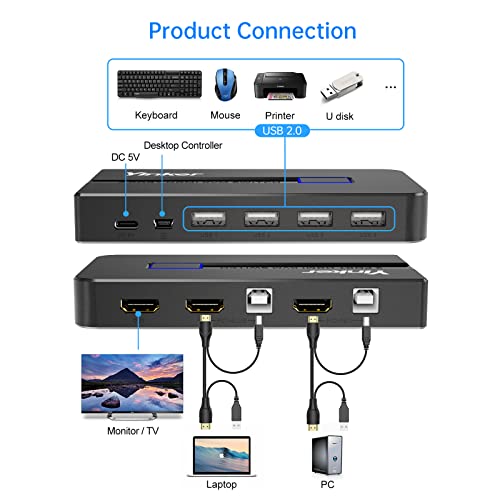
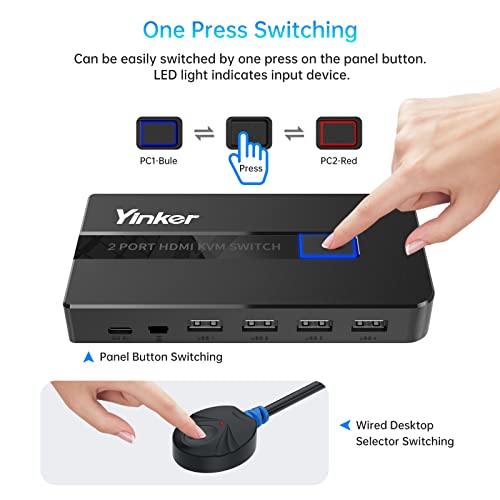
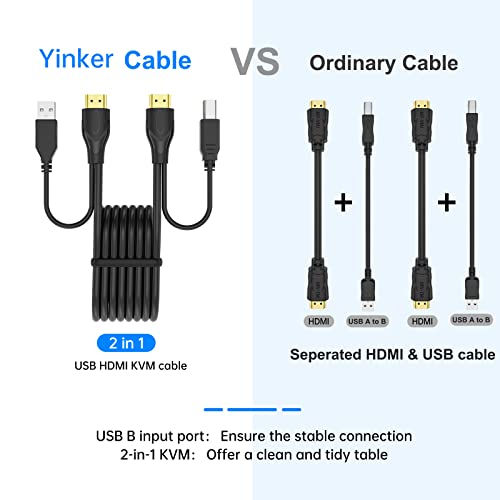
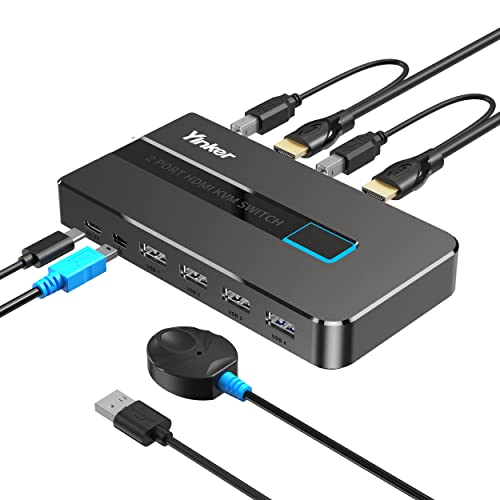
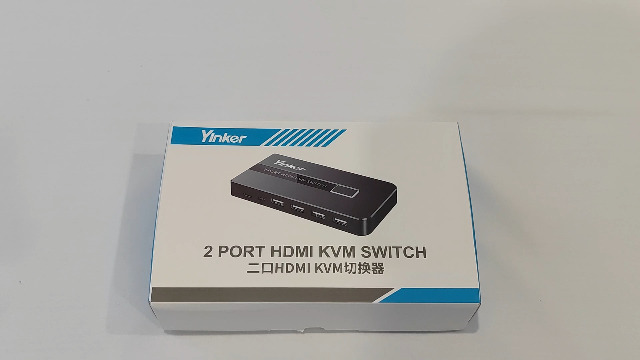
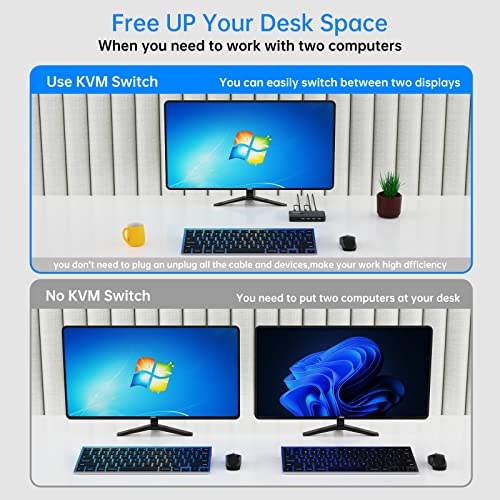
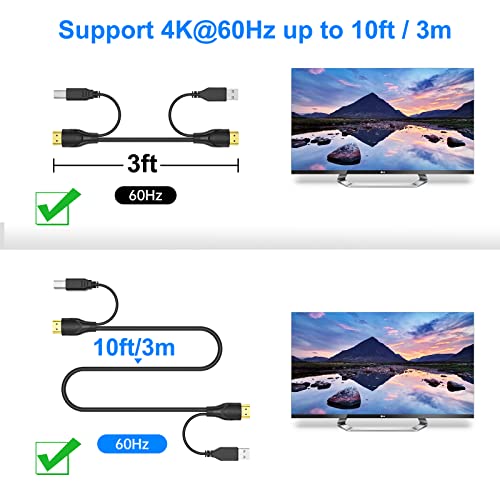
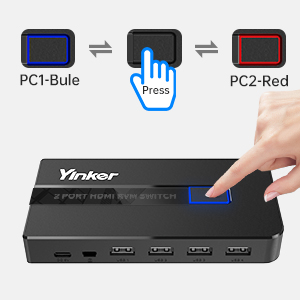
The Yinker 4K HDMI KVM Switch 2 Port enables seamless control of two computers using one monitor, keyboard, and mouse. Supporting true 4K@60Hz resolution with HDR 4:4:4, it delivers crisp visuals while its included dual-length KVM cables reduce desk clutter. Featuring four USB 2.0 hubs, it allows peripheral sharing across devices and supports multiple operating systems. With a push-button selector and LED indicators, switching is intuitive and efficient. The package includes all necessary cables and a 1-year warranty for dependable performance.




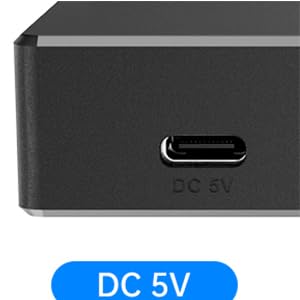
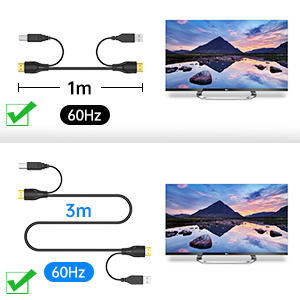


| ASIN | B0BPCDD6S7 |
| Actuator Type | Push Button |
| Best Sellers Rank | #1,137 in KVM Switches |
| Brand | Yinker |
| Circuit Type | 1-way |
| Color | Black |
| Compatible Devices | Camera |
| Connectivity Protocol | Hdmi |
| Connector Type | Plug In |
| Contact Material | Plastic |
| Contact Type | Normally Closed |
| Control Method | Push Button |
| Control Type | Multi-Device |
| Controller Type | Push Button |
| Current Rating | 2 Amps |
| Date First Available | May 17, 2022 |
| International Protection Rating | IP40 |
| Item Weight | 13.7 ounces |
| Item dimensions L x W x H | 5 x 1.97 x 0.98 inches |
| Item model number | KH2S |
| Manufacturer | Yinker |
| Number of Items | 1 |
| Number of Positions | 2 |
| Operating Voltage | 5 Volts (AC) |
| Operation Mode | manual |
| Product Dimensions | 5 x 1.97 x 0.98 inches |
| Terminal | Screw |
| Unit Count | 1.0 Count |
| Upper Temperature Rating | 100 Degrees Celsius |
D**R
Does the job perfectly
The display that I am running through this switch looks great (the switch doesn't affect the image). The auto-switching is convenient too (I didn't see that in the description. Maybe it is there)
D**D
As described. Works great.
This made things easier.
W**R
Almost works - probably my Macbook Pro issue
Works great with an older Mac Mini (with HDMI port and my PC laptop. But does not work with my Macbook Pro that only has USB-C ports, and has to use a USB-C hub for HDMI. Tried all sorts of things, but the Macbook just will not drive at the correct resolution. This may well be an issue with the hub I am using. Picked up a simple Thunderbolt 3/4 to HDMI Adapter to test with the KVM, this one was even worse, no picture at all. Seems the KVM is not happy working with these Thunderbolt devices. Not surprised as the KVMs that do work with Thunderbolt cost a lot more. So if you have simple HDMI outputs from your devices, then this KVM is a great deal and seems to work great. For now using it on my older computer, but that was not my goal. :(
C**S
Unfortunately, not so good
I really just wanted a cheap KVM switch to use my gaming computer once in a while. I've been WFH, so I've switched my KVM to use my work laptop, and I hardly ever use my gaming computer because it's a PIA to switch. I've tried to get this working all morning. When I did get it working, it would flicker, or the screen would just randomly turn black about every minute. Otherwise, I would have to unplug and plug back in, wait about 10 seconds, and keep trying until it finally worked, but I could not get the flicker or monitor just turning black for about a second or two every minute or so. It's just annoying for work, but really not acceptable for gaming.
V**A
Plug and play, Working great
Plug and play, working great but no audio port
C**H
Switch time is not as advertised. Very Glitchy
I have a work laptop and a gaming PC, that I use with a single HDMI monitor Spectre C35. Switch time was around 10 seconds if you are lucky. It would only switched if I started to press the space bar to give input for the screen. Tried using the extension button and on the button on the switch. It also will not work unless both computers are on! To me this is a terrible KVM switch. Get what you pay for. I am going to try and send it back, but have had it and tried unsuccessfully to utliize this for work at home. It is very glitchy. moving the cords supplied in the output side did make it switch sometimes. Very cheaply made, but it's under $30. Will be looking for a KVM that works.
M**.
Ok at best
My unifying dongle for Logitec do not work well, especially the mouse, it double clicks at random and dragging and dropping is almost impossible. They work fine on a similar but much older docking station.
T**.
Works great for the cost
Just started a new position and work from home a lot. There are times when I have a need to bounce back and forth between my personal PC and my work laptop. I had a larger / older KVM switch that I used to use for this task. Unfortunately, it only had two peripheral USB ports to be shared between the two. My current keyboard lights up and requires two USB for it and another for the mouse. I bought a USB hub, but it still would not recognize one of the devices. This solved the problem completely and cost a lot less than a new expensive KVM. Only issue I have had is once or twice every 20 switches between the two, the unit will lose track of my mouse. A simple unplug and replug of the mouse cable and it come back. For the cost, I can put up with that once or twice a day. If I had to do it each time, I'd complain.
G**.
...aber gutes Teil, um zwei PC an einem Monitor und einer Tastatur sowie einer Maus zu betreiben.
あ**ん
以前使っていた同じような機能のものの調子が悪くなってきたので、電源供給のできるこちらに買い替えました。USBとHDMIが1本のケーブルなのがすごくいいです。コード周りがすっきりしました。動作も安定しています。 ただこちら、A,B自動切り替え機能がついていてそれをOFFにできなさそうです。 私はPCとニンテンドースイッチの切り替えに使っていますが、PC使用中に電源の入っていないニンテンドースイッチをドックに挿すとスイッチ側に切り替わってしまいます。逆にスイッチを使用中にPCがスタンバイになっただけでPC側に勝手に切り替わってしまいます。どちらも画面が急に消えるので焦ります。 便利だと思う方にはいいかもしれませんが、私は不便に感じています。 手元のリモコンには現在A,Bどちらなのかを確認でそうなランプがあるのですが、本体のように赤青ではなく赤のONかOFFかで、それも真上から覗き込んでようやく確認できる程度です。またこのリモコンボタンを押すとボタン部分が引っかかって戻ってこないことが多々あります。 あと以前使っていたものより切り替えが遅いです。以前のものは2,3秒でしたがこちらは5秒くらいかかるので、頻繁に切り替えながら作業する人には不向きかもしれません。
A**R
4K 60Hz HDMI KVM Switch 2 Port, Yinker HDMI KVM Switch 2 PC unterstützt 2 Computer. Funktioniert. Fernbedienung sehr langsam !!!!!!!
P**R
Pünktlich geliefert,funktioniert einwandfrei
S**D
Failed quite soon after purchase
Trustpilot
2 months ago
2 weeks ago