Some deliveries may take a little longer than usual due to regional shipping conditions.

DOWNLOAD THE APP


Customer Services
Copyright © 2025 Desertcart Holdings Limited
DOWNLOAD THE APP

🚀 Elevate your creative workflow with the NAS that means business — speed, power, and future-ready tech in one sleek package!
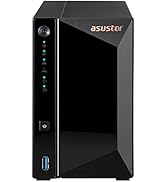
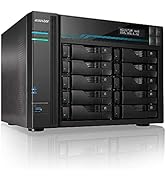
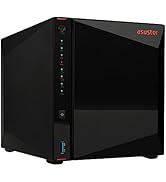
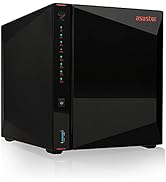
The Asustor Lockerstor 6 Gen3 AS6806T is a high-performance 6-bay NAS designed for video editors and content creators. Powered by a quad-core AMD Ryzen CPU with turbo speeds up to 3.8GHz and equipped with 16GB ECC DDR5 RAM, it supports four M.2 NVMe PCIe 4.0 SSD slots for blazing storage speeds. Dual 10GbE and 5GbE network ports plus USB4 connectivity ensure ultra-fast data transfers and seamless remote access. This diskless NAS offers robust, future-proof hardware ideal for demanding professional workflows.











| ASIN | B0DBZ668G8 |
| Best Sellers Rank | #32 in Network Attached Storage (NAS) Enclosures |
| Brand | Asustor |
| Customer Reviews | 4.4 4.4 out of 5 stars (684) |
| Date First Available | August 2, 2024 |
| Item Dimensions LxWxH | 12.6 x 12.6 x 12.2 inches |
| Item Weight | 10.14 pounds |
| Item model number | AS6806T |
| Manufacturer | Asustor |
| Product Dimensions | 12.6 x 12.6 x 12.2 inches |
L**N
Fast & Easy
Working great - nice and fast RAID5 operations. ;-) Was easy to setup.
N**Y
I'm in love
Everything has been plug and play so far... easy one click integration with apps on my phone, google gmail integration and apps on my windows clients. Added dual NVME cards ($80 each here on AMZN) and an extra 8gb stick (~$20) and yes this is a seriously fast machine. Running two RAID arrays, one for storage, one for backup, and then a 1TB SSD for OS and Apps. Connected to 10GBE ports via new switch (XGS1010-12-ZZ0101F) and have my primary windows client connected via 2.5GBE. The apps are all fine. Great for torrents, plex, remote file serving, email server, home automation, etc. Everything works as advertised. I would note that if you are new to the Linux world, you'll want to check out PuTTy so you can use command lines from a remote computer, learn about Portainer and Docker (youtube), and download WinSCP as a way to access the files remotely. Also, consider running a VPN service from the device (which is native to the OS) so you can safely remote into it when not on your home network. The only criticism I have is that the Atom based processors do get weighed down a lot. In the process of setting it up, my Plex library has taken days to build - probably 5x the duration of a high-end PC. I understand Asustor recently released a XEON processor version of this machine and it may be worth it for many people. The machine is not slow but certainly not what I'm used to running Plex on my PC. Wish I would have made that upgrade.
J**N
Highly Recommend
This Asustor NAS exceeds my requirements. It was purchased to replace an older Netgear NAS and I am not disappointed. I found the learning curve was easy. High quality with excellent connectivity. In addition to using it to store backups for 6 computers, I use to store duplicate files.
N**N
Product good, but ordering timing is key.
My new NAS is finally up and running and I'm transferring data to it at the time of writing. I like the product but there are a few gotchas to be aware of. If you want to add memory, one slot is easy to get to but the other requires the user to dismantle the unit. I found by accident, a video which takes you through the process step by step. This helped a lot so check their website and find that. Purchasing memory for main and cache was tricky as you need to find compatibility info on their website as not all manufacturer's memory will work. But my number 1 tip is get all your memory and hard drives from somewhere which has a better returns policy than Amazon before ordering the server from Amazon. I ordered the server first and then faced delays getting the HDs. My return period was almost up before everything arrived and I could build and test it. E.g. WD's current lead time is weeks after Amazon's return policy would expire so I ended up ordering alternative HDs. I like the product, it seems very fast and the user interface is way better than my old WD4100. Very easy to configure and use. Btw. If you add cache memory, be aware that you need to configure it, it doesn't work automatically.
R**D
works well, good price point
I have TWO of these things because the price is so sweet (looking at you synology) - so 20 drives in total. First thing I've done in all of them - install RAM (up to 64 GB) and SSDs (two). These devices have a read/write SSD cache mode which I find unimpressive - it's okay, you can set up the SSDs as a separate high speed array and I recommend that. The 10gbit LAN connections have worked without issue. The i/o and latency is solid, I use both windows file sharing (CIFS/SAMBA) and linux (NFS) Most importantly, I just had my second drive failure (RAID6). Buzzer was off. I keep it by my desk, and it just pops up a red light on the bad drive tray - so you don't need to figure out which drive is bad, that red light tells you exactly where the issue is. I login to the web interface, see SMART error, so simply popped out the drive (while it is running), replaced the bad drive with a good one, and put that tray back in -- all while the system was running. The system automatically detected the new drive and began rebuilding the array - impressive data preservation! Now, I haven't investigated to see if this drive was ACTUALLY that bad, but I can say it was up for about 3 years before this, so it's not a common issue, and it's best practice to be cautious with un-backed-up RAID arrays These are all great, but I do want to mention one bad thing which has struck this and many other NAS devices - hacking. Hackers will encrypt all the files and require bitcoin $ to decrypt. Asustor was historically hacked as such. I don't run any services that expose the box to the internet, and my box worked just fine through it all. Just be very careful, though, if you intend to both store important data on these AND connect it to the internet, it would be hacking vulnerable.
H**X
Flexible NAS options. Excellent fit and finish.
Although I am still in the middle of installing my Asustor Lockerstor 4 Gen3 AS6804T, the process has been straightforward so far. After installing the 2.0 TB SATA drives from my old HP (defunct) NAS, the Asustor informed me that two of the drives were faulty. After replacing them with new 2.0 TB drives, I now have a functional RAID 6 array. My final step is to set up user accounts and define how I want ongoing backups to be done. The built-in user interface is a novel (and quite useful) adjunct to the ASUSTOR Control Center PC application, which is easy to use and has very flexible options. Fit and finish are excellent. Over time, I'll also populate the four NVMe M.2 slots.
R**N
Håller på att utforska all möjligheter med denna NAS. Har precis kopplat in den i min bioanläggning (HDMI in i receiver) och kollar möjligheten att spela upp ISO filer mha konverteringsprogram (Looksgood). Skall bli spännande! Så denna NAS kan mycket! Åtkomst via Internet antingen via web eller via dedikerade appar. App stödet är stort och du kan köra många servertjänster på dennna NAS
A**A
Ottimo acquisto, molto funzionale e affidabile.
R**N
I have moved away from Synology from my main NAS and am happy with the Asustor so far. I have upgraded it with the 10gb combo card which was a rip off for the price. I have 4 16Tb drives in raid 5 with 2 SSD 1TB cache drives. I use it for media, and backup. Use snapshots, backup and host PiHole on it for DNS. Not sure I would put cache drives in again due to my low hit rate for what I use it for. Other than that it has been flawless so far. It has been running for 6 months non stop. Using iPerf3, I am getting very close to 10gbe throughput.
V**L
Speed is pretty good. Software provides a number of useful services.
M**R
This is a really nice NAS drive. The only reason I give it 4/5 stars is because I wish the price was a little lower. I think it's too expensive for a NAS drive. You could buy a used storage server for this price. The installation was pretty simple and so far it's been reliable after more than a year.
Trustpilot
2 weeks ago
2 months ago