
DOWNLOAD THE APP


Customer Services
Copyright © 2025 Desertcart Holdings Limited
DOWNLOAD THE APP

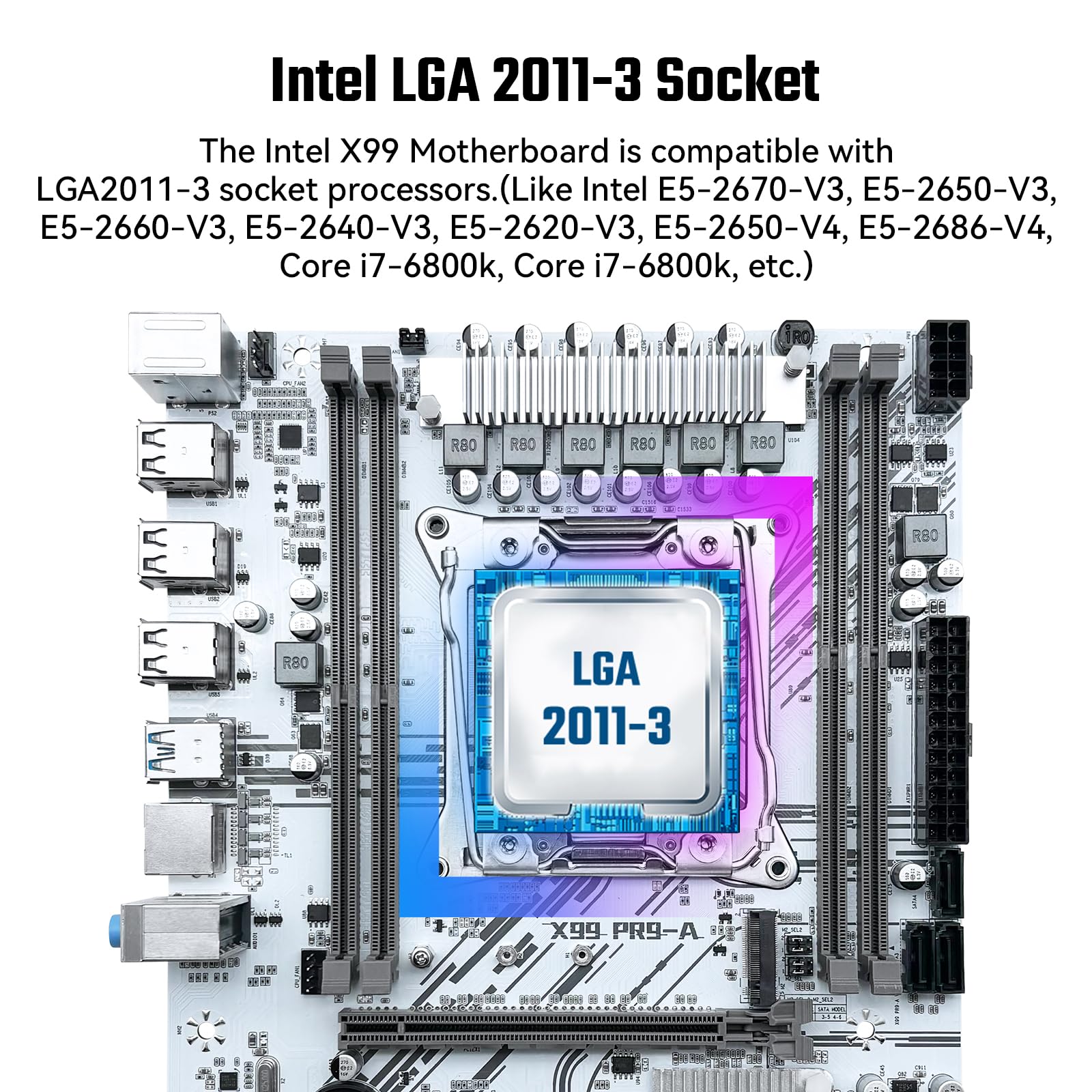

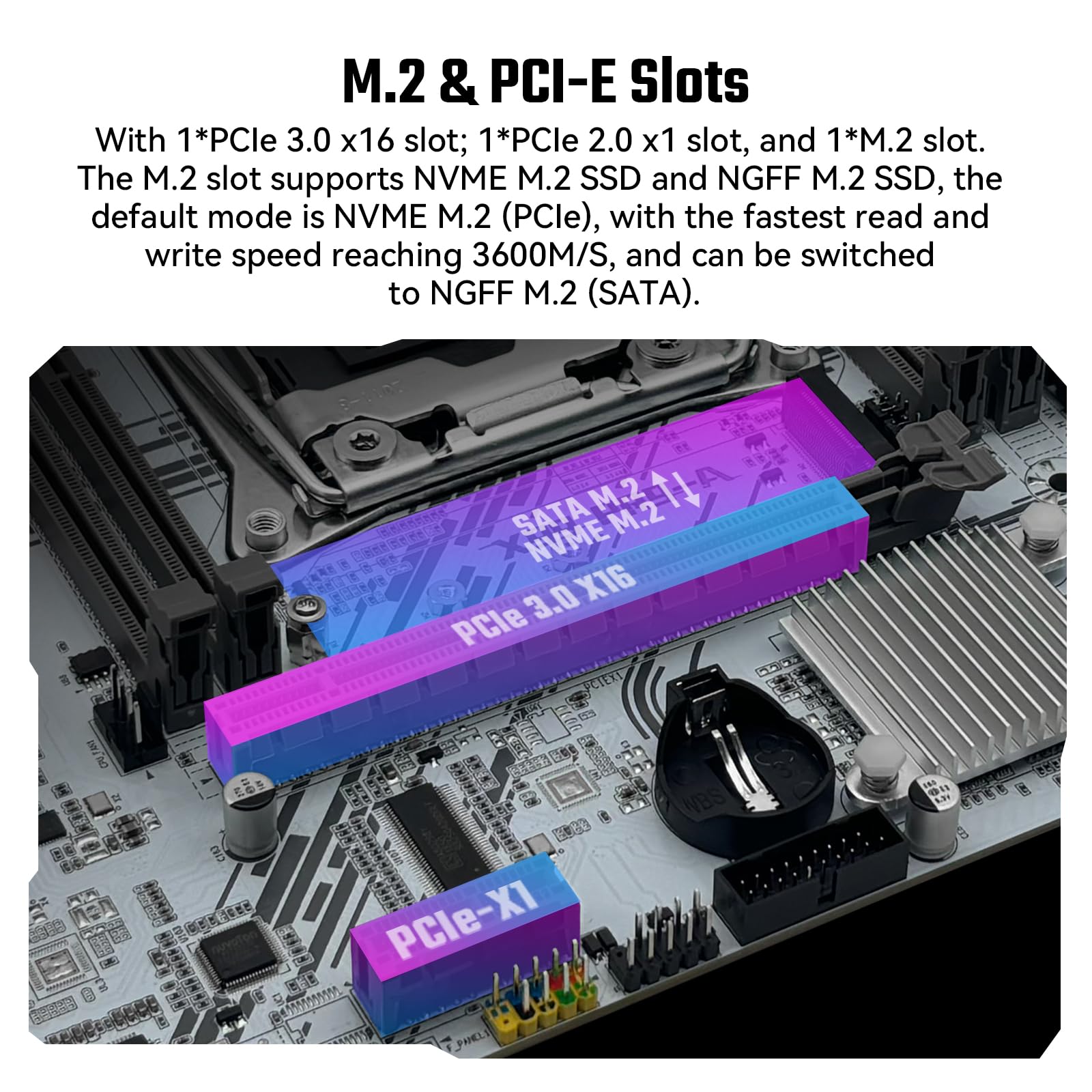
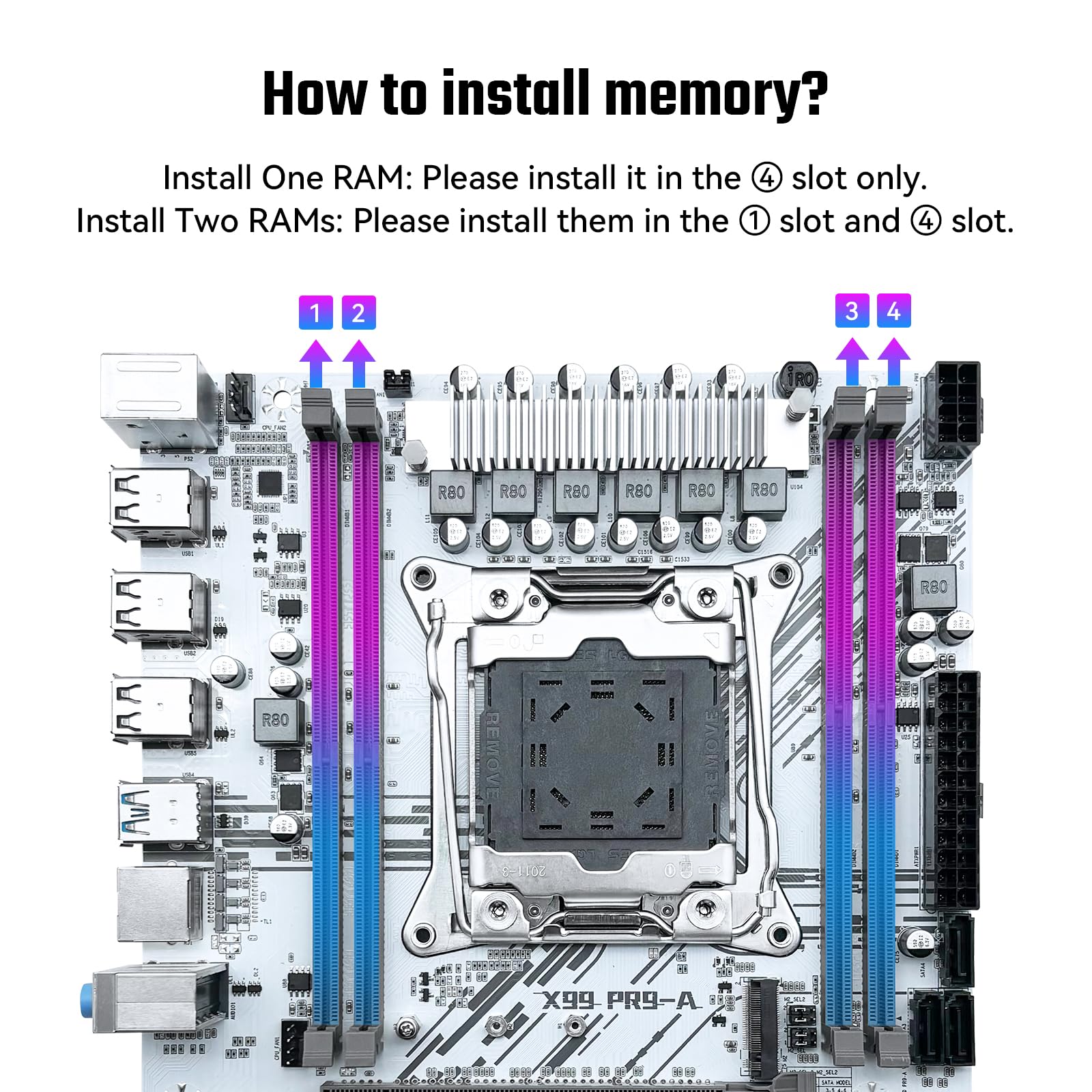

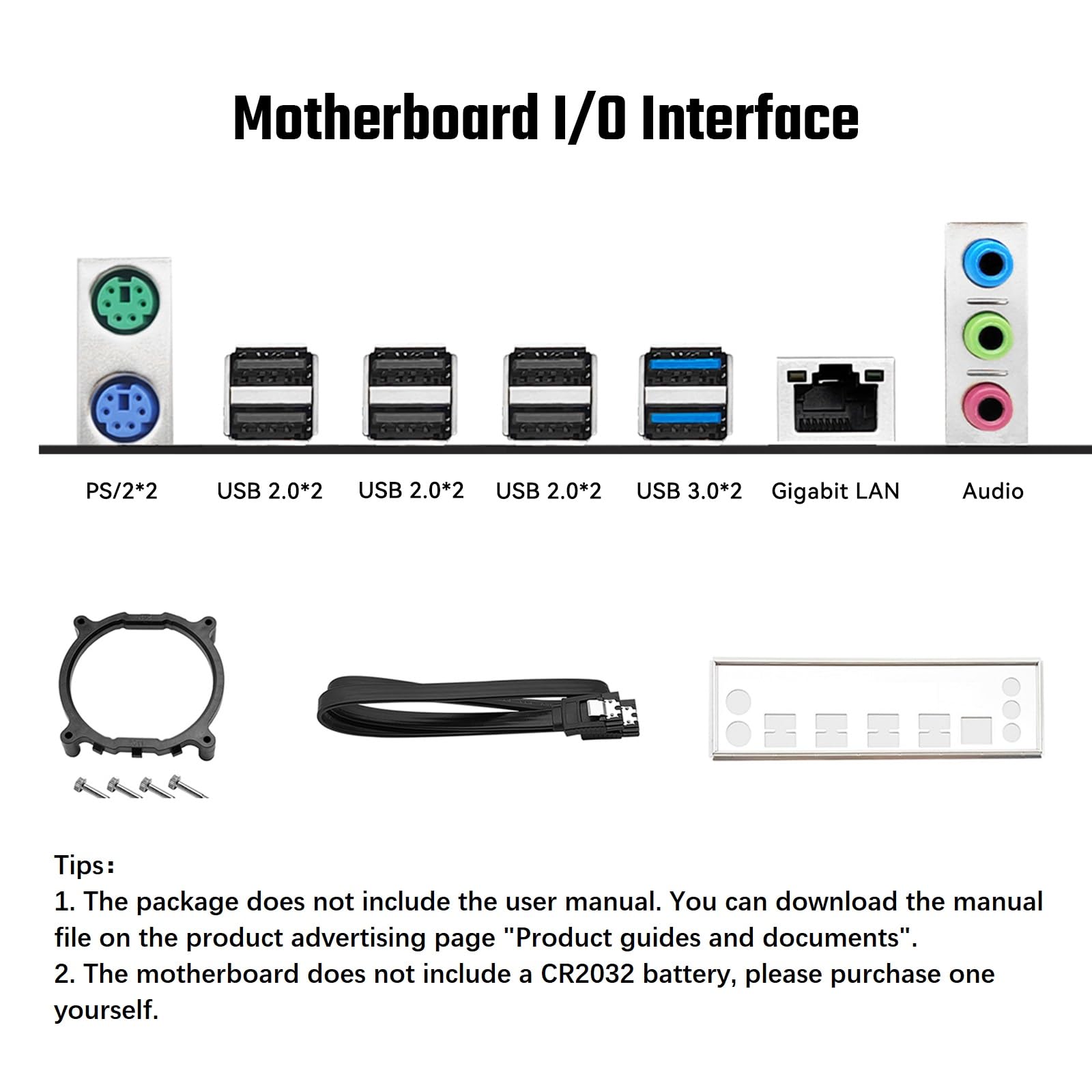

🔥 Power your pro-level build with X99 PR9-A — where speed meets stability!
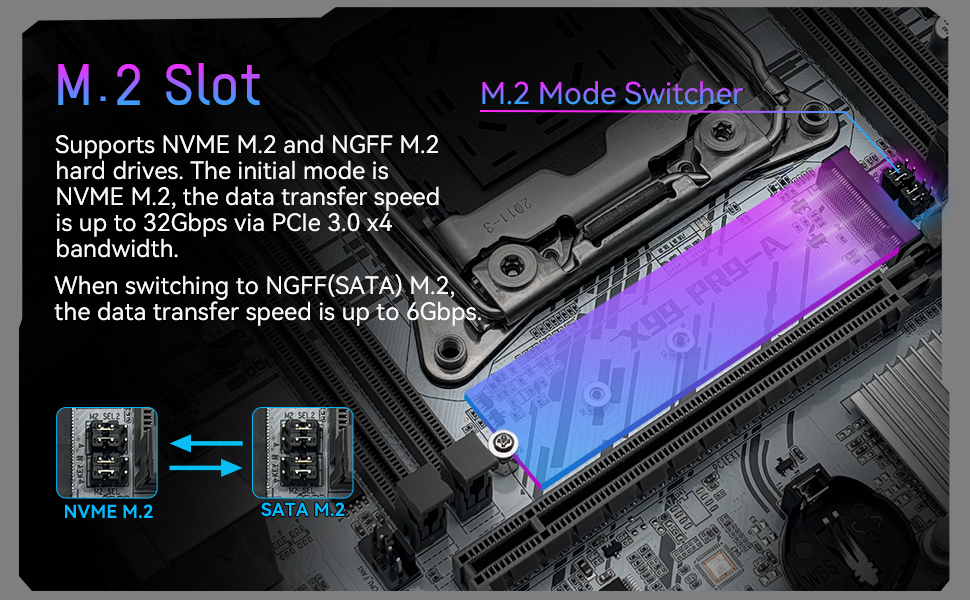
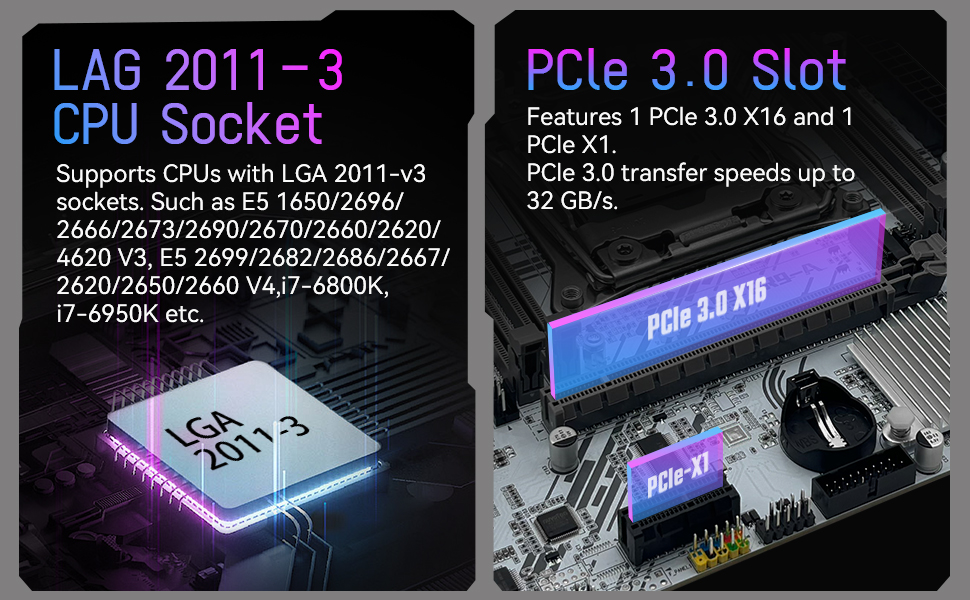
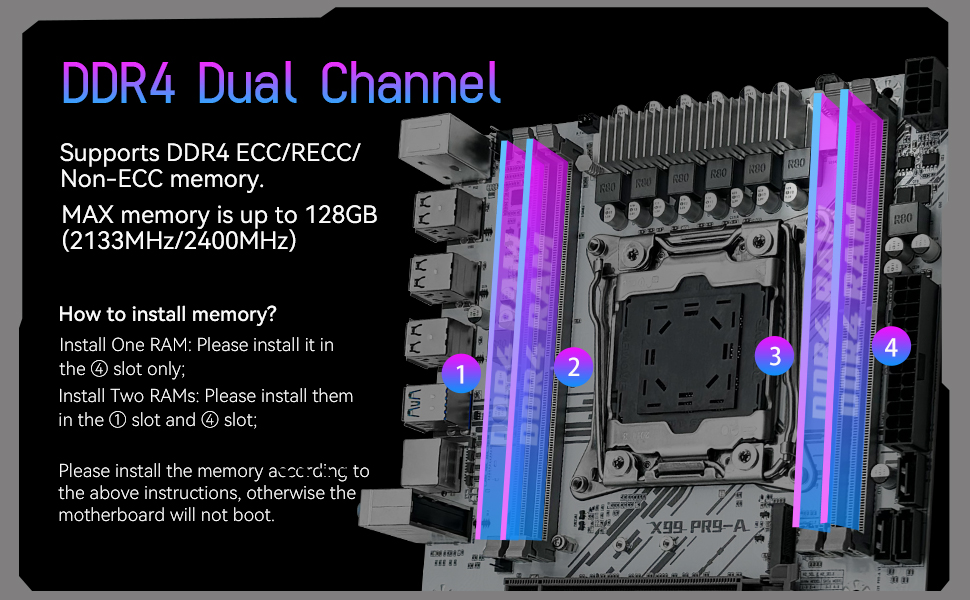
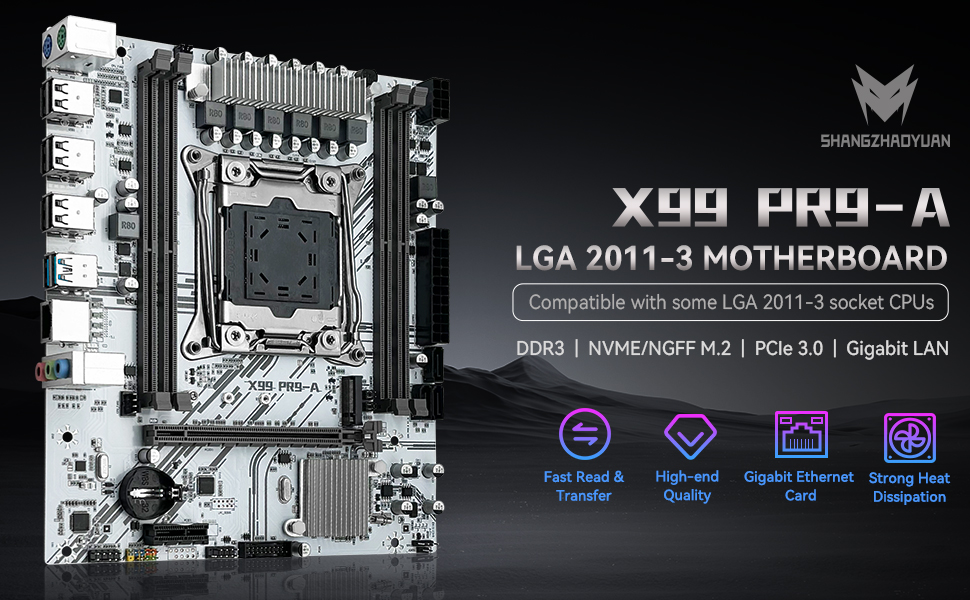
The SHANGZHAOYUAN X99 PR9-A is a Micro ATX motherboard designed for Intel Xeon E5 V3/V4 and select i7 processors, supporting up to 128GB DDR4 RAM at 2400MHz. Featuring a robust 6-phase power supply, PCIe 3.0 x16, NVMe M.2 slots, Gigabit LAN, and comprehensive USB/SATA connectivity, it delivers high-performance stability and blazing data speeds ideal for gaming, servers, and professional workloads.


| ASIN | B0D5R5QXVK |
| Best Sellers Rank | #117 in Computer Motherboards |
| Brand | SHANGZHAOYUAN |
| CPU Model | Intel Xeon |
| CPU Socket | LGA 2011-3 |
| Chipset Type | Intel 8 series chipset |
| Compatible Devices | Personal Computer, Server |
| Compatible Processors | Intel Xeon E5 V3 V4 LGA 2011-3 series processors |
| Customer Reviews | 3.9 out of 5 stars 101 Reviews |
| Graphics Card Interface | PCI Express |
| Main Power Connector Type | 20 + 8 Pin |
| Manufacturer | SHANGZHAOYUAN |
| Memory Clock Speed | 2400 MHz |
| Memory Slots Available | 4 |
| Memory Storage Capacity | 128 GB |
| Model Name | X99 PR9-A |
| Model Number | X99 PR9-A |
| Number of Ethernet Ports | 1 |
| Number of Ports | 11 |
| Platform | Windows |
| Processor Socket | LGA 2011-3 |
| RAM Memory Technology | DDR4 |
| Ram Memory Maximum Size | 128 GB |
| S/PDIF Connector Type | Optical |
| System Bus Standard Supported | SATA 3 |
| Total PCIe Ports | 2 |
| Total SATA Ports | 3 |
| Total Usb Ports | 10 |
| USB 2.0 | 4 |
| Warranty Description | / |
G**N
recomend for performance and price point
working ok for my needs. I have installed it in a coolmaster box with nvidia 1660ti gpu and a xeon e5-2667-v3 cpu and a 700watt psu. will buy again. it came with 32gb 2133mhz ram with heat shields and boots windows from 3x4 m2 nvme ssd. perfectly..
V**E
Great all around motherboard
Perfect for my home server. If I wanted it to it could easily function as a gaming bird.
A**R
Terrible Seller and Faulty Product - Pathetic Tech Support
I purchased one of these boards and it wouldn't boot with both CPUs. I tried all the normal DIY tech tricks before contacting the manufacturers tech support. I tried to boot with 1 CPU and that worked. So I moved it to the other CPU slot and it worked there too. But if you add the 2nd CPU to either slot, it won't boot at all. It gives a couple meaningless error codes (there's no manual and nothing to download) and then it's bricked. I tried 1 stick of RAM. I tried 2 sticks. 3 sticks. 4 - 5 -6 -7 -8 sticks or RAM. 1 CPU - 2 CPU - 1 video card - 2 video cards - 1 old video card - 1 new video card. Nothing works. So I contacted Amazon and asked for tech support. Amazon got me in touch with the manufacturer quickly. But their tech support was just some person asking me to go back and repeat all the steps I had already attempted on my own. I was expecting some REAL technical support - like a BIOS update or a user manual. I was hoping for a REAL technical support person to offer me some REAL (ya know TECHNICAL) support. Instead I get some person asking me to swap hardware around. I already did that before I ever contacted them. I'd expect a manufacturer to offer some real solutions besides "swap hardware around to different slots until you fool it into booting" They asked me to disassemble it and make a VIDEO of how I assembled it and put it together!!! It's an Extended ATX motherboard with dual 2011-3 CPU's. There is NO WAY to screw it up. The stuff literally snaps into slots and there's only 1 way that each piece can snap in. You CAN'T screw it up. The manufacturers all follow a standard and the components have been "idiot proofed". You CAN'T assemble anything backwards. It won't FIT. Yet, their "tech support" person is asking me to make a video to verify I assembled it correctly. Okay - frustrated as I am - I'll tear it apart AGAIN and make a video of me assembling it. I go to upload the video and there's a 10mb limit. That's when I threw my hands up. After weeks of going back and forth with some useless "tech support expert" I asked Amazon to RMA the darn thing and refund my money. This was nothing but weeks of frustration and a waste of my time.
A**L
Value for money
For the money you can't go wrong with this in my opinion. I bought the X99 MR9S model and it works pretty well for me! I paired it with a e-5 2698 v4 and 8x16gb ddr4 2133p ecc server ram. I wanted to make an upgraded server from my previous one while having your standard front panel headers to use a nanoKVM pci-e with it (old server was a dell t410 that has ddr3 and dual xeon x5675). The features/functions on the motherboard are basic. I can't comment on using it for any type of virtualization with it as the server work I do with it is just hosting different instances of game worlds on it via Windows 10 and AMP. The few minor reasons I gave it 4 out of 5 stars is because documentation on this motherboard is very broad and does not answer questions other motherboard manufacturers do with theirs, it has very few fan headers (2 four pin and 1 three pin) and even though it includes a JLPCM slot for a TPM module you have to buy an adapter and a gigabyte TPM module to get it to work and if you reboot the computer you have to do a full power cycle unless you solder 2 wires from the TPM to the motherboard since it does not have the reset pins needed to power cycle the TPM properly. If they had included at least 2 more 4 pin fan headers (could have changed the single 3 pin one for a 4 pin) and included the pins for the TPM reset I would have given this a 5 star review. If I could go back to change my mind for another option (and possibly used) I would still purchase this as it is a great value for what you get.
J**S
So happy this works. No complaints.
Works like it should. 32 GB of ram shows up. Very happy with this board. Can't beat the price. Wish the white version had a 32gb ram option.
S**.
Motherboard code P9.
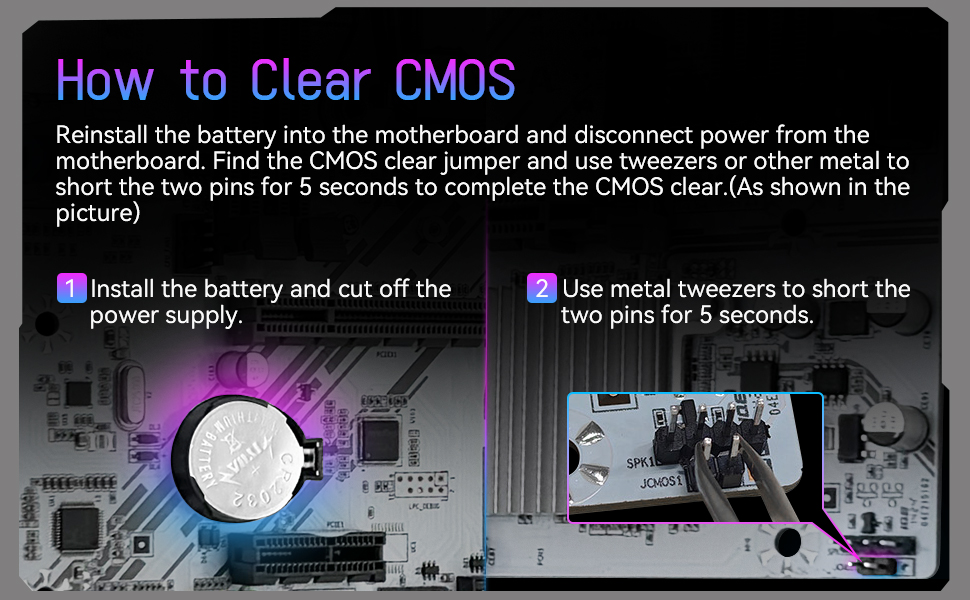
Can't find anything on the internet for any X99 or C621 chipset describe this error. Have tried 1 CPU instead of two, tried ECC and Desktop RAM one slot, all slots. Nothing. Reset CMOS, nothing. Dead board unless someone can describe this. UPDATE: This is a MACHINIST rebranded board. NO YOU CAN'T FLASH ANY OTHER D8 MAX BIOS ON THIS BOARD. You will brick it unless you have a RT tool. Appears there may be a dead RAM slot, Socket 2, D1. Ram plugs in just fine, but WHEA. When RAM is plugged, load up windows, system throws WHEA errors with a IO/Interconnect error. It's correctable, and system doesn't crash. Two Xeon 2696V4s 224GB of 256 of DDR4 ECC. Board's power draw does not read properly. MAX TDP on board readout depicts 34 watt peak under 24 hours of Prime 95. CPU Package temperatures read just fine too. AUXTIN temperatures are false, and stay at 107c. No active VRM temps visible here either, but ran the FLIR and temperatures are okay for VRMs w/ top down heatsink fans blowing. 97c peak on 24 hours of Prime 95. CPUs turbo clock and boost just fine. No outstanding issues with this board, just wish it had more actual PCIE slots like Huanzhai's F8D Plus. I give it a 5/5 mostly because it arrived faster than any other board from Aliexpress. 4/5 for seemingly dead RAM slot, don't have any other ram to test that is ECC.
G**J
good
the best of the best it fits good and looks good and it is good and connectivity and power consumption and stability and love it
S**S
Verified working cheap replacement board for LGA 2011 e5 Xeon/ 5820k
Nice cheap replacement board for LGA 2011 socket. Running an e5 - 2699 v3XEON 18 core as well as 5820k - verified working. Old school BIOS, no nice looking UEFI; will not read all of the RAM I have (have 64 GB only reads 32, likely BIOS limitation); contains no documentation so you have to use online resources to figure it out. Running 1080ti no problem and can game on old school stuff like Oblivion and GTA V easily.
Trustpilot
1 day ago
1 month ago