🔧 Power your projects with precision and speed — don’t get left behind!
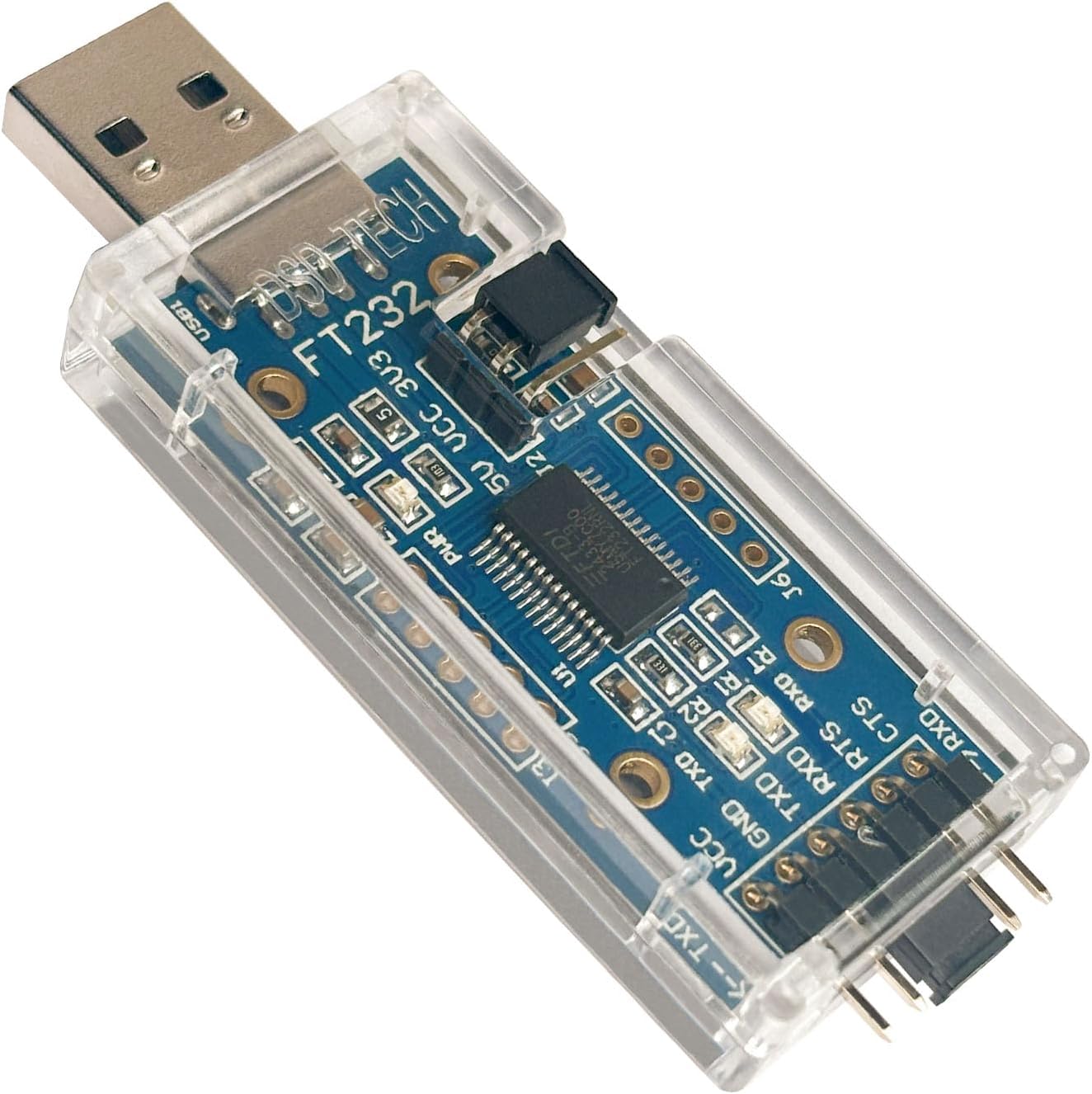
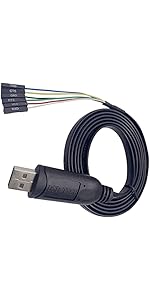
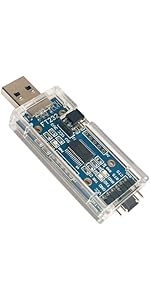
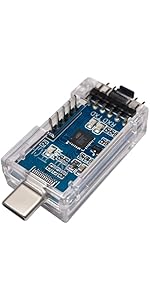
The DSD TECH SH-U09C USB to TTL Serial Adapter features the high-stability FTDI FT232RL chip, delivering up to 3Mbps data transfer with LED indicators for TX, RX, and power status. It supports both 3.3V and 5V output via jumper selection, ensuring compatibility with a wide range of MCUs and boards. Compatible with Windows and Mac OS, it offers hassle-free plug-and-play operation backed by a 1-year warranty and responsive customer support.


| ASIN | B07BBPX8B8 |
| Best Sellers Rank | #52 in Serial Adapters #4,733 in Cables & Accessories |
| Brand | DSD TECH |
| Built-In Media | USB to TTL Serial Adapter with FTDI FT232RL |
| Compatible Devices | Desktop, Laptop |
| Connector Type | USB Type A |
| Current Rating | 0.5 Amps |
| Customer Reviews | 4.6 out of 5 stars 2,101 Reviews |
| Finish | Matte |
| Finish Type | Matte |
| Input Voltage | 5 Volts |
| Item Dimensions | 2.2 x 0.8 x 0.1 inches |
| Item Weight | 0.03 Kilograms |
| Item dimensions L x W x H | 2.2 x 0.8 x 0.1 inches |
| Manufacturer | DSD TECH |
| Model Number | SH-U09C |
| Nominal Power | 15 Watts |
| Number of Items | 1 |
| Number of Ports | 1 |
| Package Quantity | 1 |
| Power Plug Type | No Plug |
| Specific Uses For Product | Laptop |
| UPC | 606479964241 |
| Unit Count | 1.0 Count |
| Warranty Description | 1 year warranty |
| Warranty Type | Limited |
M**A
Good product
Worked perfectly with no driver issues
A**R
Great for USB to TTL interfacing.
I needed this to program a Nextron LCD display via a USB port. At first, my Nextron screen showed only lines and static. Then I realized the power jumper was set to 3 volts, and the Nextron required 5 volts. After that, no problems. It just works.
S**.
FTDI chip is superior to CP2102, pay the extra few dollars
The FTDI drivers are flawless unlike the CP2102 drivers which are old and outdated. Save yourself the headache and trouble and pay 5 more dollars for the FTDI chips, you will thank yourself in the future. The variable voltage selection jumper on this converter is very useful for handling hardware that runs on 3.3V instead of 5V, saving yourself the hassle of buying, owning, and subsequently finding the right voltage TTL reader. The jumpers included on this were also nice. Great value, would buy again, would recommend to anyone looking for a TTL reader. Use case: Reading serial terminal data off an SBC due to bugged OS compilation software (a lot of bootleg, or alternative rpi clones do not have reliable wifi config options when compiling and writing the software to the boot media. Often, these have no video output, so doing any computing becomes impossible. You need one of these to change the settings on the OS after initial boot to connect to your network to SSH into them).
J**B
Works fine with Windows, Linux, or Raspberry Pi, but not Reyax RYLR998 LoRa
Update: The boards work perfectly in every way, except with the Reyax RLYR998 LoRa boards. On Windows, Linux, Raspberry Pi, or Android, they just will not work with the LoRa board. I have returned the boards and changed my rating from 5 to 4. I had no installation problems at all. The boards are seen as "com12" on Windows and "/dev/ttyUSB0" on Linux and Raspberry Pi. I found that the "cutecom" program is available on all three platforms, which gives me a good way to use them for initial testing or to interface to Reyax LoRa radios. Using various online examples, I was able to make a little Raspberry Pi Python program use the boards. Other terminal programs that worked for me are: "Serial USB Terminal" on an Android phone, PuTTY,HTerm, gtkterm, screen, cu and Picocom on Linux, PuTTY and Terminal.exe on Windows. However, I came to learn that that the Raspberry Pi has its own "UART" built into the GPIO pins. If you want to control a Reyax LoRa Radio from the Pi, you don't need these DSD Tech boards at all. Just hook up to the proper GPIO pins, enable serial I/O in raspi-config, and specify /dev/ttyAMA0 instead of /dev/ttyAMA0. From a Python program, the GPIO pins and the DSD Tech board are used in exactly the same way.
R**.
Real FTDI chip. Works great.
I bought this adapter to interface a uBlox Neo-8M GPS module to use as a time reference with PPS to create a stratum 1 NTP server on Windows 10. It powers the GPS with no problem. I soldered a lead to the CD (carrier detect) hole on the PCB and connected it to the PPS output of the GPS module. It works, but be careful. It appears that the RS-232 control signals (CD, CTS, RTS, DTR, DSR, etc) are inverted. So my PPS driver was triggering on the falling edge of the CD signal instead of the leading edge. I was able to compensate for this by using an offset.
D**X
Worked well for modding T962A reflow oven
Plug and play on Windows 11, no additional drivers required. Used flashmagic tool and instructions I found online to put the T962A into bootloader mode then flashed like a champ. Likely won’t have to ever use it again but good quality for peace of mind.
K**J
Comes with a ribbon cable
Updated Jan 28 2023. It still works! I programmed a Yaesu FT60 radio with it the other day. ------------------------------------------ (Original review) I used this to program my Icom IC-2100H, and my Icom IC-2820H Ham radio. Very fast on my desktop, read was about 5 seconds. I kept the Voltage Jumper at "3.3 Volts". For Icom radios jumper a 1N914 or other switching Diode across "RXD' and "TSD", with the Cathode (part with the line) connected to "TXD" and the Anode connected to "RXD". Then run a wire from "RXD" to the "Ring" of a 3.5mm "TRS" (headphone) plug, and connect "GND" to the "Shield" of the 3.5mm"TRS" plug.
B**5
USB to TTL adapter
The adapter seems to be well made and functions correctly. I had a little trouble with it on the first Windows 10 machine that I tried to use it on, but that was my own fault. I had another device with FTDI drivers installed on my machine and since the device was active when I plugged the adapter in, it wouldn't recognize the new device. I used it on another PC and the driver loaded and the device worked fine. You'll need some sort of terminal program to use this and since I am familiar with Tera Term, I used that. It works just fine with Tera Term.
Trustpilot
1 day ago
1 month ago