
DOWNLOAD THE APP


Customer Services
Copyright © 2025 Desertcart Holdings Limited
DOWNLOAD THE APP
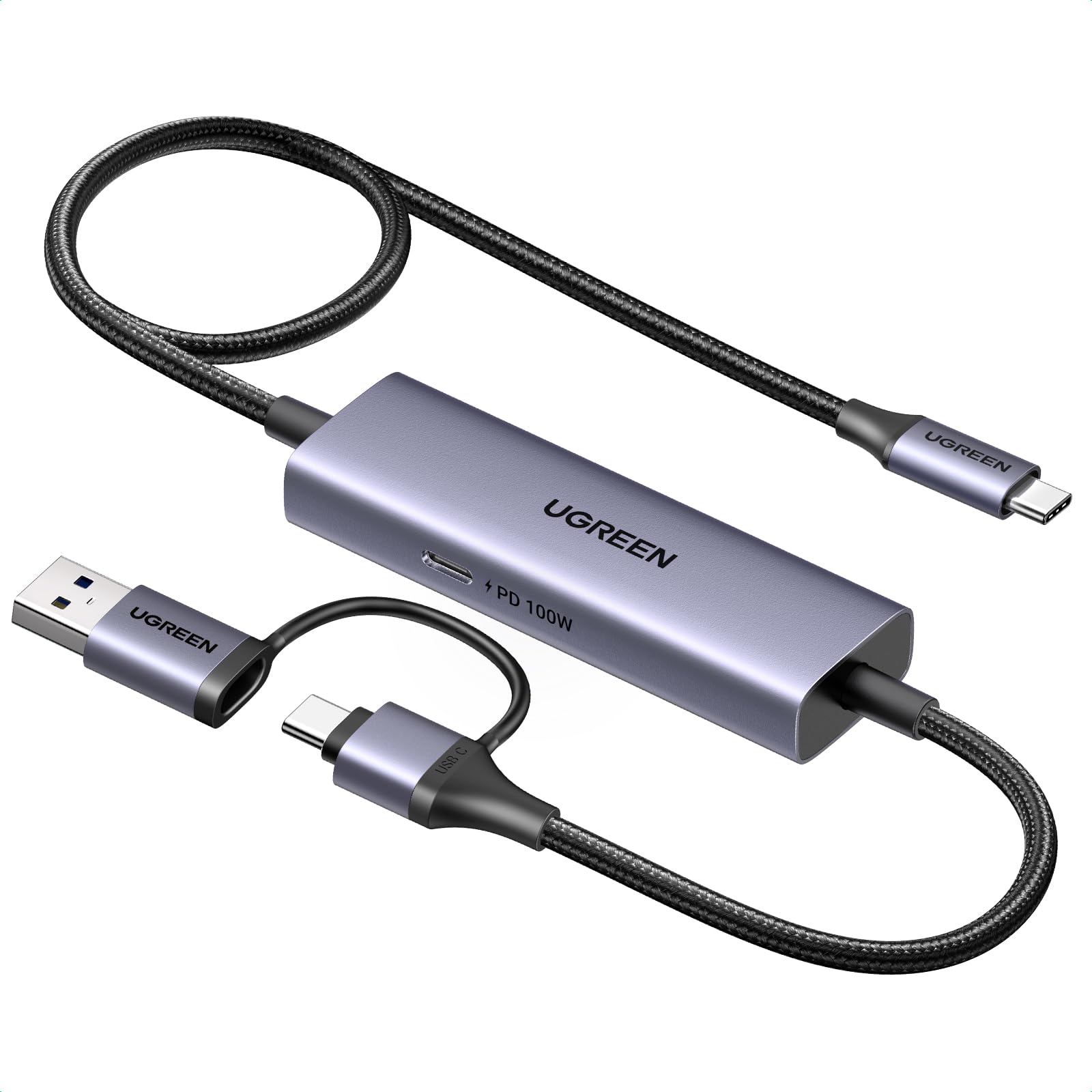
🎮 Stream Like a Pro, Charge Like a Boss
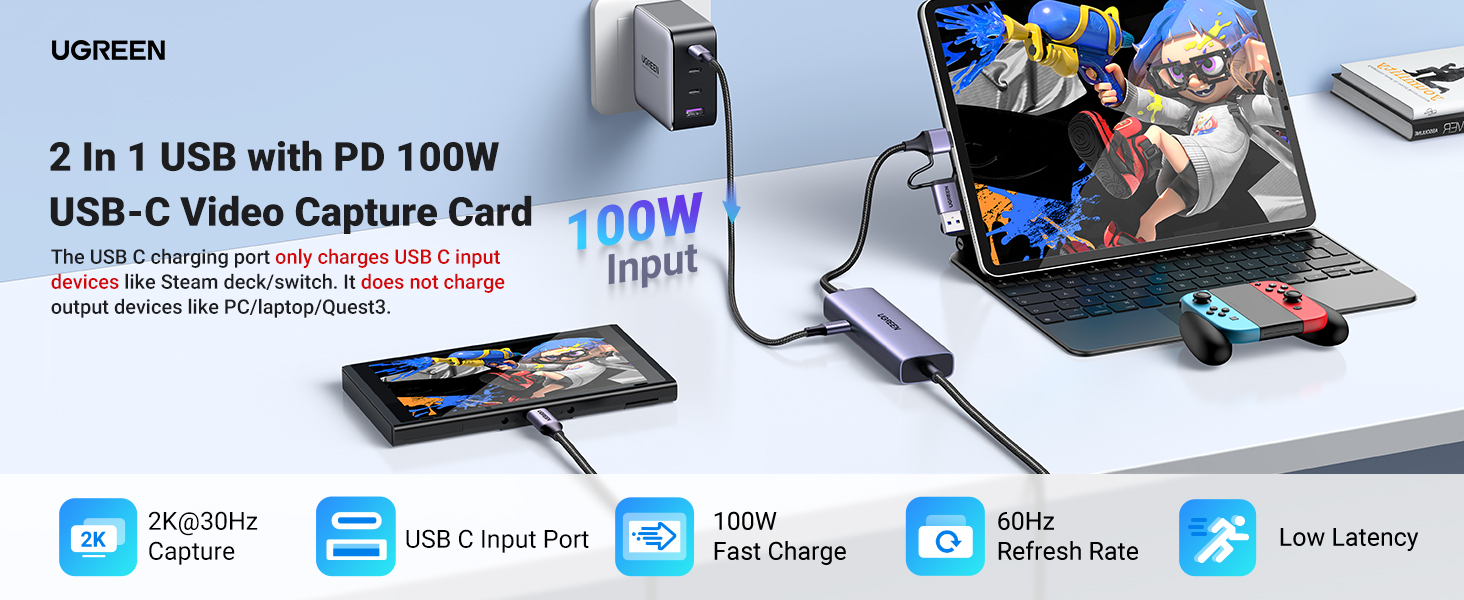
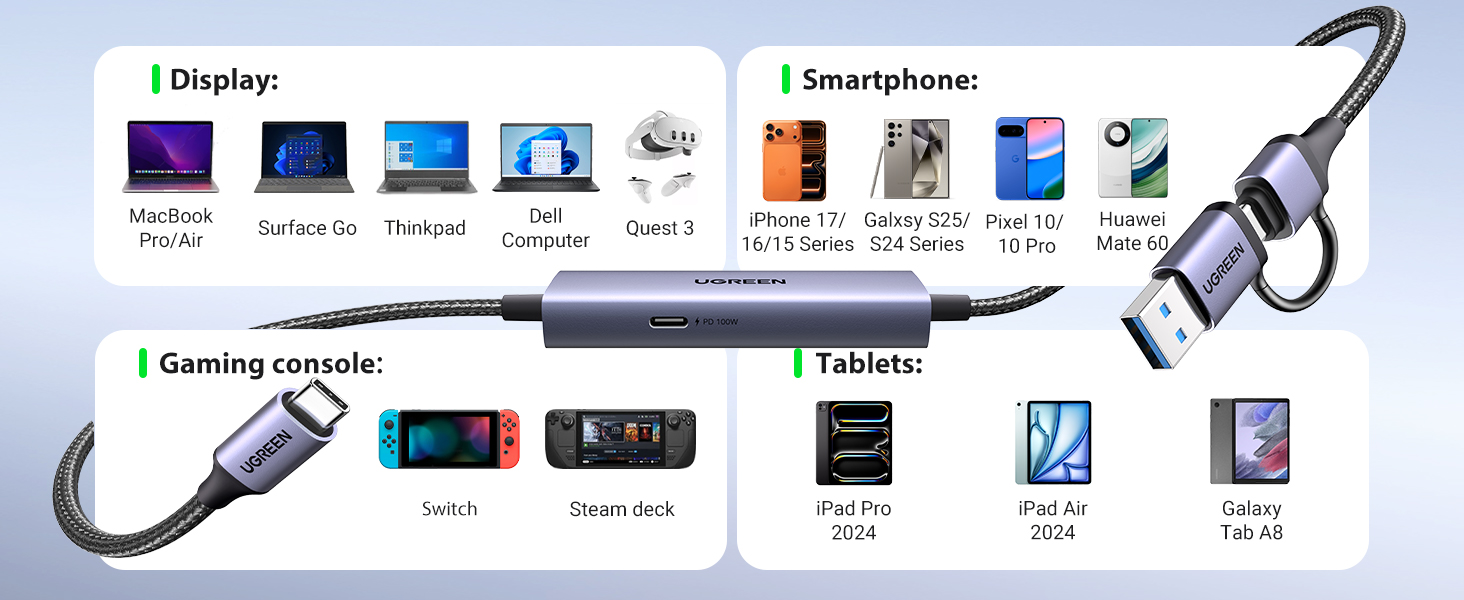
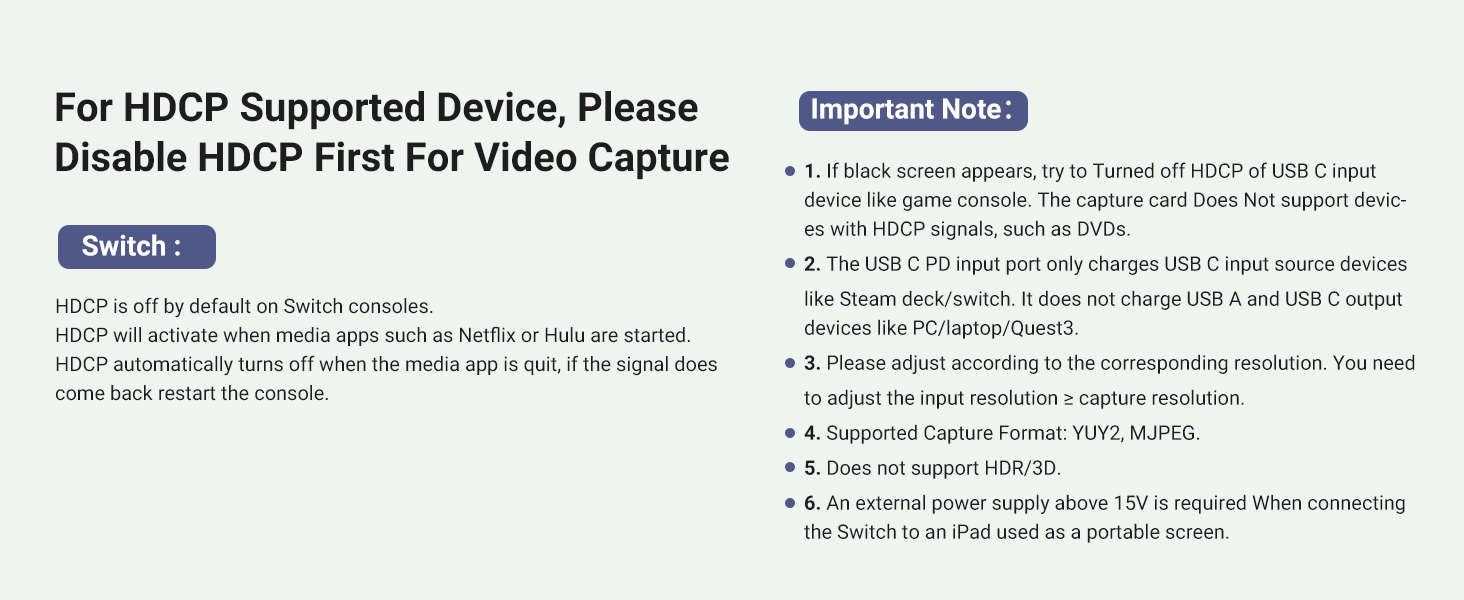
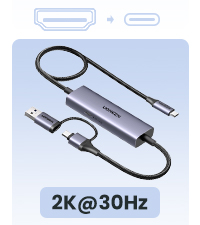
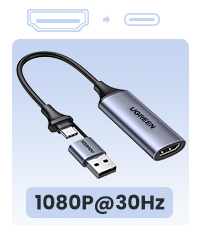
The UGREEN 2K 30FPS 1080P 60FPS USB-C Video Capture Card is a cutting-edge streaming tool designed for USB-C devices like Nintendo Switch, Steam Deck, and iPad. It delivers 4K@30Hz input and 1080P@60FPS capture with ultra-low latency via a 5Gbps transmission rate. Featuring 100W Power Delivery, it charges your device while streaming, eliminating downtime. Compatible with Windows, MacOS, iPadOS, and Android, it offers plug-and-play ease with a durable aluminum build and universal USB-C support—perfect for professional-grade live streaming and content creation.








| ASIN | B0CN2Q32HJ |
| Best Sellers Rank | #61 in Internal TV Tuner & Video Capture Cards |
| Brand | UGREEN |
| Color | Grey |
| Customer Reviews | 4.4 4.4 out of 5 stars (384) |
| Date First Available | May 31, 2024 |
| Item Dimensions LxWxH | 39.37 x 10.63 x 1.57 inches |
| Item Weight | 5.6 ounces |
| Item model number | UGC2772 |
| Manufacturer | Ugreen Group Limited |
| Operating System | Android, Linux, Mac OS, Windows 8/10/11 |
| Product Dimensions | 39.37 x 10.63 x 1.57 inches |
| Series | 25772 |
Y**G
Works with the Nintendo Switch unlike the Hagibis cable!
I bought both this UGreen capture cable and the popular Hagibis capture cable. I have to say this UGreen cable is superior. First, this cable has USB C on both ends whereas the Hagibis cable has an HDMI port on the other end which necessitates a HDMI to USB-C adapter. This is fine if you want to plug in directly to a laptop, video card, or video game console. Unfortunately for my usage I don't plan on playing Playstation or Xbox via my Quest 3. I only want to use this with my laptop and my steam deck and Switch so I appreciate not having to use another separate dongle. I tried all of my devices with the Hagibis able and unfortunately only the Switch doesn't work. This is more of a problem of the Switch as it requires a power in input as well as video out for the Switch to change into "docked" mode with external HDMI video output. Basically the Switch needs to think it is in its dock with power to enable 1080 graphics and extra wattage to boost the CPU/GPU in order to switch to external output. The Hagibis unfortunately only supplies power to the input device (Quest 3) but not to the outputting device (Switch). The UGreen has the opposite problem - namely it supplies power (if you plug in a USBC power cable in) to the output device and not the inputting device. So the Switch will immediately recognize it is in docked mode and output a HDMI signal. So if you plug in a power source, it will charge your Switch, Steam deck, or laptop while connected. Unfortunately this means your Quest will not receive any power. It's really your choice in whether you want to power the game console or the monitor. The UGreen also connects much faster than the Hagibis. You plug it in, and you get video within 5 seconds. The Hagibis takes much longer and you often wait around for the signal to work only to wait much longer and find out there is a loose connection. The UGreen you know fairly quickly if everything is right. The UGreen is not without its own problems as well. Namely one small issue is that the cable is about a foot shorter than the Hagibis. This is fine for handhelds but if you want to move further away from your source like a laptop, computer, or game console, you are limited. Also the capture card electronics is near the output end of the UGreen where the Hagibis correctly puts the electronics near the the input source. It's a bit annoying to be flopping around with a Quest and an additional heavy rectangle.
M**L
Works to stream my PC screen to my Quest 2.
This cable works on my Quest 2, I can now connect the VR headset to my work PC without having to install any special apps. It's sometimes difficult to get working if I disconnect it and reconnect; I find that I have to fully reboot my headset to get it to connect again. But I suspect that's more because of the Meta HDMI Link app, so I'm not taking a star off for that. My only criticism: the end that plugs into my headset (with the USB-A adapter) should be at a 90 degree angle rather than straight, so that it can hang down without straining the cable.
P**T
Works great with a Steam Deck and Meta Quest 3.
The image quality is excellent and the frame rate is a solid 60 fps. One thing to consider though, is that the power delivery only goes one way. It charges my Steam Deck, but not my Quest. I found a work around, but it's rather clunky. I have an Anker USB C hub with a PD port. I plugged that into my Quest 3 and plugged the UGREEN's output into the Anker's USB C data port. With this tangled mess, I can charge both devices at once if needed. If i could change one thing about this product, it would be the ability to charge both devices at once, so maybe a second PD port. Something else to consider, is the direction of the USB C cables plugged in. In order to get the 1080p at 60fps on the Quest 3, I had to flip my USB C connections in some cases.
D**Z
What a good product!!
Excellent product!! It worked for me with the Hdmi Link app, the capture card heats up a bit at high resolutions. I still don't have latency in the display of the Elden Ring game!! This product loads the Steam Deck all the time, but not the meta Quest 3, I'll look for an option for that.
J**B
Works good.
Works as described and designed. Can use it to make my iPad (using an app) or a Chromebook a 2nd monitor for my PC.
N**E
Only charges 1 device
BUYER BEWARE charging only goes 1 way if your connecting a pc to a quest 3 headset no matter how powerful the charger it only powers the device that pushing its display to the other
C**.
Limited use cases.
The implementation and instructions for this product and great, but the use cases for it are limited. This capture card essentially can capture video out from any USB-C device that’s video enabled. I tested this using an iPhone 15 pro max. Just follow their simple instructions and you quickly will be recording footage using OBStudio which I’d argue is the gold standard for video capture today. After getting everything working I had to stop myself and wonder what a person would use this for. Many apps or built in tools can do screen recording more easily than this. So what’s the main use case? My guess is actually for streaming. You can just as easily hook up a phone or other mobile device and stream mobile game footage using OBS. Overall it’s a simple and effect product, but unless you are a streamer I’m not sure why you would need this.
B**N
Review: UGREEN Capture Card
I’ve been using the UGREEN capture card to connect my Steam Deck to an iPad and also with my Quest 3, and overall, it works well for casual gaming. The setup was straightforward, and it delivers a decent picture quality, which is a big plus. However, I did notice a slight delay in the feed, which isn’t ideal for fast-paced games but is manageable for recreational play. If you’re thinking about getting into streaming non-PC games, this capture card would be a great entry-level choice—it’s affordable and reliable for general streaming needs. A solid device for the price, just keep the minor latency in mind.
D**T
Video quality is okay and what you'd expect from what you'd get from this product
V**R
un accessorio quasi miracoloso perchè viene visto come monitor da un pc o in Iphone mentre dall'altro lato il connettore si presenta come webcam ed è riconosciuta dal sistema operativo. L'ho provato con un iPad, un Macbook Pro e un Oculus Quest 2, tutto perfetto. Finora l'ho testato in 1080p e non in 4K. Proverò.
C**N
Ahora entiendo por qué este cable es tan recomendado por los youtubers que crean contenido sobre realidad virtual. No encontré otro cable a este precio que ofrezca tanta comodidad al evitar el uso de adaptadores para añadir entrada de video al Meta Quest 3. Funciona perfectamente para transmitir contenido desde dispositivos como Steam Deck, iPhone con USB-C o Android con salida de video. Sin duda, una opción práctica y asequible para quienes buscan conveniencia y calidad. Solamente hay que cuidar no tocar mucho la entrada al Quest o jalar un poco el cable porqué se pierde la conectividad y es algo molesto.
H**H
Perfekt
J**.
Wer (wie ich) sein Steam Deck mit einem Android-Tablet (in meinem Fall ein Galaxy Tab S7) verbinden möchte, um besagtes Tablet als Bildschirm zu nutzen, ist hier genau richtig. Ich habe nichts weiter getan, als auf dem Tablet eine USB-C Camera Standard App aus dem Playstore herunterzuladen (kostenlos, keine lästige Werbung, simple Bedienung keine unnötigen Freigaben - nur eine Empfehlung für Noobs wie mich, weil sie im Gegensatz zu anderen Apps funktioniert und einem eine Menge Sucherei und Kopfschmerzen erspart), diese Capture Card hier zwischen Deck und Tablet zu stecken, die genannte App für den Zugriff auf die Capture Card auszuwählen, die Einstellungen des jeweiligen Spiels auf dem Deck z.B. auf 1280x800 zu setzen, dies gegebenenfalls noch einmal Ingame zu wiederholen, die App auf dem Tablet auf Fullscreen zu schalten, und siehe da: Es läuft! Wer seine Apps streng einschränkt, sollte u.U. noch mal durchchecken, ob wichtige Funktionen eingeschränkt sind und dies ändern. Ich hatte z.B. ein paar Sachen wie Smart Switch deaktiviert, da ich es für meine übliche Nutzung nie brauchte. Aber ansonsten bin ich über keine nennenswerten Probleme gestolpert. Diese Video Capture-Lösung ist für meine Zwecke absolut spitze geeignet; die Nutzung ist völlig unproblematisch, das Deck wird mit Strom versorgt, nur das Tablet läuft über den eigenen Akku. Warm wurde die Card beim Betrieb am Deck auch nicht nennenswert. Die Gesamtlänge der Kabel beträgt etwa 1,39m, davon ist das Kabel zur Quelle etwa 1,05m lang, zum Empfänger hin ca. 25cm. Das Kabel zum Deck ist also - für meine Begriffe - definitiv lang genug, um bequem zu zocken, wenn man das Tablet auf dem Schreibtisch vor sich stehen hat. Ursprünglich wollte ich das Tablet mit einem ausrangierten Router und Steam Link über WLAN nutzen, aber das ist an Steam Link gescheitert, das zwar alles korrekt erkannte, aber keine Verbindung herstellen wollte (auch nicht über LAN); ich wollte nicht extra an Beta teilnehmen, um es eventuell doch noch zum Laufen zu bringen (und mich dafür möglicherweise regelmäßig mit anderen Problemen rumärgern zu müssen). Die Capture Card von UGreen ist da für mich die ideale Alternative. Wer kein Problem mit maximal 2K bei 30Hz hat (1280x800 läuft prima mit 60Hz), sich nicht am Kabel stört und einfach bloß ohne viel Gebastel mit seiner Handheld am Android-Tablet als Monitor zocken will, kann hier meiner Ansicht nach nichts falsch machen. Für mich jedenfalls ist das Teil optimal. Vorausgesetzt natürlich, es geht nicht innerhalb kurzer Zeit kaputt - das könnte als einziges noch schiefgehen... Ansonsten bin ich glücklich, mein Tablet mit diesem Hilfsmittel erstmal zeitlich unbegrenzt und sinnvoll weiter nutzen zu können. Diese Capture Card bedeutet für mich vor allem eine Menge Spaß. P.S. - Für Switch-Nutzer, die Hori-Controller besitzen: Diese lassen sich nach Anschluss der Capture Card im Handheld-Modus nicht mehr für die Steuerung nutzen. Die Standard-Controller sollten aber problemlos funktionieren - ich hab's allerdings nicht getestet, daher keine Gewähr. Und... Darauf, dass die Capture Card Blu Ray Signale überträgt, würde ich nicht wetten. Ich meine, einer der englischsprachigen Rezensenten hat das auch schon erwähnt.
Trustpilot
4 days ago
1 month ago