We remain fully operational. Our teams are working around the clock to ensure your deliveries continue safely.

DOWNLOAD THE APP


Customer Services
Copyright © 2025 Desertcart Holdings Limited
DOWNLOAD THE APP
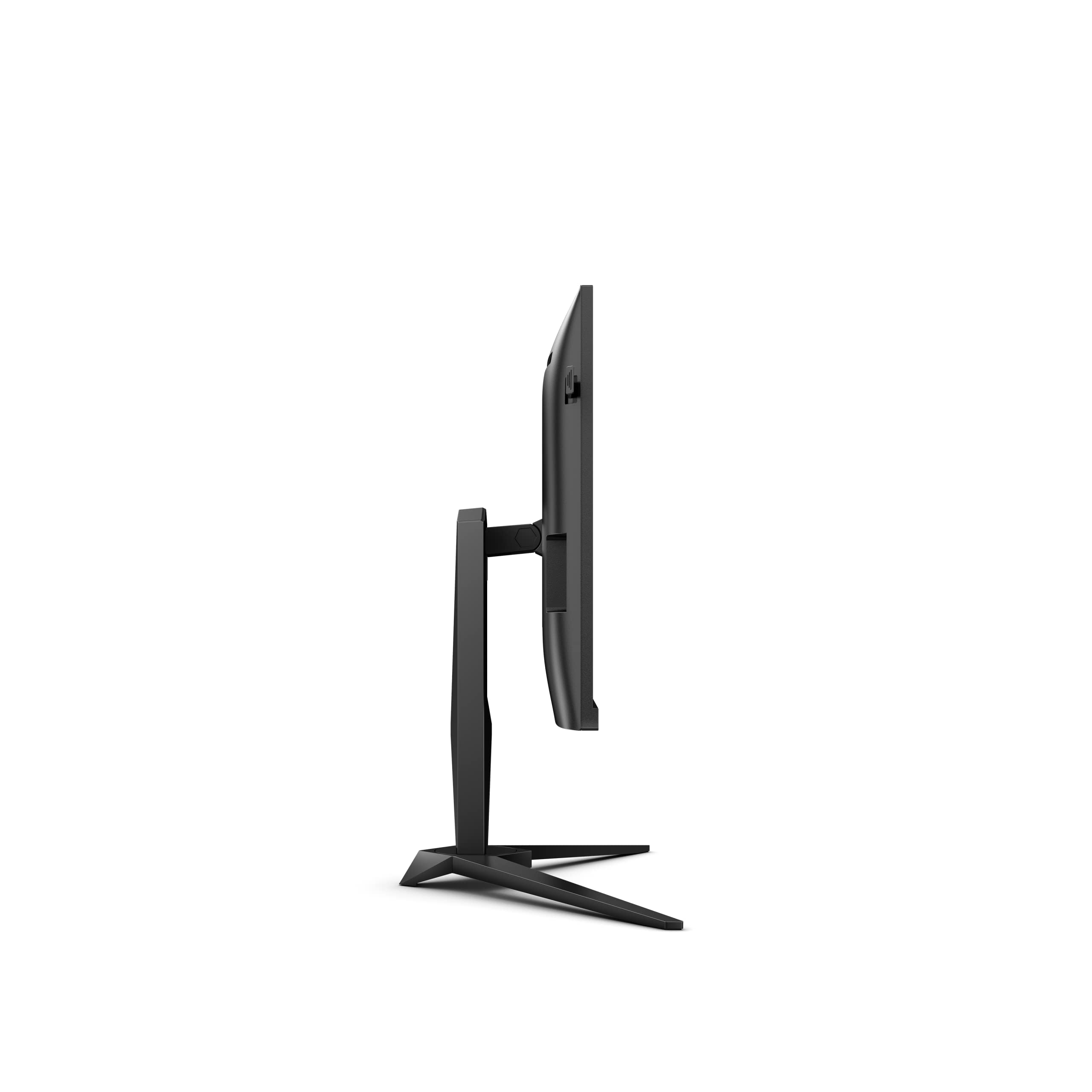
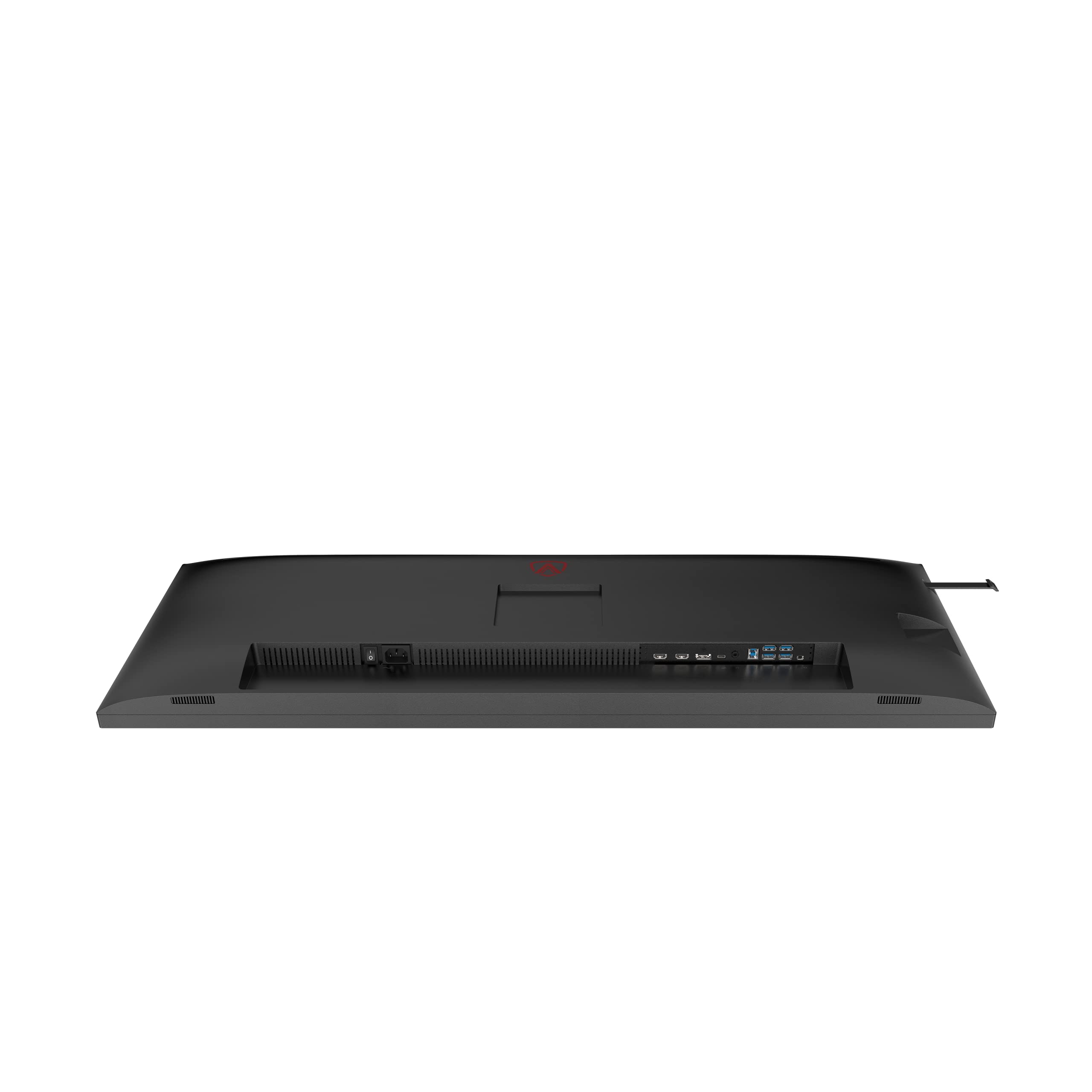
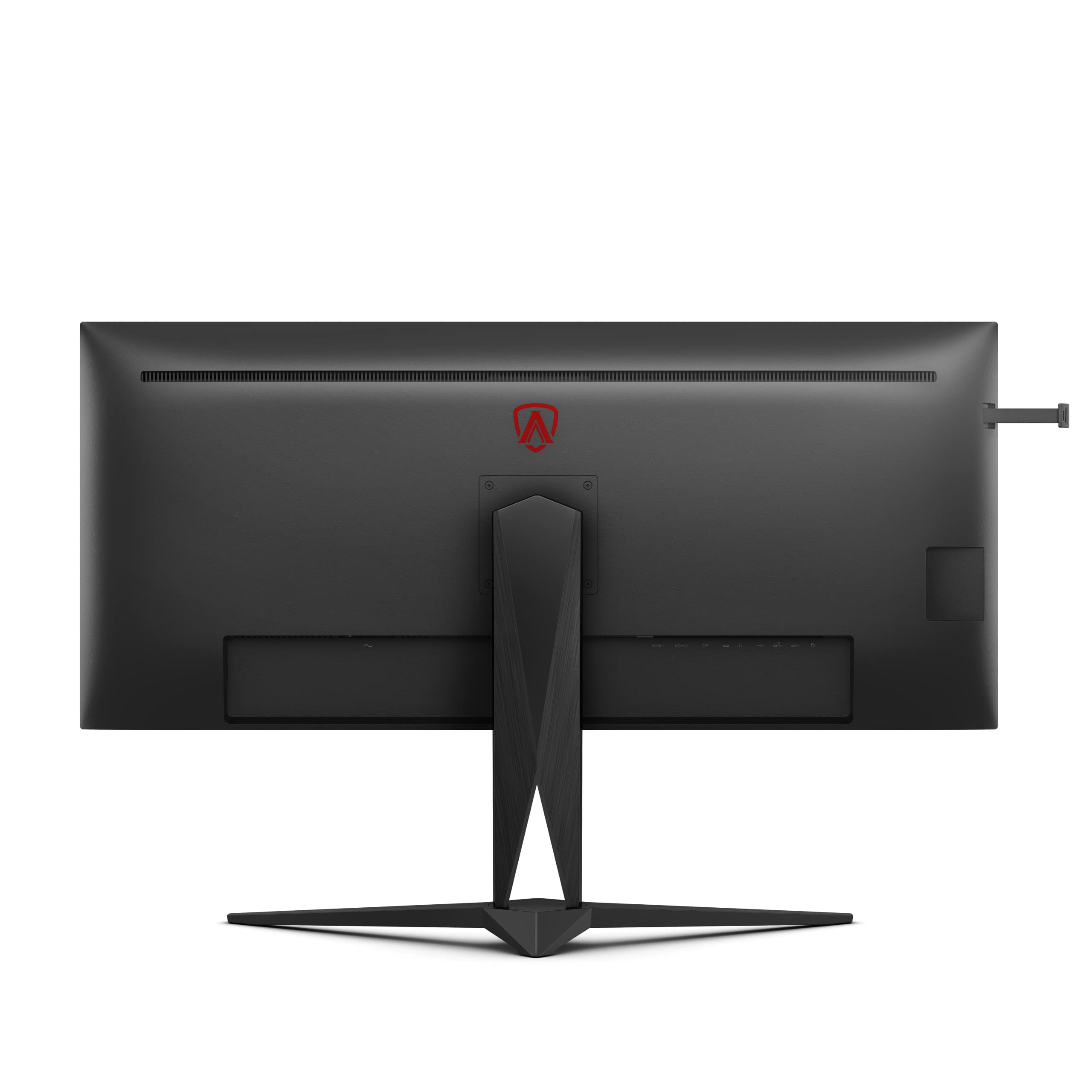


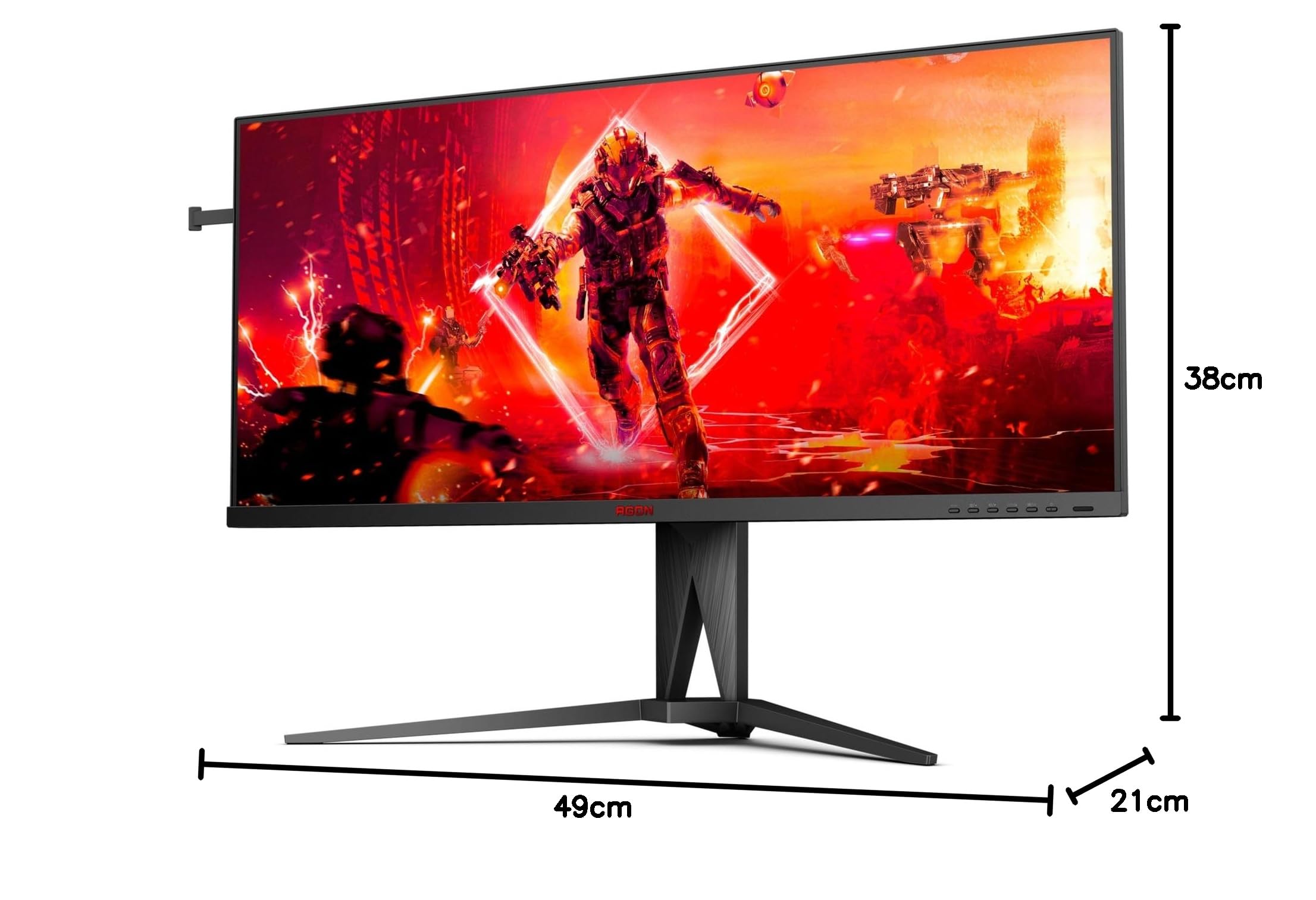


🚀 Elevate your game and workflow with the AGON AG405UXC — where speed meets expansive clarity!
The AOC AGON AG405UXC is a 40-inch ultrawide QHD gaming monitor featuring a 3440x1440 resolution, 144Hz refresh rate, and 1ms response time. It supports both FreeSync and G-Sync for tear-free gaming, includes USB-C with 90W power delivery, and offers ergonomic adjustments for a comfortable, immersive experience. Ideal for professionals and gamers seeking a high-performance, versatile display that enhances productivity and gameplay.


| ASIN | B0C4P88C2S |
| Are Batteries Included | No |
| Best Sellers Rank | 17,592 in Computers & Accessories ( See Top 100 in Computers & Accessories ) 327 in Monitors |
| Brand | AOC |
| Colour | Flat |
| Computer Memory Type | DIMM |
| Customer Reviews | 4.3 4.3 out of 5 stars (1,127) |
| Date First Available | 7 Jun. 2023 |
| Guaranteed software updates until | unknown |
| Item Weight | 2 kg |
| Item model number | AOC AG405UXC |
| Lithium Battery Energy Content | 2.6 Watt Hours |
| Lithium Battery Packaging | Batteries contained in equipment |
| Lithium Battery Weight | 5 Grams |
| Manufacturer | AOC International |
| Number of HDMI Ports | 1 |
| Number of USB 3.0 Ports | 4 |
| Product Dimensions | 21 x 38 x 49 cm; 2 kg |
| Resolution | 3440 x 1440 Pixels |
| Screen Resolution | 3440x1440 |
| Series | AG405UXC |
| Standing screen display size | 40 Inches |
B**E
Great Alternative To ASUS / Acer Offerings
With all the negative reviews I was a little anxious as to how this monitor would turn out. I need not have worried. No dead pixels, fantastic picture out of the box (could do with some minor tweaking which I will get around to), gorgeous colours - this really is a fantastic monitor at the price point. Coming from a 1080p monitor with a TN panel, the step up to 1440p with an IPS panel is a big one. So too is the availability of 165hz refresh rate; I'd always been sceptical about the personal benefit I'd see from anything over 60, but it really is just like people say it is. Everything just feels better. I've not had a chance to give G-Sync a good workout just yet but I've got a very good feeling judging from the rest of this package, I'm going to be happy. It isn't a perfect monitor for sure; there is bleed in all 4 corners, but (at least on this one) it is very minor and I'd really have to go out of my way to even get a little bit worked up about it being there. It is such a non issue. Also, if you like plenty of scope to plug in every single console / PC / media device you own into this monitor at the same time, you are going to be disappointed as there are just two ports; Display Port and HDMI. I'm really struggling to pick any more meaningful faults with it though. With a great feature set and attractive pricing, I see no reason to pay extra for the ASUS or Acer alternatives. Edit: Several months on and I have to say this monitor has not disappointed. G-Sync is incredible; I now understand when people say they could never go back to a non G-Sync monitor after using it. Games look and feel sensational. Given the current price (around £650) there are monitors that outdo this one, but if you can get it for £500 or so, you will not regret this purchase.
T**D
Excellent for both productivity and gaming
I bought this monitor as I needed a single monitor which would connect to both my Dell XPS 15 work laptop (via usb-c dock) and to my gaming pc (directly via DP). It is replacing my old Asus Rog Swift 27", as it only had the one DP port. The below feedback is after 2 weeks of heavy use; Build quality feels very good - sturdy, and I am impressed with the range of movement (tilt, up/down, swivel) available. I am surprised to find that the monitor does not wobble at all from typing, as I am quite heavy handed with my typing. The stand has okay but definitely not outstanding cable management support. Not really a big issue because I have the monitor positioned relatively low (about 4" from the desk). There is a small extendable headphone arm on the right side of the monitor, however it seems unusable to me. Placing my Headset on it makes the monitor lean off to one side due to the weight, and I do not like how close the earcups sit to the panel. This is with quite a large headset, so this feature might work fine for you if you have lightweight headphones. The monitor includes a built-in usb hub, one slot of which can be configured to provide charge whilst the monitor is off. I use it for some of my peripherals, works well. The menu button itself feels sturdy and easy to reach, however actually using it to navigate the menu is unintuitive and feels a bit clumsy. This would not normally matter as I like to use software such as ControlMyMonitor.exe anyway, but a couple of important features do not seem to be present in it (controlling the OC, video source, and RGB's for example). Ultimately, a minor complaint. The only feature I bother using at all after the initial setup is swapping video source, which requires only a quick flick to the left. Swapping between my laptop and desktop this way is very fast and saves me a lot of hassle. The monitor has an effective deep sleep mode if I step away from my pc for an extended period of time, so I don't feel the need to physically turn it on/off on a regular basis. Onto the screen itself - The size is superb and at a normal viewing distance (arms length) I can't discern any blurriness of text or individual pixels. I'm sure it isn't perfect in terms of colours (I wouldn't know because I don't do any sort of colour sensitive work), but for me they feel vibrant with excellent darks. Games feel immersive (with barely a FPS drop when compared with my previous 2560x1440p monitor), and the screen estate is very comfortable for work. Gsync works nicely once I turned on the framerate OC (120hz). I feel this step was absolutely neccesary because 100hz felt awful to me, but if you are not currently used to 144hz you may not mind. I have kept an eye on the stability and heat output of the monitor following the OC, and it certainly is safe and stable so you may as well switch it on in any case. All games I have tried work at the full ultrawide resolution, worst case I've needed to implement an easily-googleable edit (replacing an .exe for example). A lack of game support is a relic of the past, ignore the nay sayers. The main drawback to an ultrawide is that movies/videos leave black bars at the sides, but this isn't anything that you can resolve by buying a different model. There are some browser extensions that can address this, but they have their own drawbacks. If black bars whilst watching video bothers you, ultrawides don't suit your needs. Overall very happy with it, good quality at this pricepoint. AOC have an excellent RMA and warranty, so I feel confident that I will get plenty of value out of this monitor for years to come.
A**W
Nice monitor
Lets get the negative stuff over and done with first: AOC forgot to place an instruction manual in the box. AOC also forgot to put an English cable needed to connect to the power brick, so i could not switch this monitor on to see if it worked. I had to go to Argos and pay for an American to English plug adapter, now these only cost £1.50p but it's not the point. The screen is also a finger print magnet, again AOC failed to provide anything to clean it with. Amazon sent this out in it's Original packaging without any protective boxing - no common sense what so ever, and they wonder why there is so many items damaged and RMA's.. Also the stand takes up a fare bit of space making the monitor a little close to the eyes. Now the positive: Games on this monitor look amazing. You will have to use the included displayport cable to get the full 144hz refresh rate. I have 8700k with EVGA 1070. I have test CS GO and i got no screen tearing or ghosting at all. I have also tested the HDR functionality using BF1 and it looks excellent, no washed out colours. There is an Acer curved 31.5 display just released that has a 1ms response time, i turned my nose up at this because the brightness on the acer only goes up to 300cdm2 where as this AOC monitor goes up to 400cdm2 making the HDR look far better. I no Arkham Knight is an old game but feck me does it look amazing on this display with all the settings maxed !! As for setting this monitor up go to youtube and search for TotallydubbedHD, and this guy shows how to set the previous version of this monitor up, the settings also work on this newer model. This model has the newer settings UI and is more intuitive than the previous version. Also looks cooler to :) I would recommend this monitor and have no regrets purchasing it. Please excuse the wonky distorted photo's, they were taken with my LG G6 smart phone but for some reason, all the camera's i own do not seem to be able to capture the screens curve in it's full glory.
J**N
Vorwort Nachdem ich mir vor kurzem einen neuen Gaming PC zusammengebaut habe, wurde es ebenfalls Zeit, meinen in die Jahre gekommenen 24“ FullHD-Monitor mit 60 Hz und TN Panel gegen etwas Adäquates auszutauschen. Nach langem Suchen und Lesen von Testberichten ist meine Wahl auf den AOC Agon AG271QG gefallen. Dieser besitzt ein 27“ IPS-Panel in WQHD-Auflösung (2560x1440 Pixel) mit 144 Hz (165 Hz mit Übertaktung) Bildwiederholrate und G-Sync. Noch vorweg: ich habe dieses Produkt als Amazon Warehouse Deal im Zustand „sehr gut“ erworben. Sprich die Produktverpackung wurde schon einmal geöffnet und der Monitor kann auch schonmal im Einsatz gewesen sein. Verpackung Der Monitor wurde wie von Amazon gewohnt schnell geliefert. Das Paket scheint auf den ersten Blick sehr groß, dies ist der guten Verpackung des Monitors geschuldet. Bevor man den Monitor begutachten darf, fallen einem erstmal das ganze Zubehör in die Hände. Mitgeliefert werden ein DisplayPort- und HDMI-Kabel, sowie ein USB-Kabel für den integrierten Hub, das Netzteil, eine Treiber-CD mit etwas Papierkram, ein Vesa-Adapter und ein Mikrofonkabel. Danach kommt dann die Polsterung des Monitors, das man am besten mit Hilfe einer zweiten Person auspackt, da zwischen Karton und Styropor quasi keinerlei Platz ist. Die Polsterung besteht aus zwei Hälten, zwischen denen der Monitor sicher eingepackt liegt. Eine Hälft dient darüber hinaus als Verpackung für den Standfuß. Alles in allem bekommt man ein sicher und gut verpacktes Gerät. Aufbau Der Standfuß kommt in zwei Teile zerlegt an. Die Montage erweist sich jedoch als sehr simpel, es muss nur eine Schraube mit der Hand festgezogen werden. Der Monitor wird mit Hilfe von 4 Schrauben am Standfuß befestigt. Hierfür wird ein kleiner Kreuzschlitzschraubendreher benötigt, im Lieferumfang ist keiner enthalten. Sollte man sich für den Vesa-Adapter Entscheiden, müssen insgesamt 8 Schrauben am Monitor montiert werden. Das Netzteil fällt mit ca. 17 x 7 x 4 cm recht üppig aus, da das Anschlusskabel für den Monitor jedoch recht dünn und lang ist, kann es gut versteckt werden. Es findet an der rechten Rückseite Platz. Die hochwertig verarbeiteten DP- und HDMI-Kabel finden an der linken Rückseite des Geräts Platz. Der Aufbau geht sehr schnell und einfach von der Hand. Alle Schritte sind logisch und wer keine zwei linken Hände hat, der darf in unter 5 Minuten den Monitor betrachten. Wer Ordnung liebt kann am integrierten USB-Hub noch Maus und Tastatur anschließen. Eine stabile Headsethalterung ist an der rechten Seite angebracht. Erstbenutzung Ich sollte hier nochmal erwähnen, dass mein vorheriger Monitor nichts Besonderes war. Daher stand mir beim ersten Starten des PCs erstmal der Mund offen: Groß, hell, satte Farben. Alleine das Windows-Startbild war eine Wucht. Aber damit war noch nicht gut. Als erstes sollte man in die Systemsteuerung seiner Grafikkarte gehen und die korrekte Auflösung mit entsprechender Bildwiederholrate von 144 Hz einstellen. Wird der Monitor auch noch für Gaming benutzt, sollte G-Sync in den Grafikeinstellungen aktiviert werden. Sind diese Schritte erledigt, fällt einem zuerst der Mauszeiger auf: er bewegt sich viel direkter und flüssiger als bei 60 Hz. Ich hätte nie gedacht, dass der Unterschied so extrem ist. Der nächste Schritt war die Überprüfung des Monitors auf Fehler. Man hört natürlich immer wieder, dass IPS-Panels unter Backlightbleeding (starkes Leuchten in den Ecken bei dunklem Hintergrund) leiden. Also wurde als erstes in YouTube ein schwarzes Video abgespielt. Und ich muss sagen, ich war hellauf begeistert. Es war so gut wie kein BLB zu sehen. Minimale Lichthöfe sind schon vorhanden, allerdings sind diese minimal und fallen wirklich nur bei dunklem Raum und schwarzem Bild leicht auf. Sobald man sich normal Tätigkeiten wie Surfen oder Gaming widmet, ist davon quasi nichts mehr zu spüren. In den weiteren Schritten habe ich den Monitor noch auf Pixelfehler überprüft (was soll ich sagen: kein einziger Pixel war defekt, ergo hatte ich ein quasi perfektes Display) und Helligkeit sowie Farben auf meine Bedürfnisse in einem leicht fummeligen OnScreenDisplay eingestellt. Gaming Nach all dem Testen und Einstellen wollte ich dann den Monitor in seinem Haupteinsatzgebiet testen: Gaming. Da laut einigen Berichten der Input Lag im Grenzbereich der maximalen Bildwiederholrate stark zunimmt, habe ich die Ausgabe meiner Grafikkarte auf 140 fps beschränkt. Gaming auf dem AG271QG ist eine absolute Wucht. Egal ob es die grandiosen Farben bei Assassins Creed Odyssey oder The Witcher 3 sind oder die maximalen Bildwiederholraten bei CS:GO. Man merkt einfach, dass der Monitor hier sein Spezialgebiet hat. Ich bin allerdings ein Durchschnittsspieler und kann daher nichts über Wettkampfqualitäten des Bildschirms sagen. Man sollte sich im Klaren sein, dass das System sehr potent sein sollte, um die über 3,6 Millionen Pixel zu füttern. Ich schaffe mit einem i5-8600K, einer GTX 1080 und 16GB RAM bei Assassins Creed Origins bei nahezu höchsten Einstellungen zwischen 60 und 70 fps. CS:GO ist durchgehend bei den maximalen Frames bei höchsten Einstellungen. PUBG bei ca. 100 fps (höchste Einstellungen, Gras und Schatten niedrig). Da ich eine Nvidia GTX 1080 in meinem System verbaut habe, nutze ich natürlich G-Sync. Ich bin sehr empfindlich, was Tearing angeht und mich hat es bei meinem alten Monitor unglaublich gestört. Mit G-Sync ist das Tearing wirklich komplett passe. Ich will es nicht mehr missen und es ist mir auch den Aufpreis gegenüber einem FreeSync Monitor wert. Fazit Wie wahrscheinlich schon aus meiner Bewertung zu lesen ist, bin ich hellauf begeistert vom AOC Agon AG271QG. Ich muss jedoch auch dazu sagen, dass ich wohl nicht bereit wäre, den regulären Preis zu zahlen, weshalb ich auch zu einem WarehouseDeal gegriffen hab, der ein absoluter Volltreffer war. Gefühlt steht bei mir ein neuwertiges Gerät. Alles in allem kann ich den AG271QG nahezu uneingeschränkt empfehlen. In der Übersicht: Positiv: + IPS Panel mit satten Farben + 144 Hz (bzw. 165 Hz) + Keine IPS typischen Bildprobleme (kann jedoch von Gerät zu Gerät variieren, ich hatte Glück) + G-Sync (kein Tearing mehr) + Schnelle und leichte Montage Neutral: o Bedienung des OnScreen Display (leicht fummelig, macht man aber normalerweise nur einmal) Negativ: - Neupreis (würde daher raten, mal die WarehouseDeals ins Auge zu fassen, Konkurrenz ist allerdings genauso teuer)
J**L
It came like new , just as described.
A**Z
Vengo de un Benq gw2765ht ips 1440p 27" Colores: Sabia que no iba a llegar con el panel VA a los colores de un IPS, pero me han dejado totalmente sorprendido, se acerco mucho mucho. Son intensos y vibrantes, el negro es muy logrado. Ojo, siempre desde un punto Gaming, no busco que el color sea los mas real posible, no soy ningun experto en edicion y demas, solo me guio en como queda a mis ojos esos colores en el apartado Gaming, y se ven realmente bien. Tamaño: La pantalla viniendo de 27" es bastante grande. Los textos, obiviamente, no se ven igual de nitidos que en la 27" pero no es un detalle que me moleste mucho, se nota si estas muy cerca, si te colocas a la distacia adecuada, se asemeja mucho a la 27" En juegos, yo lo tengo claro... grande ande o no ande (No soy pro de FPS, pero me ha gustado mucho mas la experiencia en la 32" jugando que en 27" a todo tipo de juegos) 144hz: Mi cambio ha sido de los 60hz, este apartado era el principal motivo del cambio. Se notan, no tanto como leia en comentarios de la gente, pero va bien, se ve algo mas fluido y mas suave. No os voy a contar mucho sobre ello. La base es muy robusta, pense que sera enorme por el tripode que tiene, pero no, esta muy bien y no tengo problemas con ella. Compatible con Gsync y funciona perfecto (rtx2080). La curvatura del panel: Esta bien, se agradece, da sensacion de inmersion, pero tampoco es para volverse loco, creo que es mas efecto de las propias 32" que te hace ver una cantidad imnensa de detalles en la escena que por la curvatura. Me gusta la experiencia, pero quiza en plana hubiera sentido algo similar. No lo se. Los que estais dudando entre este modelo y el nuevo Gaming que han sacado mas economico CQ32G1. Los he probado los dos, uno contra otro, pensando que seria el mismo panel... y nada que ver, este es muy superior, tanto en construccion (este punto ya se ve a simple a vista) como en el panel, que le da un repaso en colores importante. PD: No he usado HDR, os hablo de la experiencia solo en SDR. Aun que, si estais aqui por HDR, creo que no es vuestro monitor.
C**S
Monitor excelente
D**E
Ottimo schermo. Con le limitazioni dei pannelli VA ma ottimo per lavorare e per giocare. Usando un cavo display port non si hanno problemi legati agli hz. Lo uso per lavoro (sviluppo codice) e per gioco (battlefield 6)
Trustpilot
1 month ago
1 week ago