
DOWNLOAD THE APP


Customer Services
Copyright © 2025 Desertcart Holdings Limited
DOWNLOAD THE APP


🔗 Connect, Share, Secure - Your Data, Your Way!
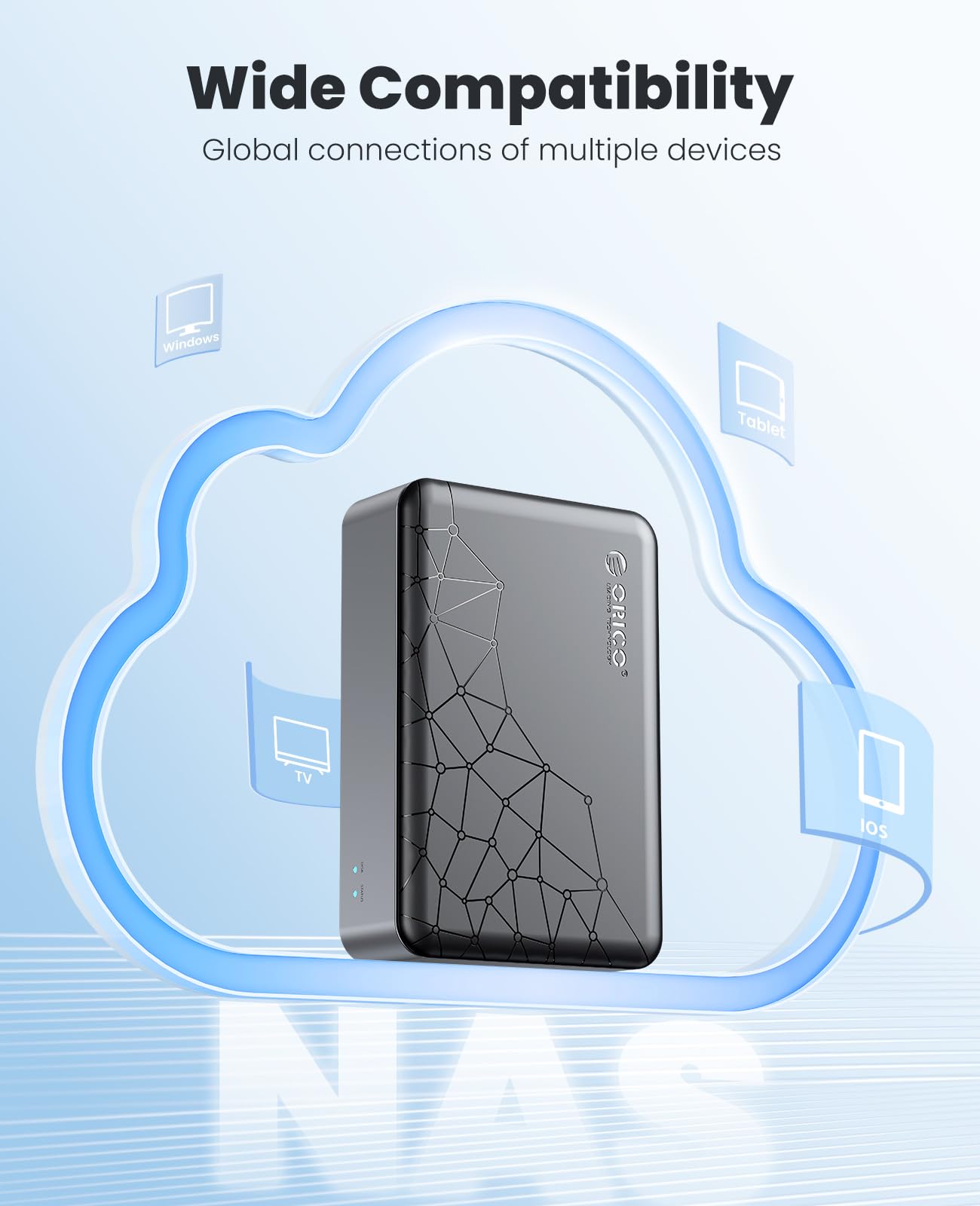
The ORICO NAS and Private Cloud is a versatile storage solution designed for both personal and professional use. It supports 3.5" SATA HDDs and offers seamless connectivity through the Weline APP, allowing users to store and access files from multiple devices. With advanced SDVN encryption for secure remote access and no subscription fees, this NAS provides a permanent private cloud experience. Its dual functionality as both NAS and DAS ensures flexibility, while the powerful Quad Core CPU and Gigabit Ethernet deliver impressive data transfer speeds.
| Mount Type | Tabletop |
| Compatible Devices | MacOS, Windows, IOS, Android |
| Is Assembly Required | No |
| Material Type | Metal |
| Color | Black 3.5" |
R**Y
Runs too hot with mechanical HDD, does not support 12 TB, conflicts with NordVPN
I also own the Orico 2.5" version of this with 4TB SSD running 24/7 as personal NAS over my LAN, so I thought I can do this with 12TB Surveillance HDD (WD Purple).* I had nothing but trouble,* I let it initialize .... It never finishes* Two days later still initializing, runs waaaaaay too hot to the touch on a mechanical. 12 TB WD Purple HDD* Poor cooling capabilityI gaved up & ended up returning both....However, If you do get the right combination storage capacity SSD/HDD and it works, then I would recommend to learn and get use to the SmartPhone App (WeLine - it is handy 2.5 out of 5 starrated app in my opinion). It is foreign based cloud service, so it requires enabling the built in VPN client to get across the private cloud space to share & exchange your little portable storage. If you are on the road and left it behind, at least it can still be gained access with convenience. Just be aware not all Enterprise network allows foreign affiliated cloud services (meaning you might ended up being restricted from using WeLine)If purchased 3rd party VPN service (in my case Nord VPN) and you actively using the WeLine app to manage the NAS you will experience 3rd party VPN client disconnect n conflict, so be aware, this a huge turn off for meIn any case it can still share contents as a simple NAS mini server but only functional if you are tech savvy and know how to scan over SMB via IP it's assigned address, NETBIOS name seem not supported as firmware being updated (as of my current time of writing this)
D**N
Stoppled working hardwired
Only will comunicate pc runs hot also
K**R
Good 1st Time NAS
Very pleased with this product, it was very easy to set up & configure. Would highly recommend for those who are wanting get familiar with NAS & Cloud options.
R**H
It works...
Form factor is what sold me, it works for central storage but the need to connect back to China to configure and modify settings is bothersome. It should have the option to locally configure without the need of a dedicated VPN. After local access was set up via samba, I removed the VPN connection and only plan to enable whenever settings need to be adjusted. If local configuration isn't in the cards for future features, I'll probably look for a different vendor.
K**.
Like frustrating stuff that doesn’t work as intended?
Bought for network based storage that I could access over the network. Not once did I get it to work with windows or a mac. It appears to only work through an app. Still tried to get it to function just to move a single file onto a drive, made the animations like it moved but the file is nowhere to be found. Probably was routed to CCP servers in shenzen. It’s disappointing, all their other items work as advertised. This one gives you 1000 hoops to jump through.
D**.
Nice hardware, poor software
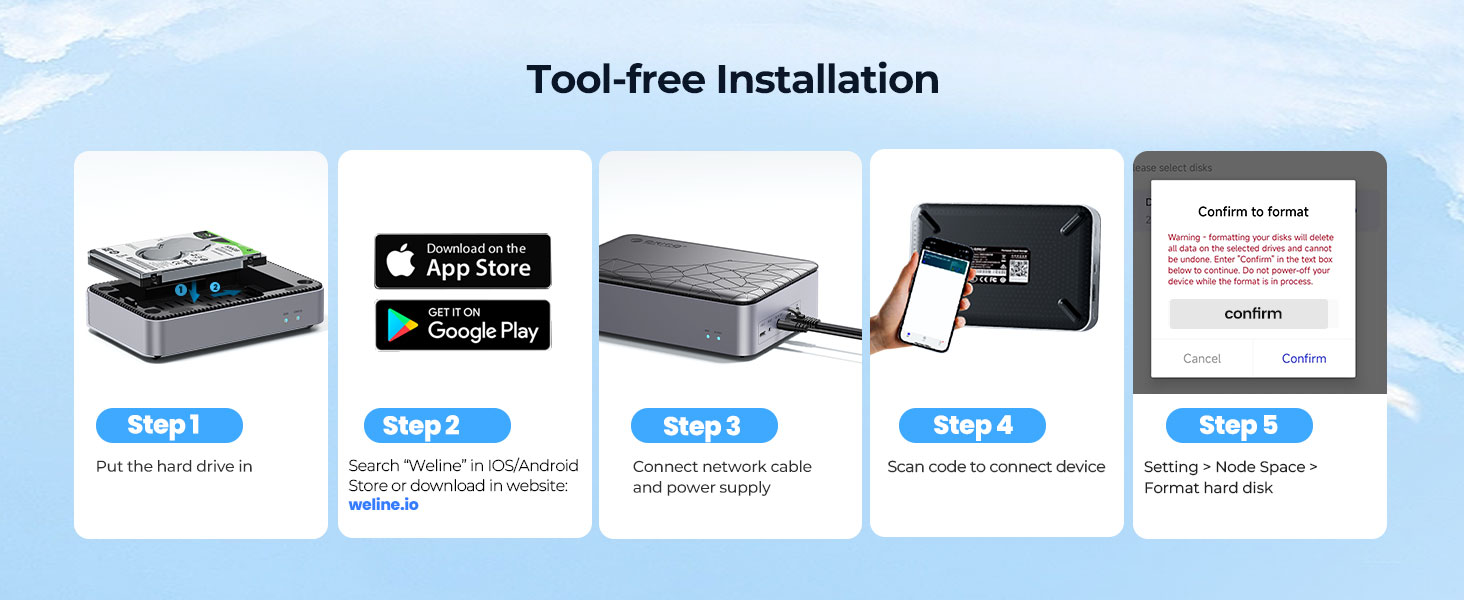
This is a nice bit of hardware. Put an SSD drive in it and you can access it a number of ways.The first way I tried was to connect it directly to my computer via a USB cable and use it as an external drive. It worked well and was fairly fast.The second way and probably the reason people buy it was to set it up as a local wireless backup solution for my phone. I connected the device to my router with a Cat-5 cable and downloded the WeLine app to my phone. Here's where the problem lies.First, the app is not well documented and is very counterintuitive. The icons are unclear and the process to access the drive is not easy to find.To use the app you need to create an account with an email address that will be verified. The app then creates a VPN on your phone to communicate to the drive. I have no idea what, if any, personal information is sent from my phone over the VPN. If you are on your home network but not connected to the wider internet, the app will not work. This seems odd since the reason people would use this device to backup their phone on their home network is they probably do not want the documents sent over the internet, otherwise they would just use a cloud storage solution.I needed to format the drive and when I finally found the steps to do that, a confirm dialog appeared. The message said "Enter Confirm to continue" and each time I entered the word "Confirm", the text would disappear and nothing happened. Through trial and error I finally found out I had to type "Confirm Formatting" to actually continue, even though the prompt did not say that. This is one example of the lack of testing and polish on the app.Once you get the app set up and if you are technically savvy enough to figure it out, backing up and accessing the data on your phone works quite well.It's a shame that such nice hardware is hampered by such poor software.I would not recommend this device to anyone except technically savvy people who want to keep a local phone backup and are not concerned about the privacy of their data.
R**L
Great
Easy to use.
A**R
Not a NAS
First, it provides no means of configuring the device from within your network. Instead you have to install a buggy VPN and configure it using an internet connected app. No means to assign an IP address, find its IP address. If you have a firewall set up that requires whitelisting for internet access, it becomes just a USB connected hard drive. If you need a NAS, this is NOT it.
Trustpilot
4 days ago
1 month ago