We remain fully operational. Our teams are working around the clock to ensure your deliveries continue safely.

DOWNLOAD THE APP


Customer Services
Copyright © 2025 Desertcart Holdings Limited
DOWNLOAD THE APP

🚀 Upgrade your storage game with speed and cool confidence!
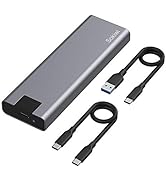
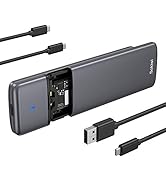
The Sokiwi 10Gbps NVMe Docking Station is a dual-bay M.2 SSD enclosure supporting up to 8TB drives and sizes 2230 to 2280. It features a tool-free design, built-in cooling fan, and offline cloning capability via a one-key button—no PC required. With USB 3.2 Gen 2, it delivers blazing 10Gbps transfer speeds and broad OS compatibility, making it an essential tool for fast, efficient SSD upgrades and backups.




| ASIN | B0B7R8V96K |
| Best Sellers Rank | #29 in Enclosures |
| Compatible Devices | Laptop |
| Customer Reviews | 3.8 3.8 out of 5 stars (219) |
| Data Transfer Rate | 10 Gigabits Per Second |
| Date First Available | July 27, 2022 |
| Item Weight | 13.7 ounces |
| Item model number | SKUD1001 |
| Manufacturer | Sokiwi |
| Max Number of Supported Devices | 2 |
| Memory Storage Capacity | 8 TB |
| Package Dimensions | 5.94 x 5.31 x 2.2 inches |
M**N
Worked as intended, but needs a small bit of work if migrating to larger drive...
I used this to upgrade my 500 GB NVME SSD to 1 TB. The cloning process was smooth. I followed the instructions, and it worked. I did not notice any overheating during the offline cloning process, and so far, no data seems lost. However, upon booting from the new drive, I noticed my storage was still 500 GB; this is because the cloner creates an EXACT copy of your previous drive, including a Recovery Partition at the end of the first 500 GB. You cannot extend the data partition to the unassigned space using the Windows disk management tool because it cannot move this partition to the end, and your data and unassigned space need to be contiguous. You will need to download an external partition tool to change the order of the drive partitions (many disk management products offer free trials that can be used to accomplish this simple operation). After moving the Recovery partition to the end of the drive storage, the Windows Disk Manager can extend your data partition to occupy the free space without problems. Now, I am using the cloner as an enclosure for the old 500 GB drive, which is now for data storage.
P**1
IT Pro Confirms Cloning Does Work and FAST!
As others have wrote, this unit works exactly as needed. I'm another one of the 40 year IT guys here and can vouch this clone device works exactly as described and does it FAST. Cloned a 256GB NVMe to new 1TB NVME, took less than 5 minutes. I was amazed. Afterwards use one of the many free 'partition wizard' programs to rearrange (or delete) partitions so you can make the newly found disk space contiguous with existing space. Ie: The existing C drive partition must be adjacent to the new unallocated free space in order to Extend the drive's useable space. I deleted the two Dell/Windows recovery partitions using EaseUS Partition Assistant Free Edition. The two recovery partitions allow for a system restore from the manufacturer's Windows files. For me, if the drive is fouled so badly that I need to reinstall or repair Windows I'll simply reinstall Windows 10/11 from a USB image created using free Windows 10/11 Installation Media utility. If you're an amateur the above steps may be overwhelming or frustrating, seek out YouTube for assistance. Only caveat of the clone device might be the cheap feel and durability. It feels like cheapy $15 USB speaker thing. This is one of the few devices in my toolkit that I'm willing to overlook the build quality for functionality and time savings achieved.
J**N
Good for maybe one copy.
Wish it worked more than once. I bought this just before Christmas so I could upgrade my mom's computer SSD from 256 to 1tb because she started to save a ton of pictures. It worked that one time cloning and all was well. Windows allowed me to stretch the drive and she can keep being picture happy. Now here I am trying to clone a 256 to 1tb (same drives) and no joy. I power it on again using the included wall wart. Turn it on - two blue lights. I press and hold the button and I hear the beep and it seems OK but there is zero progress. Looking further into it the fan no longer works. It seems this is a one and done appliance.
-**-
Lovely piece of kit, I couldn't be happier with it!
(Review of SOKIWI NVMe M.2 Duplicator Dual-Bay Offline Clone Tool-Free, 10Gbps NVMe Docking Station with Cooling Fan,NVMe M.2 SSD Enclosure for NVMe PCIe Size 2230/2242/2260/2280(up to 8TB)) I purchased this to clone the original 250GB SDD in my Dell laptop - full to the brim mostly with Win11 bloatware - to a new 1TB drive. The process, start-to-finish took about 90 minutes, including using it as an external enclosure for the new drive while I used Gparted on a Linux box to rearrange partitions so I could make full use of the new space as a contiguous drive. The offline cloning took perhaps 10 minutes. If I have to scratch for nits, the labelling of indicators, switches, etc. could be more readable, and the rubber NVME retainers are a bit fiddly to insert. While the included documentation is best described as "spartan," it was sufficient to my needs: While the procedure it describes for using Windows to extend a cloned partition to make all space on a larger target drive available didn't work for me under Win10 -- I didn't waste a lot of time on it, just used Linux. I would love to say that I'd buy it again, but I've already bought it and don't expect to need an extra. (If I lost this one, yes I'd buy another!)
A**T
Very nice, and worked
Missing the pegs to hold down the SSDs but customer service took care if it. Fyi, Offline cloning for my unit, once started the left and right lights flashed red and blue the entire time. The 25% flashed until it was solid, which i assume means it was 25% complete and then the next one flashed and so on. Once complete the lights all went solid blue. When going from 250 -> 1 tb i had to install a free partition program to move the recovery partition to the end of the volume and then i could extend the partition and gain access to all the storage
O**O
Fast and easy
Cloned a .5 terabyte to a 2.0 terabyte. The drive was full and I’m guessing it took only 5 minutes to clone. I did the offline method ( no computer) and it was super easy. I felt the unit on the bottom after cloning and it was warm. The fan on top worked but really didn’t feel warm air so I guess it helped. The only con I have is initially the top would not stay closed. Not a big deal but if it doesn’t stay closed the fan doesn’t make contact and come on. Noticed this right away and held it close while the cloning was going. After about a minute I let go and it stayed closed. Easy instructions included. The lights flashed and lets you know it’s working and gives you a progress indication. You still have to go into windows and format the extra room and in my case gave the extra a drive letter.
Trustpilot
1 day ago
2 months ago