
DOWNLOAD THE APP


Customer Support

Desert Online General Trading LLC
Warehouse # 7, 4th Street, Umm Ramool, Dubai, 30183, Dubai
DOWNLOAD THE APP
Customer Support
Desert Online General Trading LLC
Warehouse # 7, 4th Street, Umm Ramool, Dubai, 30183, Dubai
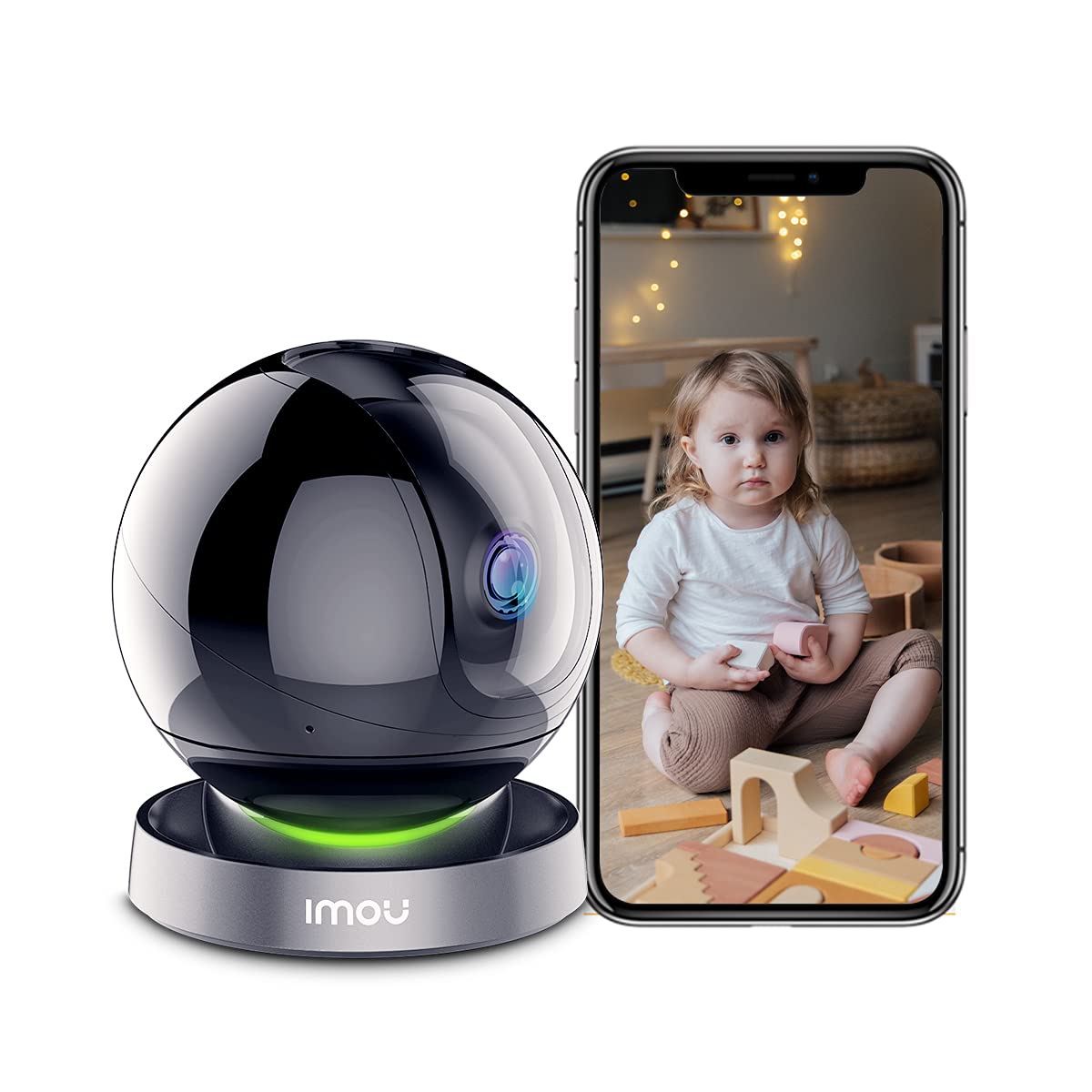
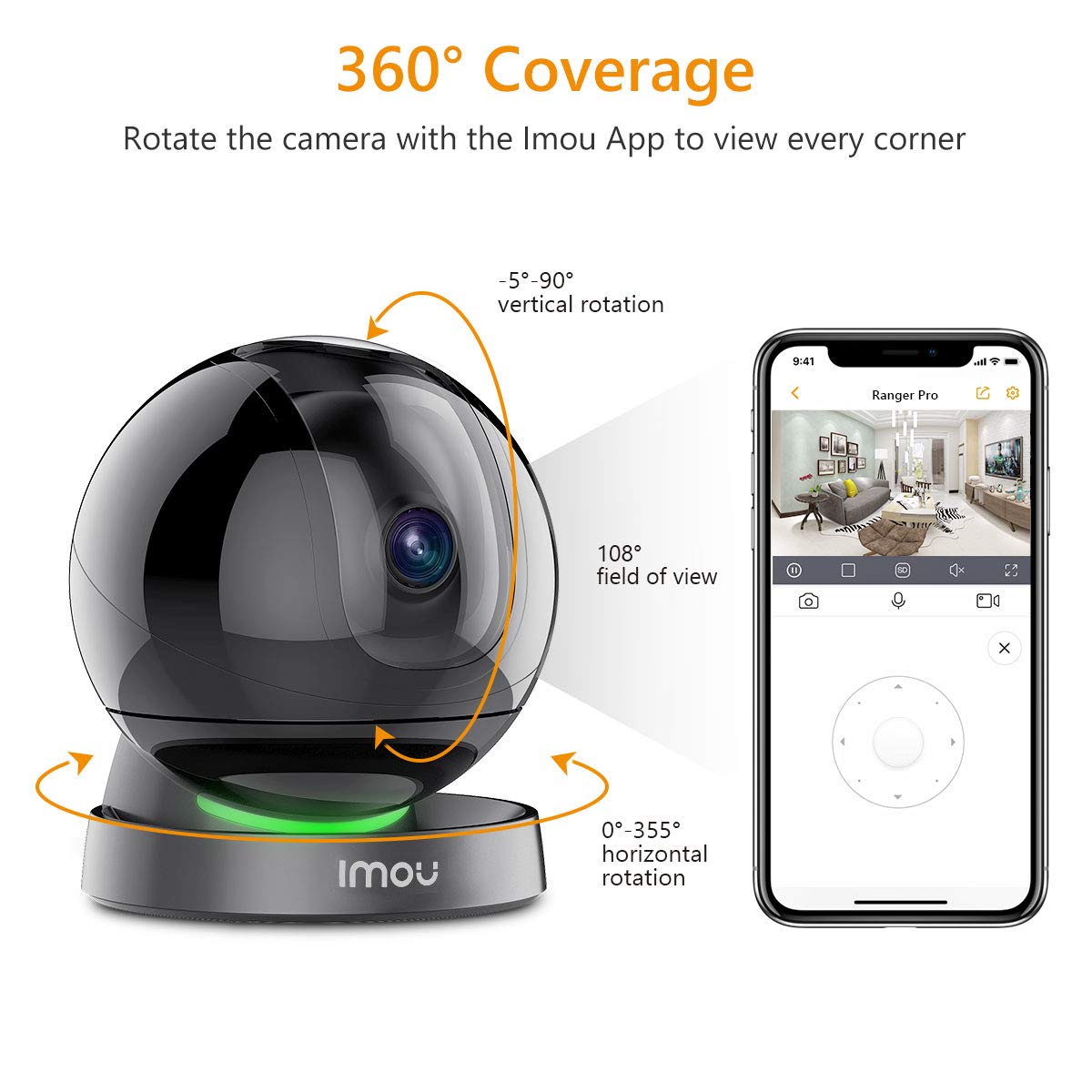
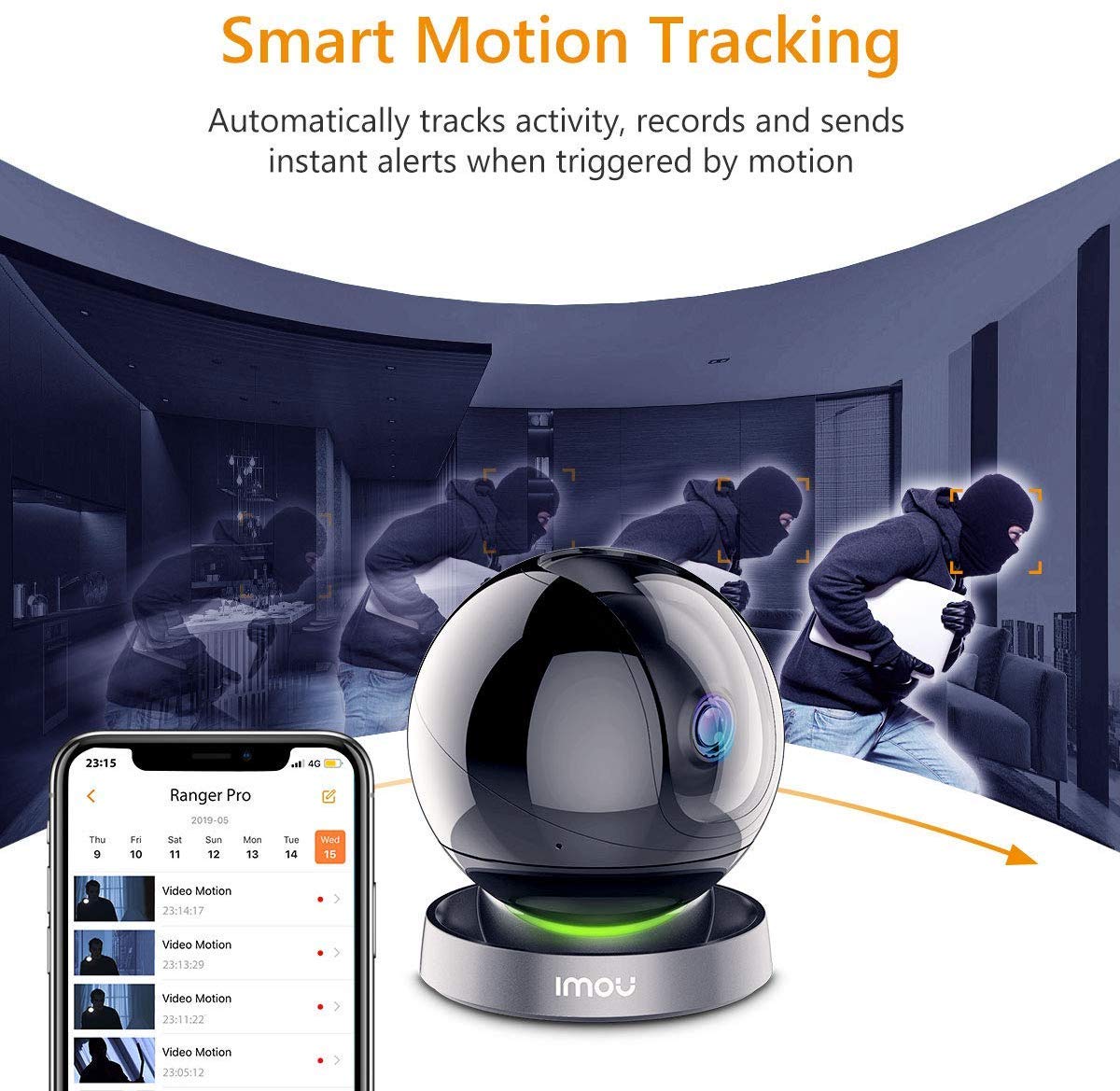


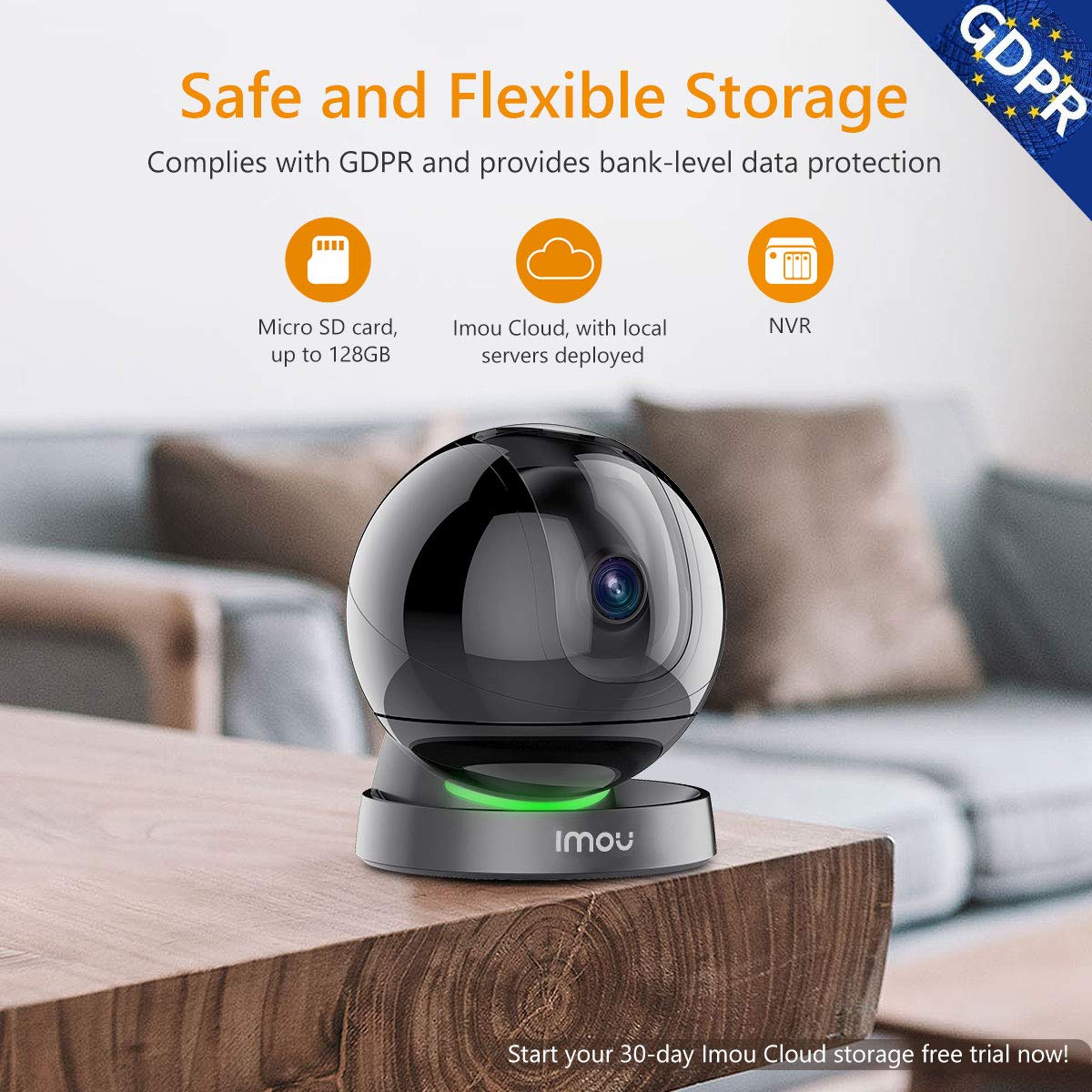

🌐 Stay connected, secure, and in control—your smart home’s watchful eye!
The Imou Indoor Camera is a 1080p Wi-Fi security device featuring 360° smart tracking, AI human detection, and infrared night vision up to 10 meters. Designed for seamless integration with Alexa, it offers two-way audio and a sleek ceiling mount dome design, making it perfect for monitoring pets, babies, or home security with professional-grade clarity and convenience.


| Compatible devices | Smartphone |
| Power source | Corded Electric |
| Connectivity protocol | Wi-Fi |
| Controller type | Amazon Alexa |
| Mounting type | Ceiling Mount |
| Video capture resolution | 1080p |
| Colour | Ranger Pro |
| Number of items | 1 |
| Number of channels | 2 |
| Wireless communication technology | Wi-Fi |
| Form factor | Dome |
| Effective video resolution | 1080 Pixels |
| Night-vision range | 10 Metres |
| Wattage | 3 watts |
| Manufacturer | Imou |
| Part Number | IPC-A26HP |
| Package Dimensions | 19.3 x 13.2 x 12.9 cm; 570 g |
| Manufacturer reference | IPC-A26HP |
| Size | 1 Count (Pack of 1) |
| Style | 1080p |
| Item Package Quantity | 1 |
| Type of Bulb | Infrared |
| Special Features | Night Vision |
| Batteries included? | No |
| Batteries Required? | No |
| Item Weight | 570 g |
A**O
Just buy this Camera, Or any other IMOU product for that matter
First ImpressionsThe packaging is well presented and nicely designed. When opening the box you're find that the camera is very well protected, so you will not have to worry about it betting damaged in transport.What's InsideIncluded in the box is the Camera itself, Generous 3 Metre MicroUSB Cable, USB Power Adapter, Mounting Hardware including Bracket and screws, and Quick Start Guide. Again all nicely packaged.Setting UpUsing the included Quick Start Guide you will have no problems setting you camera up and running. Download the IMOU app (In my case I was using their Android version) & sign up to their app. Connect the USB adapter to the generous 3 Metre cable and the cable to the camera. Let the camera boot up, It'll whirl around a couple of times to calibrate itself then stop. You should see a Green flashing LED under the sphere. Now goto your app and add the Camera, Tap the Orange Plus Icon in the top right. There is a nice way to add the camera you can scan the QR code on the bottom of the camera (NOTE: Each camera on each phone is slightly different, focus, zoom, light, etc so you will need to find the sweet spot when trying to scan the QR code. It will work, Don't let anyone say it doesn't work. Like I said the APP works fine the factors will be down to your phones camera and the environment you are scanning in)Also NOTE this camera is to be setup using a 2.4 Ghz WIFI Network NOT 5Ghz. This should not be a problem for most. I have 5 IMOU cameras now, inside and outside and they are ALL running fine on 2.4 WIFI. Next make sure your phones speaker is turned up cause as part of the setup the APP with emit a sound for the camera to listen to and finish the configuration (Clever!)Once the camera is added to the APP then there is a chance the camera will require a Firmware Update, DO THIS. This makes sure that the camera is working to the most up to date software with and enhancements and any changes. This will take a couple of minutes and will reboot after its done. NOTE also this camera can be connected to an ethernet cable for extra stability and security.The APPOpen the APP and tap the Play button on the camera you just setup. This APP is the BEST I have used for any Camera. The APP will show very simple quick buttons below the image. Snapshot, Speak, Record and Plat (Not sure whys its called Plat) Also directly under the image are smaller buttons pause, multiple cam screen, HD/SD Quality, Mute/Unmute Sound and Fullscreen. Most of these buttons are self explanatory. Basically you can Speak to someone through the camera, Hear anyone through the camera which is very handy. Also is you didn't realise already the camera MOVES using the PLAT button. Lovely and smooth and relatively quiet. This APP/Camera has a great feature, Once your in the PLAT screen you will see 2 more options and the bottom of the screen Panorama and Favs. Panorama scans the area and gives to one pictures when its done, you can then tap any part of that picture and the camera will move straight to the area. The Fav (Star Button) Allows you to save your own areas and name them, So if you have 2 doors in the room you can save one fav spot for one door and another fav spot for the other door. You can now click one of the saved buttons and the camera will move to that saved locations, saving you from having the move the camera yourself each time, GREAT!!Saving Clips, Image QualityThere are a few ways you can save you video clips (and this can include sound) Once is the IMOU cloud which is a paid subscription. Or buy a MicroSD card and insert this directly into the camera, this allows for constant recording. I have 128GB MicroSD card and this records continually for 13 days. Also the Ranger Pro can be connected to a compatible NVR, this would be the best option as you can increase the storage size quite a lot and have all your IMOU camera uploading to the same NVR. This is something I am looking to buy, And I believe IMOU offer this product also.Image Quality is a GREAT 1080P As you can imagine this camera also has night vision, And as its an indoor camera you will not have any issues with night vision range unless you live in a mansion, if so, just buy more IMOU products :)ConclusionI already loved IMOUs cameras, I have 2 LOOCs, 1 Cue2C, 1 Ranger2 and now this Ranger Pro. This Ranger Pro is a lovely looking, well made camera, Very Easy to setup. Image Quality is great, Lots of features. Each of the IMOU range offers slightly different things for different scenarios, So you will not be lost for choice. This Ranger Pro takes the features of the already good Ranger 2 and makes it better. Do not hesitate in buying these IMOU cameras, but please note like any other cameras on the market environment plays a factor especially with WIFI. If your WIFI is not great then that needs to be addressed before buying any WIFI camera product. ALSO TO NOTE IMOU do offer cameras that have ethernet ports, so that should be another reason to go IMOU. The IMOU APP UI is very nice, clear and easy to use and has no bugs that I can see.Check out their well designed website for their products and just buy one. Like a said I own 4 different models and recommend ALL of them, Especially this RANGER PRO.
D**Y
Easy to install and use.
Excellent
A**X
Subscription required
Very good cameras. I don’t particularly agree with the subscription, I think it should be free to be able to transfer your own files without subscription. I also suggest it could be better to have a bigger memory card capacity capability which now is limited, perhaps due to making customers to have to join the cloud subscription.
L**Z
Might be a top star rating BUT there was a problem
Bought 2 of these to test and compliment an already strong security setup I have prior to a 2 week xmas holiday abroad in Chechia. One was set closest to my router downstairs, the other upstairs, about 6 meters away, overlooking my "sensitive storage"They worked brilliantly, alerting any unusual sounds and movement (upstairs even monitored a tiny fly at night flying past it which it locked on to like a weapon....until....) except for day 6 when we were away, the one I set upstairs had some sort of tantrum then just stopped working completely. I swivelled the head completely upwards to check the window above it as it detected hail battering it from outside (the window) and that was it, dead. The app option to reset it was greyed out, just totally dead. Strangely, on the way back from the east of the country and in Prague after a few days offline, it miraculously burst back to life. The other cam in that room (not this make or camera type) with 3G backup option in case of total internet drop out at home (and as that sounds, 3G......old) was perfect and didn't even need to switch to the 3G backup. There was a wireless signal drop for that and the next day but the one (this make) downstairs worked perfectly even throughout that as well.The good bit:The one downstairs in the kitchen was absolutely faultless throughout our trip abroad, 10/10. It immediately alerted me via the app on my phone to our house checker coming in a few times during our holiday and the way it tracked her was incredible. Amazing technology and imagery! It started the alerts as soon as she put the key in the door, let alone the opening of the door! Unfortunately though, due to the other one dropping out like it did, I will only use these cams as a visual deterrent in the future and still use the 10 year old cams for that extra level of confidence.Bear in mind, this might have just been a freak event with the one upstairs, maybe it dropped out when I maxed its vertical axis, so, erm.........just don't do that.
J**
Ok
Tidy
M**Z
Good camera but broken broken after warranty
Generally good camera. Working good up to warranty. After warranty camera started losing connection during doing anything on app. Can’t see videos, can’t change settings just watch live video. I bought 2 cameras and both of them broken at same time.
M**K
More than does the job
We use this to keep an eye on our puppy, if we're out during the day or at night once we've gone to bed. It's been an excellent investment.If we're not in, the motion detection captures any time he moves with a short recording too. The night vision does the same.If he's ever in distress, we're able to talk to him through the camera too, which again, works very well.The only downside to this, is that it wasn't the easiest to sync up to the app. We had to buy a separate cable to link it with our router, rather than sync it wirelessly. A small downside, but not one that diminishes how effective the camera is. It's an excellent piece of equipment.
R**Z
Stopped Working - Disappointed
The media could not be loaded. Got it just over a month and was very satisfied with it functionality - Motion Detection.Now, it has stopped motion detected, regardless of the sensitivity : low to highTried resetting and placing at good distance from the WiFi Router where the signal is STRONG but no luck.It also does not work with Alexa or Google Home, as advertised.I have asked the seller to offer a resolution and will update as how good (or bad) their After-Sales service is, and might amend the rating.
Trustpilot
2 weeks ago
3 weeks ago