

Desert Online General Trading LLC
Dubai, United Arab Emirates
Desert Online General Trading LLC
Dubai, United Arab Emirates


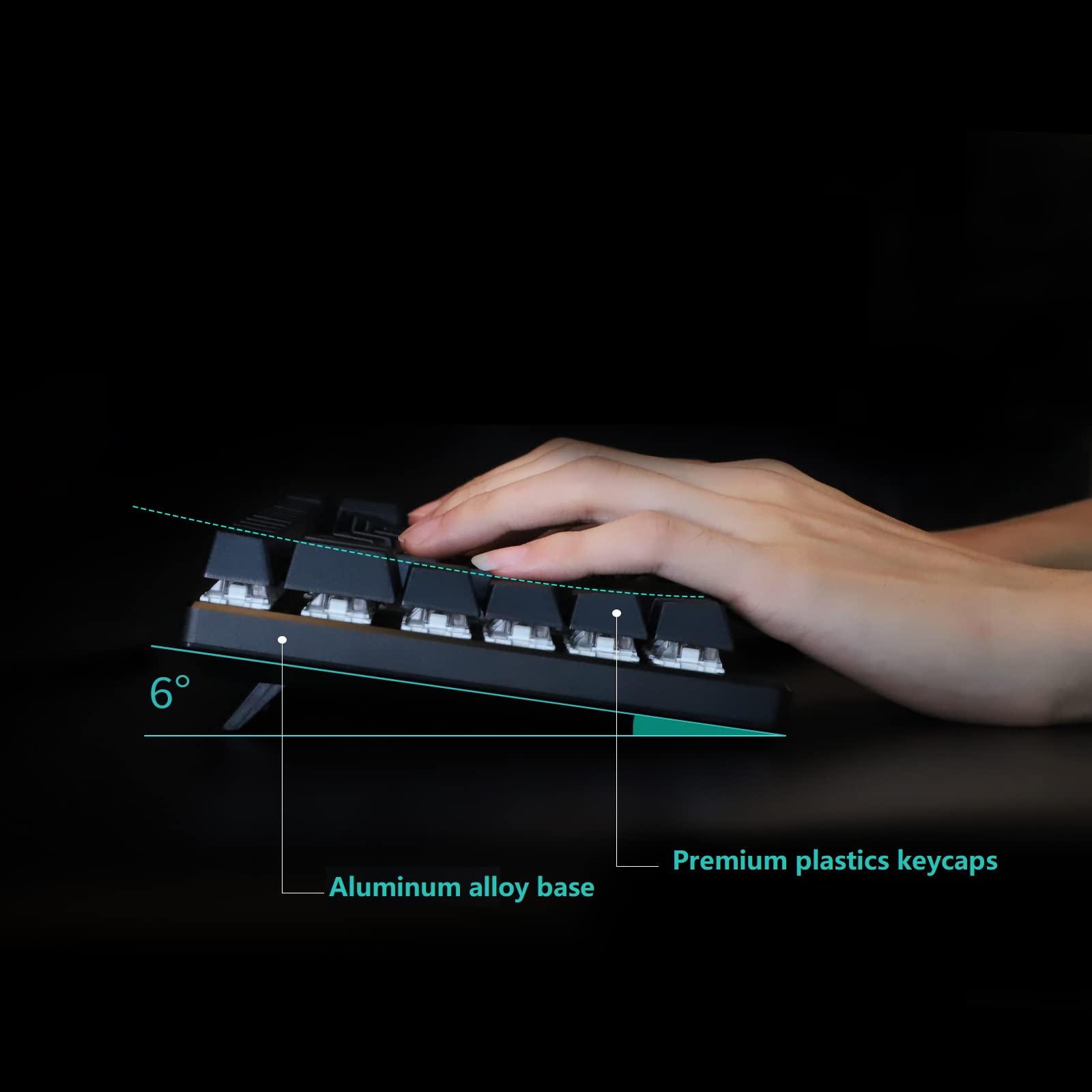


🦋 Elevate your desk game with the ergonomic butterfly that types as smart as you think!
The Maketheone M Ergonomic Mechanical Keyboard features an 80% butterfly layout optimized for comfort, equipped with tactile Gateron Brown switches for precise typing, and a USB-C wired connection for reliable plug-and-play use. Its white backlit keys and retro design make it a stylish yet functional addition to any professional setup.
T**S
Interesting layout, non-standard keys make it a non-starter for me
Keyboard was an intersting concept, and interesting design. Ortholinear keyboards are cool, and do take some adjustment, but I just couldn’t get past the non-standard ‘1’, ‘delete’, and ‘backspace’ keys. Definitely made this thing a chore to type on even accounting for the layout. Had to return it because even after two weeks, it felt like I just didn’t know how to type.
J**R
Actually not ergonomic!
A fundamental tenant of an ergonomic keyboard should be that it minimizes movements and stretching, right?Well, it is literally impossible for me to shift+2 this keyboard without completely lifting my very-normal-sized hands off the desk and reaching hard. If I can't reach normal key combos like this, then odds are high you, dear reader, cannot, either. I'm 6'1" and very near the middle-of-the-road on hand size, height and just about every other physiological metric. This is a *terribly* designed ergonomic keyboard. And It's a bummer, because in other ways, it's great. Looks great, feels great, just... not ergonomic, at all.
M**K
Hight Quality Beautifuly designed
Ok so I am programmer by profession so I spend my day using a keyboard all day long. I have used ergonomic keyboards forever. I wanted to get a mechanical keyboard and found the X-Bows. My first impressions are I love the feel and high quality design of the keyboard. Day one I seriously could not type, at all. There are a few areas I would like to see changed but again most of it is getting use to the keyboard. On day 3 I actually emailed support with some suggestions on the keyboard the most notably was the right shift key. In my opinion it could be wider as it is one of the most used keys for myself. They were awesome in their reply quick and very open and helpful. They suggested I try using the new center shift key, to be honest I hadnt even noticed it. It works very well and still getting use to it I can feel my right pinky tense up when I start thinking shift... lol. Personally I would still like to see the right shift key wider and the left Alt key a bit narrower as with using the center shift key now I find myself using the left space bar key and still catch Alt more than I care to.But all in all I love this keyboard and couldnt be happier. I did purchase a seperate numeric keyboard and I actually like having a seperate one.I know there are some gripes about not having a home and end button but that hasnt been too hard to live without. also support told me a new version of software will be out soon allowing a Fn-[key] combination to be programed so then I can add in a home/end key very easily.
N**E
Love the ergonomic design
I've been searching for a mechanical keyboard with an ergonomic design; this fits my needs perfectly. There was a bit of a learning curve with the different key placements, but after about a couple days of using it, I feel a lot more comfortable typing on the keyboard.
J**N
Buggy driver and layout conflicts
this keyboard looks great and feels well made. The ortholinear style of the keyboard caused me to by it. However, the driver has a bug in it that causes keys from the default layer to be entered when quickly switching to the custom layer. Secondly, while using and programming this board there seem to be backdoor hotkeys that were never removed that caused the board to become unresponsive; somehow the keyboard accessed my BIOS settings and overloaded my memory crashing my computer. Suffice to say the driver is dirty and buggy(but it looks nice on the surface).the the layout of the keyboard is not suited to the driver. There is no way to smartly use the layering system because there are no extra keys to assign the layers to. this keyboard needs some extra keys where the giant 'alt' keys are located (by cutting the alt keys in half and dedicating the two new keys to be access keys to get to the layers and moving the 'os' key and putting another 'Lyr' key there instead (L, L2, L3, and Fn(should be used to access command keys, arrows, and numpad). these special keys need to be programmed so that the user can choose whether they behave as 'hold and release' keys or as 'press to activate(press again to deactivate)(like 'num-lock')' keys.There are three 'ctrl' keys and three 'shift' keys, two 'backspace' keys and two 'enter' keys and an extra 'spacebar' on this keyboard so if the driver wasn't a buggy mess(as of 2/16/20) you could use these keys, but because of its bad driver this is not an option.this keyboard also needs to offer per character customization of keys(so i can put an accent symbol on the 'A' key if i want to)(the ability to change the default parings on the keys), but doesn't. Where are the home, end, and pgbreak keys? who thought leaving those off was a good idea?I would really like to see these keyboard-wrecking problems fixed in a version 2 of this board, even a serious driver update could fix these problems(there are extra keys on the keyboard). I also think i should be able to split it in half(like the kinesis freestyle 2).Lastly considering the very high price, they should also throw in some extra blank keys. due to the very high price of the keyboard, i give this keyboard 2 stars; but if they fix the bugs in the driver and fix the layout problems on the board then it might be a 5 star keyboard.
Trustpilot
1 month ago
2 days ago
1 month ago
2 months ago