


⚡ Power your home with the speed and stability your digital life demands!
The devolo Magic 2–2400 Wi-Fi 6 Whole Home Kit delivers ultra-fast powerline speeds up to 2400 Mbps combined with robust Wi-Fi 6 mesh coverage at 1800 Mbps. Designed for multi-floor homes, it ensures stable UHD streaming and smooth remote working by transmitting internet through your electrical wiring. Featuring 5 Gigabit LAN ports and the latest G.hn technology, this kit offers easy plug-and-play setup and future-proof compatibility with devolo Magic adapters, making it the premium choice for professionals seeking reliable, high-performance home networking.


| ASIN | B09JWRRFWD |
| Best Sellers Rank | 2,141 in Computers & Accessories ( See Top 100 in Computers & Accessories ) 11 in Powerline Network Adapters |
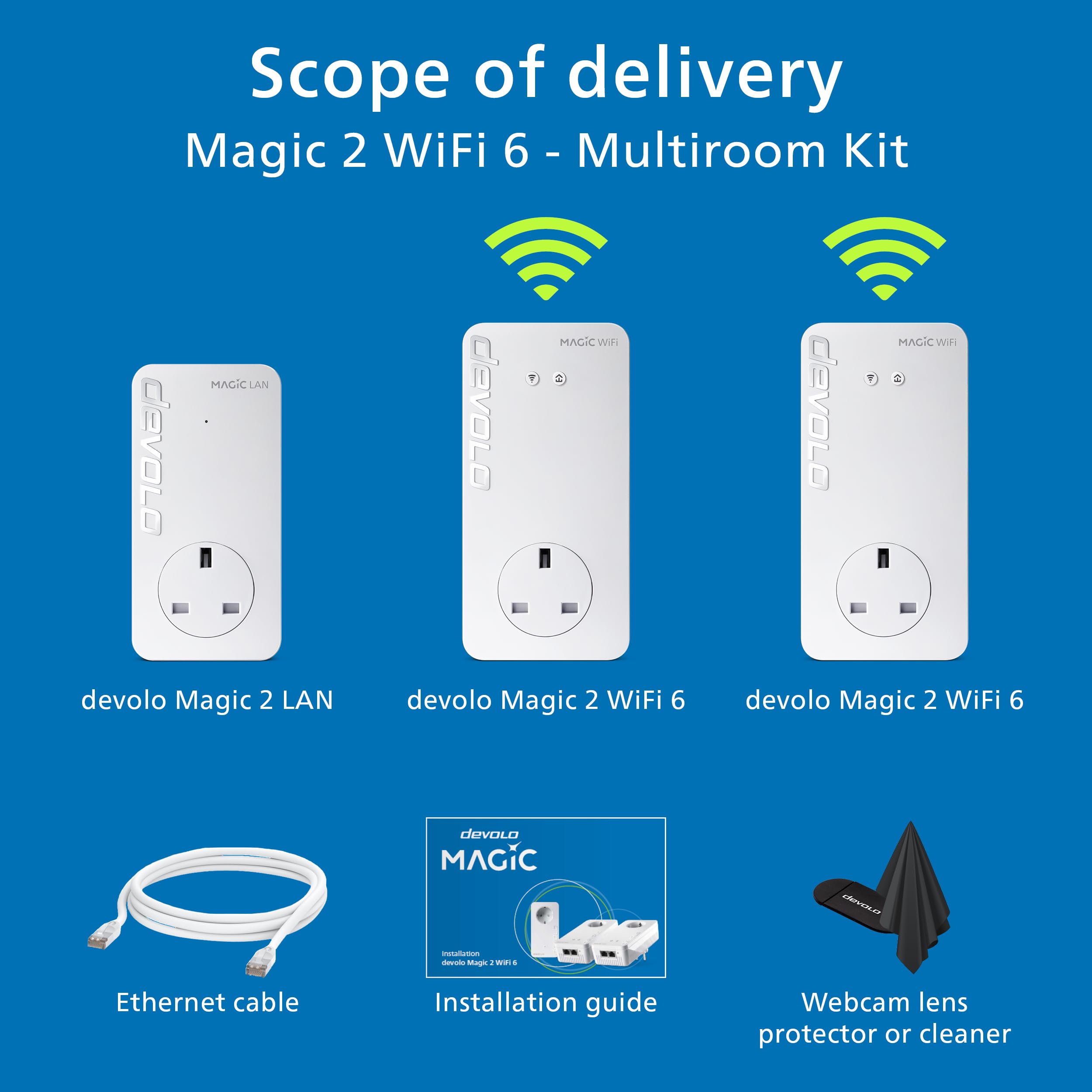
| Box Contents | 2 x Magic 2 WiFi 6 and 1 x Magic 2 LAN |
| Brand | devolo |
| Brand Name | devolo |
| Color | white |
| Colour | white |
| Compatible Devices | Compatible with all wi-fi routers, devolo MAGIC and G.hn adapters and wi-fi-capable devices |
| Compatible devices | Compatible with all wi-fi routers, devolo MAGIC and G.hn adapters and wi-fi-capable devices |
| Country of Origin | China |
| Customer Reviews | 4.0 out of 5 stars 1,849 Reviews |
| Data Link Protocol | WiFi 6 (802.11 ax), Gigabit Ethernet |
| Data Transfer Rate | 2400 Megabits Per Second |
| Data link protocol | WiFi 6 (802.11 ax), Gigabit Ethernet |
| Data transfer rate | 2400 Megabits Per Second |
| Hardware Interface | Ethernet |
| Hardware interface | Ethernet |
| Item Weight | 1.29 Kilograms |
| Manufacturer | Devolo |
D**C
Easy set up of quality poweline plugs - although expensive!
Bought to replace my failing dLan set up - had given 5+ years of service with one plug failure but was often a pain to reset/reboot when needed (too often). Debated but decided to stick with Devolo, glad I did. These were so easy to set up and add to - just plug in, add network details, and wait a few mins. All good so far, speeds up a bit but not massively, main limit is the part fibre 60 odd feed. Now have 3 wifi plus one non and all work 100% - need as internal walls have blocks with high metal content.... Expensive, almost twice that of the equivalent(ish) competition but I'm happy with both ease of set up and functioning now installed.
J**N
Better than AV2 600
So nearly decade later and AV2 Homeplug Powerline has moved over for the ITU G.hn standard. I decided to buy the wired version (too many reviews of pain with the WiFi) and give them a go. They worked out of the box, and I had no issues during set-up. They did require a firmware update, but that was about it. To be clear, I bought a Devolo Magic2 LAN Triple. This contains ONE triple port, and ONE single port adapter. I think the box art on this is very deceptive. The triple port adapter is slightly bigger than the single port, both are bigger than AV2 and both run much hotter - for better or worse. Also, I ordered an Amazon Warehouse deal, and the first one Amazon sent didn't actually have any triple port Magic2 in the box (just two single port ones) , so I had to return and re-order. I've discovered they're happy to run in parallel to AV2 adapters without any noticeable loss, and bizarrely the Devolo Cockpit software even spots AV2 and Magic2 adapters. There's also web-page access to the adapters via their ip address, and the ability a set password if you don't trust people on your network. The iPhone Home Network app is okay - but it doesn't display any link speed information despite telling you it will. In tests at range I discovered a few surprises. AV2 is in the same location for reference, tests using iperf3: - TP-Link AV2 600 Two-Port ~16Mb/s (appears to split bandwidth across both ports rather than share it) - TP-Link AV2 600 Single-Port ~32Mb/s - Magic2 Single and Triple Port ~80Mb/s If range is reduced, speeds jump quite quickly up to 200Mb/s and then on to about 350Mb/s if distances are close. As a rule, expect 150 to 200Mb/s in a new-build four bedroom, but be prepared for slower. You'll still beat an AV2, but it might only be on range, or a factor of two. And in some cases, I suspect AV2 1300 will beat the Magic2, but not necessarily if you have older AV2 kit mixed with new stuff, which is why I was testing the Magic2. Will I keep them? Well that depends on whether they're stable. They solved my problem and increased my setup by speeds by about 7 or 8 times. I'm concerned about the temperature they run at (50C on the back, 35C on the front, 0.3A@240V = 7W), but they do have a three year warranty in case they melt down though. Note - if you're looking for adding WiFi Access Points to parts of your house, I wouldn't recommend the Magic2, simply because you'll be crippling any broadband gains you may be looking for, go for WiFi Mesh and Access Points with a dedicated third back-channel, or run Cat6 cabling (budget vs effort). The Magic2 is about easy of use, and getting the best out of something while doing very little. It does achieve this very well. Better than AV2 600 for sure, but it's not a "magic" bullet (sorry - groan now).
D**N
Experiment with the configuration
I have 6 x Mesh WI-Fi and 3 x LAN Magic 2 adapters on a single encrypted powerline network. They all run at LAN speeds above 100Mps (Up and Down), the ones nearest the router at over 1200Mbps, and are proving very stable and reliable. These are excellent adapters, but be aware that they use the G.hn network standard and are not compatable with dLAN® Powerline adapters and other HomePlug AV products. If a network of these adapters is used on the same power circuit as a network of adapters running the dLAN standard, they interfere with each other. Both networks will run slower and all adapters will need regular resetting. However, the G.hn standard easily supports 8 compatible adapters on a single network, rather than the dLAN standard which only work reliably with 5 adapters. My house has 0.5m thick stone walls, so I need a large number of wi-fi transmitters to get good coverage. Now, for the first time and after 15 years of trying different products and network configurations, I have a single network of the Magic 2 adapters with a powerline backbone that provides excellent WI-Fi, as well as LAN, coverage thoughout. In addition, to reduce local electrical equippment interference, I followed the installation advice and use the interference filtering in the passthrough socket, if necessary with an extension lead, to connect all other electrical devices plugged into the same socket outlet block and I no longer plug anything into immediately adjacent power socket outlets. This has significantly boosted the powerline LAN network speeds. I had the significant expense of replacing all my top of the range dLAN adapters, but now, my entire LAN network runs more than 10 times faster, I hardly ever have to reset the adapters or router, and I finally have full Mesh Wi-Fi coverage throughout my house.
J**L
I thought I was a Devolo expert. I have met my match.
I’ve had them all, or most of them: the blue plugs, the 50s, the 200s, the 500s and the 1200s. It’s been four years since I upgraded. I had some time on my times so I upgraded. The installation was a doddle, sync the endpoints before powering up the adaptor connected to the router. It was fired up inside ten minutes. Hah. I could see the reported speeds were much better. The improvement to wireless speeds was negligible. Still, they worked and I was good until WiFi 6 was prevalent. Three mornings later my wife said, “Alexa has stopped working”. Our Echos were all off-line. So were our Kasa and Amazon smart plugs. How odd. Reboot the adaptors and everything worked again. For ten minutes. Stupidly, I initially treated this as an endpoint problem. I reinstalled the plugs and the Echos, knowing full well that this would mean reviewing all the Alexa routines. Reinstalling the devices was a complete PITA - they would not latch onto wireless. Very odd. The Facebook Portal+ was fine. The PCs were ok - although speed test reported wild variances in throughput. Still, managed to reinstall the devices. Rebooted the adaptors - and all the devices fell off the network again. Randomly changed adaptor settings based upon some guy on the interwubz chat rooms. MIMO to SISO? Nope. VDSL to Full Power? Nope. The Magics had survived three days. So I reset them back to factory and reinstalled them. Everything connected...for ten minutes. Pulled the old 1200+ devices out, put them in - and everything works. The Magic is back in its box on its way back to Amazon. Could I have contacted technical support? Probably. But for the hassle of troubleshooting and talking to engineers to make the system reliable for almost no noticeable improvement didn’t seem like a good bet. I thought I knew Devolo. I was wrong.
J**S
Mesh wifi and powerline work well
My Virgin Media hub 3 router is in the upstairs study in the corner of my house. My Hi Fi system is diagonally opposite in the downstairs corner of the house. As I didn't want to 'hardwire' from router to music streamer using ethernet cable I decided to try an over the mains system. I am pleased to say this works very well, and to my ears the sound of the music coming through on 'Tidal' is very good. There is no signal break up so far. Wifi on phones and tablet was weak or non existent when away from the router. (The hub 3 is not that good anyhow). I looked into wifi mesh systems and wifi extenders but decided on the Devolo system because; a) this can be set up as a mesh system; same SSID, password as the hub 3 so don't need to change when moving around the house, b) over mains data transmission which works well for my Hi Fi, c) don't loose the use of an electrical socket, although Devolo do state that you shouldn't plug the unit into a mains extension cable. (The mains extension cable can however run out through the Devolo socket). Also on this point, if you put the Devolo plug into a double wall socket shared with some other appliance, this has the same effect as using an extension lead. They say it can effect the wifi signal. d) Fairly easy to set up. Main downside: expensive. Wifi speeds around the house vary from day to day, hour to hour. I am on the VM 300 mbps supply, and sometimes I get that around the house but more often than not I get between 120 to 250 mbps. I think the fluctuation is more to do with Virgin Media than the Devolo sockets. Also the two wifi plugs are hidden. One behind the television in one room and the other in a corner behind my hi fi gear in another room. One other thing, I live in an oldish house and mains electrical system for the power sockets is a single circuit upstairs and downstairs. I do not know how this would effect powerline data transmission on most houses with at least 2 separate circuits.
D**F
Superior connectivity over cable and WiFi, but setup not easy
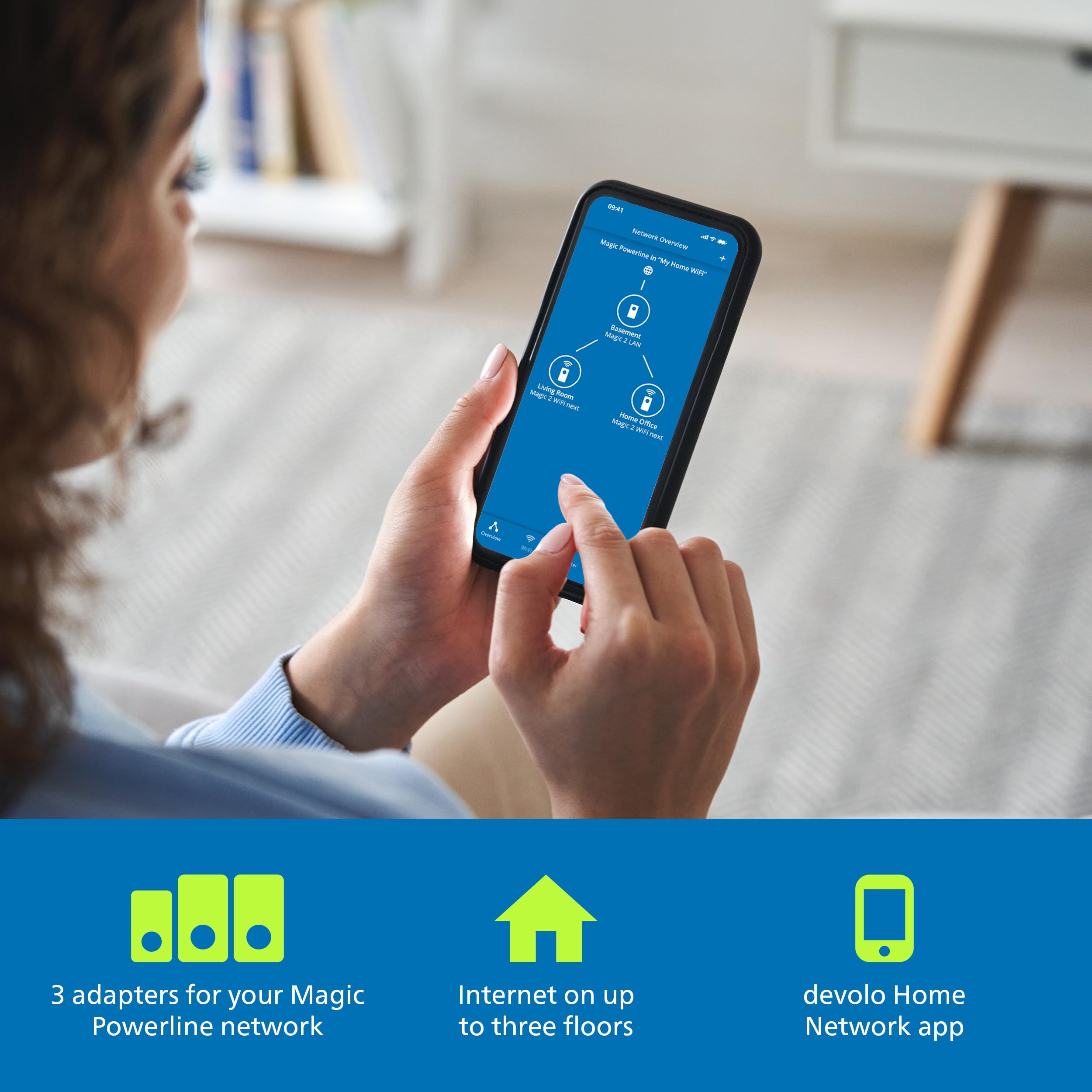
I had been using TP Link devices, to get cable bandwidth over my mains sockets at the other end of my house to where the router is located. However, I started to get low signal strength and disconnecting, which rendered them useless. Having done some research, I decided to take the plunge, and try these powerline devices. Initial setup failed completely, so I decided to follow the manual process for pairing the devices, which worked perfectly. I did notice you must have them not all on the same circuit, especially if there are lots of other mains devices connected, as it will cause a weak signal warning over the cables. I placed the 2 Wi-Fi/LAN devices in the same sockets where my TP-Link devices were, and they both connected to the device at the router end perfectly. To configure the Wi-Fi on them, I strongly recommend you download the app 'Devolo Cockpit' onto your mobile first. It will automatically detect the Wi-Fi and allow you to configure and make changes to SSID and password, so you will not need the key from the back of the devices. It is a brilliant app, and easy to use, but sometimes you need to keep re-connecting until it recognises the devices, so be patient. I get nearly 100MB on Wi-Fi, and full bandwidth of 200MB over the cables. Expensive, but well worth the money, as you are paying for superior performance and signal quality.
C**W
Good enough…
Having just got full fibre broadband, I had to put the new router in a different location due to where the fibre cable enters the house. I like my fixed devices like consoles, TV box and my work PC to use wired network for reliable connection and use Wi-Fi only for mobile devices, so I needed something to share the internet connection with the existing cables. The fibre gives me 150Mbps, so I first tried a fairly cheap AV2 1000 powerline kit. This connected at a claimed 400Mbps, which was reducing the actual broadband to about 80Mbps - seems these kits are actually much slower than the connection speed suggests. They suggest to try different power sockets, but thats just not an option for my setup. I wanted to get the full speed I’m paying for, so that kit went back and I decided to suck it up and buy the Devolo Magic which seems to have the fastest available speed, although at twice the price of the 1000 kit. This one connects at about 800Mbps, which is way lower than the rated 2400Mbps, but does seem to be just barely good enough to share the 150Mbps internet with a real life bandwidth of about 200Mbps. If I was relying on this to replace a gigabit Ethernet, or had paid for faster fibre, I’d be very disappointed, but I guess this is adequate for my situation. To be fair, it is ridiculously easy to setup, literally “plug and play”, the devices seem solid and well made and the software to manage them is good and simple. So if you need to use a powerline kit, this seems to be as good as it gets, but don’t expect spectacular performance.
A**S
Good tech, shame about the instructions. Works well finally got stable wifi around the house.
Up and running, and a blessing, with the existing router plus the two adapters being good for a 4-bed house, including some thick walls, and perhaps not the best electrical wiring. As others have noted, the setup instructions are a bit unclear despite being little more than plug in and set up, but having found a couple of sockets that were reasonably close to do the initial synch, and then the LAN connection, all went ok. Def best to synchronise to the existing router wifi unless your router is out of the way and not really in use. I tried to download the software for use on a PC but it didn't work; however the phone app worked as advertised so I used that.
Trustpilot
2 months ago
4 days ago