Some deliveries may take a little longer than usual due to regional shipping conditions.

DOWNLOAD THE APP


Customer Services
Copyright © 2025 Desertcart Holdings Limited
DOWNLOAD THE APP
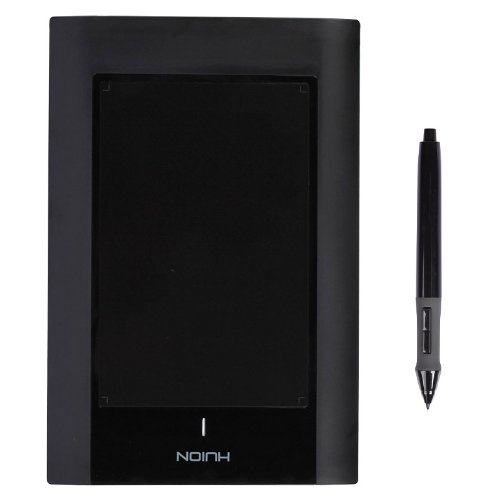
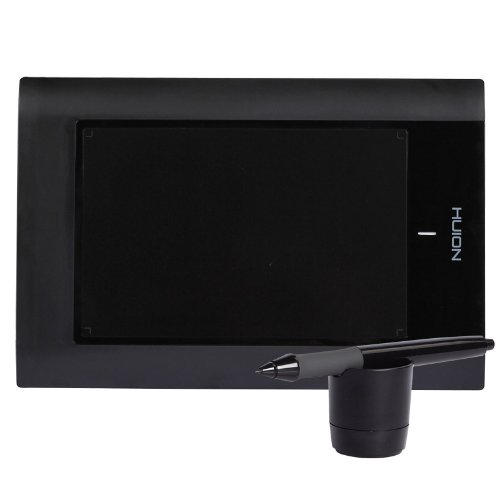
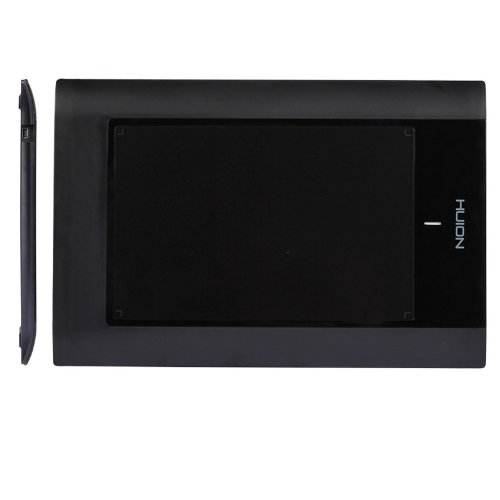
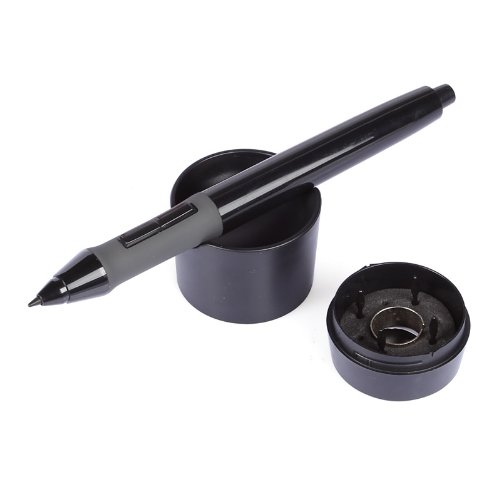
| Brand | HUION |
| Item model number | 580 |
| Operating System | Windows 7 or latermacOS 10.12 or laterChromeOS 88 or laterAndroid 6.0 or later |
| Item Weight | 12.1 ounces |
| Product Dimensions | 12.2 x 0.47 x 8.19 inches |
| Item Dimensions LxWxH | 12.2 x 0.47 x 8.19 inches |
| Color | Black |
| Manufacturer | HUION |
| ASIN | B00ELAWQSY |
| Is Discontinued By Manufacturer | No |
| Date First Available | November 13, 2015 |
S**R
Best $45.99 I've Spent
I'm 22 year old student who makes about 11K a year after taxes, so owning a graphic tablet was only something I could dream for in the future. I scrolled through the various ones but the fact that this tablet was only 45.99 and had the same amount of pressure levels as a really expensive Wacom tablet, made it stick out. I was a little nervous that this had no reviews on here, so I scoped it out on the internet and couldn't find much more than a paintress using it (which is what sold me) and 2 reviews on thier website that were positive. I took a chance and ordered it(Got free shipping with out being a prime member- thanks Amazon, one more reason I love you). It got here within about 4 business days and was simple to install the drivers on my laptop, plug it in and get going. I already had the Adobe creative Suite 5.5, and wasn't interested in working in new programs yet. This works with all my programs, and it's essentially a mouse. Once I got to playing with it in Photoshop, and sketching and layering, I was instantly in love with it. The pressure sensitivty is awesome and you can also fine tune it for those who are naturally heavy handed. Granted I've only had this thing for 2 days, but I'm optimistic since it has a nice firm design and decent warranty.It's very easy for someone whose NEVER had anytype of previous interaction with a graphics tablet to pick up and treat like thier very own sketch book. That being said, I can't compare it with any other (because this is my first eperience with one), but this company gets my vote. I hope this helps any other broke artist wanting to get a graphics tablet with out having to sell a kidney to get one. I'll update this in the event that it's not all it's cracked up to be, but until then it deserves it's 5 stars.
X**X
Ok with certain software only.
So I've had this tablet for about 3 years. From the get go it was a little glitchy - the cursor would occasionally jump across the screen, pen settings wouldn't always 'stick' for some reason and software compatibility was tough to handle at first. I use a variety of graphics programs including Corel Painter and Adobe Photoshop and while Painter seemed to play nice with this tablet, Photoshop is a total nightmare with it. I realize that's probably Adobe's fault as much as Huion's, but when I can't even use the stylus without Photoshop freaking out every 20 seconds, it defeats the purpose of using a tablet in the first place.
M**A
Good for the price, but do download the drivers rather than using the included disc :)
I got my Huion about 2 weeks ago and so far I'm really enjoying it. I'm using it mostly with Intwined software for knitwear design, and it's a nice replacement for my super old Wacom that finally bit the dust. I think it's great for the price and I didn't have any issues getting it set up on my computer (macbook pro). I did read the previous reviews and follow the directions there for downloading drivers rather than using the disc, and everything worked for me on the first try :) The pen is heavier than I'm used to, but that's a pretty small adjustment to make, and I'm sure in a few weeks I won't notice that anymore. I'd recommend this tablet.
C**Y
It is cheap for a reason
I didn't buy this on Amazon (That's why I'm not "verified"). I bought this off Lightinthebox. Don't shop there. But this tablet is VERY outdated so much so that when I talked to customer support they just told me to buy a new one because the dead zone I had can't be fixed. I bought this and kept trying to get it to work. The only upside is that it made me jump through firey hoops to upgrade my computer....all for it to not work. It didn't work with GIMP, Krita, hell it didn't even work with it's own program of pressure testing. And when I asked customer support how to "calibrate" the pen they were confused. Told me to just click "full screen". This pen lagged and caused the rest of my computer to lag. Even when the pen is turned off but the tablet is still plugged in, it's messed with my mouse. And getting help? The manual is 12 pages of google translated English and few and far in between information anywhere else on how to use it. Just save up and buy a Wacom or something (only other brand I could think of. I'm not supporting them!). This is NOT saving you money. I promise you!
B**K
I wouldn't know if it actually works or not
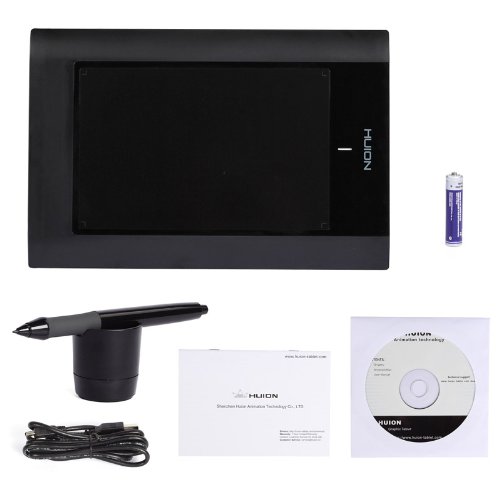
I never got past the setup stage so I'm sure it works fine but before that there was nothing but frustration with he setup which is why I'm giving it two stars instead of one. I returned it on the same day that I got it and here's why.When you first open it's nice a packaged and everything is easy to find, there's two manuals one for PC and one for MAC. It comes with a digital pen, a wire for the tablet connecting to you computer, a disc for device installation, the tablet itself, and a pen holder.The manual was really easy to follow which is why I couldn't figure out what was wrong, I did everything it asked me to.I put the disc in before plugging in the tablet, as instructed, found my setup (by the by the manual and your tablet type don't match up so make sure you know what you have) and restarted my computer as instructed. Except when I went to type in my password, THE DAMN PROGRAM DISABLED MY KEYBOARD. Which means I had to use the one screen keyboard with my mouse to get in and uninstall it, then restart it again, which thankfully worked.I did this 3-4 times and when I did decide to suck it up and live without the keyboard the pen wouldn't work or the tablet wouldn't light up. I read everything, tried everything and coming to support.Speaking of support.....It's all stationed in China (that's not the problem) I tried calling them and the 'disabled number' message called another number and called a nice man named Stewart instead. They say use e-mail, and got no response, and I'm not waiting for them anymore anyways.I say go for a different company that is cheap but at least has a form of support that can help you out.
A**I
コストパフォーマンス大きく、描き味も満足
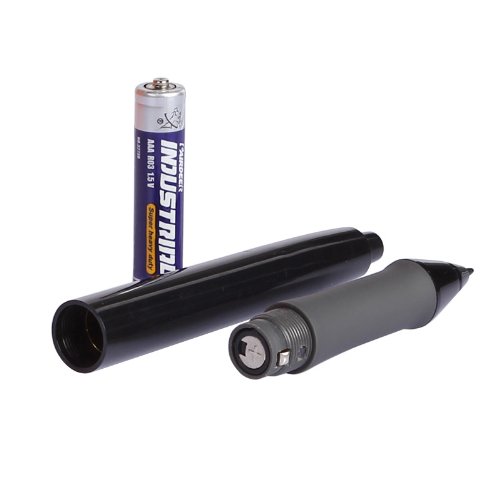
自分の想定する使用頻度、初めて購入するペンタブとしては、ワコムの製品では私の予算で考えると高額でもあり、リーズナブルな物を探して、プライムの製品でもあることから、この商品に行き着きました。パソコンはMACでの使用です。いわゆるペンタブは初めて使うので、比較しての評価ではなく、個人の満足度としての評価です。また、購入したばかりであり、耐久性については未知数です。最後まで残った候補として、Amazonでも評価の多いプリンストン製がありましたが、机上に置いてだけでなく、手に持っての使用も考慮した結果、厚くてしっかりした感じのこちらの製品に決めました。ただ、製造国が信頼性に不安な国であること、日本語での情報がほとんどないことなどから、決定前にウェブ上でいろいろ調べた結果、こういった入力系機器に特化したメーカーであること、海外では結構販売されており、AmazonUSAではかなり販売されており、やはりワコムには及びませんが、それなりに評価数の多い製品であることがわかりました。メーカーサイトでマニュアルをダウンロードしようとしましたが、なぜかMACのマニュアルがダウンロード出来なく、細かい情報が事前にわかりませんでしたが、、。YOUTUBEなどでも、こちらの製品を使って描画した様子などがアップされていましたが、弘法筆を選ばずだとは思いますが、高度なイラストが描けており、購入に至りました。製品は本体とPCを抜き差し可能なUSBでつなぎます。ペンの電源は単4電池を1本入れてノック式のボールペンのような感じで電源の入り切りをします。ペン自体の作りは、安いとはいえ製品の目的から言えば、これの良し悪しがかなり重要かと思いますが、かなり安っぽい仕上がりで、ノック式のスイッチの押し具合もそこらへんのおまけのボールペン程度です。ペンのショートカットボタンもシーソー式の2ボタンですが、こちらもグニャグニャした押し心地です。また、ペン先についても、やはりノック式のペンのようにペンと本体の穴に隙間があり、描いたときにガタつきを感じさせます。ペンの仕上げについては、見てくれだけでももう少し、高級感のほしいところです。本体に緑のパイロットランプが付いていますが、これはペンがボードに触れたときに反応して点灯します。メーカー名の印刷が縦使いのようになっていますが、実際に使うと横向きに使うようになります。縦横使いを切り替えるセッティングは見つかりませんでした。また、本体のタブレット面には、何も書いてありませんが、パソコンでのセッティング画面にはなんと13ものショートカットが設定できるようになっており、実際に設定も出来ました。使える機能なら使わなくてはと、マジックでパッドに13のます目を書き加え、位置のわかるようにして使っています。ペンの押しボタンの設定はマウスのボタン設定しかできませんでした。肝心の使い勝手ですが、前段で述べたとおり他社製品との比較してではなく、あくまでも個人の使用感となります。本来はGIMPというフリーウェアのソフトで使いたかったのですが、どうしても筆圧が作動してくれず、急遽いろいろ探して、FireAlpacaというフリーウェアで試しました。そちらでは筆圧もしっかり検知してくれて、反応も遅れや急な挙動もなく、スムーズでした。タブレットの画面の大きさについては、狭くて描きにくいといった感じはなく、また、表面が梨地仕上げになっていますが、若干粗めな感じで、ペンを小さくずらすときなど、微妙に凸凹を拾ってしまう感じがありました。むしろパッドの周りのより細かい梨地でもいいのかなといった感じがしました。しばらく使って慣れなければ、少し削ってみるかなと思います。描くという作業、私も趣味でアクリル画や模型への筆&ブラシ塗装を行いますが、従前の道具の使い勝手と比較してではなく、新しい道具という観念で使い始めるのであれば、慣れるための少しの訓練でマウスなどから比べたら非常に便利なツールであり、こちらの製品も十分満足のいく、コストパフォーマンスに優れた商品であると思います。
A**ー
とてもいい買い物をした
最初ペンタブはワコムにしようとしていましたが価格の都合上これにしました。最初は中国製で少々不安を感じましたが使ってみてみると特に重大な欠陥もなくちゃんと稼働し使いやすかったです!
Trustpilot
3 weeks ago
1 week ago