Some deliveries may take a little longer than usual due to regional shipping conditions.

DOWNLOAD THE APP


Customer Services
Copyright © 2025 Desertcart Holdings Limited
DOWNLOAD THE APP

⌨️ Elevate your workspace, connect effortlessly, and type like a pro!
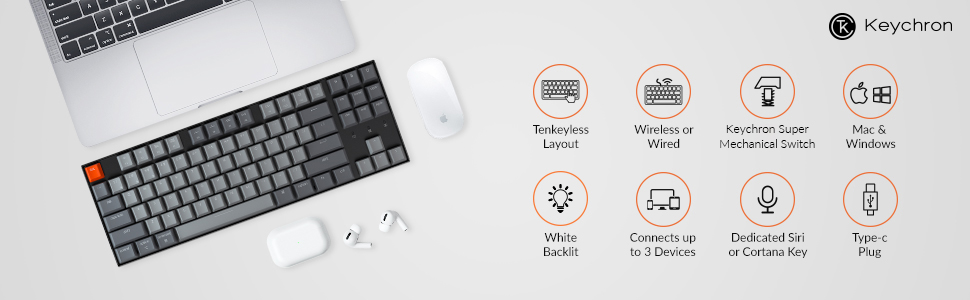
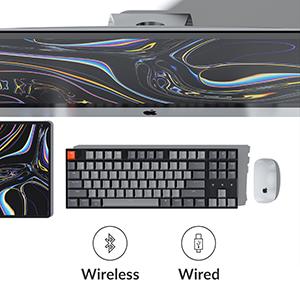
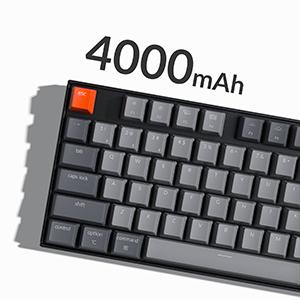
The Keychron K8 is a premium 87-key tenkeyless mechanical keyboard featuring tactile Gateron Brown switches, white LED backlighting, and versatile connectivity via Bluetooth 5.1 and USB-C wired mode. Designed for Mac and Windows users, it supports multi-device pairing, boasts a robust 4000mAh battery for up to 240 hours of wireless use, and offers durable build quality with a 50 million keystroke lifespan—perfect for professionals seeking a stylish, efficient, and reliable typing experience.





| ASIN | B08B5WHYTT |
| Batteries | 1 Lithium Polymer batteries required. (included) |
| Best Sellers Rank | #101,663 in Computers ( See Top 100 in Computers ) #3,025 in Computer Keyboards |
| Customer reviews | 4.4 4.4 out of 5 stars (573) |
| Item model number | K8-A3 |
| Language | English |
| Product Dimensions | 64.01 x 64.01 x 19.3 cm; 1 kg |
A**R
Nice to type on, but requires a wrist rest
Very nice to use. Still making up my mind as to whether I prefer it over a low profile, but it certainly works well. The light show effects are really cool, but don’t help productivity :)
J**A
.
Amazing product.. i love it 🥰
R**N
Excellent
I bought the Gateron brown switch Keychron K8 and the only thing I can say about it is, perfection. It feels great, sounds great, and most importantly, offers such a good price. I was slightly concerned when i saw that this product was cheaper than the other options, however, it is fantastic. Only thing to say is that a wrist pad is a must! The keyboard is big and sits high off the desk, so getting a pad for yourself will make the experience much more enjoyable and premium.
D**.
This keyboard is the best one I've ever used. I would have guessed it's rating would be closer to 5 stars. The feel is very satisfying to me. It's not super loud, and the tactile sensation of pressing the keys is about perfect for me. The size is perfect. The lighting is a plus. It has worked perfectly for me over the couple of months I've used it. I cleaned it recently by pulling out the keys, using a dust cleaning gel, cleaning each cap with a towel, and putting them back, and everything is as good as new. The bluetooth connectivity is consistent, and the battery lasts a decently long time - I would say a couple of days to a week (several hours a day of use) with lighting on medium or high, and it's very easy to connect and use it while it charges. I have a feeling I will use this for a very long time. I also absolutely love how it came with Windows and Mac keycaps as I use both. They keycaps are pretty easy to pull off with the tool or even without it. It connects pretty easily to bluetooth, and I love that it is able to connect to 3 devices. On my Macbook, I was able to use Karabiner to reprogram the keys, and it has worked well. I reprogrammed the top-right keys to more useful shortcuts like opening specific apps, copy/paste, password for my account, and putting my mac to sleep. I discovered this through ChatGPT and YouTube and it is decent at generating the code to reprogram them. I only have a few wishes for this keyboard. Firstly, it is very unaesthetic for the previous, play/pause, and next buttons to not be placed together (see the F7 - F9 buttons in the pictures). They should have taken the extra steps to do so, or picked another design. Next, the top-right button for keyboard lighting is the only one that can't be reprogrammed through software, and since it's in the corner, I often press it on accident, which resets my lighting setting. I always had to switch through all the different light mode patterns for the keyboard, which I don't really ever use, until going back to the one I prefer, which is just the standard always-on light, and there's like 18 patterns so it always interrupted me. I ended up putting a spiraled paper clip inside the keycap so that it's much harder to trigger. I wish the key was reprogrammable in the first place so I could give it a better use. Next, I wish the power button was in a better location and easier to press. It has a switch between 3 modes (on, off, cable mode), but I would prefer an easier mechanism. It takes effort to put it exactly in the middle to turn it off. Luckily I found that putting it on cable mode is equivalent to off as long as it's not connected. Regardless, it would be nice to have just a button, especially on the right side since I am right-handed. But I do really like the switch for Mac and Windows, that works well. Next, the mic button near the top-right never really worked, and it is the hardest to reprogram because it seems to trigger a combination of keys instead of just a simple key. Lastly, the battery indicator LED light distracts me when it is on low battery. It starts to blink brightly until it gets connected, so I had to put a piece of putty over it.
B**S
Best Keyboard for portable taking to the office and my home.
J**J
If you’re not a fan of red switches- or not a fan of switches which are highly sensitive and you can’t tell whether you’ve touched them or not- this is the keyboard for you. The material on the switches and the weighty nature of the keyboard confers a premium feel to the device. The backlight also looks nice. I believe pricing is appropriate to the quality of the device.
R**S
I've had some pretty bad luck with keyboards lately. Both my Ducky and Logi keyboards developed unbearable key chatter. I've only just got the Keychron. Initial observations are that aesthetically it's a pretty good looking keyboard, although not amazing. Gateron brown switches sound really nice and the switches feel really smooth as if they are lubed (are they?). Backlight is nice, although all modes except for the standard on or off are completely gimmicky and non usable. Overall - good so far. I'll update this review in the future, if I run into any issues.
T**A
I've been using the brown switch base version of the keychron k8 for a little over 2 weeks. I'm a software engineer and this is the keyboard I use for work (WFH). I was previously using a Durgod Taurus K320 TKL with cherry mx brown switches so this isn't my first mechanical keyboard. I REALLY LIKE THIS KEYBOARD. The switches are probably the best part. If you want a tactile switch but find the cherry mx browns too scratchy with too much resistance or hate that "spring" feel (I do), Gateron brown switches are for you. They just feel crisper and also easier to press. Having a backlit, wireless, bluetooth, TKL mechanical keyboard has got to be the dream. I've had almost zero issues with bluetooth. There was one time where the bluetooth disconnected for a moment but that hasn't repeated itself. I can wake my 2019 (work) and 2017 (personal) Macbook Pros with ease using the keyboard. It pairs very quickly. I haven't had to do any repairing yet (knock on wood). I'm obviously not doing anything sensitive like gaming but I haven't noticed any input delay doing normal office work. I use a wrist rest so the height of this keyboard is a non-issue for me. I'm able to switch to using function keys via Mac OS for all the keys except those controlling the keyboard backlight and the shortcuts for screen capture, siri(?) and the backlight on the far right. This is perfect for programming (in my experience). 2 cons for this keyboard: - minor - it is slightly louder than my old keyboard and this loud seems to come from the case vs from the keys so I don't think o-rings are going to help. My family will just have to deal. - moderate - this keyboard has very good battery life (lasted a week of full time use) - BUT - when you need to charge you can't just use any old powered usb port. Like probably every macbook pro owner who uses their laptop professionally, I have a usb hub so I can do things like plug regular mice, hard drives etc into my computer. Plugging this keyboard into that hub resulted in a HORRIBLE sound and it was clear that the keyboard was drawing too much power. I ended up plugging the keyboard into the wall using an iPad charger. Which worked fine but meant I couldn't use my keyboard while it was charging and isn't really the behavior you would expect out of a peripheral like a keyboard. I would rate this 4.5/5 stars. My only real issue is with power draw while charging.
Trustpilot
1 month ago
3 days ago