
DOWNLOAD THE APP


Customer Services
Copyright © 2025 Desertcart Holdings Limited
DOWNLOAD THE APP

🚀 Upgrade your home WiFi game with Archer C50 — speed, simplicity, and smart control in one sleek package!
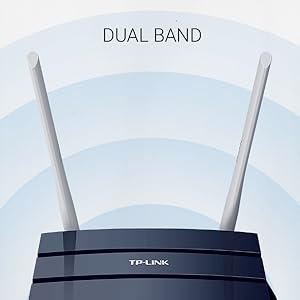
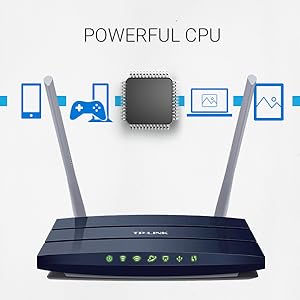
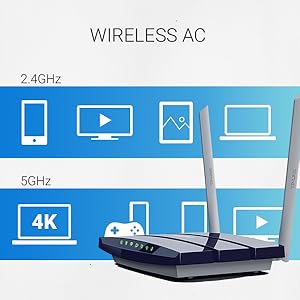
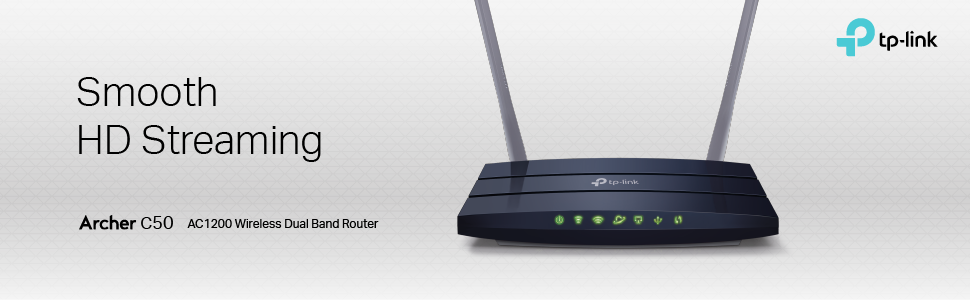
The TP-Link Archer C50 AC1200 Dual Band WiFi Router delivers up to 1200 Mbps combined speed on 2.4 GHz and 5 GHz bands, ideal for homes with internet plans up to 100 Mbps. Featuring 4 Fast Ethernet ports, compatibility with all WiFi devices including smart home gadgets, and easy setup via the TP-Link Tether app, it supports smooth 4K streaming on multiple devices simultaneously. With guest network access, parental controls, and a 2-year warranty plus 24/7 support, it offers reliable, budget-friendly performance for modern connected homes.










| ASIN | B0168G0KZY |
| Best Sellers Rank | #68,479 in Computers & Accessories ( See Top 100 in Computers & Accessories ) #1,649 in Computer Routers |
| Brand | TP-Link |
| Color | Blue |
| Customer Reviews | 4.0 4.0 out of 5 stars (2,457) |
| Date First Available | March 1, 2016 |
| Is Discontinued By Manufacturer | No |
| Item Dimensions LxWxH | 4.9 x 7.2 x 1.3 inches |
| Item Weight | 4.9 ounces |
| Item model number | Archer C50 V1 |
| Manufacturer | TP-Link |
| Operating System | Multiple: Microsoft Windows, MAC OS, NetWare, UNIX or Linux |
| Product Dimensions | 4.9 x 7.2 x 1.3 inches |
| Series | Archer C50 |
| Voltage | 12 Volts (DC) |
| Wireless Type | 802.11ac |
D**X
What A Difference A Few Years Make!!! New Budget King!!!
Pros: Price at 39.99 it just can't be beat! Decent Range - Tested at my house for ultimate delivery to a friends place which has far thicker walls and farther to go. Provided signal where the stock TimeWarner Arris unit could not. And easily provided all the bandwidth they were paying for. 30MB/s Down / 20MB/s Up. USB Network Storage port on the back works quickly and easily. With Windows 10, you can see the files on the flash drive with no problems at all. Simply click on your network in File Explorer and it will show up. It's slow to load files but works reliably! Easy Setup: Probably the most important thing is the setup. Super super easy. No disc to install apps, no complicated configuration instructions... basically you plug it in, power it up, follow the instructions for setup by going to the browser 192.168.0.1 and roll! Cons: Like most modern routers it can put out some heat from the bottom. So be sure to mount it accordingly. Runs off a single core processor so I was a little concerned about performance for a large family or a home with numerous devices. Testing: So, I was curious to see what kind of performance I'd get from compared to my beloved Buffalo AirStation Extreme AC1950 router. Two years ago the Buffalo was a 200 dollars monster sporting a dual core 1Ghz processor. Range was fantastic with its 3 high gain antennas. So to see the TP-Link speeds rival and sometimes beat my Buffalo around the house... impressive! So, I took 3 mobile devices (as thats what most people are on these days) and simply ran speed test from the most dense corner of my home on both 2.4 & 5.0 Ghz networks. The resulting numbers below are Download, Upload and signal strength. Buffalo 5Ghz @ 40ft w/ 5 Walls Downstairs Nexus 6P - 52.61 / 7.97 -79 HTC One M7 - 23.74 / 8.09 -75 Acer Iconia One Tablet - 33.34 / 7.48 -80 TP-Link Archer C50 5Ghz @ 40ft w/ 5 Walls Downstairs Nexus 6P - 56.87 / 8.04 - 78 HTC One M7 - 23.70 / 6.85 -75 Acer Iconia One Tablet - 28.98 / 8.23 - 79 Buffalo 2.4Ghz @ 40ft w/ 5 Walls Downstairs Nexus 6P - 40.12 / 7.83 - 65 HTC One M7 - 16.22 / 7.95 - 72 Acer Iconia One Tablet - 5.95 / 7.34 - 65 TP-Link Archer C50 2.4Ghz @ 40ft w/ 5 Walls Downstairs 6P - 26.38 / 7.86 - 65 M7 - 19.43 / 5.96 - 62 Acer - 50.88 / 7.54 - 55 So after seeing these scores I was really impressed. Signal strength in my 1600sq ft house was fine everywhere. So to see if there was any slowdowns when numerous devices started streaming. I fired up all 3 devices and threw in my MacBook Air to all access different videos on YouTube and to stream at 1080p. There wasn't a single hiccup between them! WOW!! Now, I can image that wouldn't be hard for most modern routers, but at 40 bucks I was expecting some compromises. Honestly... there are none. Oh..and on top of that.. i streamed music from my USB drive over the network from the router..while all 4 streams were running.... no problems at all. THIS ROUTER IS THE REAL DEAL!! Now, again.. I can't claim it to be a great Gaming Router or a great upgrade for a growing family. Parents, 2 kids.. and say 10+ devices in the house and all vying for internet access. It could struggle, or it could do just fine. But for now... with absolute confidence I can say that for modest network needs and you are on a budget / need an upgrade or replacement. You can't go wrong. This router is great.
V**E
Works as intended for a great value and very easy to set up
Based on the reviews, I knew that this was a good router. However, I knew that this router was really good after I had a hard time setting up a different-branded router for a family member. I recently bought my first home, and having quality internet service, speed, and connection is critical to me. I sought to find the best router at the best value and came across this router. Whenever the tech from my internet service provider (ISP) came to get my internet and everything connected, he also took care of the router for me. He said that he had never seen or heard of this brand before, so I was a little wary of how well it would work since he sees different routers every day. After he set everything up on his end and left, I continued configuring the router through the router login. Everything went so smoothly and was very straightforward; basically, if you know how to set up a social media account or order something off of Amazon, you're more than capable of setting up this router down to the security settings. It is that simple. Recently, a family member asked for my assistance with setting up a router that they found in a Big Box, brick and mortar store. A sales associate pointed the family member to a different brand of router for $65.00 (dual-band, 802.11 a/b/g/n, 300 megabits per second). This router was such a headache to get set up and after spending a while trying to set up everything properly, it still wasn't set up as nicely as this TP-Link router. This router has been very reliable for me, and I think it's the best value for the price. I've had no issues with service so far, and I'm satisfied with my purchase.
J**R
Good router, good customer service
I have bought 3 of these. I am not tech-saavy, and it is easy to connect. I have one at my primary home, and one at our country home. At the home in the country, we have satellite WIFI, and no cable subscription, and I run two internet TV's off of the 5G network, and use the 4G for WIFI. I have had my home router for nearly 3 years, with no issues. I bought a 2nd for our country home in December 2018, and it went on the fritz in April. Just wouldn't transmit a signal. Powered up fine, but lost connectivity. I called TP_link, and they have been great, and are shipping me out a new one under warranty so I will have it as a back-up, since I went ahead and bought a new one. Like I said, I am no techie, but they work fine for me, are easy to install, and you can't beat the price or customer service.
P**H
I got his router for 2289/- during amazon sales.. At first i was using ASUS N150 router which served me well for 4 yrs but i desperately needed an upgrade within a budget of 2000-2500 price range.. this router is really excellent.. At first i was hesitant to buy TP-Link router since some reviews have been not good but my friend who is using one suggested me to buy it and went for it.. Here are the conclusions i made off of it after few days use: :i) the material used is very good. ii) It has a sleek glossy design which will really make your set-up look good. iii) The connection setup is very easily compared to other brands. Just few clicks and done.[Note: In case you are using PPPOE connection i.e u need username and password to login to ur internet connection then select "static IP" option when asked for (which is the case for me) and just enter your ip details and u r done.) Absolutely no hassle. iv) The connection is very good despite some negative and false reviews dont listen to them.. I have a house of 1500 sq. ft. and it easily covers my entire house and my lawn and garden too.. v) the 2.4 GHz connection is very good and stays full spectrum for a decently long range.. vi) The 5.0 Ghz is a piece of art.. it is very quick to connect and the speed reliability is great. But the range of 5.0 Ghz is slighly less than 2.4 ghz connection.. although one can except nothing more at this price range. I am using my PC(connected with Ethernet), XBOX ONE(connected with ethernet), PS4 (wifi),XBOX 360(wifi),PS3(wifi), my smartphone(wifi) and my laptop(wifi) with this router and i am pretty amazed by the performance this router gives.. The resetting/rebooting of router takes around 10-20 secs and then its ON..!! which is very quick for any router at this price range.. I ran it 96 hrs straight after buying and voila..!!! there isn't any type of overheating or lag or disconnecting issues which i have faced with my previous routers... If anyone looking for a router upgrade at this price range then please i urge you to buy this router with confidence.. you will not be disappointed...!!!!!!
J**C
Set up was very simple and was being used in a few minutes. Great value for money.
H**R
Es un excelente producto, es muy sencillo de instalar y tiene un excelente alcance. Probablemente no sea la mejor opcion para una casa o un lugar muy grande pero para un dpto de unos 90 metros cuadrados funciona muy bien, ademas se puede controlar desde el celular con la app. Y el precio lo hace extremadamente accesible.
M**S
One of the best routers you can buy at this price point. Loaded with features, easy to use, good build quality, good hardware, excellent software support from manufacturer. NOTE1: Ignore what everyone is saying about the range of 5 GHz being bad. That’s how it’s SUPPOSED to be. (Why? Because basic physics + FCC regulations for the signal strength) Hence 5 GHz is ALWAYS about half the range as 2.4 GHz Pros: 2.4 + 5 GHz Excllent Software features (router admin page) Comes with iOS/Android app (very user friendly) USB port for printer/storage. (Supports HUB) All 8-pin Ethernet ports Firmware is open source. (This IMO, is the best part. TP-LINK provides GPL code of the firmware on their website and explain how to modify it and Reflash the router. Unlike other manufacturers their website also has instructions for OPEN-WRT and DD-WRT firmware support) Cons: Changing settings takes too much time to reflect Startup and PPPoE login is slow. NOTE2: printing setup is a complicated process. It doesn’t install any driver on the router. It expects the printer to be set up beforehand on the computer and just forwards the commands. Not easy to use. Has bugs. NOTE 3: USB port is 2.0. Storage only supports NTFS and FAT32 by default. Supports DLNA/UPNP for media sharing from the USB. Access is quite slow and not practical. NOTE4: Initially had minor overheating issues but they seem to have disappeared. Not a big concern.
E**O
Now we have great wifi signal in all our house
Trustpilot
2 weeks ago
2 weeks ago