We remain fully operational. Our teams are working around the clock to ensure your deliveries continue safely.

DOWNLOAD THE APP


Customer Services
Copyright © 2025 Desertcart Holdings Limited
DOWNLOAD THE APP
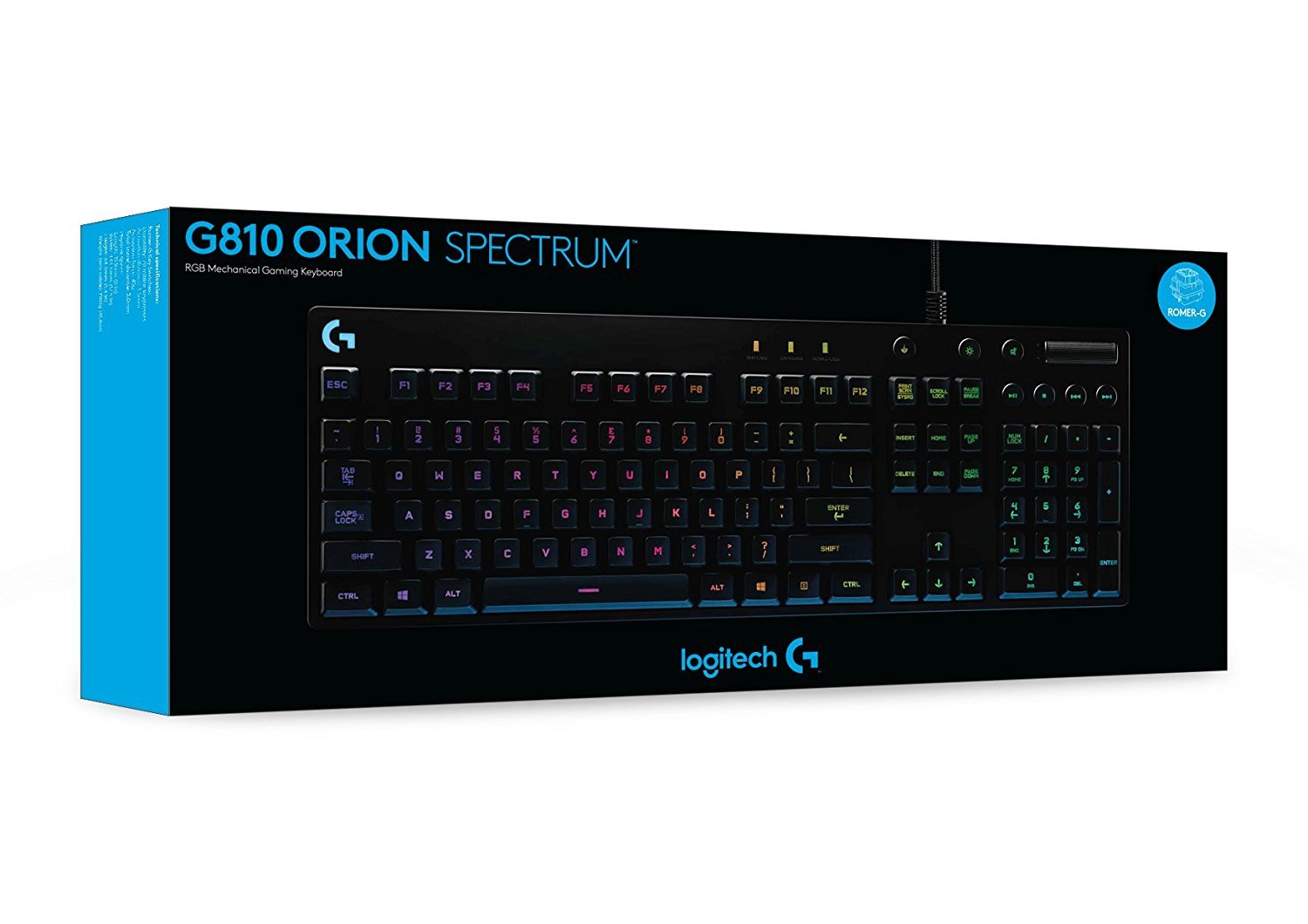

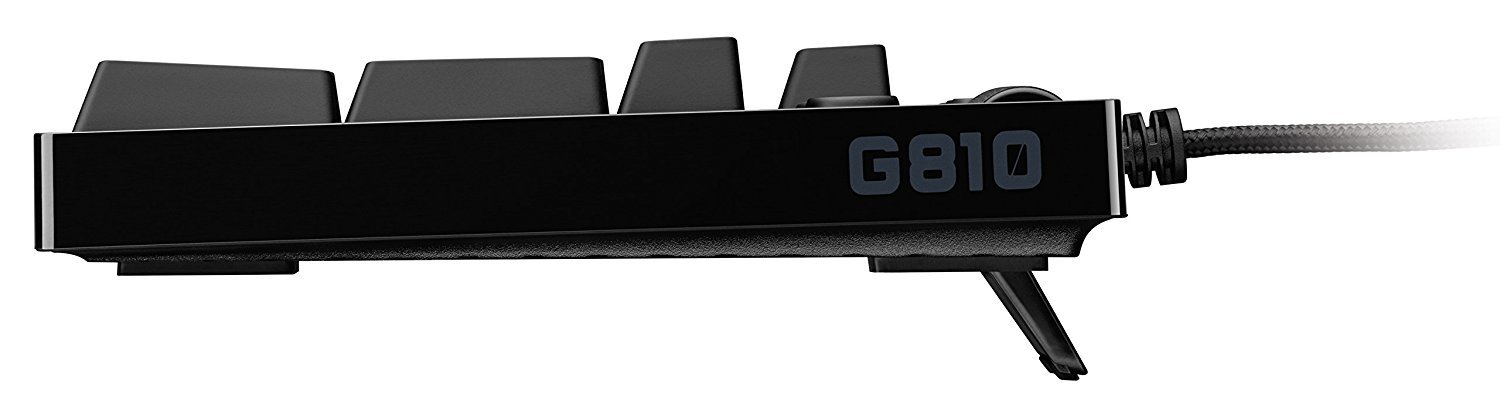
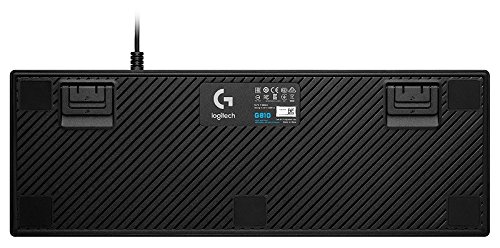

⚡ Elevate your desk game with speed, style, and control!
The Logitech G810 Orion Spectrum is a premium full-size mechanical keyboard featuring exclusive Romer-G switches that deliver 25% faster actuation than standard mechanical keys. It offers per-key RGB lighting customizable across 16.8 million colors, easy-access media controls, and programmable function keys via Logitech Gaming Software. Designed for gamers and professionals alike, its solid build and quiet, responsive keys provide a sleek, high-performance typing experience compatible with Windows platforms.
| ASIN | B01BBKYM3I |
| Batteries | 2 AA batteries required. |
| Best Sellers Rank | #82,740 in Video Games ( See Top 100 in Video Games ) #1,543 in Mac Accessories #3,604 in PC Gaming Keyboards |
| Brand | Logitech G |
| Color | Individual key RGB |
| Customer Reviews | 4.0 4.0 out of 5 stars (996) |
| Date First Available | February 4, 2016 |
| Hardware Platform | PC |
| Is Discontinued By Manufacturer | No |
| Item Dimensions LxWxH | 6 x 17.5 x 1.4 inches |
| Item Weight | 2.6 pounds |
| Item model number | 920-007739 |
| Manufacturer | Logitech |
| Number of USB 2.0 Ports | 1 |
| Operating System | Windows,Windows 10,Windows 8 |
| Power Source | USB power |
| Product Dimensions | 6 x 17.5 x 1.4 inches |
| Series | G810 Orion Spectrum RGB Mechanical Gaming Keyboard |
D**E
Logitech G810: Simple, Elegant, Functional
I’ll start by saying the Logitech G810 Orion Spectrum is, by far, the best keyboard I’ve ever owned for a variety of different reasons. For a little bit of background information, I’m an avid gamer who has gone through a variety of different mechanical keyboards, each with different types of switches. I’ll begin the review with the most important part first, the Romer-G mechanical switches. These Romer-G switches are the absolute best I’ve ever encountered and this is coming from someone who’s dealt with Cherry MX Black, Blue, Brown, and Red switches. This is the quietest mechanical keyboard I’ve ever owned, which is beyond impressive. I can also say, with complete certainty, these keys actuate considerably faster than any of the switches I’ve previously had. I determined this considering when playing games, you get into the swing of things and know the perfect timing of things. When I got this keyboard, I had to adjust to not clicking my keys so soon because they actuate considerably faster than my other keyboards, otherwise it would interrupt what I was doing. To clarify, this is nothing against the keyboard, it’s entirely just due to the actuation timing difference between this keyboard (faster) and a range of other mechanical keyboards (slower). The overall design of the keyboard is fantastic. If I had to describe the keyboard in three words, I’d say it’s simple, elegant, and functional. I dislike over-designed keyboards, and this is the furthest thing from that. The RGB lighting on this keyboard is fantastic and precise, giving you a range of different options to choose from including preset lighting options, or an ability to customize each individual key, with barely any light bleed. You can also adjust the speed and brightness of the RGB preset options alongside set different lighting profiles for specific games. For example, in CSGO, you can change keyboard lighting options based on which team you’re on. In addition to that, you can also have your keyboard flash red if you’re below a percentage of health, or ammo. Or, if you don’t want your entire keyboard to flash when you’re low on ammo, you can simply have just your reload key flash. It’s a fantastic feature that I enjoy. Out of the box, you could immediately tell the keyboard is extremely high quality. It’s a heavy keyboard, which is great considering it’ll remain in place on your desk with the help of 5 rubber feet along the bottom of the keyboard. If you want to move your keyboard, you’ll have to lift it to move it as it’s solid and not going to budge with those rubber feet against your desk. In addition to that, the actual keycaps themselves are fantastic and have an awesome feel, something I also enjoy. Although I personally love these keycaps, I’m aware that some people prefer different types of keycaps. Unfortunately, as of now, Logitech does not offer any replacement keycaps at all. The height adjustment for the keyboard allows for three different settings which consist of 0, 4, and 8 degrees which should cover most, if not all, of people’s needs for adjusting the height of the keyboard. My overall summary on this keyboard is that it’s my personal favorite. The amazing RGB lighting, the quietness and quickness of the switches, and the simple and elegant design are all a huge hit with me. I’d recommend this keyboard to anybody who was looking to switch to a RGB mechanical keyboard, you certainly won’t be disappointed. This keyboard has absolutely exceeded my expectations.
S**E
My first mechanical keyboard. Great entry! Not for those who must have Cherry MX switches.
This was my first foray into the world of mechanical keyboards. I am now a convert and will extol the virtues of mechanical keyboards all day, everyday. This keyboard uses Romer G switches, not Cherry MX switches. So if you're a Cherry MX diehard fan then you can probably pass on this keyboard altogether. You might be wondering why someone would buy a non-Cherry MX mechanical keyboard to start down the mechanical keyboard path. The simplest answer is that I bought this on sale. Mind you, the sale price was still well over $100 dollars and one can easily find a decent mechanical keyboard for less than $100 these days. The more nuanced answer is that I was looking at gaming-centric keyboards--which generally sell for north of $100--and have already bought in to the Logitech ecosystem so this felt like a natural fit. This keyboard utilizes a Logitech software for all of its customization. It will work just fine without the drivers or extra software but you wouldn't have access to the added functionality like backlight customization and key binding options. I own a Logitech gaming mouse and I use that Logitech software to customize the mouse buttons and other mouse functions. So a big part of the rationale when buying this keyboard was that I was already running the Logitech software and I wanted to avoid having another piece of software running for another peripheral. It was a matter of convenience over anything else. So it's not the typical entry point for mechanical keyboards. Most folks will go with the far more popular, more widely available, and more user-serviceable Cherry MX brand of switches. But this keyboard nonetheless sold me on the concept of mechanical keyboards. I don't know enough about Cherry MX (or any other) switches to make an accurate comparison between this product and the plethora of other mechanical keyboards. So I will compare this to the rest of the keyboard spectrum, the non-mechanical keyboards of the world. First things first, these keys are not loud and/or clacky. They are no more wobbly than the keys you'll find on an Microsoft Natural Ergonomic Keyboard 4000 . They do not produce much more sound than that MS keyboard either. That's not to say that they are totally silent but the keys on the Orion are by no means loud or distracting, certainly not any more so than a standard non-mechanical. There is no tactile bump. These switches do not apparently feature any kind of bump or tab within their mechanics so there is no click to the keys, nothing that you can feel in your fingers or fingertips that tells you "no the key has not been pressed yet" or "yes, that was the point at which the key registers a press". I prefer it this way, I don't want anything potentially stopping me from pressing a key. I've also grown accustomed to scissor switches, like on any laptop keyboard, that require virtually no pressure to activate the key. So my weakling fingers can't accept a keyboard that requires any additional force. That there is no bump also contributes to the keyboard's overall quiet nature. The Romer G switches activate quickly. They bottom out pretty fast, which is to say that they reach their maximum down position pretty fast. I personally like this since, agian, my weakling fingers don't like to do extra work on the keyboard. The keys caps themselves are quite nice. The convex shape cradles the fingertips nicely. The depth of that convex indentation also make it easy to identify individual keys without having to look. There's not much of a chance that you'll fat-finger these keys because they feel so distinct. The chassis of the keyboard, that's the body upon which the switches and keys are installed, is nice too. It's no aluminum body but the build quality is rock solid. It's high quality as far as plastics go. The whole thing is matte black, keys, body, and all. So it looks great most of the time. But as soon as it start picking up hand grease that matte finish quickly turns into a shiny finish. The contrast between the matte finish and the greased up keys/areas can be a distraction but in no way affects the utility of the keyboard itself. The media keys and volume roller work well. The media keys click when pressed which is satisfying and also good feedback. You'll never wonder whether you pressed that button or not. I was hoping that the volume roller would spin with weight and momentum like Logitech mouse scroll wheels but, alas, it does not. That's not a loss but it would have been nice. The per-key LED back lighting is pretty cool. I typically shy away from PCs and PC accessories that are festooned with LED lights and other junk like that. I find the trend tacky and useless. That said, I do like pretty lights in general and certainly don't mind the option. The Orion allows you to customize the color of each key or groups of keys. Or you can just let the Logitech software run a fun pattern on its own. I would advise against that since it can be really distracting but it's cool that the patterns are there. There's a little light leak coming from the keys but it's not bad at all. From what I understand light leaks on other backlit keyboards is more severe. If backlighting isn't your thing then you can just disable it completely from the Logitech software. There aren't many downsides to this keyboard. The price may not be the best but that's more subjective at this price level. The only real downside to this keyboard is that the USB cable is not detachable. This omission is glaring in light of the fact that most, if not all, of the most well-reviewed mechanical keyboards feature a detachable USB cable. This has everything to do with user-serviceability. Mechanical keyboards are generally geared toward users who want to disassemble the keyboard for cleaning or switch/key cap maintenance. The key caps can be removed easily which will make cleaning easy when that has to happen. And I assume, but have not tried, that the switches can be removed as well. But I can't disassemble the keyboard any further than that. This is a disappointment but not a deal breaker, I suppose. At least part of the underlying reason must be that the internals of the keyboard are delicate and, as such, cleaning should be a gentle process. No cleaning this keyboard in the dishwasher. No submerging the chassis in water. Again, not a deal breaker but more user serviceability would be preferred. And the final, and probably most problematic, downside is that these are not Cherry MX switches. This keyboard uses Romer G switches which, as far as I can tell, you cannot buy separately. This, again, goes back to the lacking level of user serviceability. Who knows if/when these switches will die. If/when that does happen I do now know that I will have any repair options, I may just have to buy a new mechanical keyboard. It is possible that I haven't done enough research. Maybe the Internet is rife with Romer G switches but something tells me that the "exclusive" switches that Logitech and Romer G designed means that they are going to be impossible or very difficult to buy if the need should arise. I recommend this keyboard to anyone looking to take their first steps in to the world of mechanical keyboards but only on the condition that you aren't looking for Cherry MX switches, that you don't mind having Logitech software running as a background process, and that you don't mind that user serviceability can be lacking in some areas. This is a good solid keyboard for gaming or otherwise. Not too loud, not too much resistance to the switches. Good looks and a solid build.
A**R
Your search is over. This according to me is the best mechanical gaming keyboard, it is also good for typing. The backlit RGB is perfect. Let's feel superb. Just buy it.
C**L
Aun que no tengo gran experiencia en el mundo de los teclados mecánicos me e informado acerca de los switches y las diferencias que hay entre ellos y puedo decir que los switches Romer-G son una buena opción para la gente que no le guste que que el teclado sea muy ruidoso. Los leds del RGB son muy brillantes y se ven de calidad, los colores se ven fieles al color que marca el Logitech gaming software. Ademas es un teclado compacto que lo hace elegante y minimalista a la vez que funcional. Gran variedad de opciones para personalizar el led de cada tecla siendo posible que puedas crear tu propio perfil, sin mencionar que ya hay un montón de perfiles que son muy interesantes. Hay compatibilidad de perfil con algunos juegos que hacen que el teclado reaccione a ciertas cosas que pasan en el juego, por ejemplo en Battlefield 1 al morir todas las teclas se ponen de un color rojo, cuando te estas ahogando con el gas se ponen las teclas verdes, parpadea la tecla que tengas asignada al recargar cuando te estas acabando la munición, etc. Pero también no me voy a segar por lo bueno que tiene el teclado y también hace falta destacar lo malo. - La principal falta que tiene el teclado es la falta de un reposa muñeca, hay otros teclado que con un precio mas reducido si lo traen (Después de un tiempo ya te acostumbras no tenerlo). - La iluminación RGB en el modo "onda de colores" el logo de logitech se desincroniza con el resto del teclado al pasar un rato. - Otra pega que se le pueda dar es el precio que si pueden compárenlo cuando este alrededor de 2,000 pesos (100- 110 dolares).
1**1
This is my favorite keyboard! And an excellent choice for any an aspiring keyboard enthusiast! First things first, it looks amazing! The lighting is vibrant and super bright! The etched keys feature a large enough font to make it easy to read and see, plus it is a plain font with no particular style. The keycaps and base are made of a firm plastic that does not gloss over or attract fingerprints. Well colour me surprised when I tested out the Romer-G switch and found myself loving it. Many people online compare it to the Cherry-MX Red, and to be honest I totally see where they are coming from. The Romer-G is much closer to a Cherry-MX Brown/Red hybrid of a sorts. Some may disagree with me on this, and that’s ok, but for me these switches have a clear tactile feeling, while also having a low actuation force. In other words very enjoyable to type on and play games with. As a side note, if you get used to the Romer-G you may find yourself bottoming out the keys less as I've found, since they don't require much force to register a keypress. They keys are well balanced and don't wobble much, in particular the space bar is very well stabilized and has virtually no wobble. I can notice a bit of wobble in the shift keys but it never got in the way or was even really noticeable while typing. The dedicated media keys are a hard click type of button that I really prefer to say a rubber dome like what is found on other boards, and the volume wheel works well. This is how easy it was to get setup. I unplugged my previous keyboard, plugged in the G810, and boom done, it worked and could be used. Now add in the Logitech gaming software and you have more options, but that’s literally how easy it was to get this up and running. Which my I add, the software is super easy to use and very lightweight. With the software installed you can change up and customize all your lighting profiles, set macro keys that are bound to the function keys and even enable a keypress heat map mode. Honestly more could be done with the software side of things, but if what they were going for was super light weight and ease of use, they get top marks for sure. *Also the software has to be downloaded from Logitech’s website, no disk included. For those wondering unfortunately there is no USB or headphone pass-through, but as a result the single USB power cable is thinner and less stiff than some of the other keyboards I've used, making it easier to maneuver around. It's worth mentioning that the adjustable feet on the back have two stages of slope, so you can angle the board to whatever is comfortable. Without using the adjustable feet the shape of the board is very flat, I mention this because some keyboard have a slight built in slope to the keys when they sit flat, and this one, is much more on the flat end when not using the adjustable feet. Speaking of the feet, there are rubber pads on the bottom to prevent the keyboard from moving around. They have a good amount of grip, and even though this board is on the lighter side in terms of pure weight, it does not slip or move around at all. So in closing I encourage everyone to actually go to a shop and test out a bunch of different keyboards and switch types before buying, because that's really the only way you will know what works for you. So far I really enjoy the G810, and will be using it as my daily driver from hear on out.
C**R
My very first mechanical keyboard and it's so great! I tried the Romer-G, Cherry MX Red, and Cherry MX Blue in a computer shop before buying this. Romer-G is BY FAR the best, at least to me. It's personal preference after all. Pros: + Classic/Simple design + Build quality is great + Romer-G; great for both gaming and typing. Has great typing feeling and response + The central LED lighting in Romer-G switches is gorgeous (no messy backlight) and the colors are beautiful + Very quiet compared to the other mechanical keyboards and has better durability + The volume wheel is very nice! It also has the mute button right beside it! These buttons have very nice click + The Logitech Gaming Software is very simple to use Cons: - As some other guy said, the plastic used can easily catch sweat and dust. However, it won't affect you at all during the use - Not really a con to me but some are complaining about the spring sound coming out of the keys. It's true, however, it's very very slight to the point where you'd forget about it. I can only hear it when I put my ear very close to some specific buttons and press very hard. In other words, it's almost non-existent when you're using the keyboard normally (even if you're typing hard). Don't let this discourage you from buying it, it's a really nice keyboard. I almost wanted to cancel my order because of the people complaining about it. Saw few videos on YouTube where it was very loud, these are most likely defective. Mine isn't even close.
L**L
Tengo años siendo fanático del G710+; a mi juicio, el mejor teclado mecánico en el mercado. Siguiendo la tradición y con lo mucho que me gustan los productos Logitech, decidí probar este modelo. Comenzando con lo primero que nota la vista; el diseño, debo decir que es un modelo elegante y simplista. Sin toda la decoración 'gamer' que tanto vende la línea G de Logitech. No, este es un teclado muy minimalísta que resulta tener RGB. Pasando al 'elefante en la habitación; las nuevas teclas mecánicas diseñadas por Logitech son algo muy interesante. Por una parte, no cuentan con el desempeño silencioso de las Cherry MX Browns (un favorito personal), y en general son tan ruidosas en volumen como las Cherry MX Reds (con un tono mas grave). Pero por otro lado, son muy cómodas para escribir; al igual que las Cherry MX Browns del G710+, mi tecleo es fluído y sin tropiezos. En cuanto al desempeño por área, yo tengo una velocidad de tecleo promedio de 98 palabras por minuto en inglés y 88 en español con el G710+. Mantuve los promedios iguales con este teclado, para que se den una idea de la diferencia en ese rubro. A lo que juegos respecta; soy un jugador muy casual, por lo que no podría calificar su desempeño el el juego profesional o 'hardcore'. Sin embargo, en juegos como Kerbal Space Program, Skyrim, Fallout, Euro/American Truck Simulator, Age of Empires y Borderlands 2 no noté una diferencia importante en comparación al G710+. Moví mi G710+ a la oficina, donde puedo aprovechar las funciones de macros, y dejé este en mi casa, donde lo utilizamos toda la familia. En conjunto con el ratón G502 Proteus Specturm y los auriculares G633 Artemis Specturm (cuyas funciones de iluminación RGB pueden sincronizarse) tengo un cuarto para entretenimiento bastante atractivo. Muy recomendado si no se busca para juego extremo.
Trustpilot
1 month ago
2 days ago