
DOWNLOAD THE APP


Customer Services
Copyright © 2025 Desertcart Holdings Limited
DOWNLOAD THE APP

🚀 Cool, fast, and future-ready — the ultimate NVMe PCIe upgrade!
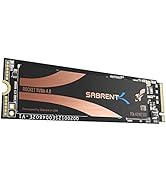
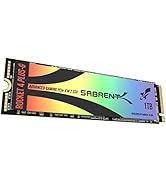
The SABRENT M.2 SSD NVMe to PCIe Adapter (EC-PCIE) is a high-performance PCIe 3.0 x16 card designed to convert M.2 NVMe SSDs up to 16TB into PCIe slots with maximum throughput. Featuring an integrated aluminum heatsink and thermal pad, it ensures optimal heat dissipation for reliable, sustained speeds under heavy workloads. Its compact, plug-and-play design supports x4, x8, and x16 PCIe configurations, making it an ideal upgrade for professionals, gamers, and system builders seeking fast, stable storage expansion.










| ASIN | B084GDY2PW |
| Best Sellers Rank | 2,491 in Computers & Accessories ( See Top 100 in Computers & Accessories ) 1 in Computer Memory Card Adapters |
| Brand | SABRENT |
| Colour | M.2 2280 Heatsink (EC-PCIe) |
| Customer Reviews | 4.6 4.6 out of 5 stars (6,305) |
| Date First Available | 6 Feb. 2020 |
| Guaranteed software updates until | unknown |
| Included components | NVMeM. 2 SSD To PCIe x16/x8/x4 Card |
| Item Weight | 80 Grams |
| Item model number | EC-PCIE |
| Model year | 2024 |
| Package Dimensions L x W x H | 13.5 x 6.7 x 1.5 centimetres |
| Package Weight | 0.09 Kilograms |
| Part number | Sabrent |
| Plug profile | Chassis Mount |
| Product Dimensions L x W x H | 10.2 x 5.1 x 1.3 centimetres |
| Size | M.2 PCIe Card w/ Heatsink |
| Style | M.2 to PCIe Card w/ Heatsink |
| Warranty description | 2 Year warranty after registration |
J**S
Works Perfectly! Really Great PCIe SSD Solution
Thankfully, it worked first-time in the only PCIe slot that I had available (in my Acer Aspire desktop). The installation was even easier than I expected - it doesn't use a mounting bracket because it actually sits completely inside the case. I've had a few Sabrent products and they are always very well engineered and built to high standards. I attached the supplied silicone heat pads which transfers the SSD heat to the big integrated heatsink. The heatsink keeps the heat level down much better than the usual small external NVMe USB enclosures. I'm amazed at the low cost - less than 15 quid! It's a real high quality bargain! Compact size fits perfectly and it's a speedy installation. HIGHLY RECOMMENDED! AAA+++
N**N
Great piece of kit for adding another drive
Worked great for adding a second drive to your system when you have spare pci slots. The included tools made it easy to put together and for the price its a good bit of kit, on a pci 16x lane you get the same high speed as what you would in a regular m.2 slot but I doubt it would be the same if you put it in a lower spec slot like x8 or x4 slow.
A**R
Great quality and easy to install
Quick and easy to fit, works great
T**X
Simple NVME to PCIE adaptor
This is a well-priced single PCIE to NVME adaptor with a heatsink and heatpads to ensure that the NVME chips reach the heatsink. I tested this with a 1tb 980 in an older gen8 microserver which fits fine although will not give the full speed due to its older PCIE specification. The heatsink is held in-place using 4x screws and there are 3x sizes of thermal pads in the product i recieved. Adaptive sizes such as 2230-2280 are supported also, although id avoid a 2230 model as their small size means they wont generally have a ram cache by default. As this is a fixed size you might as well use the space ;) Performance was good and once i correctly applied the thermal pads plus heatsink it kept the 980 1tb at about 50c when stressing it and idling at about 33c under regular desktop style usage. The HP microserver gen8 its installed on has a big case fan that draws air over it so a passivly cooled case may run hotter. (idle) nvme-pci-0700 Adapter: PCI adapter Composite: +33.9°C (low = -273.1°C, high = +81.8°C) (crit = +84.8°C) Sensor 1: +33.9°C (low = -273.1°C, high = +65261.8°C) Sensor 2: +38.9°C (low = -273.1°C, high = +65261.8°C) nvme-pci-0700 Adapter: PCI adapter Composite: +40.9°C (low = -273.1°C, high = +81.8°C) (crit = +84.8°C) Sensor 1: +40.9°C (low = -273.1°C, high = +65261.8°C) Sensor 2: +55.9°C (low = -273.1°C, high = +65261.8°C) The unit itself had 3x blue lights that flashed according to activity but were only helpful to me to ensure that booting was working correctly.
M**T
Easy upgrade for extra speed boot drive.
Worked perfectly in my old pc. It comes with 3 different thicknesses of thermal pad. Doesn't explain why or whether all pads should be used. I just used the thicker one as I wasnt sure whether the thin ones would make contact with the thermal plate once closed. Was easy too install in a pcie slot. For some reason it would not show up in my pcie 2 slot but did in my pcie 3 slot (all being x16 slots) That may be a conflict on my system as it already has 6 drives onboard! As of time of writing, very impressed at tge increase in speadvand ease of fitting. Would recomend.
J**S
It worked..... once in the right PCIE port
At first it did not work. After a bit of research (given my motherboard is about 7 years old), I found that using a different PCIE port did the trick. It seems that not all PCIE ports on my board would support it. But once in another slot, I can see the drive in the bios, install linux on the drive and boot from the drive. Works a treat. If it is not working for you, I would recommend trying another port in your motherboard as all ports may not support it.
L**E
Great NVMe adapter perfect for using a replaced drive as a secondary one
Great adapter. I upgraded my PCs main boot drive to a larger capacity one but still wanted to use the old smaller drive as a secondary one, although I only have one NVMe slot on my motherboard. I therefore decided to buy this adapter and very glad I did - it works perfectly fine as expected and was easy to install. As a bonus it also comes with the thermal pads you need.
K**T
Excellent product, retainer orientation is ambigious!
This item is well machined and feels excellent in quality. I found the holes and screws perfectly aligned and had no such issues reported by other purchasers. Performance wise, it worked first time. Just one thing was confusing. The inbox instructions show the retainer screw going in the bottom of the retainer. The online PDF instructions from Sabrent shows it going in from the top! Neither show which way round the retainer goes very clearly. I tried the retainer both ways. One way is better than the other. The recesses in the retainer allow your SSD to slot into it, which holds the SSD in place snugly and the SSD lies parallel to the adapter. If you use the retainer the other way, your SSD will be at an angle and will potentially be bent. View the photo to see which way round I inserted the retainer.
M**Y
Cet adaptateur Sabrent permet d’ajouter facilement un SSD M.2 NVMe à un emplacement PCIe, offrant ainsi une solution idéale pour ceux qui veulent profiter des performances d’un SSD rapide sans emplacement M.2 disponible sur leur carte mère. L’installation est simple et rapide, le SSD est bien maintenu et reconnu immédiatement sous Windows. Le dissipateur en aluminium avec tampon thermique aide à garder des températures stables, ce qui est un vrai plus pour éviter la surchauffe lors d’une utilisation intensive. Compatible avec les formats 2230, 2242, 2260 et 2280, il offre une grande flexibilité. Fonctionne parfaitement en PCIe 3.0 X16/X8/X4 et assure un bon débit, proche des performances d’un port M.2 natif. Un excellent rapport qualité/prix pour booster un PC sans se ruiner.
D**L
Una manera rápida de agregar un SSD M.2 a placas base que no tienen soporte nativo para este tipo de dispositivos, hay que tener en cuenta que se requiere que la tarjeta madre sea relativamente reciente, Intel de 8va generación en adelante y AMD Ryzen serie 3000 en adelante, gran compatibilidad con PCIe 3a generación o más reciente, muy buena velocidad de transferencia, muy superior a SSD's de 2.5" SATA.
A**A
After painstakingly searching for an add-in card for SSD without bifurcation and not sketchy AF, this is the one that Amazon recommended me. Finally, I can deprecate my 2x3TB HDD for 2x4TB SSDs! I can't remember, but in the UEFI, my 2 WD SN850X are detected without any issues, it's likely that it's bootable. Even in Windows, it doesn't need anything but to initialised the two NVME drives. Both are running at PCIE 3.0x2 speeds, roughly translates to 1.5 GB/s (Gigabyte per second), which is 2-3 times faster than traditional SATA SSD. I have yet to populate the remaining slots, therefore I do not know if there are any performance penalty if all drive are heavily utilised. For my use case, it's highly unlikely. Unfortunately, the Asmedia controller is limited to PCIE 3.0x4 support. Side note, I wish Sabrent uses a PCIE 4.0 support controller.
Y**.
Praktisch in gebruik schuin insteken van het ssd latje en vastklemmen
O**G
I got a Samsung 9100 SSD (PCIe Gen5) but the only slot I have that is Gen5 is the x16 GPU slot. I don't have a GPU in it since this is an Intel UNRAID box so I thought I would use an adapter to get this SSD working at full speed. I initially purchased a previous version of sabrent adapter and went cloning my old SSD with dd in linux. Well, it failed and dmesg showed the ssd disconnected. Full power cycle would bring it back, but it would fail again and again. I limited that slot to PCIe Gen4 and it worked fine which gave me a hint that the adapter wasn't designed for PCIe Gen5 (traces have to be specific length and there is smaller margin for error compared to PCIe Gen4). Anyway, I got this adapter and it works fine. I dd'ed 4TB from a different SSD and it didn't disconnect or fail in any way. So far this is the only adapter on amazon that I saw specifically mention PCIe Gen5 support.
Trustpilot
2 weeks ago
2 weeks ago