

Desert Online General Trading LLC
Dubai, United Arab Emirates
Desert Online General Trading LLC
Dubai, United Arab Emirates
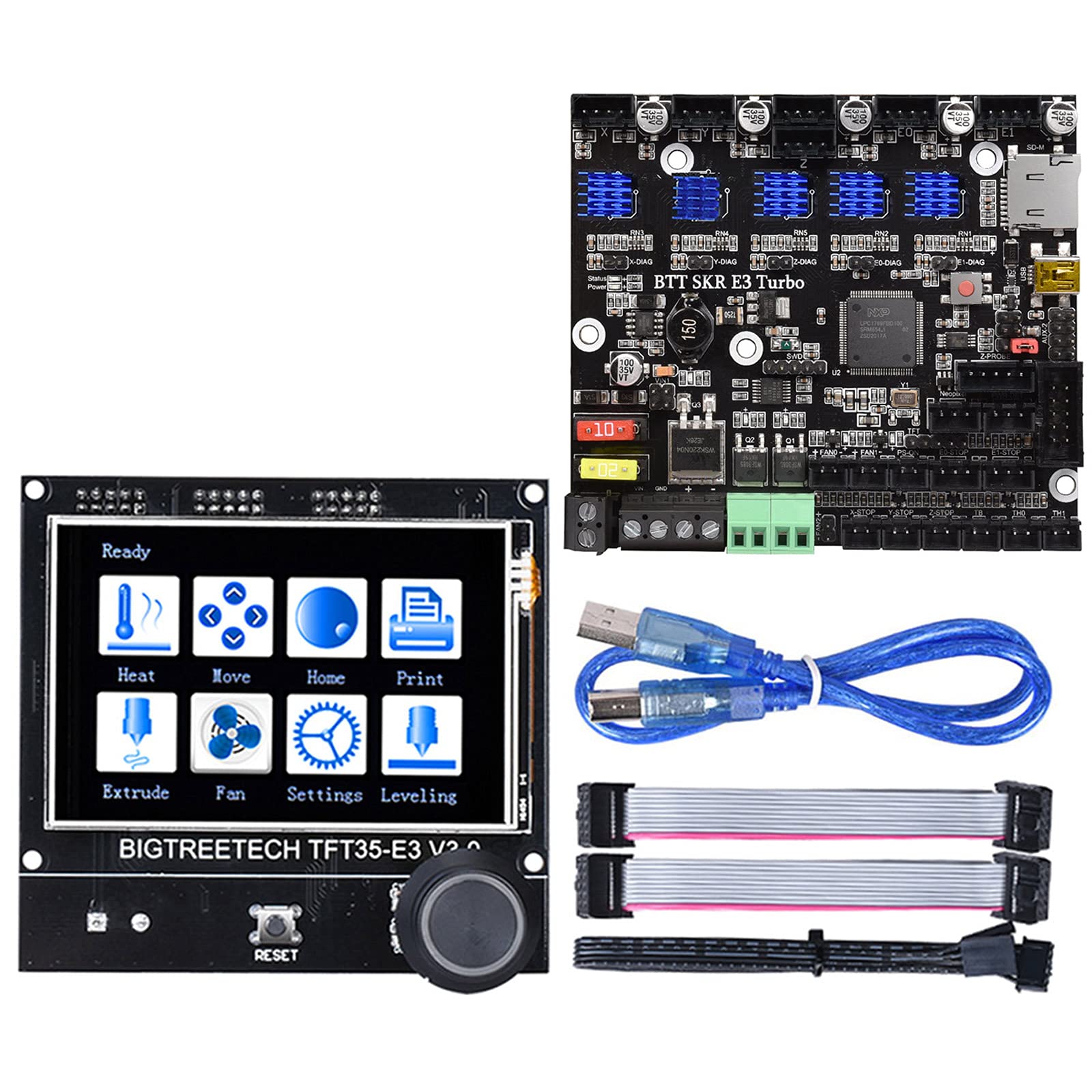

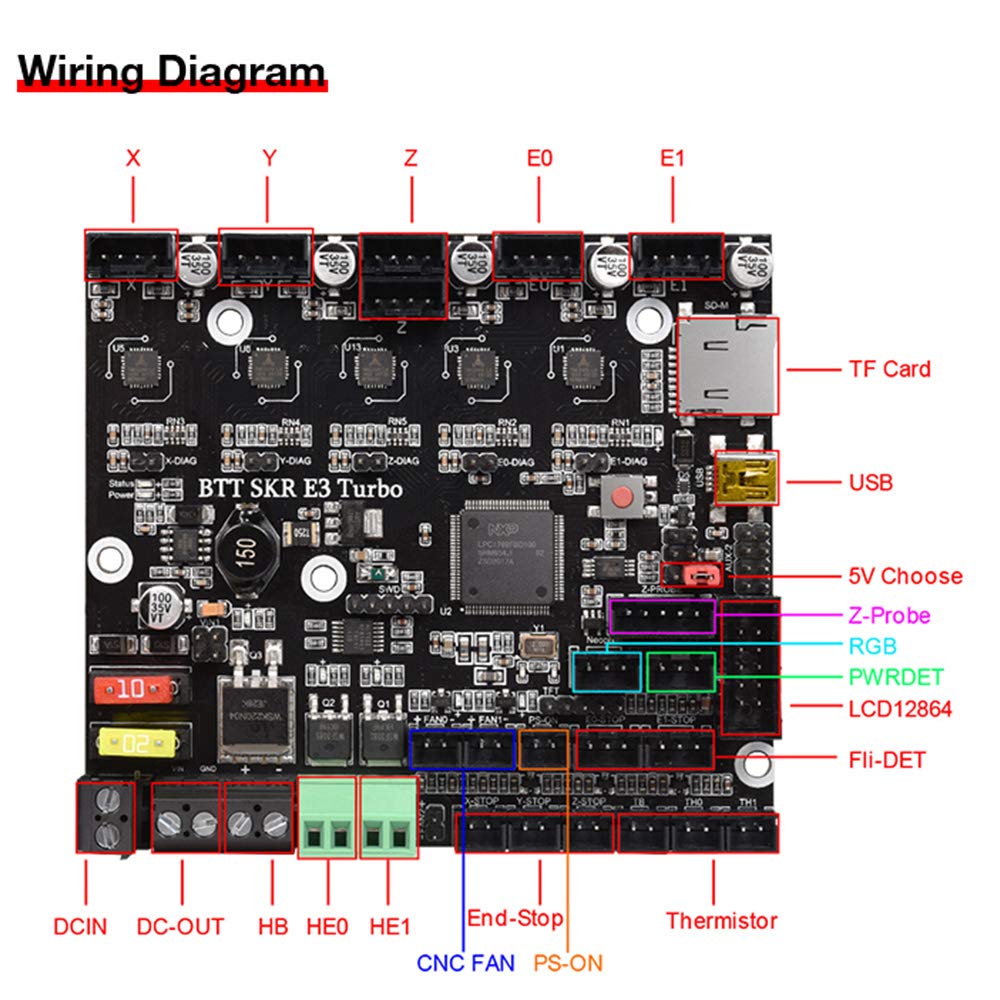
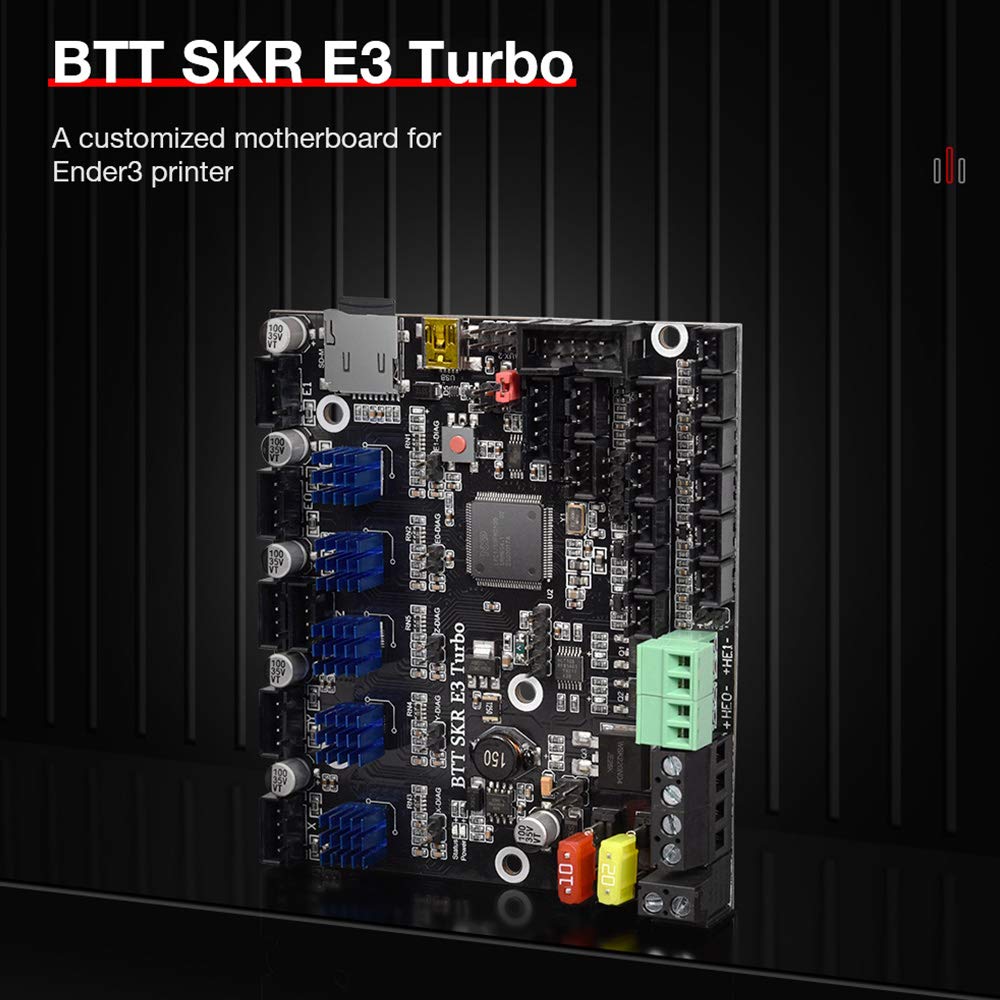
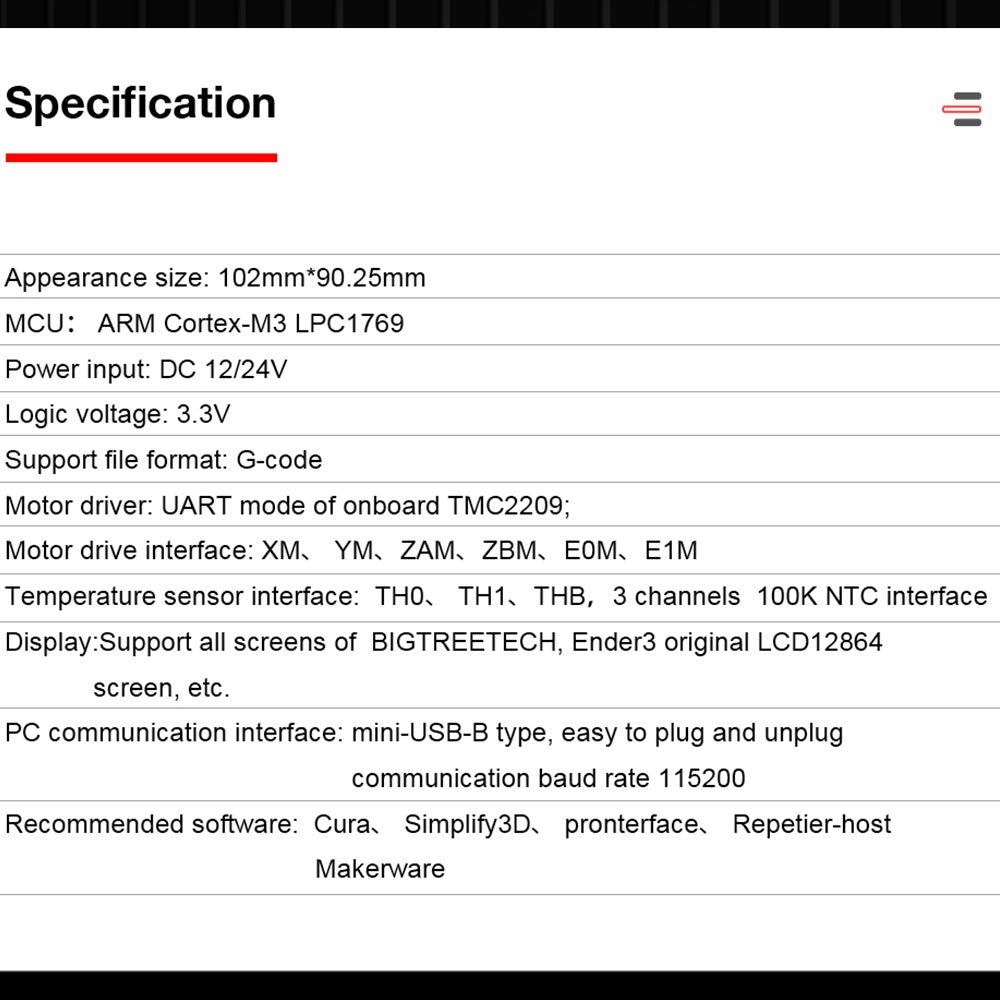
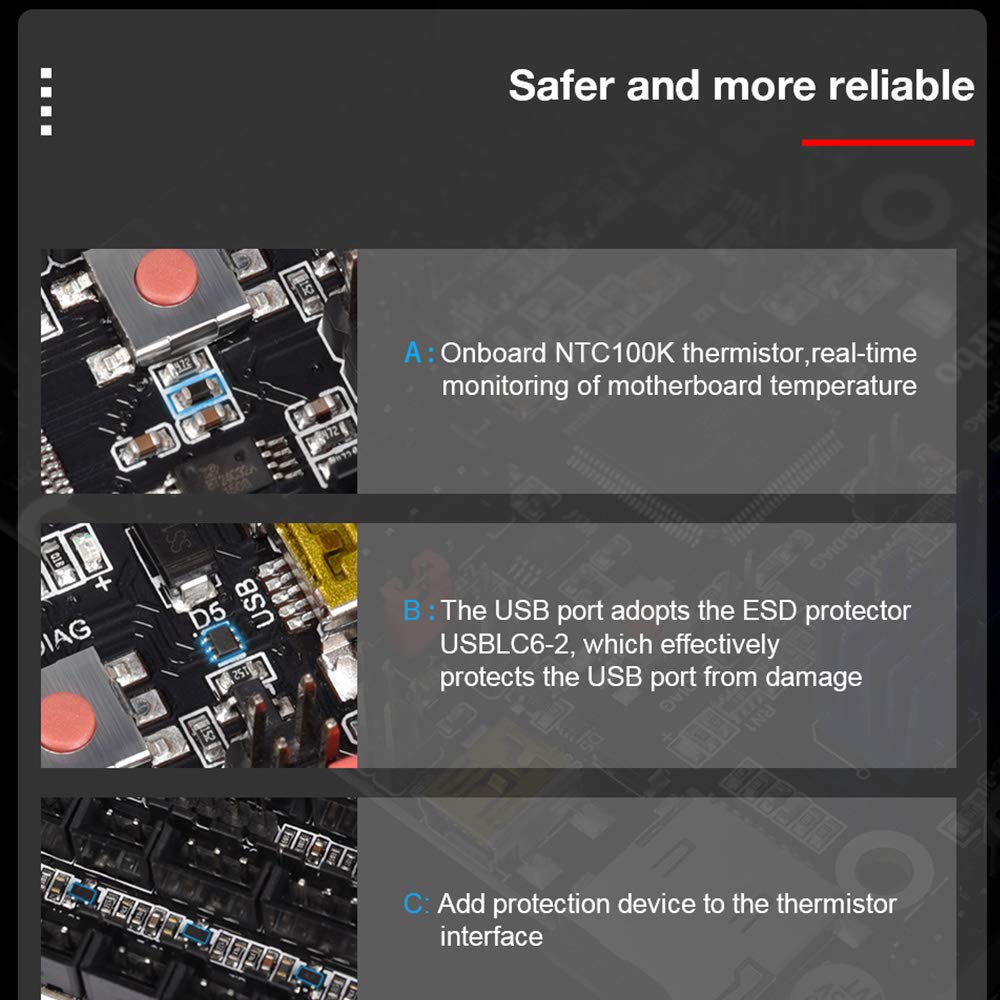
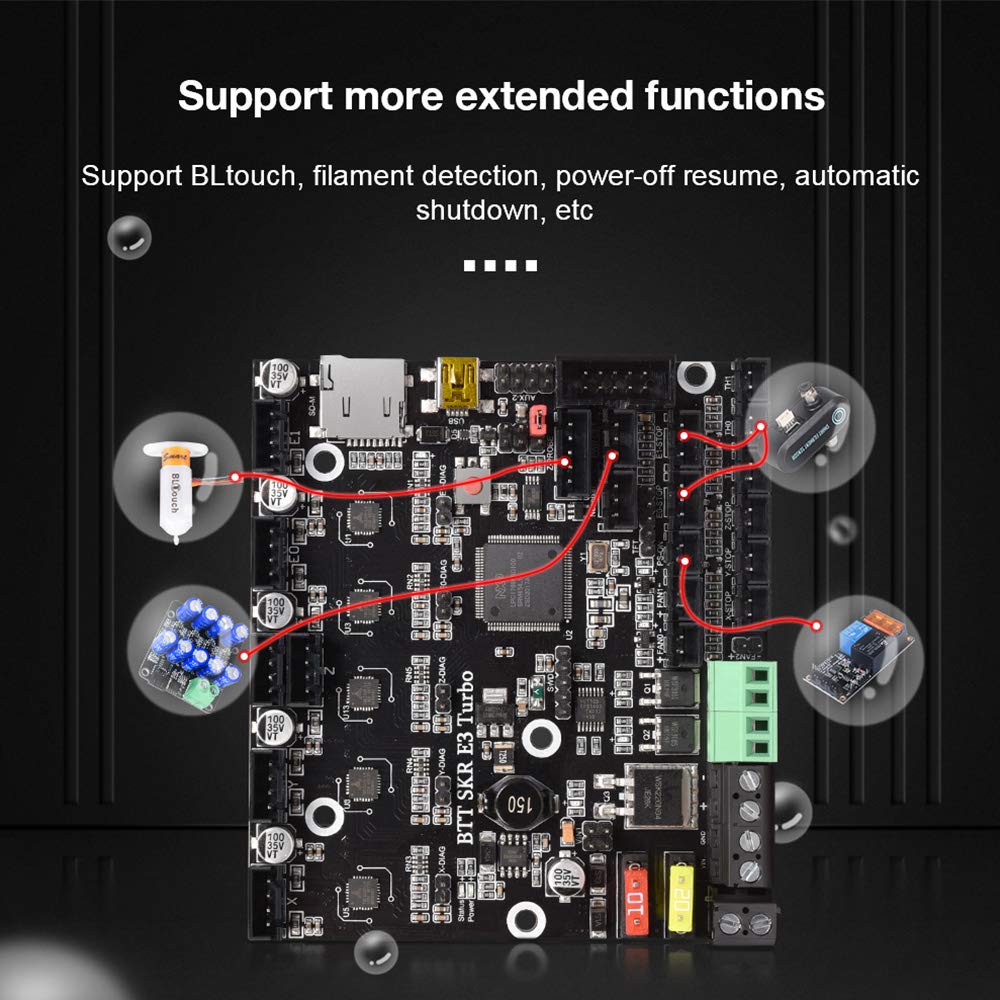


Introduction to Motherboard : BTT SKR E3 Turbo and TFT35 E3 V3.0 are a customized motherboard/display for Ender3 printer launched by the 3D printing team of Shenzhen BIGTREE technology co., LTD., which can perfectly replace the motherboard of the original Ender3 printer. Second Part:Motherboard features: 1)Add parallel double Z-axis interface; 2)Increase the board layer: 4 layer board; 3)Increase the heat dissipation area of the back driver and strengthen the heat dissipation capacity; 4) Two CNC fan interfaces; 5)Increase the distance between the driving chip and the components to avoid the trouble caused by the heat sink; 6)The main control adopts LPC1769 chip, the main frequency is up to 120MHz, and the ARM-level Cortex-M3; 7)5 TMC2209 drivers on board, supporting dual extruders; Third Part:Motherboard parameters: Appearance size: 102mm*90.25mm Installation size: check BTT SKR E3 Turbo-SIZE.pdf for details MCU: ARM Cortex-M3 LPC1769 Power input: DC 12/24V Logic voltage: 3.3V Motor driver: UART mode of onboard TMC2209; Motor drive interface: XM、 YM、ZAM、ZBM、E0M、E1M Display: 2.4 inch TFT, 3.5 inch TFT, Ender3 original LCD12864 screen, etc. PC communication interface: mini-USB-B type, easy to plug and unplug, communication baud rate 115200 Support file format: G-code Recommended software: Cura、 Simplify3D、 pronterface、 Repetier-host、 Makerware
A**Y
Quiet and Reliable
I can start by saying I was hesitant on this purchase and wanted to go with the silent board offered by the manufacturer. The main objective was to replace a functioning board with the newer TMC drivers to have a more quiet experience 3D printing. The original mainboard was not available through the manufacturer's website. My only option was to proceed with this order, despite reading negative comments on this product.The package arrived with in a decent quality box with no damage on the outside. Installation was very straightforward, with simply swapping out the wires same-for-same. The hardest part was removing the hot glue used in the factory. After a very simple replacement, it was very easy to go to BigTree's website to download the latest Marlin firmware. It was easy as copying the files to the supplied microSD card and booting up the printer. The printer took a few seconds to boot, while the firmware was being flashed from the microSD card. There was no need for additional tinkering with a bootloader or anything of sorts. The printer successfully finished the first print and completed with exceptional quality and MUCH more quiet motors during the process.I do not regret this purchase and has held up perfectly fine after months of use. The only issue I have noticed is that the bed temperature fluctuates more than before the mainboard upgrade. This was easily resolved by tuning the PID for the heating element. I would highly recommend this to anyone who needs a new mainboard or would prefer for their printer to run with a great reduction of noise.
R**7
Bad board out of the box, not ready for prime time.
I attempted to use it in my CR-10S5 and cannot get the extruder stepper to work. Everything else that I’ve been able to test seems to work fine, but if I manually try to drive the extruder stepper or print an object, the extruder will not move.I have swapped my extruder stepper with another axis and it can be driven by one of the other driver channels, but E0 appears to not work. I have noticed that if I lay my finger on the stepper shaft, it will move every so slightly, or kind of twitch the first time I try to move it, but then it won’t do anything again until I power cycle the entire printer.I am using Marlin 2.0 bugfix firmware. I had to go through and manually comfier everything as there were no example builds for my printer, but following the ender 3 setup got me most of the way there with a few tweaks for build volume and some things specific to my application.BIGTREE_TECH finally responded to my emails for support after trying and trying to get them to respond, but are not being helpful at all. They keep wanting me to troubleshoot the issue for them, but they don’t seem understand that the E0 driver or something on the board is bad. If another axis driver moves the extruder, but E0 will not move anything at all, E0 is bad! I have eliminated everything it could be besides the board, the wiring, the firmware settings, switched steppers, changed current settings, used a firmware file they sent me, nothing works. There is no reason E0 shouldn’t work other than a bad board. Now they want me to video the test that I have already done with swapping an axis to show them that E0 is indeed not working... With the size of printer and the way the enclosure is, with AC power right in there too, I am not going to try to hold a camera while dialing settings and try to get video of a stepper NOT MOVING!It doesn’t make me happy to find that this board is now “unavailable” and Amazon doesn’t know if it will be restocked, that tells me they are having major issues with this board or are going to be releasing an updated version.I am done dealing with BIGTREE_TECH and will be returning the board while I still can. All I can say is “I tried” and I will steer clear of their products in the future unless they are verified as being stable.
E**A
Good, until it isn't.
Took me about 6 months of printing to realize that I wasn't the problem, and it was a bad chip on the first motherboard I received. The parts cooling fan. So I had been adjusting settings trying to solve the stringing, globs and poor print quality, when it was the motherboard.I followed other instructions to communicate with BTT, and sent them photos and video of my setup to demonstrate that one of the fan controller chips (mosfet) was bad. Because it had been going on for so long, they responded by blaming my setup. Their only instruction was for me to replace the mosfet myself. This is surface-mount chip which is 2mm at the largest, just a BIT above my skill level.Paired with the BTT touchscreen makes some things act weird. Firmware only updates when the screen was in marlin mode, never in touchscreen mode. If you started in touchscreen mode, the onboard SD didn't exist, but if you swapped from marlin to touchscreen you could use the onboard SD. It also never mattered what I adjusted the bltouch z offset to in the compiled firmware, the screen/board wanted me to set it, and it retained the offset between prints and power cycles. (even before the bl touch)I've replaced it with a MKS Robin, which was cheaper and has additional features. Instead of a 'screw down' for the case/mobo fan, it has that PLUS TWO extra JST sockets for 12/14v... perfect for additional hot end, or case/mobo (pi?!) fans. It's lesser known, which equals less resources/public support. So far makerbase has been excellent to work with, responding to my questions within 12 hours.
Trustpilot
2 weeks ago
2 weeks ago