
DOWNLOAD THE APP


Customer Services
Copyright © 2025 Desertcart Holdings Limited
DOWNLOAD THE APP

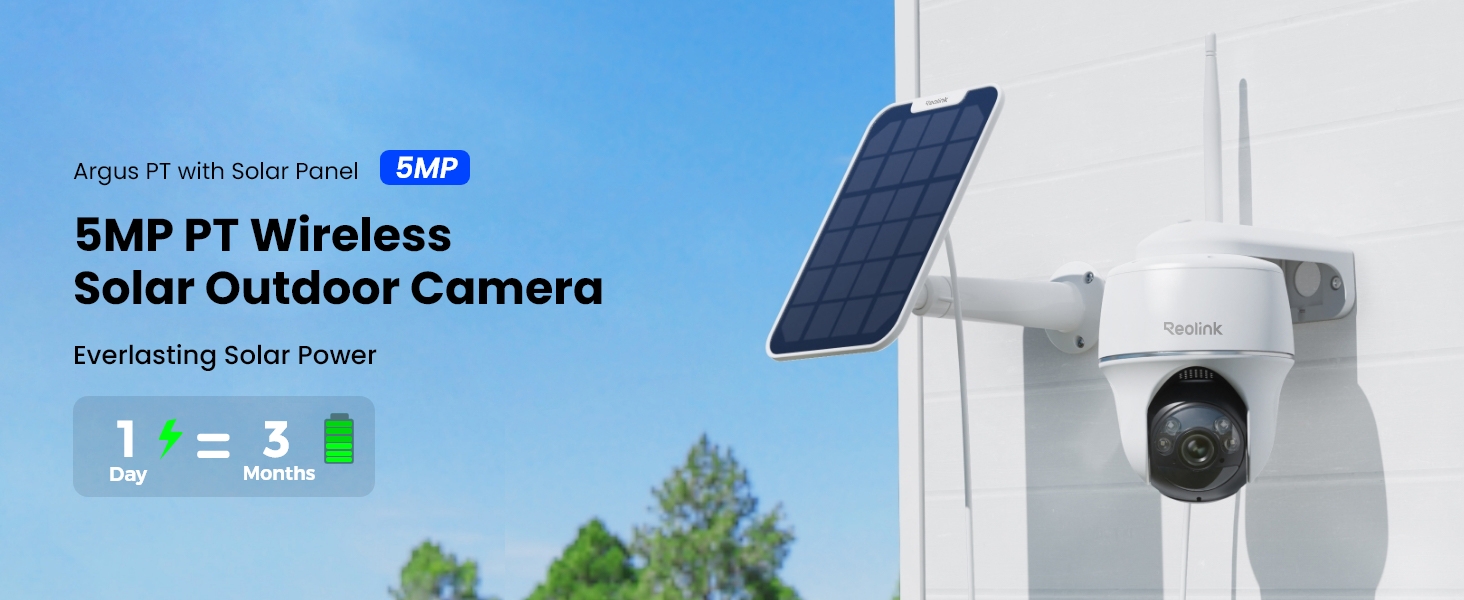
🌞 Wire-free, worry-free: Solar-powered security that’s always watching.
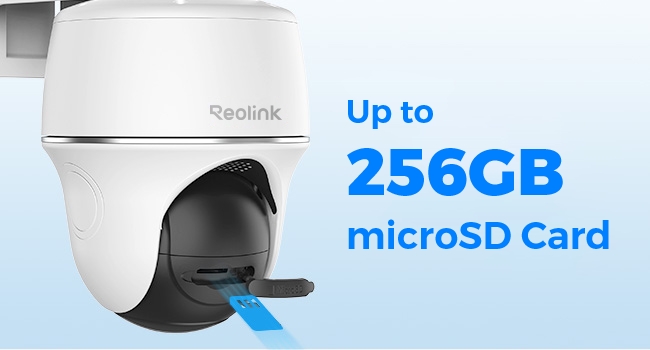
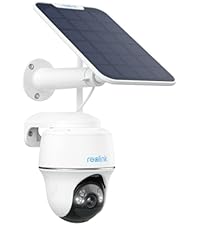
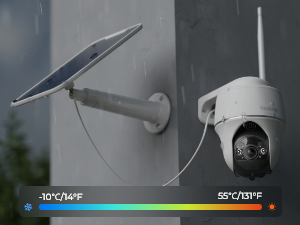
The Reolink Argus PT + Solar Panel is a cutting-edge wireless outdoor security camera featuring 5MP 2K+ resolution with color night vision, 360° pan and tilt control, and dual-band WiFi connectivity. Powered entirely by solar energy, it offers true wire-free installation and long-lasting battery life. Smart AI motion detection with human and vehicle recognition sends instant alerts, while flexible storage options and seamless integration with Alexa and smart home hubs make it a versatile, professional-grade security solution for modern homes.












| ASIN | B07W6PXRR8 |
| Alert Type | Motion Only |
| Batteries | 1 C batteries required. (included) |
| Batteries Required? | Yes |
| Best Sellers Rank | #77 in Dome Surveillance Cameras |
| Color | (1) White |
| Compatible Devices | Desktop |
| Connectivity Protocol | Wi-Fi |
| Control Method | App |
| Controller Type | SmartThings |
| Customer Reviews | 4.1 4.1 out of 5 stars (9,336) |
| Date First Available | August 7, 2019 |
| Effective Still Resolution | 5 MP |
| Effective Video Resolution | 5 |
| Field Of View | 110 Degrees |
| Flash Memory Supported Size Maximum | 512 GB |
| Flash Memory Type | Micro SD |
| Focus Type | Auto Focus |
| Form Factor | Dome |
| Frame Rate | 15 frames per second |
| Included Components | Camera, Solar Panel, Bracket |
| Indoor/Outdoor Usage | Outdoor |
| Installation Type | Screw In |
| International Protection Rating | IP65 |
| Item Weight | 1.65 pounds |
| Item dimensions L x W x H | 8.53 x 6.25 x 7.78 inches |
| Item model number | REOLINK Argus PT+SP |
| Light Source Type | Infrared |
| Low light technology | Night Color |
| Manufacturer | Reolink Digital |
| Maximum Webcam Image Resolution | 5 MP |
| Mounting Type | Wall Mount |
| Night Vision Range | 33 Feet |
| Number of Channels | 1 |
| Number of Items | 1 |
| Photo Sensor Technology | CMOS |
| Power Source | Solar Powered |
| Product Dimensions | 8.53 x 6.25 x 7.78 inches |
| Product Grade | Residential |
| Room Type | Garage, Office, Store Room |
| Shape | Dome |
| Smart Home Compatibility | Smart Home Compatible |
| Specific Uses For Product | 360 Degree Coverage |
| Unit Count | 1.0 Count |
| Video Capture Format | MP4 |
| Video Capture Resolution | 1440p |
| Video encoding | H.265 |
| Viewing Angle | 360 Degrees |
| Voltage | 5 Volts (DC) |
| Water Resistance Level | Water Repellent |
| Wattage | 5 watts |
| Wireless Communication Technology | Wi-Fi |
| Zoom Ratio | 10 |
| Zoom Type | Digital Zoom |
G**T
UPDATE The best camera we've bought so far and we have several different brands !
UPDATE: I had recently got a new router, a Netgear Nighthawk and was having a problem getting the Reolink cameras connected back again but after much research......SUCCESS! I found a solution that worked for me, hopefully this info might help others too. After researching even more online I found a suggestion to try creating a guest wifi network on your router. So I gave it a try and it WORKED to get my 3 Reolink Argus PT cameras connected to me new router. Now while I feel like it wasn't necessary in my case to give the guest wifi network a password without any special characters I did it anyhow and used just numbers and letters (the cameras had connected to my old router with a special character in that password) Another point to remember is I think you need to have your phone on the same network when adding the cameras. Just checked and it seems you need to make sure your phone is connected to the guest network when wanting to access the Reolink cameras you connected thru the guest network. (now I have other brand cameras that I connect to the main network that I can still access when on the guest network but an indoor Reolink camera I have E1 that I was able to connect to the main network I can't access thru the guest network like the other brands. Now I did try seeing if I could switch the cameras back to the main wifi but it didn't work and I have to remove and reinstall the camera I tried it on and add it again to the guest wifi network to access it again. Well, I guess having to switch networks when wanting to go from the outside Reolinks to the inside Reolink is better than buying a new router or new cameras and I am simply thankful I could get them to finally reconnect as I was beginning to think I'd have to replace them with other brands of cameras. Original review: This is Karen's husband writing this review as I am the "tech guy" in our home. I am VERY pleased with how the camera is performing so far, so the 4.2 out of 5 rating seems well deserved. I admit I had some reservations when I read some of the reviews that were negative, in my opinion some may have been because of an individually defective product and some may have been due to lack of detailed enough directions. When I was first trying to connect the camera to our WIFI it wouldn't connect, then I realized I forgot to type in our WIFI password, DUH ! After I added the password it connected immediately. The camera is roughly about 85 feet from our WIFI router and goes thru 2 walls and still has kept connected very well. Also, we have Amazon Alexa and at first could not get Alexa to recognize the camera, so I did an online search for help and found a page on the Reolink support site with the steps needed to connect to Alexa, after reading that page I saw there was a step I didn't know about, once I followed those steps Alexa connected very well ! We can view the live camera feed from our smartphone app, from our "Echo Shows" via voice command, and even on our tv screens with Amazon Firestick (we have other brands of security cameras we view thru the Firestick also) so I can use a voice command and see different cameras on the screens including the Reolink camera, and I did not have to download anything to the Firestick, simply enable Alexa according to the directions on the help page I mentioned. I already had security cameras looking from our home outward, I wanted a wireless solar PTZ camera I could mount away from the house that I could turn to look at the house as well as turn to view other areas of our property not covered by the cameras we already had. So I mounted the camera on a thick (schedule 40) PVC pipe and mounted the solar panel on the very top of the pole, I used 3 hose clamps to fasten the PVC pipe to a 4 foot metal fence post I hammered into the ground, so far it seems to working very well. I will upload a picture of it. I do a lot of research before buying tech stuff, and it would be difficult to find ANY product that is perfect or that you might wish had more or better features, but for the features you get with this camera (including solar powered, PTZ capability, Alexa connectivity) I really can't complain for the price paid. Note: Remember this is not a commercial grade professional system, but commercial grade features likely cost much higher commercial grade prices, so again, for the price paid I really can't complain, I feel this camera does really pretty good for it's price level !
J**T
⭐️⭐️⭐️⭐️⭐️ Great Wireless Outdoor Security Camera with Solar Power!
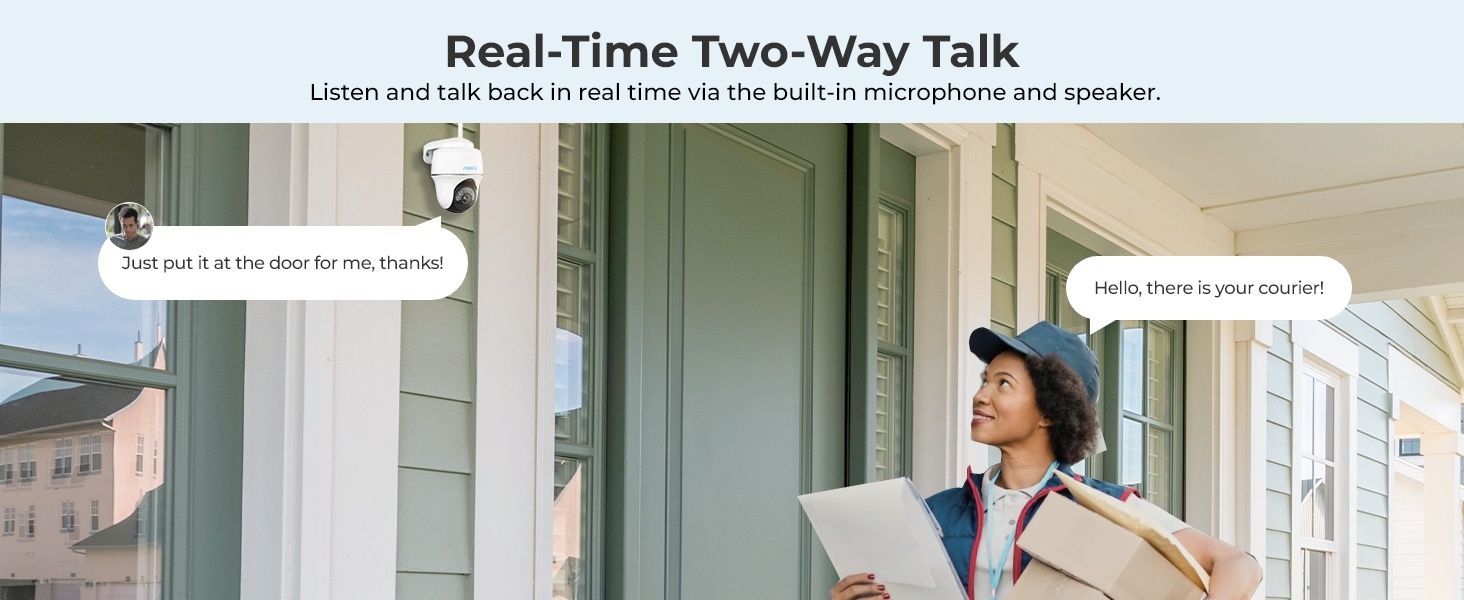
I’ve been using the REOLINK Argus PT with Solar Panel for a few weeks, and overall I’m really impressed with its performance and features. 🔹 Easy Setup: This camera is completely wireless — no messy cables or complicated installation. The solar panel keeps it charged, so once it’s mounted in a sunny spot, it pretty much runs itself. 🔹 Excellent Video Quality: The 5MP 2K+ resolution delivers sharp, clear footage with good color detail both day and night. The color night vision is a big plus — I can actually see colors and details after dark, not just blurry black-and-white images. 🔹 Pan & Tilt Works Well: The pan/tilt capabilities give excellent coverage. I can control the view right from the app, and it rotates smoothly without lag. This is especially useful for covering wide outdoor areas like a driveway or backyard. 🔹 Smart Features: Motion detection alerts are fast and reliable — I get notifications on my phone when people or vehicles are detected. The app lets you view live video, play back recordings, and even talk through the camera with two-way audio. 🔹 Connectivity: Supports both 2.4 GHz and 5 GHz Wi-Fi, which makes the connection stable and reduces interference. 🔹 What Could Be Better: The battery life depends heavily on sunlight — in shady areas you may need to manually recharge occasionally. The app interface is good, but downloading and managing clips could be smoother. ✅ Overall: This is a solid, flexible outdoor security camera with great image quality, smart alerts, and the convenience of solar power. Highly recommended if you want wireless, reliable home security without complicated wiring.
D**E
Solar charging in cold weather
Excellent camera, no issues other than solar battery charging in cold weather. In temperatures below 40 degrees F, battery does not charge. Note this appears to be battery/camera temperature rather than solar panel temperature . When camera is more exposed to sun, air temperatures can be lower. Consider camera mounting; I.e not under eaves. Battery life is good, dependent on recording frequency & duration.
S**.
بعد شهر من الاستعمال، جيدة عموماً ولكن عيبها تحتاج اتصال انترنت سريع وايضاً استجابتها للحركة ليست كما يجب اذ انها لا تقوم بتسجيل الفيديو عند استشعار الحركة فوراً ، ولا يمكن ضبط هذا من الاعدادات.
M**D
افضل كاميرا من ناحيه البرمجه و استقرار الاداء و عيبها الوحيد ضعف الفريمات للقطات السريعه
A**R
Easy to install, great video quality, coverage is wide
J**S
Picture is very clear , the solar works brilliantly highly recommend
C**O
La instalación no lleva más de 10 minutos con un taladro, y la configuración bajando la app no te lleva más de 5 min. Excelente calidad de video aún en la noche. Las alertas se tiene que ir calibrando para evitar falsos positivos, una vez que queda bien calibrada funcionan excelente.
Trustpilot
1 week ago
2 weeks ago