⌨️ Elevate your workspace comfort with the wave of innovation!
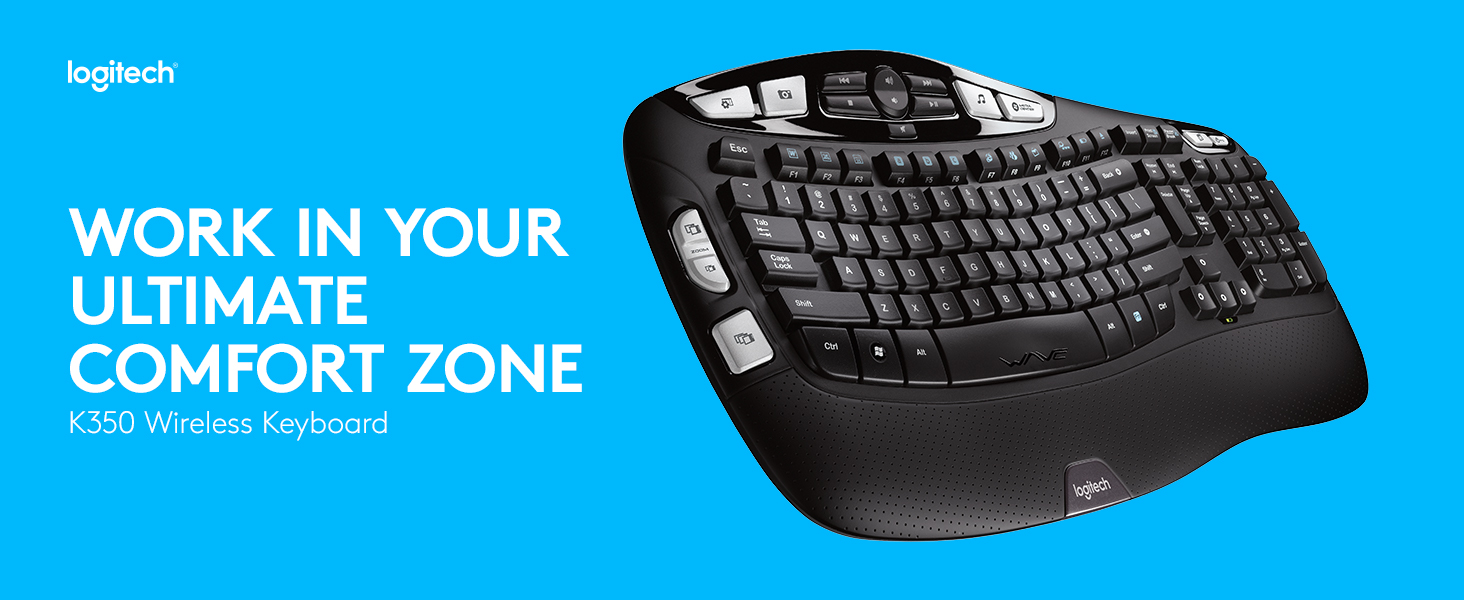
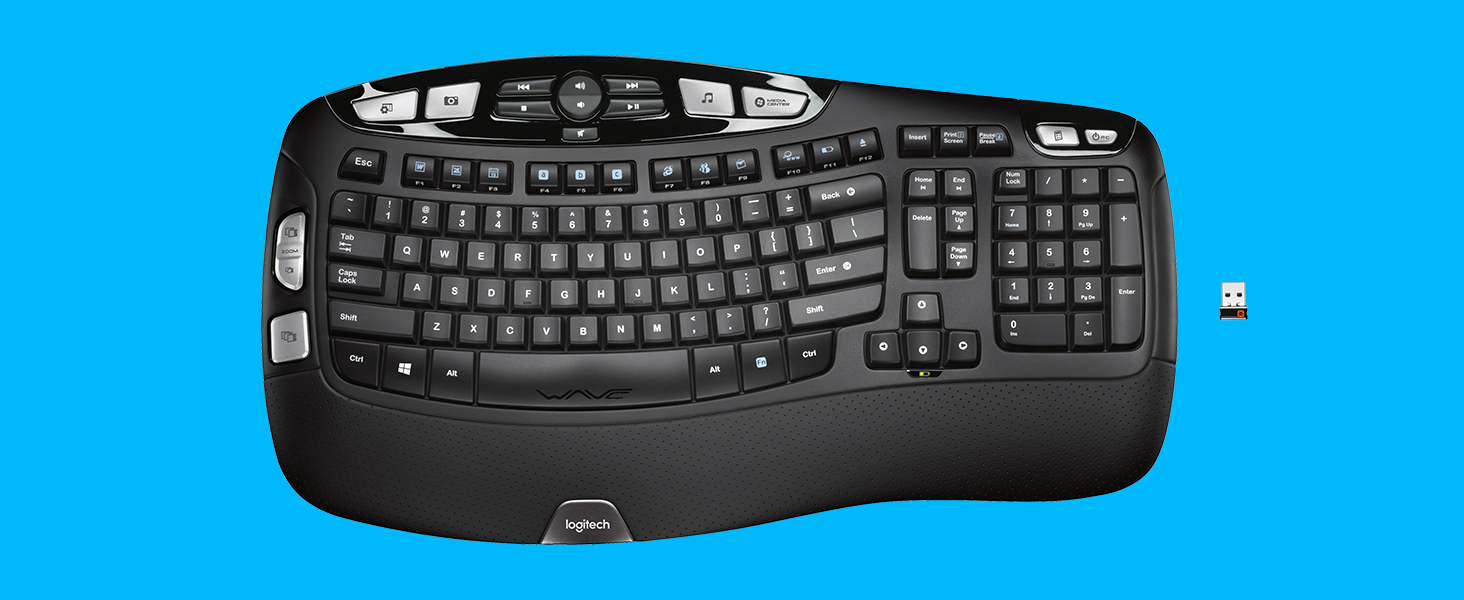
The Logitech K350 Wave Ergonomic Keyboard features a unique curved layout and cushioned palm rest designed to reduce strain and enhance typing comfort. Equipped with a Logitech Unifying receiver, it supports multiple wireless devices on a single tiny USB dongle. Its 2.4 GHz wireless technology ensures a reliable connection, while an impressive battery life of up to three years keeps you productive without interruptions.


| Wireless Type | 2.4 GHz Radio Frequency |
| Brand | Logitech |
| Series | K350 Wireless Keyboard |
| Item model number | 920-001996 |
| Hardware Platform | K350 |
| Operating System | Windows XP |
| Item Weight | 3.05 pounds |
| Product Dimensions | 15.46 x 15.46 x 1.89 inches |
| Item Dimensions LxWxH | 15.46 x 15.46 x 1.89 inches |
| Color | Black |
| Battery Type | 3 years |
| Power Source | Battery Powered |
| Batteries | 1 AA batteries required. (included) |
| Manufacturer | Logitech, Inc |
| Language | English |
| ASIN | B002MMY4WY |
| Is Discontinued By Manufacturer | No |
| Date First Available | August 23, 2009 |
S**S
Surprisingly excellent product
Surprisingly excellent productThis keyboard, along with the Logitech Anywhere Mouse MX, replaced my years-old wireless Microsoft laser mouse and keyboard. I decided to part with those trusty components for three reasons: the wireless connection pod was taking up too much room on my desk and out of date with newer technology (occasionally loosing the connection and needing to be re-synced); the keyboard was worn and starting to break down; the old-style perfectly horizontal arrangement of keys was becoming uncomfortable.I am very particular about my mouse and keyboard. I use them for hours at a time each day and I am left-handed. Historically, I found Logitech mice and keyboards to be uncomfortable and very much built for right-handed users. The K350 and Anywhere Mouse are (for the most part) functional for right and left-handed people.I like many features of these two products and recommend them highly:1.Very good build quality2.USB connector is super small and very powerful. Mine is plugged into the back of my laptop dock in the bottom slot with zero line-of-sight to the mouse and keyboard.. yet they function perfectly.3.Very responsive... no lag at all.4.Unifying software works perfectly - two devices using one USB receiver. To use the USB receiver with more than one device, you will need to download the "Unifying" software driver from Logitech. It took less than 5 minutes to download and install. So far, I have not found that program to be bloated with unnecessary features and settings like so many other supposedly required hardware applications.5.Simple simple simple installation. I have low expectations about how XP is going to accept new devices. Plug it in; turn it on and its ready to go. Installing the keyboard/mouse software is optional but useful for managing the voluminous hardware features (more on this below).6.The keyboard shape and key arrangement is very comfortable and easy to adapt to in a short amount of time.7.The feel of the keys is solid and the bounce-back is perfectly tuned.8.Good documentation and online help.9.The mouse is available in Amazon's Frustration Free packaging. Totally recyclable with marginal use of packing materials. Wish the keyboard was available this way too.Things I would change:1.The keyboard is loaded with programmable convenience keys, resulting in a large footprint. I use 3 or 4 of these keys so the volume of them is overkill for me; maybe not the case for other users. With fewer convenience keys the footprint could be reduced.2.Keyboard not available in Frustration Free packaging.3.Price is a bit high... but not unreasonably so for hardware that gets used every day for several years.A couple of words on the Anywhere Mouse MX:This mouse is designed to work on any surface, including clear glass.. and sure enough it does. Like the keyboard, it has a snappy response with no lag.The mouse footprint is a bit small for my taste and has a couple of convenience keys on the left edge specifically for right-handed users. These keys don't really get in the way of my left hand, and the shape is comfortable.. however, Logitech just can't seem to get away from designing their mouse products assuming that everyone is right-handed. Overall though, it will be a satisfactory replacement for the totally design-neutral Microsoft mouse.I have shopped with Amazon for years and am a completely satisfied customer. Communication about orders is comprehensive; delivery is nearly always as promised; easy returns; phone support is usually quite responsive (though you may need to ask for a supervisor on the rare occasion when the Service Rep. is unable to provide a satisfactory solution).I highly recommend these two products - and Amazon as a vendor.
B**.
There are many factors which combine to make this an exceptional replacement keyboard.
Background:I've been using computer keyboards since before Apple or Microsoft existed. So, as you might imagine, I've had the opportunity to use (and loathe) a lot of horrible keyboards over those many years. Before finding this keyboard, I found that I preferred the precise feel of keyboards which relied on crisp mechanical key switches made by Keytronics. Unlike most other keyboards, the key mechanism had very tight tolerances with virtually no "play" in the movement. This means the key didn't flex side-to-side or front-to-back while traveling vertically, even if you pressed the key slightly off center. Unfortunately, those mechanical key switches made a LOT of noise compared to many of their competitors. As a fast touch-typist who wrote many millions of lines of code before I retired, I can assure you the extra noise was substantial. But for me, the noise level was acceptable because the feel and tactile feedback when pressing those keys was simply excellent. I minimized the noise level by playing music through headphones while coding. Back in those days, there were no proper ergonomic keyboard designs. Over time, the perpetual bend in my wrists required when using a straight row keyboard combined with the repetitive motion to damage the carpal tunnels in my wrists. So, eventually I began searching for alternatives.The Ergonomics Craze:I admit I mindlessly bought into the "ergonomics" hype and immediately purchased the original Microsoft ergonomic keyboard design at its introduction believing it might reduce the pain and irritation of my many hours of keyboard use every day. I tried using that center-hump, split keyboard design for months, but it only seemed to make my wrists worse. Looking carefully at the way my hands moved while using that "ergonomic" keyboard, I realized the hump in the center was causing me to twist my wrists outward frequently in order to reach the outer edges of the keyboard with my pinkies. I could see the design was well suited to helping your index and middle finger move more naturally but that benefit was canceled out by requiring extra wrist motion and eliminating any semblance of natural movement for your ring finger and pinky.Ergonomic Reality Check:Being analytical in nature, I realized a truly ergonomic design would need to be more W-shaped, rather than having a central hump only. By that, I mean the keys in the center portion of the keyboard, under the index fingers should be elevated because the index finger is shorter than the middle finger. The middle finger keys should ideally be the lowest parts of the keyboard, as those fingers are the longest. Then the outer edges of the keyboard located under the ring and pinky fingers should be raised similarly to the center of the keyboard in order to eliminate the wrist rotation and finger strain required to reach those keys.Truly Ergonomic! :Eventually, I saw the Logitech Wave ergonomic keyboard design. "Finally!" I thought. "Somebody looked at the length of human fingers and designed a keyboard to accommodate the differences in length!" In addition, the key rows were also slightly curved in a way that keeps your wrists entirely straight from your elbows hanging at your sides to your hands resting near the center of the keyboard. The slight inward rotation of your forearms necessary for your closely grouped wrists to stay straight was now properly handled by joints actually designed to rotate (your shoulders.) I bought one and was quickly hooked. This keyboard reduced my pain levels noticeably, allowing me to put off wrist surgery a while longer. I haven't bothered trying any other keyboard since I started using the Logitech Wave design. At this point, everyone I know who has tried my keyboard has subsequently purchased the same model. If you are sensitive to any unusual strains on your wrists or fingers, you will appreciate the neutral joint positions and natural finger movements you are able to maintain while using this keyboard.Comparison to my beloved mechanical switch keyboards:How does it compare to my former favorite keyboards that used mechanical key switches? Well, the tactile feedback is definitely not as good. On the other hand, I feel the benefits of using this keyboard compensate for the reduced tactile feel versus classic mechanical switches. Plus, the sound level produced by typing is vastly lower than the pronounced metallic "clickety-clack" of mechanical switches. In fact, I am also of the opinion that this is the first keyboard shape which actually deserves the "ergonomic" designation. On top of that, this keyboard has good key travel, and minimal sloppiness in the vertical movement compared to most other keyboards. As a bonus, the additional functionality offered by the added media, application, and zoom keys is actually useful if you are a heavy Windows and MS Office user. (I haven't tried it on my single Mac, but I use it on all of my numerous Windows systems.) Of course, you will need to install the Logitech software bundle in order to get those extra functions to work. In my opinion, this keyboard is the ideal companion for my favorite mouse (Logitech MX Master) with both devices utilizing a single "unified" 2.4 GHz USB micro-dongle. This type of radio seems to perform noticeably better than Bluetooth for input devices. Considering all of these pluses, I would say this keyboard is definitely a step up from anything I've used before, including my beloved mechanical switches.Regarding noise levels:Normal typing on this keyboard does produce noise, but the sound it makes is mostly from your fingers hitting the plastic keys. In other words, the majority of the sound you hear while typing is not generated by the operation of the keyboard mechanism. You can tell this is true by resting your finger on a key, then pressing that key repeatedly while maintaining constant finger contact. If your fingers never leave the keys, you will discover the normal slight "clack" of your fingers hitting the plastic virtually disappears. The single exception to this is noticeable metallic clunk of the space-bar, which seems to make twice as much noise as anything else on the keyboard. Space-bar aside, the sound that remains when you press keys while maintaining constant contact is predominately a very quiet, low-frequency thump generated when the key switch bottoms out (thereby closing the contacts on the switch.) While keeping your fingers in constant contact with keys demonstrates that the mechanism is not the source of most of the sound, it is basically impossible to type anything useful without moving your fingers around to hit different keys on the keyboard. Since that means making and breaking physical contact with the keys as you move your fingers to press other keys, eliminating the previously described "clack" sound is simply impossible. I don't find the noise level disturbing, but I came from years of living with the sound of very noisy mechanical key switches, so I'm probably not the best judge of the noise levels. Compared to what I was used to, these keyboards are remarkably quiet. You may feel differently.Durability:Having cats who perform regular gravitational experiments by pushing a wide variety of things off desks, counter-tops, and bookshelves, I can assure you this keyboard can handle multiple falls pretty well. I would say the durability is quite good overall with one notable exception. The text on the keys rubs off incredibly quickly. For me, the letters "E," "N," and "S" disappeared within the first month of (admittedly heavy) use. Many other keyboards have the white letters molded directly into the key-caps using two different colors of plastic during the injection molding process. For some reason, Logitech decided to cheap-out on this particular feature. Why Logitech would make such an excellent keyboard and then paint the letters onto the black keys with cheap white paint (easily rubbed off) is just perplexing. Everything else about this keyboard is excellent quality. It even looks great with the black and silver color scheme accented by the perforated leather-look wrist rest. That is, it looks great until the paint rubs off half the keys. Then it looks like garbage.** Hey Logitech, if you're reading this, charge me 5 bucks more and use higher quality key-caps with molded-in lettering for this keyboard. The low-quality white paint is just embarrassing. **Why buy wireless??:I'm generally a big fan of wireless keyboards and mice these days for reasons I'll explain in a moment. This particular wireless keyboard is exceptional. Like most wireless keyboards, this one requires batteries to operate. Unlike some other wireless keyboards, the batteries last an incredibly long time in the Logitech keyboard. I type a LOT of text and after probably a couple of years of heavy use, I still haven't needed to replace the batteries. I don't do anything to extend the battery life. The keyboard power switch stays on 24/7. It's astonishing really. The current draw must be infinitesimal.There is another huge advantage most people probably don't consider when deciding whether to switch to a wireless keyboard and mouse. It is very dry in the desert, where I live. There is a lot of static electricity buildup in the air during much of the year. One day, before I switched to the wireless versions of the keyboard and mouse, my wife came into my office/shop and lightly touched my shoulder while my hands were on my corded mouse and keyboard. When she touched me, a big spark of static electricity traveled from her fingers, through me, out of my own fingertips, then through my keyboard and mouse straight into the motherboard of my computer. That single spark fried most of the chips on the motherboard. (Amazingly the CPU, RAM, and graphics card were fine.) Unfortunately for me, it was a high-end motherboard which wasn't stocked in any retail store near my home, so I had to order it online. As a result, I was without a computer for nearly a week while waiting for the replacement to arrive and then finding the time to install it.As soon as I realized the static discharge had fried my computer, I started trying to come up with a way to make sure it didn't happen again. At first, my approach was focused on attaching a grounding strip to my desk surface to rest my wrists on. But, I realized that approach would only work while my wrists were in direct contact with that strip. There was still a significant probability that I would fry another motherboard at some point. Then, it dawned on me that if my keyboard and mouse were not physically attached to my computer, it would be impossible to discharge static into my computer system that way. That's when I switched to wireless keyboards and mice and never looked back. I even keep spares around in case static fries one of them. It never has.SUMMARY:I highly recommend this keyboard for all users who are highly sensitive to the joint strain caused by the poor wrist positioning and excessive finger curl required to use more generic keyboard designs. Those who already have carpal tunnel issues may even notice a slight reduction in pain levels. This was definitely the case for me. I also highly recommend this keyboard to anyone who can't afford the expense and extreme hassle caused by frying their motherboard with a static discharge. It's easier, faster, and cheaper to replace a wireless keyboard than to replace a motherboard. Lastly, I recommend this keyboard for fast touch typists. I was fast already, but I believe this keyboard increased my speed by at least another 10%. It's amazing how fast your hands can move when all of the joints are moving in their most natural orientation. In fact, I'd generally recommend this keyboard to anyone who spends more than a couple hours a week at their computer. Non-touch typists may find the disappearing key labels to be an issue, but for most, the rub-off white paint is really only a minor nuisance. Keep in mind, you could always repaint them or buy stick-on labels for the blank keys. Each time my keys have worn off, I simply replaced the keyboard.Highly recommended!
Trustpilot
1 month ago
2 weeks ago