We remain fully operational. Our teams are working around the clock to ensure your deliveries continue safely.

DOWNLOAD THE APP


Customer Services
Copyright © 2025 Desertcart Holdings Limited
DOWNLOAD THE APP
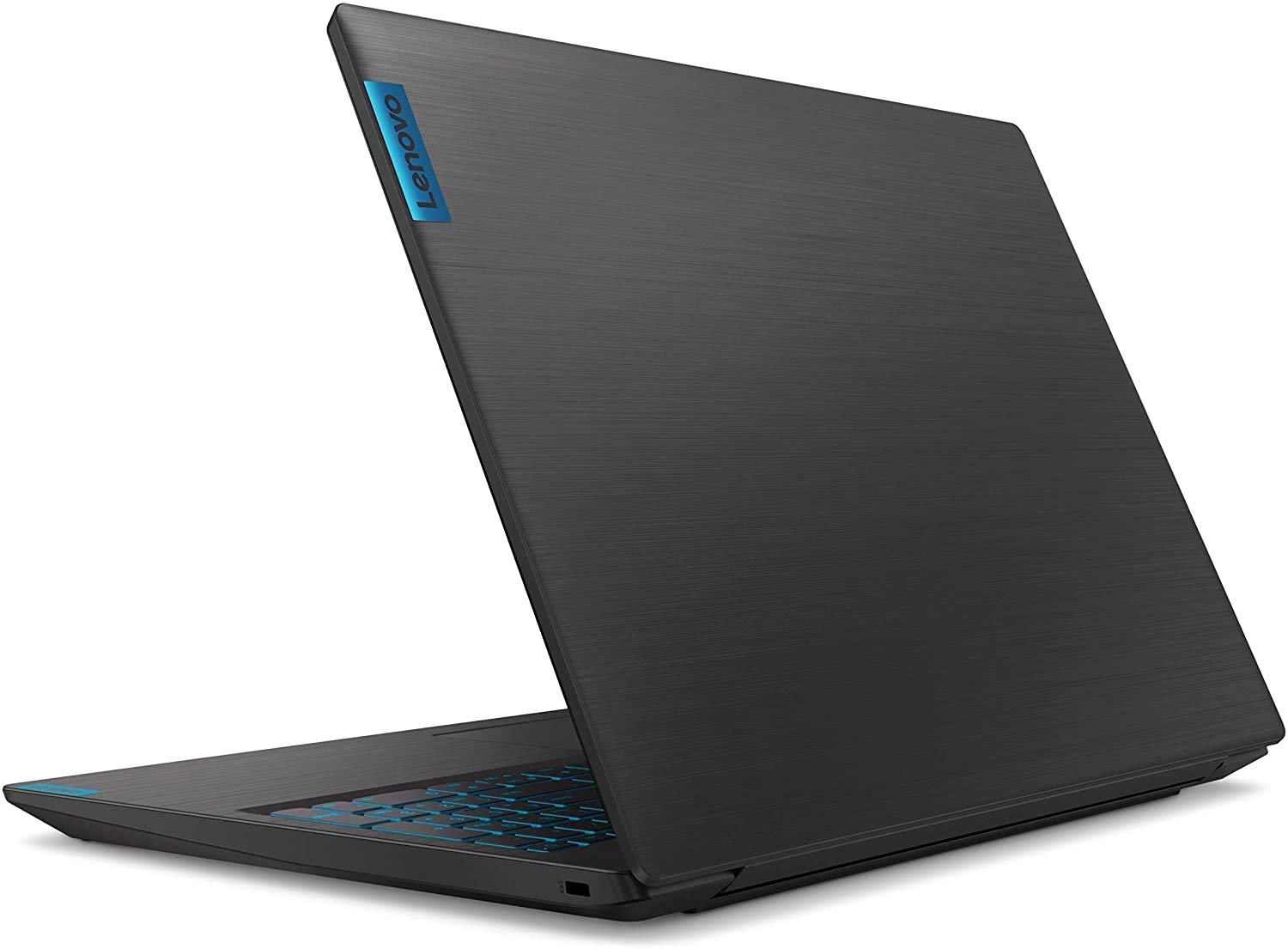
🎯 Level up your game and work hustle with Lenovo L340 — power, speed, and style in one sleek package!
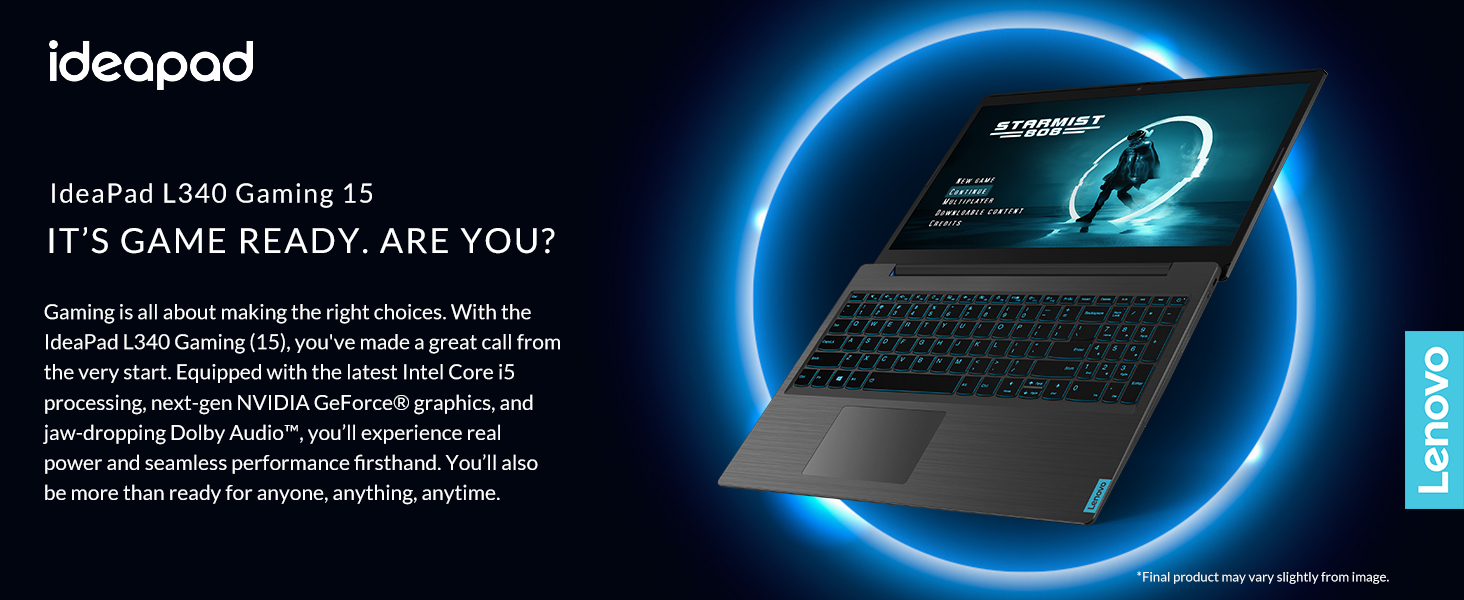
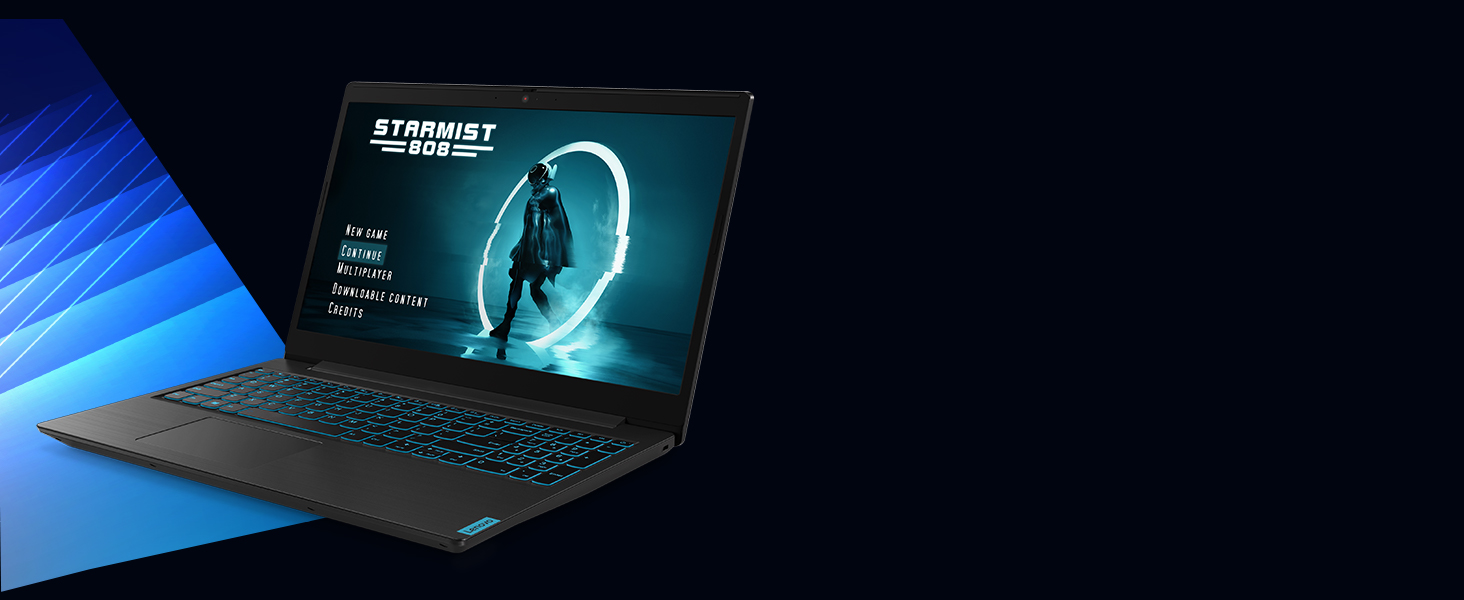
The Lenovo Ideapad L340 Gaming Laptop combines a 9th Gen Intel Core i5 processor with NVIDIA GTX 1650 graphics and 8GB DDR4 RAM, delivering a powerful yet portable 15.6-inch Full HD IPS display experience. Featuring a 512GB NVMe SSD for rapid load times and advanced Dolby Audio for immersive sound, it offers gamers and professionals alike a versatile machine with adaptive performance modes and up to 9 hours of battery life.





| ASIN | B07VC55LF5 |
| Average Battery Life (in hours) | 9 Hours |
| Batteries | 1 Lithium Polymer batteries required. (included) |
| Best Sellers Rank | #75,870 in Computers & Accessories ( See Top 100 in Computers & Accessories ) #12,858 in Traditional Laptop Computers |
| Brand | Lenovo |
| Card Description | Dedicated |
| Chipset Brand | NVIDIA |
| Color | Black |
| Computer Memory Type | SODIMM |
| Customer Reviews | 4.4 4.4 out of 5 stars (1,682) |
| Date First Available | July 15, 2019 |
| Graphics Card Ram Size | 4 GB |
| Graphics Coprocessor | NVIDIA GeForce |
| Hard Drive | 512 GB SSD |
| Hard Drive Interface | Solid State |
| Hard Drive Rotational Speed | 7200 RPM |
| Hardware Platform | PC |
| Item Dimensions LxWxH | 14.29 x 10.02 x 0.94 inches |
| Item Weight | 4.84 pounds |
| Item model number | 81LK00HDUS |
| Max Screen Resolution | 1920x1080 Pixels |
| Memory Speed | 2400 MHz |
| Number of Processors | 1 |
| Number of USB 3.0 Ports | 2 |
| Operating System | Windows 10 |
| Processor | 2.4 GHz core_i5 |
| Processor Brand | Intel |
| Product Dimensions | 14.29 x 10.02 x 0.94 inches |
| RAM | 8 GB DDR4 |
| Screen Resolution | 1600 x 1200 pixels |
| Series | Ideapad L340 |
| Standing screen display size | 15.6 Inches |
| Voltage | 5 Volts |
| Wireless Type | Bluetooth |
R**V
Very good laptop (With huge complaint about lenovo representative)
This laptop surprisingly good, quiet, light and reasonably powerful. I didn't test it in much games, All I have tested is Total War Warhammer II and it has stable 50+ FPS on ultra settings. With these specs I think it is a good deal. There is not much more I can say about laptop. Upgradability: - Processor is soldered to system board. - There is only one slot for RAM. - There is no bracket and cable for additional hard drive and I couldn't find spare on Lenovo Parts Finder. My huge complaint is about Lenovo Representative who answers questions here on Amazon. Answering questions he said that there is extra slot for additional RAM stick. Here is the link to that answer: https://www.amazon.com/ask/questions/Tx1QTL71H6BKS5Z/ref=ask_dp_dpmw_al_hza. That is a lie. There is no additional slot for RAM on this board. There is only one slot with 8 Gb stick installed so if you want, like me, upgrade this Laptop to 16 Gb of RAM you need to buy 16Gb stick. I'm very disappointed by this because after I read Q&A section I ordered another 8Gb stick along and now I stuck with 2 extra 8Gb sticks after I upgrade laptops memory. Also, Lenovo Rep mentioned couple of times that laptop is not user serviceable. I don't know why did he said that. Bottom cover is held by 11 screws and comes off easily, after you slightly pry latches. (2 for each side spaced evenly) and there you have access to RAM, coolers (in case you need to clean them) and SSD. ( By the way there is short version installed, but it is possible to install long SSD stick, as it has screw mounts for different sizes). You can find service manual with diagrams on Lenovo site in support section. Finally I want to recommend to undervolt your CPU and GPU. BUT ONLY IF YOU KNOW WHAT YOU DOING. IF YOU MESS WITH WRONG SETTING YOU COULD END UP WITH TOASTED CPU OR GPU. I undervolted CPU by -150 mV and end up with constant 3.99 Ghz without any throttling and max temperature of 68 C.
A**R
Honest Solid Choice
So far it has performed well. The screen’s anti glare works quite well and the colors are vibrant. The keys also have a nice feel and seem very responsive. The only complaints I have is that the mousepad is a bit annoying and doesn’t track incredibly well. A minor inconvenience when doing regular things but it can build up to be fairly annoying. However I also purchased a mouse, as I had planned from the start, and I’m happy with the combination. The only other thing that bothers me is that the backlight can be seen lightly in semicircles around the edges of the screen when on a mostly black image. Nothing big, and you really only can see it when the screen is completely black, or the edges at least and it is faint, but it still harms my piece of mind ever so slightly. With that said it has performed quite well for the gaming I do and the day to day use. I would highly recommend as an portable but powerful gaming laptop that also doesn’t break the bank. It’s the first gaming laptop I’ve bought but I was already very familiar with games and the market so I would very much recommend to that audience. I did a lot of research. This was hands down the best specs, quality, and trustworthy choice I could find for around this price. I’d rather the rating be 4.5 stars but since I can’t I’ll have to settle for 5 because I don’t think 4 is fair. So long as you’d be willing to purchase a mouse and don’t try to simulate the world, I think whoever purchases this laptop will be satisfied.
M**N
Couple days in…. so far it has ticked all the boxes for me!
Why did I buy this? I was looking for a laptop that I can use for work, travels easy, but can afford me some game time when I am on the road. Budget wasn’t really an issue, but I wanted to make sure I was getting the most value for what I spent. I do not do intensive work applications on it just email, excel, general surfing etc. I am not a competitive gamer, so getting that extra millisecond of response time was not a concern but I wanted something that could handle current games and most games that will come out over the next couple of years. What I considered / compared it too? GPU – GTX 1650 – this thing rocks, most comparisons were to the older (but still capable) 1050i and other variations. I wanted the newest I could get for the cost. So this was the bench mark of my search. Processor – 9th gen i5 – I really wanted to get a 9th gen i7 but, most of the ones that had it only had the 1050 series of graphics card, and as I stated above that’s what I really valued most. NOTE: Lenovo DOES make a version of this with a gen 9 i7, it is not available (at the time of writing this) on Amazon. It IS available on Lenovo’s website for about $180 more than this unit (on sale for $270 off ATM), but it comes with a smaller SSD. I know its easier to replace an SSD than a GPU (basically impossible on a laptop like this) but between the cost difference and not having to hassle with adding an SSD right when I received it, that’s why I decided against that route. NOTE: the benchmark testing on a gen 9 i5 vs i7 were very close in most tests, while future proofing your purchase is a good idea, it didn’t look like a big enough difference (4 cores 8 threads on the 5 vs 6 cores 12 threads on the 7) to move me to spend more. NOTE: This laptop model might be an Amazon exclusive because I could not locate it on the Lenovo web site. Monitor refresh – 60Hz – this was a tough one for me, there are some laptops that have the 9th gen i7, 16gb ram and the 1650 graphics card with 144Hz monitor (and there is a difference, just watch some youtube videos on it) but that cost difference was about $450. For the games I play (will get to that in a second), the look, and the weight of the product, I just couldn’t pull the trigger on the extra costs. RAM – 8GB – documents state that you can upgrade the single 8GB stick to 16GB. 16GB DDR4 is about 70 bucks, if I get into a game that is giving me performance issues, I am ok with that upgrade cost. NOTE: Lenovo says you should use an authorized tech to upgrade your RAM/SSD or you might void the warranty. I am not sure of the legality of that due to the right to self-repair, but I have done enough that it doesn’t concern me, your views/value my differ from mine in this respect. 512gig SSD – I definitely wanted an SSD, boot speeds etc are totally worth it. 512 means I can fit about 6+ of today’s modern games on it comfortably. I am ok with that for now. It does have an extra 2.5” bay for another SSD (I have a 1TB from my old laptop so if I get to the point where I need it, it won’t cost me anything extra, obviously your experience will differ from mine in that additional cost). The extra bay is nice because you do not have to reload the OS etc, you can add the drive and increase your storage easily. The NOTE above on the RAM upgrade applies here too. The Look – As I mentioned I will be using this for work too, this is as discrete of a “gaming” laptop as I have seen. I did not want flashy lights or gaming brand logos on the cover. I have the power to game; I don’t need or want to flaunt it in my day job interacting with customers. Keyboard backlight – has 3 settings, off, low, high. I play in a pretty dark room and the low setting was perfect to let me see while not blinding my peripheral vision. Heat – this is not a loud laptop (fans); I have been gaming on laptops for 10 years an have had my fair share of jet engines. This doesn’t appear to be one of those. It does get warm, but nothing of concern or that would burn to the touch. Battery life – I haven’t tested it yet completely (will update when I do) but in “economy” mode (not using the 1650 graphics card) it looks to last 5+ hours, the description says 9 hours but I doubt that, still its more than enough for when I can’t plug in. Running with the 1650 turned on and gaming I would get around 2 hours. Bloat – amazingly it didn’t come with much on it that I had to remove. MacAfee and a Lenovo thing, that’s about it. What games do I play on it? No Man’s Sky Beyond – Played on high settings with no issues/lag/clipping at all WoW – Ultra settings with no issues (obviously its an older games graphics wise) Overwatch – Ultra Settings with no issues As I play and test more games ill update this….. 9/29/19 EDIT - Borderlands 3 - 30 FPS on Ultra, dialed back to medium and was more than great for my average gamer needs. 11/30/19 EDIT - Thrown a ton of games at this over the past few months. Basically anything made before 2018 you can run at max with no issues. Most newer games (2019 releases) will run just fine at med/high settings. 12/10/20 EDIT - Cyberpunk 2077 - played on Medium in game settings with no issues at all. prob could have bumped it up a setting. What about the backlight/bleeding reports? Ill knock on wood, I have not seen bleeding on the edges for darker games, or I might just not be noticing it. backlight/monitor darkness, again, I have not experienced this, and I hope I don’t. I get that everyone has defects and a % of DOA product. Everyone’s mileage will differ on this I guess.
J**Z
El paquete llegó no tan bien protegido dentro de la caja de Amazon no había ningunas burbujas o algo para atenuar impactos, sin embargo la caja de la laptop no se veía golpeada. En si la laptop es buena si lo que buscas es jugar juegos que no sean muy cargados gráficamente. Yo la uso para jugar League of legends a 60 fps con gráficos en muy alto pero con las sombras en baja. Basicamente esa es la configuración de gráficos en juegos parecidos. Otros juegos Como warzone los corre en gráficos medio-altos pero entre 40-50 fps. Si tú estás buscando una laptop como la describí entonces esta es una buena opcion, otro punto a favor aunque es más de gusto personal, el diseño me encantó ya que el diseño de la mayoría de las laptops gaming no es de mi agrado y esta es diferente a los diseños gaming.
V**.
La compré por 16,500. En ese rango de precio y hasta unos 19,500 no encontraras nada mejor a relación calidad precio. El teclado retroiluminado ayuda bastante. El disco de estado solido hace el arranque super rápido a pesar de está a su 70% de capacidad. Detalles: - El armazón es completamente plástico, no es una computadora de uso rudo - Todos los conectores en un solo lado, esto a veces dificulta conectar los USB que son algo voluminosos ya que los dos puertos están algo cerca entre si
C**N
Una gran compra, muy recomendable calidad precio por el procesador es para aprovechar.
R**8
Es lo que esperaba
K**I
This is a great Laptop, has a beautiful blue backlit keyboard, the SSD makes load times for programs extremely fast, and the IPS screen makes viewing angles really nice. It's not a top of the line gaming laptop but if you are looking for a business laptop with a little bit of gaming juice on the side then this is the one to get. Highly Recommended
Trustpilot
1 week ago
4 days ago