We remain fully operational. Our teams are working around the clock to ensure your deliveries continue safely.

DOWNLOAD THE APP


Customer Services
Copyright © 2025 Desertcart Holdings Limited
DOWNLOAD THE APP
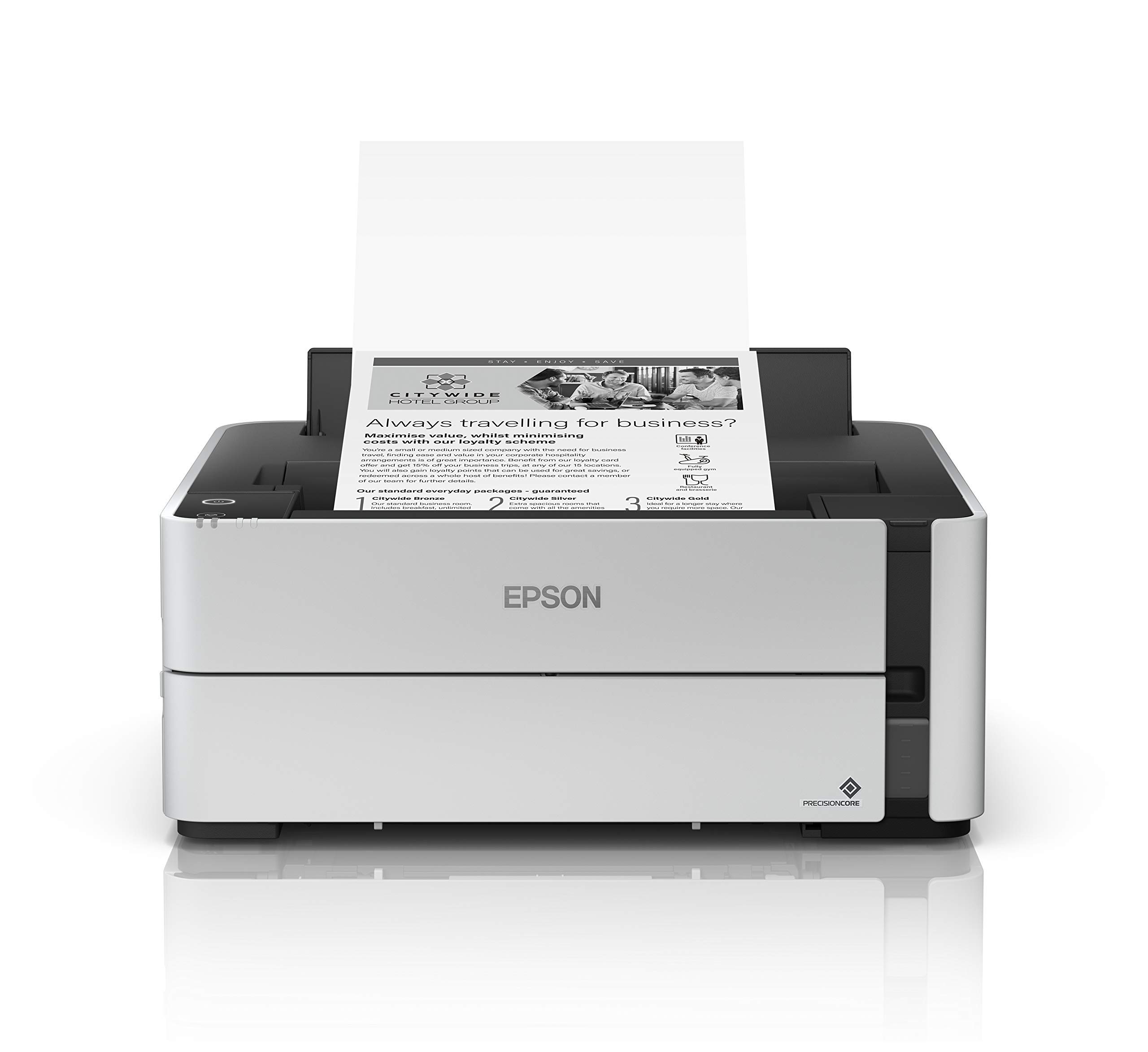


♻️ Print smarter, faster, greener — your office’s new MVP!
The Epson EcoTank ET-M1170 is a wireless monochrome inkjet printer featuring PrecisionCore technology for crisp 1200 x 2400 dpi prints at up to 20 ppm. Its cartridge-free EcoTank system supports high-volume printing with up to 6,000 pages per refill, while dual connectivity options (Wi-Fi Direct and Ethernet) enable flexible mobile and network printing. Compact and energy-efficient, it includes automatic duplex printing and a 250-sheet tray, backed by a 2-year warranty—perfect for eco-conscious professionals demanding speed and reliability.


| ASIN | B07Q9MTXTW |
| Additional Printer Functions | Print Only |
| B&W Pages per Minute | 20 ppm |
| Best Sellers Rank | #45,941 in Office Products ( See Top 100 in Office Products ) #53 in Ink Tank Printers |
| Brand | Epson |
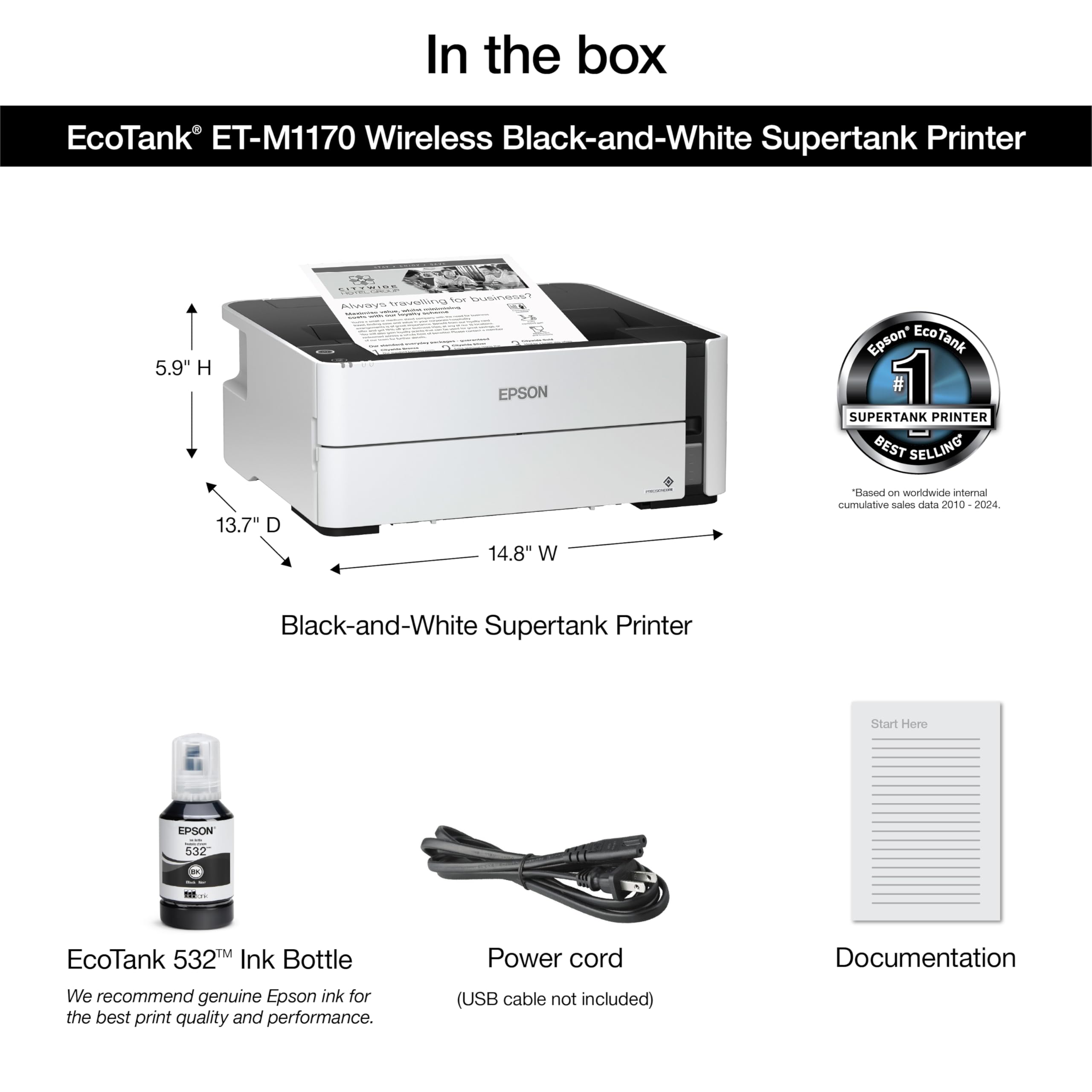
| Built-In Media | EcoTank ET-M1170 monochrome printer, manual, CD-ROM for product setup, power cord, 1x bottle 532 Black (120 mL) |
| Color | White |
| Color Depth | 1 bpp |
| Compatible Devices | Laptops, PC |
| Connectivity Technology | Ethernet, Wireless |
| Control Method | Voice |
| Controller Type | Android |
| Customer Reviews | 4.1 out of 5 stars 357 Reviews |
| Dual-sided printing | Yes |
| Duplex | auto |
| EU Spare Part Availability Duration | 2 Years |
| Global Trade Identification Number | 00010343946903 |
| Hardware Interface | Ethernet |
| Initial Page Print Time | 10 Seconds |
| Ink Color | Black |
| Item Dimensions D x W x H | 13.7"D x 14.8"W x 5.9"H |
| Item Type Name | Multifunction Printer |
| Item Weight | 5715 Grams |
| Manufacturer | Epson |
| Maximum Copy Resolution Black and White | 1200 x 2400 dpi |
| Maximum Copy Speed Black and White | 30 ppm |
| Maximum Media Size | 8.5" x 47.2" |
| Maximum Print Resolution Black and White | 1200 x 2400 dpi |
| Maximum Sheet Capacity | 250 |
| Model Name | ET-M1170 |
| Model Number | ET-M1170 |
| Model Series | EcoTank |
| Number of Ethernet Ports | 1 |
| Number of Trays | 1 |
| Other Special Features of the Product | Energy Star |
| Output sheet capacity | 250 |
| Paper Size | 4" x 6", 5" x 7", A6, Half Letter, Letter, A4, Executive, Legal, User definable (from 2.2" x 3.4" to 8.5" x 47.2") |
| Power Consumption | 13 Watts |
| Print media | Paper (plain) |
| Printer Connectivity Type | Ethernet, Wireless |
| Printer Output Type | Monochrome |
| Printer Type | Inkjet |
| Printing Technology | Inkjet |
| Processor Count | 1 |
| Resolution | 1200 x 2400 dpi |
| Scanner Type | Sheetfed |
| Special Feature | Energy Star |
| Specific Uses For Product | Office |
| Total USB 2.0 Ports | 1 |
| Total Usb Ports | 1 |
| UPC | 010343946903 |
| Unit Count | 1.0 Count |
| Warranty Description | 2-year limited warranty in the U.S. and Canada, 2nd year requires product registration |
| Warranty Type | limited warranty (extendable) |
| Wattage | 13 watts |
D**Y
Fantastic Performance Printer
I Picked up 3 of these to handle packing slip printing while I pumped out massive amounts of thermal labels with an Industrial thermal label printer. The printers are FAST. And they can be hooked to the network which makes them a lot more usable as far as accessing settings and transferring the data. It's a little difficult to get familiar with these printers when there's a paper jam but once you find how easy it is to pull the back out and rip out the paper, it's a cakejob. What impresses me the most about these printers is it draws the next sheet while it's still printing the current page. Absolutely fantastic for the fast print jobs I needed. Also, the ecotank/supertank Epson has is the way to go. I'm so tired of using a CIS with their printers. Now that they're built in, it's clean and easy to handle. Epson makes these special bottles for filling ink, in an attempt to force you to buy their own ink they make it look impossible to unscrew the bottle top, but you can and then fill your own cheaper ink. Just make sure to use quality ink if you deviate from Epson's. Don't just put any ink in or you'll clog your heads. The only drawback worth stating is it does seem like it pumps through ink a lot faster than some of their cheaper printers and the old workforce printers. It could just be that I'm able to slam through packing slips faster and I'm getting a lot more done but I have had to fill the printers a few times already. No biggie though. Performance is what I needed. It's a perfect print job and really, really QUICK!
K**X
Great for tattoo artists
Worked great for tattoo stencils. Would recommend. Easy to connect. Great values for the money.
C**.
Best B&W printer on the market bar none
Best printer on the market if you don't need speed. I think pigmented black is the way to go way over toner. My printer has over 150,000 pages printed and it still works like a charm; but you need to clean the rollers with alcohol every 5000 pages or so.
K**A
Disappointed
I've had this for only 3 months. While printing today, I heard a terrible loud clicking sound, then the printer just stopped saying it was a paper jam. I removed the jammed paper, tried it again, and still heard the noise, plus another jam. I opened the back cover, and literal plastic pieces from the back cover mechanism fell out. I'm so disappointed because I was loving this printer. This printer was one of my first impressions of Epson. and it was going great. I've been a Canon girl for years, but wanted to try Epson for the print quality. What I'm noticing is Epson has better print quality but I guess cheaper materials and parts. My Canons never had pieces break inside of them. I searched for a replacement back cover, but that seems to be impossible to buy on it's own. My only option is to either order another one of these Epson's for now $300 instead of the $220 I paid just 3 months ago, or just trash the boxes of ink I had already purchased and go back to Canon. Update - Plot Twist. I bought another one. 😭 And increasing the rating to 2 stars. Because even though I'm pissed, their monochrome print quality and still better than Canon for documents. Black prints black, not dark gray.
I**L
It’s mediocre but a great printer is impossible so… I guess that’s a compliment
In my quest to find a printer that isn’t mind nummingly unreliable this has been but another stepping stone. Had it for about a year. It’s fine 70% of the time. Prepare to have a lot of paper jams. Prepare to have a lot of errors printing. Prepare to have a lot of errors connecting to it. I would just allot an extra 10 minutes for troubleshooting any time you plan to use it.
D**A
Easy to use and very economical monochrome printer
I love this printer! I wanted a printer that is economical to run and only prints black. It's very easy to use and the ink bottle it came with is still about 2/3 full after 4 months of printing a few pages a week. The ink for this printer lasts a long time and is very inexpensive. I switched from a color laser printer that was costing about $400 a year in toner cartridges. This Epson gives me all I need to print text at a great price.
A**O
Great printer for TATTOO STENCILS
I’m a tattoo artist so I use this printer to make my stencils, instead of using the epson ink I use inkjet stencil ink. (Yes, it is on Amazon as well) You’d have to use a syringe to put the ink in because of the nozzle and fittings that the printer and ink bottle have. If you are printing from an iPad or phone then you would have to download the epson print App. Although it does print wirelessly it isn’t AirPrint capable. When you are going to print from let’s say Procreate then you’d go to share , pdf , scroll down to epson print and choose quality and quantity. Very easy and set up was a breeze through the app. This printer prints stencils for me that are sharp and vivid, almost as if I hand stenciled each sheet. At first I was skeptical just because it didn’t seem as high tech as my last printer that has a fancy led screen and such but it seems that epson made this printer specifically for those of us who just want to print, those of us who can easily navigate our phones and the apps in them but don’t care to understand a printer menu. I’m pleased with the results and highly recommend. (*I only use this printer for tattoo stencils, I have not used this printer for any other type of printing.)
K**W
A truly wonderful printer with one noteworthy flaw
In my work, I regularly need to produce multiple double-sided black and white printouts of lengthy PDF text documents (a single job can easily run 2500 copies). As I am reimbursed at a flat per-page rate for the printouts I make, my goal has been to find a B&W full duplex printer that prints quality copies at the lowest possible per-page cost. The ET-M1170 fills the bill in every way but one: for some reason, it's paper pick-up rollers do a poor job with double-sided printing, which causes frequent stoppages, but not jams. Epson is well aware of the problem and recommends frequently cleaning the pick-up rollers and not putting too much paper (no more than 1/2" I'd say) in the paper tray while double-sided printing, which helps, but not enough. In contrast, my cheap full duplex B&W laser printer, a Lexmark B2236dw, does flawless double-sided printing with a slightly sharper print quality but at a much higher per-page cost. So, if you want perfectly acceptable text print quality at a very low per-page cost, the ET-M1170 is absolutely wonderful. If you do a lot of double-sided printing, however, it's something of a pain, which is a real shame.
Trustpilot
1 month ago
1 week ago