We remain fully operational. Our teams are working around the clock to ensure your deliveries continue safely.

DOWNLOAD THE APP


Customer Services
Copyright © 2025 Desertcart Holdings Limited
DOWNLOAD THE APP

🕹️ Level up your retro arcade build with pro-grade LED controls that steal the spotlight!
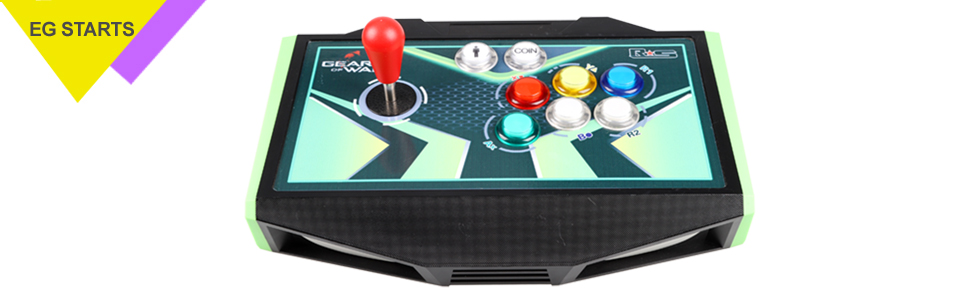
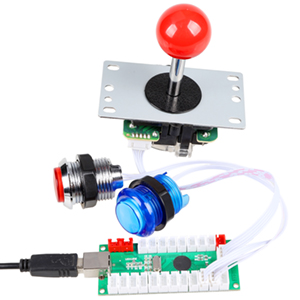
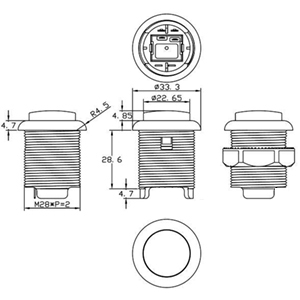
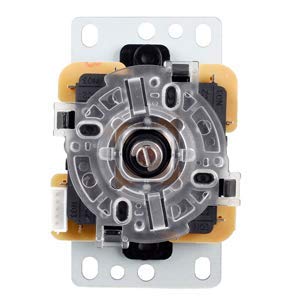
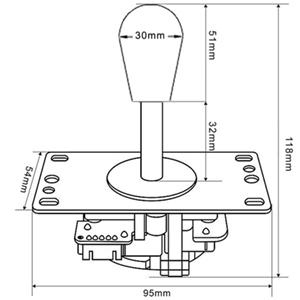
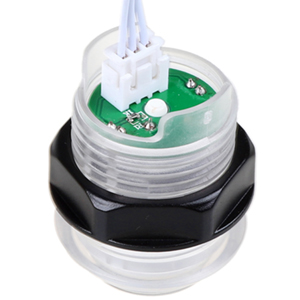
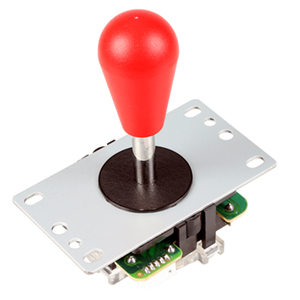
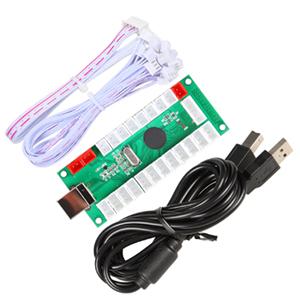
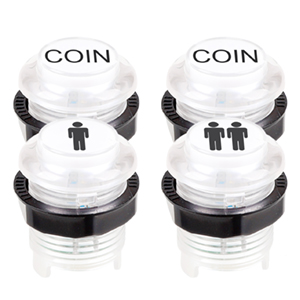
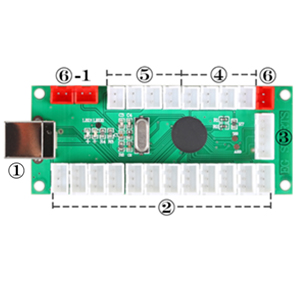
The EG STARTS 2 Player Arcade Games DIY Kit includes 2 ellipse oval joysticks and 20 LED-lit buttons (red & blue), featuring a zero delay USB encoder compatible with all Windows systems. Crafted from high-temperature resistant plastic, this easy-to-install kit is perfect for building or upgrading your MAME arcade cabinet with vibrant, durable controls designed for seamless 2-player gaming.


| ASIN | B07QRRLCKD |
| Best Sellers Rank | #4,126 in Video Games ( See Top 100 in Video Games ) #20 in PC Game Joysticks |
| Customer Reviews | 4.4 4.4 out of 5 stars (486) |
| Date First Available | April 15, 2019 |
| Item Weight | 2.22 pounds |
| Manufacturer | EG STARTS |
| Product Dimensions | 7.09 x 5.51 x 4.33 inches; 2.23 Pounds |
| Type of item | CD-ROM |
S**E
A Great Solution
I built myself a MAME cab from scratch and needed a control layout. I didn't want to drop big money on controls without seeing how difficult the whole process would be and how much use I'd get from the cabinet in the first place. This set of controls was perfect! They were easy to install, crazy easy to hook up to the PC and worked flawlessly from the first boot up. I'll run down the build really quick below in case you're doing a similar project... The build: Home built cabinet. Old Dell PC, bargain quality with no upgrades. Windows 7. MAME32 and roms sourced from a friend. Old 19" monitor. Audio out of the PC to a $12 switcher that lets me get sound from the PC for games or a bluetooth receiver to play music. The switcher goes to a 100w power amp. Two 2 way speakers in the top and a small sub in the bottom of the cab. These controls come with 2 boards, one for player 1 and another for player 2. Each board just uses USB to connect to the PC. MAME just recognized and used them straight away, no issues. I then went into MAME's options menus to configure the coin and 1p or 2p start buttons and I use one of the coin buttons to escape out of a rom back to the menu. I used a computer and amp I already owned so I probably have about $300 in the whole rig so far. That includes lumber and hardware. These controls work great for the application. It's true they're not as good as the real arcade machines but they're perfectly playable. I might upgrade at some point, but probably not. I'm pretty happy.
8**E
Super easy, illuminated controls for a USB/PC-based gaming experience
For the price and ease of installation, I cannot complain about this kit. It's gonna be noisy-clicky and nowhere near "professional arcade" quality, but for a simple setup for the kids, or just to scratch the itch to have a proper-sized joystick and button playing experience, these will do just fine. While I have not yet done so, I'm sure some petroleum jelly could be strategically injected to make the controls feel less stiff, and maybe quiet down some of the clicky sounds.. but YMMV and I'm sure that would void any possibility of warranty. TL;DR: If you're an old 80's arcader looking for that retro feel, you will want to spend more on a kit with arcade-branded components; if you're building a quickie or budget machine, this kit offers a great value.
P**L
Works great, wish cables were longer though.
As soon as I got these i tested every button because I had reviews of people having a couple buttons that didn't light up. All of mine did. I like the feel of these over the leaf switch buttons I also have. Only issue I have is I wish the connector cables were longer, it's difficult to keep the wiring tidy and I don't really want to spend the time soldering wire on to extend it for 16 plus buttons. Other than that, definitely worth the price!
A**I
Comes with everything you need
Works and was simple to install from someone who knew nothing about this stuff. Had to watch a ton of YouTube tutorials, but it really is just plug and play. This kit comes with everything you need to get started
M**Z
Responsive, great looking, and super easy
I'm a 49 year old who has played on old arcades and wanted to recapture the joy of those games, street fighter 2, mortal Kombat, bubble bobble, and galaga, and building a cabinate has been a dream. I've used the 1up arcade stuff and while it's fine, there's a lot of lag that comes with them, as well as game limitations, unless you're willing to make software modifications, but for the price, why no just build your own? These are compatible with windows and retropie, I'm currently using them with Batocera and it works beautifully! They're very responsive and handle galaga like a dream! They're simple and you can arrange the button in any configuration you want. A thought while putting them together: make sure you plug the buttons in the same order on both player sets. If you do them in a different order the interface will recognize them as the same type of controller and when you map the controller it'll set both the same. So if they're plugged in out of order one set will be perfect while the other will be crazy.
D**L
Good... but cheap.
Easy to install, and they look nice. If you are looking to build a cheap arcade or mod your 1Up cabinet then this is a decent option. 2 buttons were dead on arrival, and a 3rd stopped working after 2 weeks. It was the player 1 A button which is pressed the most. The female nuts on the inside of the joystick handles weren't inserted right, and because of that they screw on crooked. I had to put a drop of lock tight on the threads for them to stop coming loose. The seller agreed to send me 2 new buttons. They agreed to send me 2 new joystick tops after first arguing that it's a cosmetic defect and doesn't effect gameplay. You definitely get that you pay for here. These buttons are cheap, but they are also cheap quality. They will get the job done though. I would buy these knowing that you will probably have to replace them after a short time.
K**R
Good starter set for 2 players
I have an older tank stick and wanted to upgrade the joysticks and after seeing this kit, I chose this one. This is especially useful for beginners as each button and joystick have discrete points to connect to. Usually there is an attached switch with spade connectors. It is surprising how simple it is. The boards included have discrete connections for each button joystick, and LED light in button. Each set has its own board (for each player). If you are new to retro arcade sets is likely the easiest DIY kit. One of the difficulties for new folks is the wiring. This makes it both easy and nearly impossible to screw up. There is no discrete switch at the bottom of the buttons that you have to remove to secure the button the attach the switch.
B**E
The quality was better than I expected and it all works perfectly with my PC.
A**I
One of the blue buttons has no LED but work great. The red stick has a weird sound, its rare but i think something wrong with it.
M**D
Works a treat !!
M**M
I wanted to upgrade my arcade 1up cabinet and these were perfect fit and works just fine. There was no missing/broken/nonfunctional parts. The joysticks were the hardest to install as its hard to find the exact center of the joystick opening but its understandable as they were not meant only for arcade1up setup. So, like everyone else, I just eyeballed the position and screw them. I am happy with the performance. Do not expect fancy accessories for this price and you will be happy.
D**N
Good Value and Easy to Install
Trustpilot
2 months ago
2 weeks ago