
DOWNLOAD THE APP


Customer Services
Copyright © 2025 Desertcart Holdings Limited
DOWNLOAD THE APP

🎨 Stick with style: Elevate your lip balm branding game effortlessly!
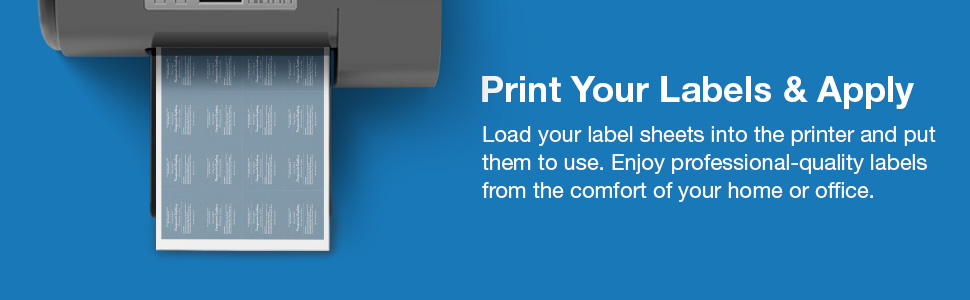
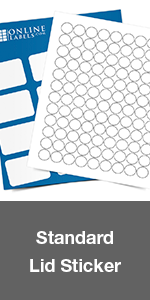
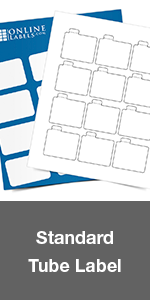
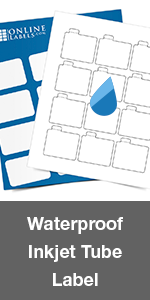
These 2.125" x 2.125" printable matte white labels come in a pack of 120 with perforated tabs, designed specifically for 0.15 oz lip balm tubes. Compatible with both inkjet and laser printers, they feature permanent adhesive and smudge-proof, non-yellowing paper. Each purchase includes a free activation code for Maestro Label Designer software, empowering you to create professional-quality custom labels with ease.




| ASIN | B07LGHWJWB |
| Best Sellers Rank | #19,728 in Office Products ( See Top 100 in Office Products ) #195 in Laser & Inkjet Printer Labels |
| Brand | Online Labels |
| Brand Name | Online Labels |
| Color | White |
| Customer Reviews | 4.5 out of 5 stars 901 Reviews |
| Finish Type | Matte |
| Global Trade Identification Number | 00193115004442 |
| Item Shape | Rectangular |
| Manufacturer | Online Labels |
| Material | Paper |
| Material Type | Paper |
| Number of Labels | 120 |
| Shape | Rectangular |
| Size | 10 Sheets |
| Unit Count | 120 Count |
D**H
Wow, I’m impressed. First impression is good.
I designed my label on Canva and uploaded it to the Mastro label designer that they provide the passcode for. They suggest printing with Adobe reader but I used my regular printer settings. I downloaded the print file and when you do this, make sure your print settings are set to “actual size” because mine defaulted to “fit to print” space or something which shrunk and distorted everything. Every printer is different, but maybe this could help somebody. I’ll definitely be buying more of these labels. They’re perfect and very easy to put on. Bright colors on the matte finish. Sticks well. I have an inkjet printer. The only complaint that I have, is that you can’t print one label to see if you need to make any minor adjustments so you don’t waste a full sheet. You can only print a full sheet of labels and then that’s when you find out if you wasted a sheet and need to fix anything. On my first batch, my design was not covering the tiniest little bit of the bottom. I still decided they were usable so luckily I didn’t have to throw the first sheet away.
C**N
So good! Easy to use
These are perfect! The application that helps you design the labels is easy to use and has premade designs to use if you want. I made my own design in canvas and imported it, printed nicely.
S**.
So much cheaper
What took me so long to find this? I was paying wayyy too much for lip balm labels for my business. This was SO easy. I wish the paper wasn't matte. I am looking for a glossy version, otherwise this is perfect!
J**L
Great labels!
Great labels! Printed perfectly, love the safety tab. The Maestro software templates aren’t that great. Took a little effort to design in Canva and figure out ideal custom sizing, thus 4 starts instead of 5. Printing is perfect once you get that and look great!
A**A
Great Labels.
I found these labels to be awesome. Before purchasing them, I watched a YouTube tutorial that demonstrated how to use them with Canva. Unfortunately, I can't seem to find the video now. Following the tutorial, I created a label in Canva and then uploaded my design to a blank template in the Maestro Label Designer. It's important to place your design in the template. You will have to turn or they will be horizontal when printed. The process worked perfectly. I printed the labels on card stock using a laser printer, and the colours came out bright and vibrant. I'm really looking forward to using them. The only con is I wish they were glossy and maybe even waterproof, but they will work for what I want.
K**E
Online templates print PERFECTLY
The most tedious part of printing labels for me is wasting regular paper to print and reprint test pages to make sure my labels are correctly aligned before I waste the expensive label paper. Then having to correctly adjust the label template in MSWord and save it so I don’t have to redo that whole process, even though next time I know I’ll have to do it anyway. It’s infuriating. But THESE labels bypass all of that. Not only do they print well and stick perfectly without overlapping onto the other edge of the label when you apply them, the most impressive thing about these by far is that the FREE ONLINE Maestro templates they suggest using prints the labels perfectly with no adjustments needed. You can type your label info directly into the template, or if you want to get fancy (who doesn’t?) you can use something like Canva, Photoshop, Corjl, Templett, etc to design your image, save it to your computer, and upload that image directly into the label template. Then VOILA, it prints beautifully! This is truly a rare gem!
J**S
Make your lipbalm lookin professional
These were a great addition to the plain lip balm sticks I bought. Using the online template made the creation of professional-looking labels a breeze. And once printed, they're easy to apply.
L**M
Good quality labels, easy to use website
Use the OnlineLabels website/software to print. For best results make sure your design extends beyond the edges of the label (“bleed”) and keep critical text well inside the edge. Some adjustment may be needed due to printer differences, but the website has an alignment wizard to help. I printed it on regular paper and overlaid it on a sticker sheet because I didn’t want to waste one. For assembly you can make a jig out of the corner of a small sturdy box. Place base of lip balm in the corner and mark (on the box) where the bottom of the sticker should be to line up properly. Trim box corner height to just above lip balm height. Place edge of sticker parallel to the box, press sticker to lip balm, roll. Sticker should be perfectly lined up
Trustpilot
2 months ago
3 weeks ago