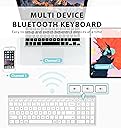
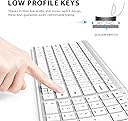
The iClever keyboard looks and feels premium, but more importantly, it functions incredibly well. Recently, while working on a branding design for a client, I was given a late 2018 27” iMac as a gift. It didn’t come with accessories, and syncing my Magic Keyboard between both iMacs wasn’t working well at all. The Apple Magic Keyboard looks nice, but functionally, it isn’t an amazing experience given the price. The iClever Keyboard compares much more favorably to the original battery powered Apple Bluetooth Keyboard which uses traditional batteries, and tends to disconnect itself frequently. The iClever Keyboard not only stays connected to Bluetooth on startup, it can also pair to 3 different Bluetooth sources, then easily switch between the 3 of them. Not only that, it also has a built in battery, which came fully charged, and ran for a total of 9 hours without depleting the battery drastically. It also looks amazing, matching both the iMac, the original battery powered Bluetooth Apple Keyboard, and the Magic Keyboard. Where it also excels is the build quality. It feels sturdy, and it has more of a rubber, non sliding surface than the considerably higher price Magic Keyboard. The front rubber pads prevent my desk from getting scratched, unlike the Magic Keyboard, where the back has nice rubber padding, but the front lip essentially touches my desk, resulting in light scratches on my desk over time. The price is amazing, and the thing that impressed me the most was that none of the quality elements were expected. My initial expectation was tbat it would be a nice looking Apple style keyboard, for a very good price. The only thing I’m not really happy with is the slightly rough texture on the keys, where the Magic Keyboard, as well as the older battery powered Apple Bluetooth Keyboard, both have a much smoother key surface. In my case, that’s not something to dock points for because that’s subjective. With Graphic Design work, outside of frequently used hot keys, the keyboard isn’t really used very often. If someone uses a keyboard more often, I can see how the slightly rough textured keys may be initially offputting. With that being said, the iClever Keyboard is easy to pair. You simply hold down the 1 key with the Bluetooth symbol on it for 5 seconds. It will begin flashing, which allows you to pair it to your Mac or PC. Once you pair it, there’s a menu that opens up on the Mac asking you to hit the key to the right of the shift key on the left, and to the key to the left of the shift key on the right. You’ll then see 3 options, choosing the USA option essentially mimics the traditional Mac keyboard setup. On the keys you’ll clearly see the Windows equavanlant on the top, and the Apple one on the bottom. For example, the “Win” key has the Apple “Alt” key symbol underneath it so that it’s not confusing for Mac or PC users. The only exception to this is the Function key, which doesn’t have the Mac equivalent ‘Opt’ for the Option key underneath the ‘FN’ abbreviation. I’ve found myself pairing the keyboard to both of my iMacs, and just using it instead of the Magic Keyboard, or even the older Apple Bluetooth model at times. The iClever Keyboard is easily a 5 Star product all around. For the price, I didn’t think such a high level of quality would not only be achieved, but vastly exceeded, when all of its additional quality of life features are taken into account. I’m very OCD about presentation, aliviating clutter, and build quality, so that’s not common for me to say about most products. I build PCs as well, and the iClever Keyboard was great as a Windows Keyboard, though in that regard, I generally use the backlit Logitech K830 trackpad Keyboard instead. It’s nice to have the iClever Keyboard as an easy to pair option for when the Logitech is charging though.