Buy anything from 5,000+ international stores. One checkout price. No surprise fees. Join 2M+ shoppers on Desertcart.
Desertcart purchases this item on your behalf and handles shipping, customs, and support to Kenya.
๐ค Master airflow meets mesmerizing ARGB โ build the PC that commands attention.
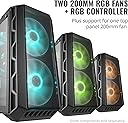
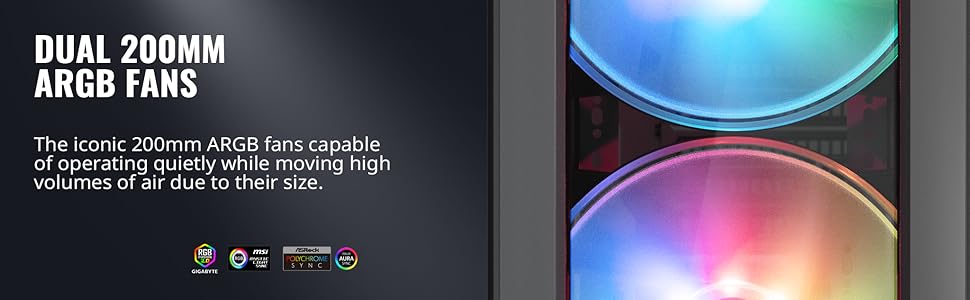
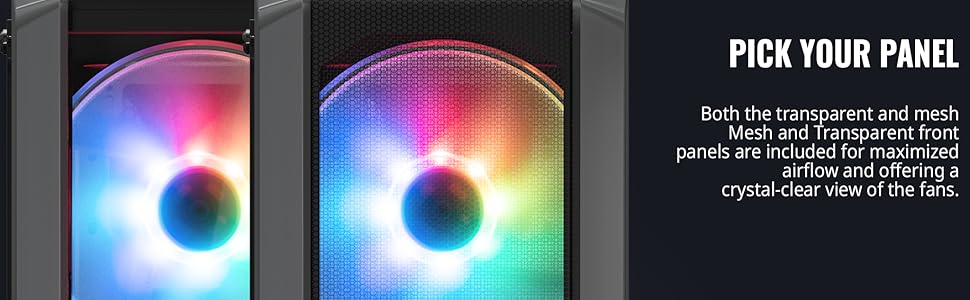
The Cooler Master MasterCase H500 ARGB is a premium ATX mid-tower chassis featuring dual 200mm addressable RGB fans, interchangeable mesh and transparent front panels, and a tempered glass side panel. Designed for superior airflow and stunning visual impact, it supports multiple motherboard sizes, extensive storage options, and advanced cable management. Ideal for professionals and gamers seeking a quiet, spacious, and customizable case that balances high performance cooling with sleek aesthetics.


| ASIN | B07DRVHBWK |
| Antenna Location | Gaming |
| Best Sellers Rank | #1,951 in Computer Cases |
| Brand | Cooler Master |
| Case Type | Mid Tower |
| Color | Black |
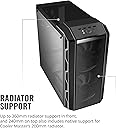
| Compatible Devices | Motherboards (ATX, Micro ATX, Mini ITX), Expansion Cards (7 slots), Storage Drives (2.5" SSD, 3.5" HDD), Cooling Systems (Fans, Radiators) |
| Cooling Method | Fan |
| Customer Reviews | 4.7 4.7 out of 5 stars (3,153) |
| Enclosure Material | Steel, Plastic, Mesh |
| Fan Size | 200 Millimeters |
| Global Trade Identification Number | 00884102044670 |
| Hard Disk Form Factor | 3.5 Inches |
| Internal Bays Quantity | 2 |
| Item Dimensions D x W x H | 22.4"D x 12.2"W x 23.9"H |
| Item Type Name | grocery |
| Item Weight | 9.22 Kilograms |
| Light Color | RGB |
| Manufacturer | Cooler Master |
| Model Name | MasterCase H500 |
| Number of Fans | 2 |
| Other Special Features of the Product | RGB Lighting |
| Power Supply Mounting Type | Bottom Mount |
| Supported Motherboard | ATX |
| Total Expansion Slots Quantity | 7 |
| Total USB 3.0 Ports | 2 |
| UPC | 884102044670 |
M**E
USE THE ASUS\MSI cable even if you have gigabyte mobo for ARGB
The Aorus master has a 3 pin and 4 pin d-led slots. The H500 has a pre-installed ARGB splitter- with 1 cable that reads ASUS-MSI, and another that reads GIGABYTE. But that gigabyte cable? Doesn't fit properly to the 3 pin slot. So what? do you use only 3 of the 4 pins on the 4 pin slot? Or do you use the ASUS\MSI 3 pin cable (which will fit on the 3 pin d-led)? Yep.. Use the asus cable. Yes it works fine with gigabyte mobos- it's just a cable after all. Someone at COOLERMASTER needs to get the memo about this apparently, cause frustratingly enough- they have a faq for the 3 pin fans to the 4 pin connectors, but NOT the ARGB situation. I haven't seen it cleanly explained ANYWHERE, so there ya go. Even the manuals for gigabyte and the h500 were of little help on this confusion situation. I hope I just saved a lot of you 12+ hours of dizzying hair pulling stressful research. You are welcome internet. Soo how is the case? Well it's the first pc I've built since 2014, so maybe everything has gotten really good in that time but I don't know. I just know it's incredible. The cable management. The space. The cooling. The housing for psu and ssd\hdd. all of it is such a big win! It's soo quiet my jaw hit the floor first time I fired it up. Seriously HOW IS IT THIS QUIET!? I paired it up with a noctua d 15 which is also impossibly quiet. In low mode (which is when you are in windows not gaming) it's but a tiny whisper. When gaming it gets louder but still a big improvement from my old coolermaster case from eons ago. LIGHT SHOW! The giant fans look downright industrial neon city. I am instantly addicted to 200mm fans and leds now. With how spacious this case is (this would have been called full tower at one time I bet lol) and how gorgeous the fans and lights are, with the glass side I am surprised how good it looks in person, and you better believe it looks great in a dark gamers room. STURDY! Wow is it heavy duty. The steel on this thing is thick. I don't think I'll have any issues with durability on this, at least not on the frame. Front Port panel- This is one the reasons I chose this over other 200mm case fan models (like the monotech). I love how the front panel is slanted, and works great for my needs. Having the case on the floor it's perfect to see what i am plugging into. 4 usb ports is plenty for anything I want to do, and the microphone port is on the side I want and need (less cable stretching) BREATHE- Vents vents vents, everywhere cept the back side panel (which is normal among cases). This case is soo big it has no problem breathing and keeping your stuff cool. CONS- The only con I can find- is the 200mm fans are soo quiet, I can hear some tiny wobble in both of them. I don't think it's a defect, more like normal operating noise you simply would not hear with normal noisy fans. CONCLUSION- I never imagined spending 100$ on a case before, now I can't imagine spending less. The h500 argb is incredible, and it's fun to see how much case tech has advanced in the past 10 years. Even if you are like me (not an expert pc builder) it's neat how easy it's getting to make sweet looking towers that make all those console kids pretend they are not impressed). This is all just part of PC MASTER RACE PRIDE! And what a proud day it is to be a member of this fine race of superior gamers. Don't buy a cheapy 40$ case that can't breathe then stuff a 3080 in there! Esp if you don't have AC in the summer =D. Thank you coolermaster- but please update your instructions (esp on your web site), cause they utterly failed to mention the asus cable can and SHOULD be used for some gigabyte mobos.
H**S
Best combo of Looks/Cooling/Price
This case is amazing in nearly everything besides a few cosmetic issues I'll go over later. First a rundown of specs, some results and my opinion. Ryzen 3800x/Gigabyte X570 Aorus Pro Wifi/32gb 3600 Corsair Vengeance Pro RGB/EVGA 1080TI Hybrid SC2/Scythe Mugen5 CPU fan/Sabrent Rocket NVME PCI4.0 1tb/Win10 Pro/Added a little bling/cooling with 2 LLSeries 120mm Corsair Fans for the top exhaust. Pros: Easy to build in - lots of room for all my components, great cable management, RGB front intake fans are quiet and were plugged in very easily, the most silent PC I've ever owned, keeps my PC cool - CPU Idles around 36-37C and peaked (so far) at 68.6C. GPU hit 59C max (so far). Cons: This is just a nitpick and is probably just my case, but the paint job is sorta fragile. I was very careful building this PC and just screwing in the radiator to the back of the case caused some paint to chip off. It's ok since it's behind the screw and can't notice it. Another obvious con is the glass panel is a total fingerprint magnet, but yea it's worth the extra cleaning for the looks. One thing I want to mention is the included clear front panel looks nice but will severely decrease airflow and is not recommended to use unless you live in a really cold climate. Keep the mesh front panel on. None of these are worth taking off a star imo. If you're on the fence on this case, I'd say get it. It has the best combination of looks, cooling, and price. My pictures don't do the case justice. Tons of people complaining about high temps on their Ryzen 3000 series CPU's. This case combined with an aftermarket cooler will keep your CPU nice and cool. Couldn't be happier with this case. Edit: Well for the last 3 weeks I didn't like my temps on my GPU. It's got an AIO cooler, but with the rad on the exhaust fan spot on the case it was basically taking in all the heat exhaust from the CPU cooler. Would cap out at around 58-59C which is well within temp limits, but not 'normal' for this card. After re-arranging the temps are way better accross the board and the GPU temp dropped about 8-9C just put moving the rad up top as exhaust. (1st 2 pics have rad setup as rear exhaust, last pic is with the rad on the top)
B**Y
An incredible case for airflow
The Cooler Master MasterCase H500 is hands down one of the best cases Iโve ever used for a PC build! The airflow is fantastic, thanks to the two massive 200mm ARGB fans at the front. My components stay cool even during heavy gaming sessions. My motherboard won't connect to any argb lighting for any case so it's nothing to do with this case, so I can't really comment on the lighting. I love the option to choose between the mesh front panel for maximum airflow or the transparent panel for a more aesthetic lookโboth work well depending on your preference. The tempered glass side panel is a nice touch, giving a premium feel and showing off the interior components beautifully. The case is also spacious, making cable management a breeze and allowing plenty of room for larger GPUs and extra fans. Installation was easy, with plenty of tie-down points and room behind the motherboard tray for clean cable routing. Overall, the H500 is a perfect combination of form and function. The airflow is top-notch and the build quality is excellent. If youโre looking for a stylish case with great cooling performance, this is a top choice.
A**H
Great Case!
This is a good case, even better when you consider the price. The image I induced is with an additional single strip of RGB lights attached along the top of case on the glass side of the top fan mounts. If it were perfect, I would like the top magnetic filter to be a smooth piece of plastic to cover the top to aide forcing the air out the back, but it's a only a 100-120 dollar case. I would like it to have ARGB fans in the front, again it is only a 100-120 dollar case. I would like a nicer latching system than the system used to hold the glass side panel on, again it's a 100-120 dollar case. The rear fan is not ARGB or RGB, again it is a 100-120 dollar case. All of 'complaints' are really things that would make it perfect for me and are unreasonable for case at this price. Many of those things are features of the more expensive version. This case even comes with the an option clear acrylic front panel! This is case was nice to build in, cable management was very easy. You would really need to intentionally make mess of your wires to have a rats nest with this case. I can name a half dozen nitpicks, but that is what they are. I'm really impressed because there are more expensive cases that are not this nice. This is legitimately a nice case that cools well with the included fans. The included fans are quiet and move a decent amount of air. Things that may be useful to know. The included RGB controller was not connected when the case arrived and I did not use it. The included controller connect to a SATA power cable and has a place for connecting the reset or power switch for changing modes. It is tiny and uses standardized connections so I'm going to use it in an older computer. I connected the included fans to my Gigabyte Z370 Gaming motherboard using the 12v 5pin RGB header using an adapter cable and a 4 pin fan header for the spinning part. The motherboard fully controls the fans. To do this you will need a cable that goes between the Gigabyte style header and the stanardardized 4pin RGB that fans use. The cables for the spinning function of the fans is industry standard and even comes with a splitter already connected. I configured the motherboard to use voltage control to ramp the fans up and down. The power supply shroud comes out with only a single thumbscrew, there are also two sets of hols to mount the power supply either way. In my build the only drive is NVMe on the motherboard so the PS shroud going all the way would have been nicer I think, but the 2x3.5 HD cages comes out with a single thumbscrew. There are plenty of places for zip ties and moderate room behind the motherboard. The magnetic filter for the top is, functional. It's not substantial enough and so looks goofy since it is wavy and not a smooth even surface as a result of a thin piece of plastic with a magnetic frame. With the fans in the front blowing in there should not be dust entering from the top anyway. I had an issue with what sounded like coil whine, it was from running the back case fan too slow and it sitting there rocking, so I had to change my custom fan settings and now it spins all the time, it is pretty quiet anyway. Some positives are that the PS shroud is so easy that you can easily remove it to work on the headers at the bottom of the motherboard. There is good room at the top for working with headers by the CPU power header. So to sum it together, it is a good airflow case with nice looks and uses industry standard conoectors for the fans so you can connect to your motherboard or third party controllers if you want. That is a big bonus because my friend who bought smaller and less expensive case is looking at replacing his included fans because they don't have standard connectors and so run at full speed all the time, which means he will end up spending more money than I did. I really like there is nothing goofy or weird, it's all industry standard.
A**N
Awesome Air flow
Pros: -Good quality for the price -Mesh/Acrylic front for preference options -back and front fans run decently quiet, I was very impressed -RGB controller and fan splitters included allow expansion for more fans, some cases don't have this by default -Side mount GPU slot if needed -Magnetic mesh mat on top Cons: -No tooless design to remove the glass side, this is kind of a petty point, but just noting it -Lack of support for 200mm fans outside of Cooler Master Propriety fans - granted there is not a 200mm standard, but this case's large selling point is the 200mm fan option so the fact that Noctua's 200mm fan thickness wasn't considered during construction is a let down for customers, more details on this below to make it fit in the top Overall the case is quite good with sturdy construction and 200mm fan options allow excellent airflow even at low RPMs for quiet operation. RGB works with the included controller. It didn't work straight forward with mystic light, but I'll figure that out later. Didn't buy it for the RGB so no proper review for that part, but the included RGB fans look quite good if you were going to go for that aspect. The switch controller works, and has a third connector for daisy chaining more rgb fans together. The same goes for the power connector so everything can be in sync. The side panel, PSU shroud, drive bay in the bottom, and cable management bar(? that's what I'm calling it) are all easily removable as needed. I had no reason to remove the front panel, so no feedback on that. I'm using the Rosewill 1600 watt Hercules PSU which is quite large, but the shroud covers the exact length of the PSU casing. So there is plenty of room between the PSU and the front of the case. You will still need to unmount the drive bay for a PSU of this size since it'll be in the way of the cables. A normal size PSU would not have this issue obviously. My mobo supports multiple m.2 for boot and storage so no issues on my end. The drive bay still fits between PSU and case front even with this PSU. Its just that it can't mount securely where it normally would. So if you absolutely need the storage, the drive bay will indeed still fit there as needed in worst case scenario. The case itself is very nice to build in. I love the space. There are plenty of slots around the motherboard section that allow for slipping cables through from the back at the top and bottom to make for neater cabling in hard to reach places. I normally don't care about it too much, but it really was pretty easy to cable manage without much effort. The plastic handle space on the top is for moving an empty case, but for a fully loaded case its not practical. Unless you want to have your wrist twisted backward while trying to carry this two handed, then the handle section on top has no purpose other than to house the front USBs and power switches. They likely did this to make sure no inside space was taken up by USB/Switches portions, and they just dual purposed the external housing with a handle on the backside. This is why I don't consider this a con. I'm just noting that this handle isn't practical for assisting with moving a loaded computer since its too awkward for lifting two handed, and its not metal making one handed carrying a little risky in case the plastic fractures or breaks. Last point is concerning Noctua's 200mm fans. I got one in the top, but didn't try the front. I've heard they don't fit without modding the front a little though. For the top portion, remove the rubber corners to prevent them from getting damaged during the next part. Then, before forcing it into the 200mm slot, ensure that you have the fan lined up with the holes on top where you'll screw it in, then push it in until stuck then give it a good shove. If need be, you can push on the top metal mesh a bit to give it more wiggle room until its forced in. Once its in, with some careful force you can line it up to the holes. You won't break the fan nor the case, both are very sturdy. No this didn't deform the top metal mesh portion of the case. To save yourself some hassle, just use the included screws instead of the silicon options. Since the top section has a magnetic mesh mat as well that goes on top, you won't notice the screws even when glancing over it.
K**U
This is a monster of a case: from average to elite builds, it can house it all.
I'm a fan girl of NZXT's towers and was planning another NZXT-based build. I decided, however, to try something new, something that would be different from my regular builds. Cue in this Cooler Master H500. It has been nothing short of amazing. If you'd like the "short and sweet" bulleted points, then just read this part, otherwise I've written a lot of information. - a total of up to x6 (if solely using) 120mm fans, x4 (if solely using) 140mm fans, or x3 (if solely using) 200mm fans - a front mesh panel that captures dust; there is also an optional acrylic panel that can be used instead if preferred (more on this later) - tempered glass panel that has two screws that cannot be taken off (so it's no longer easy to misplace). The glass panel also has hinges at the bottom so it won't accidentally fall and shatter, etc - supports ATX, mATX, or miniATX builds - has x2 M.2 slots, x2 3.5" hard drive bays (an additional mount can be purchased to support 4 more), and x4 2.5" SSD bays. 2 SSD's can be mounted on the right side of the case with little plugs, therefore offering a tool-less assembly). The HDD drive bay can also be removed if you just plan on only using the 2 SSD mounts - in regards to cable management, there is a vertical bar with rubberized routing holes. This is removable if you prefer a more spacious build - x2 200mm CoolerMaster MasterFan 200R RGB fans installed in the front panel and 1 generic 120mm fan - a removable PSU cover - 3 dust filter covers (for the top, front and bottom of the case) - a vertical GPU mount (riser cable not included) - multiple zip ties in order to manage the cables inside (among other small things) So, I won't be able to touch on everything, as I don't use the vertical GPU mount for starters, but I can give insight on other aspects. First off, this case comes with many fan placement options. For reference, I have x2 120mm fans up top, x1 120mm fan in the back, and x2 200mm fans up front. I currently have Corsair SP LL120 RGB's and they work great paired with the CoolerMaster fans. Side note, if you are in the market for the Corsair SP LL120 RGB's and would like it to pulse, breath, or mimic the 200mm fans, then you'll need to purchase the CORSAIR iCUE Commander PRO Controller. Anyway, the case does come with a handy magnetic dust filter for the top of the case (fan area). 1 month later and I can tell that it is definitely doing its job. The front of the case has another mesh like structure and this allows for better airflow throughout the case. My build has been averaging 25-30C on idle with a max of 50C on high detailed games. Now, I have tried the acrylic panel and found that my temperatures, unsurprisingly, do go up: 30-45C on idle and 50-65C on load. It's not terrible temps but, while the acrylic does look cleaner, keep in mind that you're swapping temperatures for aesthetics. The side tempered glass panel is another nice aspect of the H500. It's not clear like NZXT's line, but I would say it's around 40-50% tint, perhaps even 30%. It's definitely on the dark side. I didn't realise how tinted it would be, but it honestly looks amazing. Due to the 'heavier' tint, the cables inside are pretty much invisible and the RGB/lightning looks like its coming through the darkness. Honestly, it looks great and is definitely something I didn't know I wanted for my build. The x2 200mm fan does deserve a mention as well, but this one's not as positive. It could be the lack of experience with RGB fans, but the cables were confusing as heck to pair with respective wires. I've didn't even spend as much time on the rest of the build combined compared to the fan wires themselves. I'm not going to lie when I say I cried a little out of frustration. The instructions aren't very helpful. If I remember correctly, the RGB cables were pinned into cables that were unnecessary towards the whole build. Figuring out that cable was not necessary took an amazingly stupid amount of time. After taking out the unnecessary cables and then figuring out the appropriate ones, it was smooth sailing after that. I'm not sure why it's become the new standard, but pictorial instructions are ridiculous. I can only imagine how difficult it would be for someone just starting out. Cable management wise, there's really not much to say. It's superb and there's nothing difficult about it. You'll definitely need more zip ties than provided if you want a cleaner look. Also, the provided ties are surprisingly very thin so may snap easily if you stress it enough. There are notches on the cable side of the tower that allow you to zip tie cables on. Make sure to not zip tie in the panel grooves though. The rubberized routing holes and removable vertical bar is also appreciated. Some small thing that don't really detract but should be mentioned: if you're not going to fill the inside of this case, then be prepared to hear A LOT of air being pushed around. I have a lot of open space and it does sound cavernous. Also, this case is very much on the heavy side. It weighs a whopping 23.2lbs, maybe 30lbs+ after all the components are installed, compared to NZXT's 17.9lbs. If you've stuck it out and read through my long speech, then in short I highly recommend this case. I've been very pleased with it and I'm glad I took a chance. Like a lot of people have been saying, don't go for any other H500 (for example, H500P or H500M). Just stick with the H500-NO SUFFIX. It is Cooler Master's best - as of right now - and pretty much offers everything required for a high end build. This is a great starter case, offering excellent airflow and enough space to experiment around with. You won't be disappointed.
C**L
High end case at a mid range price.
Let me start by saying that the normal price for this case is a hundred dollars. If significantly more is being asked for it, just be aware that you are paying more than MSRP. That said, this is an excellent case. It is better than the older Cooler Master case I was using before. The airflow is amazing, and the aesthetics are very much to my liking. The lighting isn't overdone or gaudy. The thick tempered glass side panel is really nice. The cable management is outstanding, with holes right where you want them, and covers to make everything look really clean. They give you a generous amount of space behind the back panel and spots for zip ties to keep all your cables where you want them. It has two trays that can take a HDD or an SSD, and two spots on the back to mount SSDs out of sight. The front fans look fantastic, and they move an insane amount of air while remaining super, super quiet. The included optional RGB switch works great if you don't have a motherboard that supports RGB control (I don't). Do be aware that the rear exhaust fan is not RGB. I had a fan from my old case that I used to replace it. I also added a 140mm fan from my old case to the top for extra exhaust, and that gave me almost perfect neutral pressure. It's just barely positive pressure now, which I consider to be ideal. I still have the mesh front panel on, and I think it looks great, but if maximum airflow isn't necessary for your build, the included acrylic front panel looks really nice as well. One of the main reasons I got this case is that is has a handle on top. I usually game in my living room, but I have a dedicated VR room as well, so I have to carry my tower across the house pretty often. The handle on this is great. They don't tell you this, but there is a second handle under the bottom front support, so you can carry it with both hands. It's heavy, but you can really get a secure hold on it. It's also very doable with just the top handle. I found this case to be a joy to build in. Every aspect of the build quality feels like a more expensive case. I honestly can't believe they are selling these for "a bill." I would have felt I got my money's worth even if I had paid half again as much. I would strongly recommend this case. I am super happy with it, and my PC buddies are jealous.
D**E
Great case to build in!
Just completed a Ryzen 5 1600 build in this case. I didn't add a water cooler as this is for my wife and she won't be doing any real overclocking. The fan cable for the rear fan can be linked to the front fans which made life a little easier when doing my cable management. The rear fan cable was not long enough to reach the fan header on my motherboard (Asus Crosshair VI Hero) that would allow me to hide the cable. Having the splitter there made it very easy to link the fans and make the build clean like I like it. The space to manage the cables on the back was sufficient for all the cables needed with extensions on the 24 pin power cable and the graphics card (Asus ROG Strix Radeon RX 580). The Power supply shroud is plastic, but that's not a big deal to me. There is only one screw holding it in,but it locks in with four tabs so that screw isn't really necessary. So much so that, while I was writing this,I realized that I didn't put the screw back after completing my build. It hasn't moved. That shroud let's me hide a bunch of extra cabling in the system without having to tie it down in the back. Again, this case makes it very easy to manage cables if you're into that sort of thing. My only "complaint" with the case is it doesn't come with preinstalled Velcro straps like my old Cooler Master Master Case 5 did (I don't like using zip ties). I have plenty so that isn't really a negative, just an FYI. I ended up running a lot of the case/front panel cables under the HDD/SSD cage since it was easier that trying to fit it into the relatively small access point just above the power supply shroud. Speaking of the power supply, I used a EVGA G2 which is a little longer than the EVGA G3. I've used the G3 in my main build and the 30mm difference is nice when you are hiding cables. The G2 was fine in this case, but I will definitely use a G3 in the future. The fans are pretty and work with Asus Aura to coordinate all the case colors. They also quietly move a lot of air.
A**I
Good
Working...
S**R
Great case, even better with AP183 180mm mod
Coming from a Silverstone FT02, the MC H500 is not in the same quality range and this is also reflected with the price. I was shopping for a new case because I found out that my new EVGA RTX 3080 FTW3 didn't like to be installed vertically (10C higher temperature). So, I began to look for a case that uses large fans because I was using 180mm fans since 2009 and really liked them. Stumble across this H500 case with a mesh front, looked at it and thought that my new AP183 fans would fit. Upon receiving the case and without testing the original fans 200mm, I proceed to cut out the front and installed my AP183 fans. It must be noted that doing so erase any possibilities of using 120/140mm fans in the future. With the AP183 installed, the case performs beautifully in the noise and the cooling department. The bottom 180mm fan is also perfectly aligned to feed fresh air to the GPU, which is not the case with the new Fractal Torrent case, for example. Also, with the use of the AP183 (and their special airflow pattern), at medium speed (around 800rpm), you can feel fresh air going to the last fan of the GPU. You also don't feel any hot air coming from the GPU and recirculating back into it. Point to be noted, the GPU temperatures are better (around 2-3C) without the PSU shroud. Finally, I really like how this case/project turned out, some work was needed, but it now performs beautifully. I hope that my review can help some that are hesitant and would like to use their beloved 180mm fans.
K**R
Nice case
Great product, very poor customer service when dealing with a couple of small issues.
S**L
Hermoso Gabinete, mucho Espacio, y Super Ventilacion!!
Bueno, pues este es mi primer gabinete para PC, pero debo de cir que si pudiera darle mas de 5 estrellas, lo haria. Los materiales se sienten de muy buena calidad, los ventiladores son muy grandes asi que si bien estan empujando bastante aire fresco dentro del gabinete, trabajan de forma totalmente silenciosa. Tiene muchas partes modulares, como lo son el PSU Shroud, la Drive Cage, y el Cable Management Bar. Muy bonito Color negro. El panel lateral de Vidrio Templado le da una apariencia muy elegante y moderna, y perimite apreciar los componentes por dentro y asi lucir todo el RGB de la tarjeta madre ( B450 Aorus Pro WiFi), la memoria RAM (Corsair Vengeance Pro RGB) y el disipador del CPU (Wraith Prism que viene con el Ryzen 7 2700X)
D**N
Good case
Epic air flow, large, quiet fans, v pretty
Trustpilot
1 month ago
2 weeks ago