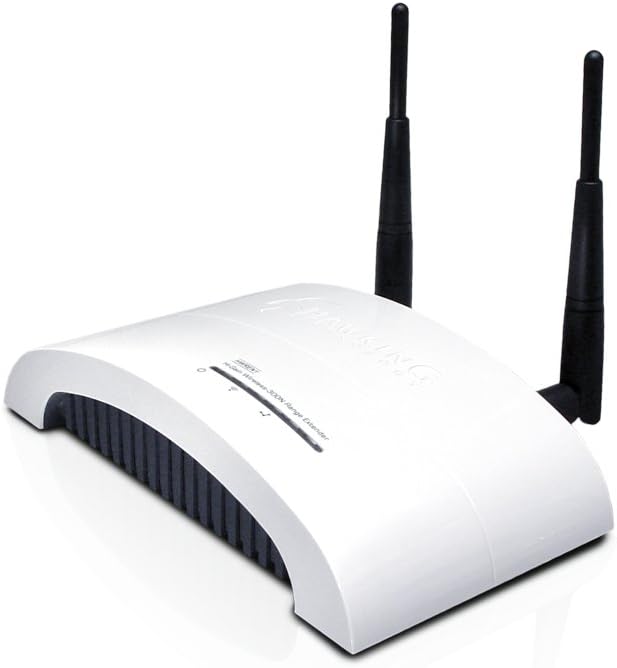
I had a Linksys WRT54GX2 wireless G router in my basement that provided an 80 percent or better wireless signal to a room on the second floor in the opposite corner of my house. When the Linksys router died, I replaced it with an D-Link DIR-825. I also bought a D-Link DWA-160 wireless adaptor, thinking that it would enable me to get wireless N speeds with the PC on the second floor.However, the signal strength from the new D-Link router wasn't nearly as strong as the old Linksys router. I would sometimes lose the connection and it was less than half the speed at which wireless N is capable of operating. It was barely as fast as my old wireless G setup. I wasn't getting anywhere near the performance I should for the money I'd spent. That's when I started looking into the Hawking HWREN1.Part of my wireless network problem was that between the router in the basement and the PC on the second floor, there are two floors, three walls, a refrigerator, a stove and a brick chimney. For whatever reason, this situation affected the wireless N signal of my new D-Link router far more than it affected the signal of my old Linksys wireless G router (and that was at 2.4GHz, not the weaker 5GHz signal the DIR-825 can also use).I tried using the setup disk that came with the HWREN1, but when I got to the final step, it said it couldn't find my router. I ended up configuring the HWREN1 manually through the Web interface. Because I had MAC address filtering turned on with the router, I added the HWREN1's MAC address to the list of allowed devices. It still didn't work. I had to turn off the router's MAC address filter to get the HWREN1 to connect with my router. (Later, thanks to another review found here, I learned that adding 1 to the last number of the MAC address solved that problem.)The other thing I discovered was that I had to use the same password for the HWREN1 that I did for my D-Link router, even though they had different SSIDs. Initially, I tried using a different password for the Hawking. I didn't see anything in the instructions that said not to. Only when I made both passwords the same was I able to get the router and the HWREN1 to communicate.Contrary to what an earlier reviewer wrote, I was able to use WPA2 AES encryption, which D-Link says you must use to get 300mbps speeds with wireless N. Perhaps the problem was fixed with a firmware update.I hung the HWREN1 high on a wall in the basement in a spot that enables it to get a good, strong signal in a direct line from the router. The HWREN1 retransmits the signal without the kitchen appliances and the chimney between it and the wireless adaptor on the PC. This enables me to receive an 80-90 percent signal in the second floor room and operate at a wireless N speed of 270mpbs. It's not full wireless N speed, but compared to the 108mbps speed I got with the wireless G setup, it's a huge improvement. I've had absolutely no issues with dropped connections in the week that I've been running the range extender.I'm happy with the Hawking HWREN1. It does what it's supposed to do once it's properly configured and has no issues with my D-Link router. I knocked off one star because the setup isn't quite as intuitive as it could be and the instructions aren't as clear as they should be. Other than that, it's a great product that solved my wireless network problem. I highly recommend it.Additional notes: I've been running the HWREN1 24/7 for a couple of months now with absolutely no problems. When using it to download a game from Steam, it achieved speeds near 1 megabyte per second speed. We also use it for online gaming and it performs flawlessly.