Buy anything from 5,000+ international stores. One checkout price. No surprise fees. Join 2M+ shoppers on Desertcart.
Desertcart purchases this item on your behalf and handles shipping, customs, and support to Kenya.
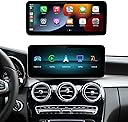
Product Description AUTOABC Carplay/Android Auto Linux Touchscreen for Mercedes Benz NTG 5.0 Product Usage Videos .aplus-v2 .vse-video-player-title, .aplus-v2 .vse-lightPlayer-vendor{ display:none; } #aplus .vse-video-player-title, #aplus .vse-lightPlayer-vendor{ display:none; } {"enableFullScreenByDefault":false,"clickstreamNexusMetricsConfig":{"producerId":"vsemetrics_playercards","schemaId":"clickstream.CustomerEvent.4","actionType":"DISCOVERY","eventOwner":"vsemetrics_playercards","eventType":"IVEVideoView","productId":"B0D3FYY8W5"},"videoReferenceId":"6fe39366-457e-4dea-804e-f01f96a78f8d_72a18ae8-31e1-4afb-994b-9945d8b77214","contentId":"B0D3FYY8W5","ccvDisclosure":"","closedCaptionsConfig":{"captionsOnTexts":{"de":"German (Automated)","ja":"Japanese (Automated)","en":"English (Automated)","fr":"French (Automated)","es":"Spanish (Automated)"},"captionsOffText":"Captions off","languageToLabelTexts":{"English":"English","French":"French","German":"German","Spanish":"Spanish","Japanese":"Japanese"}},"mimeType":"application/x-mpegURL","videoHeight":480,"disableReportIllegalLink":false,"videoWidth":854,"initialClosedCaptions":"es,https://m.media-desertcart.com/images/S/vse-vms-closed-captions-artifact-eu-west-1-prod/closedCaptions/6f64dfd1-82c7-4a23-9388-1adc2debaccd.vtt","useHotspotsNX":false,"eligibleToTriggerCCWeblab":false,"videoUrl":"https://m.media-desertcart.com/images/S/vse-vms-transcoding-artifact-eu-west-1-prod/6c0d969d-60b6-427a-97c3-1be683852da8/default.jobtemplate.hls.m3u8","metricsEmissionMethod":"nexus","imageUrl":"https://m.media-desertcart.com/images/I/61owyyiL2YL.jpg","needPlayerFactory":false,"isMobile":false,"showHotspots":false,"aciContentId":"amzn1.vse.video.16be0fe1aaec4eeaac9e2941df6c8899","altText":"Demostración de un sistema de infoentretenimiento para automóvil que muestra las funciones de conectividad inalámbrica CarPlay y Android Auto. El video ilustra cómo conectar un teléfono móvil al sistema del vehículo, permitiendo acceder a aplicaciones como música, llamadas telefónicas y navegación directamente desde la pantalla del automóvil. Se muestran las interfaces de usuario tanto de CarPlay como de Android Auto funcionando en la pantalla táctil del vehículo.","clientPrefix":"aplus-42620","hotSpotsV3Weblab":"","productAsin":"B0D3FYY8W5","labelDetails":{"labelName":"","labelType":"","labelWeblabName":"","labelWeblabTreatment":"","showLabel":false,"tooltipSelector":""},"sushiMetricsConfig":{"eventSource":"Player","endpoint":"https://unagi-eu.desertcart.com/1/events/com.desertcart.eel.vse.metrics.prod.events.test","requestId":"PYQ33PW0GJ482VKTJNPX","sessionId":"258-4403168-9289148","customerId":"0","refMarkers":"aplus-42620_ref","sessionType":1,"placementContext":"desktop_web.AplusWidget.aplusdp","marketplaceId":"A1RKKUPIHCS9HS","weblabIds":"","isInternal":false,"isRobot":false,"clientId":"VSE-GB","videoAsinList":"","pageAsin":"B0D3FYY8W5"},"reportUrl":"","videoTitle":"How to Use Wireless CarPlay/Android Auto","vendorName":"","nexusMetricsConfig":{"eventSource":"Player","isInternal":false,"playerTSMMetricsSchemaId":"vse.VSECardsPlayerEvents.9","widgetMetricsSchemaId":"vse.VSECardsEvents.9","producerId":"vsemetrics_playercards","refMarkers":"aplus-42620_ref","placementContext":"desktop_web.AplusWidget.aplusdp","weblabIds":"","clientId":"VSE-GB","videoAsin":"16be0fe1aaec4eeaac9e2941df6c8899","videoAsinList":"","pageAsin":"B0D3FYY8W5"},"awaConfig":{"useUpNextComponent":false,"clickstreamNexusMetricsConfig":{"producerId":"vsemetrics_playercards","schemaId":"clickstream.CustomerEvent.4","actionType":"DISCOVERY","eventOwner":"vsemetrics_playercards","eventType":"IVEVideoView","productId":"B0D3FYY8W5"},"initialVideo":"16be0fe1aaec4eeaac9e2941df6c8899","shouldPreload":true,"enableClickBasedAttribution":false,"isChromelessPlayer":false,"closedCaptionsConfig":{"captionsOnTexts":{"de":"German (Automated)","ja":"Japanese (Automated)","en":"English (Automated)","fr":"French (Automated)","es":"Spanish (Automated)"},"captionsOffText":"Captions off","languageToLabelTexts":{"English":"English","French":"French","German":"German","Spanish":"Spanish","Japanese":"Japanese"}},"enableDynamicBlur":false,"showPlayerPlayButton":false,"isVideoImmersivePlayer":false,"metricsEmissionMethod":"nexus","skipInitialFocus":false,"playerSkin":"none","disabledViewIds":["replayHint"],"includeEarnsComissionDisclosure":false,"customerId":"0","containerId":"aplus-42620-player-1d36479a-b093-4991-8130-aa3c213efc2b","allowCrossOrigin":false,"requestMetadata":{"clientId":"VSE-GB","marketplaceId":"A1RKKUPIHCS9HS","requestId":"PYQ33PW0GJ482VKTJNPX","sessionId":"258-4403168-9289148","method":"desktop_web.AplusWidget.aplusdp","pageAsin":""},"shouldLoop":false,"shouldDisableControls":false,"alwaysSetInitialVideo":true,"showPlayerCloseButton":false,"clientPrefix":"aplus-42620","useAutoplayFallback":false,"sushiMetricsConfig":{"eventSource":"Player","endpoint":"https://unagi-eu.desertcart.com/1/events/com.desertcart.eel.vse.metrics.prod.events.test","requestId":"PYQ33PW0GJ482VKTJNPX","sessionId":"258-4403168-9289148","customerId":"0","refMarkers":"aplus-42620_ref","sessionType":1,"placementContext":"desktop_web.AplusWidget.aplusdp","marketplaceId":"A1RKKUPIHCS9HS","weblabIds":"","isInternal":false,"isRobot":false,"clientId":"VSE-GB","videoAsinList":"","pageAsin":"B0D3FYY8W5"},"ospLinkCode":"vse","showPosterImage":true,"languageCode":"en","languageLocalization":{"play":"Play","volumeLevel":"Volume Level","subtitles":"Subtitles","volumeSlider":"Volume Slider","playVideo":"Click to play video","fullscreen":"Fullscreen","scrubberBar":"Scrubber bar","mute":"Mute","unmute":"Unmute","pause":"Pause","captions":"Captions","nonfullscreen":"Non-Fullscreen"},"version":"","isMoreVideosButtonEnabled":false,"nexusMetricsConfig":{"eventSource":"Player","isInternal":false,"playerTSMMetricsSchemaId":"vse.VSECardsPlayerEvents.9","widgetMetricsSchemaId":"vse.VSECardsEvents.9","producerId":"vsemetrics_playercards","refMarkers":"aplus-42620_ref","placementContext":"desktop_web.AplusWidget.aplusdp","weblabIds":"","clientId":"VSE-GB","videoAsin":"16be0fe1aaec4eeaac9e2941df6c8899","videoAsinList":"","pageAsin":"B0D3FYY8W5"},"shouldStartMuted":false,"airyVersion":"VideoJS","languagePreferenceStrings":{},"enableInactiveFocus":true,"showVideoInfo":false,"isReactFactory":false,"osaInstrumentationConfig":{"schemaId":"csa.VideoInteractions.2","producerId":"vsemetrics_csa_instrumentation"},"enableDelphiAttribution":false,"includeReportWidget":false,"shouldAutoplay":false}} The video showcases the product in use. The video guides you through product setup. The video compares multiple products. The video shows the product being unpacked. How to Use Wireless CarPlay/Android Auto (window.desertcartUIPageJS ? desertcartUIPageJS : P).load.js('https://m.media-desertcart.com/images/I/61rq0L4t2wL.js?AUIClients/VSEPlayer'); (window.desertcartUIPageJS ? desertcartUIPageJS : P).load.js('https://m.media-desertcart.com/images/I/3175HHgX+OL._RC|01x4giTy+uL.js,01r9LpT6pbL.js,41NWBkfooBL.js,11QfrzttlqL.js,91VXiFQ1TCL.js,01ELLYeIOkL.js_.js?AUIClients/Brila'); (function(f) {var _np=(window.P._namespace("vse-ns-initVSEPlayerOnLoad"));if(_np.guardFatal){_np.guardFatal(f)(_np);}else{f(_np);}}(function(P) { P.when('VSEPlayer').execute(function(vsePlayer){vsePlayer.initPlayer('aplus-42620-player-1d36479a-b093-4991-8130-aa3c213efc2b-player-ps');}); //Please use below event to register FeedbackForm P.when('A', 'VSEComponentAssets').execute('vse-ns-player-initialization', function(A, asset) { A.trigger('vse:ns:player:aplus-42620:init', 'aplus-42620-player-1d36479a-b093-4991-8130-aa3c213efc2b-player-ps'); }); })); How to Use Wireless CarPlay/Android Auto .aplus-v2 .vse-video-player-title, .aplus-v2 .vse-lightPlayer-vendor{ display:none; } #aplus .vse-video-player-title, #aplus .vse-lightPlayer-vendor{ display:none; } {"enableFullScreenByDefault":false,"clickstreamNexusMetricsConfig":{"producerId":"vsemetrics_playercards","schemaId":"clickstream.CustomerEvent.4","actionType":"DISCOVERY","eventOwner":"vsemetrics_playercards","eventType":"IVEVideoView","productId":"B0D3FYY8W5"},"videoReferenceId":"9735b4ad-2fe4-4f8c-8156-14516ab97180_7ac96d5e-e5c7-4919-b9ac-8e8edcd56562","contentId":"B0D3FYY8W5","ccvDisclosure":"","closedCaptionsConfig":{"captionsOnTexts":{"de":"German (Automated)","ja":"Japanese (Automated)","en":"English (Automated)","fr":"French (Automated)","es":"Spanish (Automated)"},"captionsOffText":"Captions off","languageToLabelTexts":{"English":"English","French":"French","German":"German","Spanish":"Spanish","Japanese":"Japanese"}},"mimeType":"application/x-mpegURL","videoHeight":480,"disableReportIllegalLink":false,"videoWidth":854,"useHotspotsNX":false,"eligibleToTriggerCCWeblab":false,"videoUrl":"https://m.media-desertcart.com/images/S/vse-vms-transcoding-artifact-eu-west-1-prod/83d1ada4-1ca1-4ea0-800f-ce9316aada27/default.jobtemplate.hls.m3u8","metricsEmissionMethod":"nexus","imageUrl":"https://m.media-desertcart.com/images/I/71WwWNjE7pL.jpg","needPlayerFactory":false,"isMobile":false,"showHotspots":false,"aciContentId":"amzn1.vse.video.1a7b0f8eb86c46e4800b910edbf7ab51","altText":"Demostración de un sistema de infoentretenimiento para automóvil que muestra las funciones de conectividad AirPlay y AutoLink. El video ilustra cómo conectar un teléfono móvil al sistema mediante WiFi para duplicar la pantalla usando AirPlay, y también mediante código QR para la función AutoLink. Se muestra la reproducción de contenido multimedia desde un dispositivo USB conectado al puerto del sistema. El sistema presenta una interfaz táctil con múltiples opciones de conectividad incluyendo Bluetooth, USB y funciones de duplicación de pantalla inalámbrica.","clientPrefix":"aplus-42622","hotSpotsV3Weblab":"","productAsin":"B0D3FYY8W5","labelDetails":{"labelName":"","labelType":"","labelWeblabName":"","labelWeblabTreatment":"","showLabel":false,"tooltipSelector":""},"sushiMetricsConfig":{"eventSource":"Player","endpoint":"https://unagi-eu.desertcart.com/1/events/com.desertcart.eel.vse.metrics.prod.events.test","requestId":"PYQ33PW0GJ482VKTJNPX","sessionId":"258-4403168-9289148","customerId":"0","refMarkers":"aplus-42622_ref","sessionType":1,"placementContext":"desktop_web.AplusWidget.aplusdp","marketplaceId":"A1RKKUPIHCS9HS","weblabIds":"","isInternal":false,"isRobot":false,"clientId":"VSE-GB","videoAsinList":"","pageAsin":"B0D3FYY8W5"},"reportUrl":"","videoTitle":"How to Use AirPlay/Autolink/USB","vendorName":"","nexusMetricsConfig":{"eventSource":"Player","isInternal":false,"playerTSMMetricsSchemaId":"vse.VSECardsPlayerEvents.9","widgetMetricsSchemaId":"vse.VSECardsEvents.9","producerId":"vsemetrics_playercards","refMarkers":"aplus-42622_ref","placementContext":"desktop_web.AplusWidget.aplusdp","weblabIds":"","clientId":"VSE-GB","videoAsin":"1a7b0f8eb86c46e4800b910edbf7ab51","videoAsinList":"","pageAsin":"B0D3FYY8W5"},"awaConfig":{"useUpNextComponent":false,"clickstreamNexusMetricsConfig":{"producerId":"vsemetrics_playercards","schemaId":"clickstream.CustomerEvent.4","actionType":"DISCOVERY","eventOwner":"vsemetrics_playercards","eventType":"IVEVideoView","productId":"B0D3FYY8W5"},"initialVideo":"1a7b0f8eb86c46e4800b910edbf7ab51","shouldPreload":true,"enableClickBasedAttribution":false,"isChromelessPlayer":false,"closedCaptionsConfig":{"captionsOnTexts":{"de":"German (Automated)","ja":"Japanese (Automated)","en":"English (Automated)","fr":"French (Automated)","es":"Spanish (Automated)"},"captionsOffText":"Captions off","languageToLabelTexts":{"English":"English","French":"French","German":"German","Spanish":"Spanish","Japanese":"Japanese"}},"enableDynamicBlur":false,"showPlayerPlayButton":false,"isVideoImmersivePlayer":false,"metricsEmissionMethod":"nexus","skipInitialFocus":false,"playerSkin":"none","disabledViewIds":["replayHint"],"includeEarnsComissionDisclosure":false,"customerId":"0","containerId":"aplus-42622-player-aec99c30-5cb2-464f-8187-0d2fc242c7d0","allowCrossOrigin":false,"requestMetadata":{"clientId":"VSE-GB","marketplaceId":"A1RKKUPIHCS9HS","requestId":"PYQ33PW0GJ482VKTJNPX","sessionId":"258-4403168-9289148","method":"desktop_web.AplusWidget.aplusdp","pageAsin":""},"shouldLoop":false,"shouldDisableControls":false,"alwaysSetInitialVideo":true,"showPlayerCloseButton":false,"clientPrefix":"aplus-42622","useAutoplayFallback":false,"sushiMetricsConfig":{"eventSource":"Player","endpoint":"https://unagi-eu.desertcart.com/1/events/com.desertcart.eel.vse.metrics.prod.events.test","requestId":"PYQ33PW0GJ482VKTJNPX","sessionId":"258-4403168-9289148","customerId":"0","refMarkers":"aplus-42622_ref","sessionType":1,"placementContext":"desktop_web.AplusWidget.aplusdp","marketplaceId":"A1RKKUPIHCS9HS","weblabIds":"","isInternal":false,"isRobot":false,"clientId":"VSE-GB","videoAsinList":"","pageAsin":"B0D3FYY8W5"},"ospLinkCode":"vse","showPosterImage":true,"languageCode":"en","languageLocalization":{"play":"Play","volumeLevel":"Volume Level","subtitles":"Subtitles","volumeSlider":"Volume Slider","playVideo":"Click to play video","fullscreen":"Fullscreen","scrubberBar":"Scrubber bar","mute":"Mute","unmute":"Unmute","pause":"Pause","captions":"Captions","nonfullscreen":"Non-Fullscreen"},"version":"","isMoreVideosButtonEnabled":false,"nexusMetricsConfig":{"eventSource":"Player","isInternal":false,"playerTSMMetricsSchemaId":"vse.VSECardsPlayerEvents.9","widgetMetricsSchemaId":"vse.VSECardsEvents.9","producerId":"vsemetrics_playercards","refMarkers":"aplus-42622_ref","placementContext":"desktop_web.AplusWidget.aplusdp","weblabIds":"","clientId":"VSE-GB","videoAsin":"1a7b0f8eb86c46e4800b910edbf7ab51","videoAsinList":"","pageAsin":"B0D3FYY8W5"},"shouldStartMuted":false,"airyVersion":"VideoJS","languagePreferenceStrings":{},"enableInactiveFocus":true,"showVideoInfo":false,"isReactFactory":false,"osaInstrumentationConfig":{"schemaId":"csa.VideoInteractions.2","producerId":"vsemetrics_csa_instrumentation"},"enableDelphiAttribution":false,"includeReportWidget":false,"shouldAutoplay":false}} The video showcases the product in use. The video guides you through product setup. The video compares multiple products. The video shows the product being unpacked. How to Use AirPlay/Autolink/USB (window.desertcartUIPageJS ? desertcartUIPageJS : P).load.js('https://m.media-desertcart.com/images/I/61rq0L4t2wL.js?AUIClients/VSEPlayer'); (window.desertcartUIPageJS ? desertcartUIPageJS : P).load.js('https://m.media-desertcart.com/images/I/3175HHgX+OL._RC|01x4giTy+uL.js,01r9LpT6pbL.js,41NWBkfooBL.js,11QfrzttlqL.js,91VXiFQ1TCL.js,01ELLYeIOkL.js_.js?AUIClients/Brila'); (function(f) {var _np=(window.P._namespace("vse-ns-initVSEPlayerOnLoad"));if(_np.guardFatal){_np.guardFatal(f)(_np);}else{f(_np);}}(function(P) { P.when('VSEPlayer').execute(function(vsePlayer){vsePlayer.initPlayer('aplus-42622-player-aec99c30-5cb2-464f-8187-0d2fc242c7d0-player-ps');}); //Please use below event to register FeedbackForm P.when('A', 'VSEComponentAssets').execute('vse-ns-player-initialization', function(A, asset) { A.trigger('vse:ns:player:aplus-42622:init', 'aplus-42622-player-aec99c30-5cb2-464f-8187-0d2fc242c7d0-player-ps'); }); })); How to Use AirPlay/Autolink/USB .aplus-v2 .vse-video-player-title, .aplus-v2 .vse-lightPlayer-vendor{ display:none; } #aplus .vse-video-player-title, #aplus .vse-lightPlayer-vendor{ display:none; } {"enableFullScreenByDefault":false,"clickstreamNexusMetricsConfig":{"producerId":"vsemetrics_playercards","schemaId":"clickstream.CustomerEvent.4","actionType":"DISCOVERY","eventOwner":"vsemetrics_playercards","eventType":"IVEVideoView","productId":"B0D3FYY8W5"},"videoReferenceId":"6f241b0d-07ee-4cec-b750-6ced9c16d510_014654f6-e981-4b50-974b-806c215314e5","contentId":"B0D3FYY8W5","ccvDisclosure":"","closedCaptionsConfig":{"captionsOnTexts":{"de":"German (Automated)","ja":"Japanese (Automated)","en":"English (Automated)","fr":"French (Automated)","es":"Spanish (Automated)"},"captionsOffText":"Captions off","languageToLabelTexts":{"English":"English","French":"French","German":"German","Spanish":"Spanish","Japanese":"Japanese"}},"mimeType":"application/x-mpegURL","videoHeight":480,"disableReportIllegalLink":false,"videoWidth":854,"initialClosedCaptions":"es,https://m.media-desertcart.com/images/S/vse-vms-closed-captions-artifact-eu-west-1-prod/closedCaptions/362ebdce-dfd3-4a11-808b-600b87871945.vtt","useHotspotsNX":false,"eligibleToTriggerCCWeblab":false,"videoUrl":"https://m.media-desertcart.com/images/S/vse-vms-transcoding-artifact-eu-west-1-prod/7e919151-9a2a-48a3-a946-97e293464545/default.jobtemplate.hls.m3u8","metricsEmissionMethod":"nexus","imageUrl":"https://m.media-desertcart.com/images/I/61ZC3BXANWL.jpg","needPlayerFactory":false,"isMobile":false,"showHotspots":false,"aciContentId":"amzn1.vse.video.18b17218381c4d49819866b354f8e184","altText":"Demostración de una pantalla táctil de sistema de infoentretenimiento para automóvil mostrando la configuración de resolución de pantalla. El video muestra cómo navegar por los menús de configuración para ajustar la resolución de la pantalla original del coche, incluyendo opciones como FWVGA 800x480 y WVGA 854x480. La interfaz incluye varios iconos de aplicaciones como navegación, radio, medios y configuración del vehículo.","clientPrefix":"aplus-42621","hotSpotsV3Weblab":"","productAsin":"B0D3FYY8W5","labelDetails":{"labelName":"","labelType":"","labelWeblabName":"","labelWeblabTreatment":"","showLabel":false,"tooltipSelector":""},"sushiMetricsConfig":{"eventSource":"Player","endpoint":"https://unagi-eu.desertcart.com/1/events/com.desertcart.eel.vse.metrics.prod.events.test","requestId":"PYQ33PW0GJ482VKTJNPX","sessionId":"258-4403168-9289148","customerId":"0","refMarkers":"aplus-42621_ref","sessionType":1,"placementContext":"desktop_web.AplusWidget.aplusdp","marketplaceId":"A1RKKUPIHCS9HS","weblabIds":"","isInternal":false,"isRobot":false,"clientId":"VSE-GB","videoAsinList":"","pageAsin":"B0D3FYY8W5"},"reportUrl":"","videoTitle":"aplus content video","vendorName":"","nexusMetricsConfig":{"eventSource":"Player","isInternal":false,"playerTSMMetricsSchemaId":"vse.VSECardsPlayerEvents.9","widgetMetricsSchemaId":"vse.VSECardsEvents.9","producerId":"vsemetrics_playercards","refMarkers":"aplus-42621_ref","placementContext":"desktop_web.AplusWidget.aplusdp","weblabIds":"","clientId":"VSE-GB","videoAsin":"18b17218381c4d49819866b354f8e184","videoAsinList":"","pageAsin":"B0D3FYY8W5"},"awaConfig":{"useUpNextComponent":false,"clickstreamNexusMetricsConfig":{"producerId":"vsemetrics_playercards","schemaId":"clickstream.CustomerEvent.4","actionType":"DISCOVERY","eventOwner":"vsemetrics_playercards","eventType":"IVEVideoView","productId":"B0D3FYY8W5"},"initialVideo":"18b17218381c4d49819866b354f8e184","shouldPreload":true,"enableClickBasedAttribution":false,"isChromelessPlayer":false,"closedCaptionsConfig":{"captionsOnTexts":{"de":"German (Automated)","ja":"Japanese (Automated)","en":"English (Automated)","fr":"French (Automated)","es":"Spanish (Automated)"},"captionsOffText":"Captions off","languageToLabelTexts":{"English":"English","French":"French","German":"German","Spanish":"Spanish","Japanese":"Japanese"}},"enableDynamicBlur":false,"showPlayerPlayButton":false,"isVideoImmersivePlayer":false,"metricsEmissionMethod":"nexus","skipInitialFocus":false,"playerSkin":"none","disabledViewIds":["replayHint"],"includeEarnsComissionDisclosure":false,"customerId":"0","containerId":"aplus-42621-player-bacd1cdf-3d7a-460f-95f9-f0e10343f5bd","allowCrossOrigin":false,"requestMetadata":{"clientId":"VSE-GB","marketplaceId":"A1RKKUPIHCS9HS","requestId":"PYQ33PW0GJ482VKTJNPX","sessionId":"258-4403168-9289148","method":"desktop_web.AplusWidget.aplusdp","pageAsin":""},"shouldLoop":false,"shouldDisableControls":false,"alwaysSetInitialVideo":true,"showPlayerCloseButton":false,"clientPrefix":"aplus-42621","useAutoplayFallback":false,"sushiMetricsConfig":{"eventSource":"Player","endpoint":"https://unagi-eu.desertcart.com/1/events/com.desertcart.eel.vse.metrics.prod.events.test","requestId":"PYQ33PW0GJ482VKTJNPX","sessionId":"258-4403168-9289148","customerId":"0","refMarkers":"aplus-42621_ref","sessionType":1,"placementContext":"desktop_web.AplusWidget.aplusdp","marketplaceId":"A1RKKUPIHCS9HS","weblabIds":"","isInternal":false,"isRobot":false,"clientId":"VSE-GB","videoAsinList":"","pageAsin":"B0D3FYY8W5"},"ospLinkCode":"vse","showPosterImage":true,"languageCode":"en","languageLocalization":{"play":"Play","volumeLevel":"Volume Level","subtitles":"Subtitles","volumeSlider":"Volume Slider","playVideo":"Click to play video","fullscreen":"Fullscreen","scrubberBar":"Scrubber bar","mute":"Mute","unmute":"Unmute","pause":"Pause","captions":"Captions","nonfullscreen":"Non-Fullscreen"},"version":"","isMoreVideosButtonEnabled":false,"nexusMetricsConfig":{"eventSource":"Player","isInternal":false,"playerTSMMetricsSchemaId":"vse.VSECardsPlayerEvents.9","widgetMetricsSchemaId":"vse.VSECardsEvents.9","producerId":"vsemetrics_playercards","refMarkers":"aplus-42621_ref","placementContext":"desktop_web.AplusWidget.aplusdp","weblabIds":"","clientId":"VSE-GB","videoAsin":"18b17218381c4d49819866b354f8e184","videoAsinList":"","pageAsin":"B0D3FYY8W5"},"shouldStartMuted":false,"airyVersion":"VideoJS","languagePreferenceStrings":{},"enableInactiveFocus":true,"showVideoInfo":false,"isReactFactory":false,"osaInstrumentationConfig":{"schemaId":"csa.VideoInteractions.2","producerId":"vsemetrics_csa_instrumentation"},"enableDelphiAttribution":false,"includeReportWidget":false,"shouldAutoplay":false}} The video showcases the product in use. The video guides you through product setup. The video compares multiple products. The video shows the product being unpacked. aplus content video (window.desertcartUIPageJS ? desertcartUIPageJS : P).load.js('https://m.media-desertcart.com/images/I/61rq0L4t2wL.js?AUIClients/VSEPlayer'); (window.desertcartUIPageJS ? desertcartUIPageJS : P).load.js('https://m.media-desertcart.com/images/I/3175HHgX+OL._RC|01x4giTy+uL.js,01r9LpT6pbL.js,41NWBkfooBL.js,11QfrzttlqL.js,91VXiFQ1TCL.js,01ELLYeIOkL.js_.js?AUIClients/Brila'); (function(f) {var _np=(window.P._namespace("vse-ns-initVSEPlayerOnLoad"));if(_np.guardFatal){_np.guardFatal(f)(_np);}else{f(_np);}}(function(P) { P.when('VSEPlayer').execute(function(vsePlayer){vsePlayer.initPlayer('aplus-42621-player-bacd1cdf-3d7a-460f-95f9-f0e10343f5bd-player-ps');}); //Please use below event to register FeedbackForm P.when('A', 'VSEComponentAssets').execute('vse-ns-player-initialization', function(A, asset) { A.trigger('vse:ns:player:aplus-42621:init', 'aplus-42621-player-bacd1cdf-3d7a-460f-95f9-f0e10343f5bd-player-ps'); }); })); aplus content video Ensure that both your Bluetooth and WiFi are turned on. Open the Bluetooth panel of the device to check the Bluetooth name, then find it on the phone and connect it.(If device Bluetooth cannot be found, please ignore other excess Bluetooth devices). After authorization and successful connection on the phone, it will automatically enter the CarPlay/Android Autofunction interface. You can create a mirrored connection with your phone through wireless AirPlay/Autolink, and enjoy your favorite photos, videos, and pictures on AUTOAC's 1920 * 720 high-definition screen while resting in the car. Of course, you can also enjoy the downloaded photos, videos, and pictures through the USB interface. Important Settings If the OEM car interface is misaligned or blurred, please adjust the resolution in the car settings to match the car radio. It also adds a screen shutdown function that can turn the screen off when not in use. After you turn off the screen, click the screen to wake up. Excellent Customer Support When there are problems with the product, 98% of obtained from us who have contacted us have received a solution. When there is a problem with the product, please provide us with your car model, production year, as well as your phone model, and provide a detailed description of your problem. If necessary, please send us a photo or video of the problem when it occurred. Linux-System/Original-System Keep all original features while adding Linux system features, greatly enhancing your experience. Linux systems do not become sluggish over time like Android systems, and their security level increases, reducing the risk of being hacked and providing you with a safe and secure journey. Original car camera Support Original Rear View Camera ParkradarSupport Aftermarket Rear View Camera and 360-CameraSupport Front View Camera (DVR/CVBS input) Bluetooth Transmission Find the name of Bluetooth in the Bluetooth transmission of the AUTOABC system. Then return to the original vehicle system and connect the Bluetooth device. Make sure the symbol is lit. Applicable scenarios: AirPlay/Autolink/USB Bluetooth Audio Please note that this function cannot be used simultaneously with Bluetooth transmission. Before using Bluetooth audio, you must manually delete the connected Bluetooth transmission function. If you are using Bluetooth audio, after connecting CarPlay, you need to connect your phone's Bluetooth music to the car's Bluetooth music so that CarPlay can play the sound normally Why is the interface of my original car not fully displayed or blurred? This is caused by a resolution mismatch. Please set the corresponding resolution in the car settings. Why is the interface of my original car not fully displayed or blurred? This is caused by a resolution mismatch. Please set the corresponding resolution in the car settings. Is this an Android system? Can I download the application? This is not an Android system, but a Linux system. In order to improve stability and smoothness, we abandoned the Android system because it becomes sluggish over time. Is this an Android system? Can I download the application? This is not an Android system, but a Linux system. In order to improve stability and smoothness, we abandoned the Android system because it becomes sluggish over time. How should I install it? You can see detailed installation videos on our official YouTube channel, or you can find a local car dealer to install them. How should I install it? You can see detailed installation videos on our official YouTube channel, or you can find a local car dealer to install them. Can I still use the functions of the original car? Retains all original car features, original joystick control, original rear view, reverse camera, and display screen now display speed, fuel level, oil pressure, and safety warnings. The vehicle control unit software has not been changed in any way. Can I still use the functions of the original car? Retains all original car features, original joystick control, original rear view, reverse camera, and display screen now display speed, fuel level, oil pressure, and safety warnings. The vehicle control unit software has not been changed in any way. Product Packaging Content AUTOABC Wireless Carplay/Android Auto Multimedia Smart Touchscreen *1 Brand packaging1and user manual *1 Power cable *1 USB video/LVDS cable *1 Product bracket *1.(Some car models require brackets, not all require them, depending on your own car.) Review: Great upgrade, clear display; and straightforward fitting👍 - Great upgrade product for my GLC 250 easier to fit than what I was expecting' finally got car play and maps; really recommend this unit clear display and easy to use, Review: Works well, challenging to install with limited space for a thick wiring loom - Cables are thick and so very challenging to install. But now installed it works well and a definite improvement over the Merc system


| ASIN | B0D3FYY8W5 |
| Audio Output Mode | Stereo |
| Audio Output Type | Speakers |
| Best Sellers Rank | 33,249 in Electronics & Photo ( See Top 100 in Electronics & Photo ) 78 in Car In-Dash Mounted Video |
| Box Contents | USB |
| Brand | autoabc |
| Brand Name | autoabc |
| Colour | black |
| Compatible Devices | Mercedes Benz GLA, Mercedes Benz CLA, Mercedes Benz GLC |
| Compatible devices | Mercedes Benz GLA, Mercedes Benz CLA, Mercedes Benz GLC |
| Connectivity technology | Bluetooth |
| Connector Type | HDMI |
| Control Method | Touch |
| Controller Type | Android |
| Controller type | Android |
| Country of Origin | China |
| Customer Reviews | 3.8 out of 5 stars 75 Reviews |
| Format | WAV, WMA |
| Item Type Name | Touchscreen Multimedia Radio |
| Item Weight | 1 Kilograms |
| Manufacturer | autoabc |
| Manufacturer Part Number | AR-X123 |
| Model Number | AR-X123 |
| Network Connectivity Technology | Bluetooth |
| Number of Channels | 4 |
| Other Special Features of the Product | Touchscreen |
| Output Power | 180 Watts |
| Output Wattage | 180 Watts |
| Product Warranty | 1 Year |
| Special feature | Touchscreen |
| Supported Internet Services | Pandora, Spotify, YouTube |
| Surround Sound Channel Configuration | 4.0 |
| Total HDMI Port | 2 |
| Total HDMI ports | 2 |
| Video Encoding Format | [H.264, H.265/HEVC, VP9, AV1, MPEG-4] |
| Wattage | 180 watts |
| Wireless Technology Type | Bluetooth |
T**R
Great upgrade, clear display; and straightforward fitting👍
Great upgrade product for my GLC 250 easier to fit than what I was expecting' finally got car play and maps; really recommend this unit clear display and easy to use,
M**S
Works well, challenging to install with limited space for a thick wiring loom
Cables are thick and so very challenging to install. But now installed it works well and a definite improvement over the Merc system
M**G
Big screen
So far so good … I had to work out the fitting myself and though it looks complicated the final result was worth it. I can’t Bluetooth the audio but it works when connected to the car by cable though the car usb. The Video was poor but gave an indication as to what I needed to do … a step by step video would be much better!! Screen quality is very good and makes the mapping much clearer. A good upgrade without the need for a degree in auto electronics.
J**J
Fits, looks and works great
Instructions were clear, it looks great and functionality seamless! Has really elevated my car’s system. Such a big difference having car play. Thank you
M**D
Approved!! It’s awesome
About as plug and play as it gets, took an hour or so but only because I knew how to dismantle everything already! Modernised the feel of my c class - mmm CarPlay Waze + music.
A**R
Android System
Great device Fast and responsive Easy to install. Make sure have torx screwdriver. Take your time, follow instructions and videos, you can't go wrong. Also make sure fit optic cable into ne connection, only mistake I made. Overall makes big difference and display is clear and responsive and fast. Just to add there after care support is really good also. Just make sure the fibre optic cable is plugged into new connector the correct way, otherwise radio will say unavailable, but this was my fault.
N**H
Amazing screen
It’s amazing easy to installed . Value for money and best quality of touch screen
A**I
Decent, but complicated?
Very disappointed when this arrived, was very excited took a long time to install. Finally everything setup, issues with sound on Airplay???, does not pick up USB airplay, also lack of options in comparison to Android 13. I understand the price may be cheaper but what use is airplay with no sound, can someone please get back to me, looking to give this back unless we can solve some issues. Thanks
R**N
Excelente para Mercedes
Excelente, lo instale en un Mercedes C250 2017, le quedo a la perfeccion y es muy facil de instalar, no se requiere cortar ningun cable, es plug & play.
I**N
Todo lo de la anterior pantalla sigue intacto, las camaras 360 van perfectas
Es tal y como se describre... perfecta
K**I
Qualität
Super Qualität alles topp verpackt und verarbeitet funktioniert einwandfrei und ist im Grunde schon fertig konfiguriert Kann ich absolut weiter empfehlen
A**O
Schermo Mercedes
Schermo ottimo e facile da montare! Rifarei l’acquisto!
C**T
Ecran de qualité et support efficace
Pour l'audio, attention à bien débrancher le connecteur fibre optique du connecteur d'origine et de replacer dans le nouveau connecteur. Les fonctions d'origine sont conservées y compris la caméra 360. Une notice plus détaillée serait la bienvenue.
Trustpilot
5 days ago
2 weeks ago