Desertcart purchases this item on your behalf and handles shipping, customs, and support to Kenya.
🖱️ Elevate your workflow with ergonomic precision and wireless freedom!
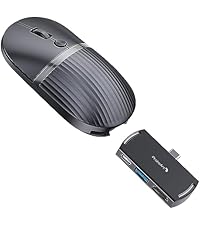
The ProtoArc EM11 NL is a rechargeable vertical mouse designed for small to medium hands, featuring a 58° ergonomic angle to reduce wrist strain. It supports seamless switching between three devices via Bluetooth and 2.4G USB-A, offers adjustable DPI settings for precise control, and boasts a long-lasting 500mAh USB-C rechargeable battery delivering up to 100 hours of use. Silent click buttons enhance focus in shared environments, making it a top choice for professionals seeking comfort and efficiency.


| ASIN | B0DCBW3B3T |
| Additional Features | Ergonomic Design |
| Antenna Location | Office |
| Best Sellers Rank | #19 in Computer Mice |
| Brand | ProtoArc |
| Button Quantity | 6 |
| Color | Blue |
| Compatible Devices | Personal Computer, Tablet |
| Connectivity Technology | Bluetooth |
| Customer Reviews | 4.4 out of 5 stars 6,065 Reviews |
| Enclosure Material | Plastic |
| Hand Orientation | Right |
| Hardware Platform | Mac, PC, Windows |
| Included Components | 1 x 2.4G USB-A Receiver, 1 x ProtoArc Rechargeable Bluetooth Ergonomic Mouse, 1 x Type-C Charging Cable(The Type-C cable is for charging only), 1 x User Manual |
| Item Dimensions L x W | 5.43"L x 2.72"W |
| Item Weight | 270 g |
| Manufacturer | ProtoArc |
| Mfr Part Number | EM11 NL |
| Minimum Required Operating System Version | Mac OS 10.12 Sierra, Windows 8 |
| Model Name | EM11 NL |
| Model Number | EM11 NL |
| Mouse Maximum Sensitivity | 2400 dots_per_inch |
| Movement Detection | Optical |
| Movement Detection Technology | Optical |
| Number of Batteries | 1 Nonstandard Battery batteries required. (included) |
| Number of Buttons | 6 |
| Operating System | Android 4.3 or higher, Mac OS X 10.12 or higher, Windows 8, Windows 10 or higher |
| Power Source | Battery Powered |
| Range | 8 meters |
| Special Feature | Ergonomic Design |
| Style Name | Modern |
| Unit Count | 1 Count |
| Warranty Description | 2 Year |
M**Y
vs Logitech
I have been very surprised by this mouse! I bought the ProtoArc in a pinch when the click buttons on my Logitech ergo mouse started malfunctioning, also thinking it could be a back up / travel mouse. Honestly, I’ve come to prefer the ProtoArc over the Logitech. The ProtoArc is a little wider, as such it fits my natural grip very well, I’ve had no issues utilizing it for hours at a time. I can’t use a “standard” mouse for more than 10 min before my hand starts cramping up. Tracking has been spot on, all the buttons and wheels have held up fine after several moths of use. The buttons have a nice feel, so I know when it has clicked, but without an obnoxiously loud click noise. The ProtoArc has also held up to the occasional fall off the desk 🙈 At 1st I didn’t think I’d ever use the dedicated USB wireless radio, but I’ve come to enjoy it, makes it very easy to connect with some of the locked down devices I use. Additionally I’ve been able to connect the Bluetooth with both my MAC and PC computers without issue. While the Logitech has more buttons and some software to configure the buttons, I can’t say I ever used them after setting it up, nor do I miss them. After the initial full charge on the mouse, I have yet to recharge it, that is with utilizing it Monday-Friday 8+ hours a day for work, and here and there after work and weekends. I was initially thinking it’d get maybe a week at a time, similar to other value mice, but I’m overly impressed that it’s conserving power so well! The only thing I wish it had was the ability to freewheel the scroll wheel, I can’t fault it, I think it’s been over a decade since I’ve seen a mouse with that option. Give the price of the ProtoArc vs the Logitech, I’ll be buying several more of the ProtoArc.
M**K
Not perfect, but as close as one can expect
I bought a mouse because I was starting to get occasional pain in my first knuckle. I watched a LOT of reviews on YT and bought the expensive Logitech MX, but the buttons 4 and 5 were in a terrible spot. So out of desperation I bought another four vertical mice that were cheap, totally 80, which is what I paid for the MX. I liked one of the TECKNET mice with the volume knob, but my favorite is this EM11: * Silent, effortless clicking. * Excellent button placement. * Best vertical mouse angle. * Battery lasts a long time. * And the thing is beautiful. * No software, but doesn't need it, which is nice. * Bluetooth performance is perfect. My only "complaint" is that when I press and hold button 1, it can unclick itself. I actually sent one of these mice back because I thought it was a defect. The second mouse did it, too, but it just had to press the button more firmly on drag. That sounds like a pain, but it's second nature, now, and doesn't happen anymore--or only very rarely. If you're thinking of getting an MX--just don't. This is far better and a quarter of the price. I highly recommend it.
D**T
So comfortable, I adjusted to it on the first day
I bought this mouse at the same time as an ergonomic mouse pad because I was having so much elbow and wrist discomfort while working that I was starting to wonder how I was going to get through my workday. I can't say which one deserves more of the credit since I started using them together, but WOW. Within a day, I noticed a huge difference in how my arm and wrist felt while working. This mouse is incredibly comfortable. The vertical design puts my hand and wrist in a much more natural position than my traditional mouse. The instructions say to allow one to two weeks to adjust to using a vertical mouse, but honestly, I was comfortable with it on the first day. My hands are about average size, and the mouse fits my hand perfectly. I also love that it can connect to three devices. I currently have mine connected to two different laptops, and pairing was almost instantaneous. There was really nothing to it. I was a little concerned about using Bluetooth because one of my laptops has a tendency to lose its connection with other Bluetooth devices, but I haven't had any connection issues with this mouse. The battery life has been impressive too. I've been using it for about a month, have only charged it once - when it first arrived, and it's still going. It's your typical black mouse, but it feels durable and well made. My one annoyance is the scroll wheel. I sometimes inadvertently press down on it while scrolling, which activates auto scroll. The auto scroll isn't particularly smooth either, so I'd rather not activate it at all. I'm getting better about not accidentally pressing the wheel, but it still happens occasionally. Paired with my ergonomic mouse pad, this has made working at my computer so much more comfortable. The comfort alone made the switch worthwhile for me, and the battery life, easy pairing, and ability to use it with multiple computers are bonuses I actually use.
E**Y
Much smaller than other handshake/vertical mice
This is my third vertical or handshake Mouse , I have had one each of the Lekvey and Anker. Those mouses worked fine until they completely stopped working essentially, this one seem to be a little bit more ergonomical and nicer looking so I took the leap on it. Initially out of the box seems like a really nice Mouse, I like the way it looks and some of the grip pattern on it, but ultimately within a few moments realized that it was not ideal for my hand. In my opinion the mouse is too small for my hand, the previous versions I had are maybe three quarters of an inch taller, on this mouse my hands feel very cramped, almost like if my hand is shoved into too small of a mitten. Additionally this Mouse has a nice taper off the back which is presumably meant to support the bottom of your hand and wrist better but I find that my hand continually slides down the back of the house and onto the desk and further disrupts my hand position. I do not have exceptionally large hands or anything, just normal size hands for normal size man. I tried to take a photo of the mouse in my hand to show the size of it, but my hand completely obscures the view of the mouse , that's how small it is relative to my average size hand. So if your hands are any larger you will definitely have issues if you're used to the taller Mice from other brands. The buttons all felt like they worked great it was just a matter of getting my fingers in the right places to use them and after one day of using it in my hand felt cramped from being in sort of a weird grip position. It felt like my hand was always about to squeeze the mouse out of my grip. It synced up seamlessly and was compatible with my pC and that was very easy but ultimately the hand cramping and potential wrist pain are not starters for me.
R**I
Best Mouse I’ve Used for Long Workdays
I absolutely love this mouse. The ergonomic design is incredibly comfortable and keeps my hand and wrist in a much more natural position, especially when I’m working at my computer for hours at a time. The buttons are easy to reach, it feels smooth and responsive, and the shape is comfortable without being bulky. It also looks sleek on my desk and feels much more premium than I expected. If you spend a lot of time on a computer and want something comfortable, functional, and easy to use, I highly recommend it. Definitely a 5-star purchase!
K**R
The great things about mouse like this
This mouse if perfect. This mouse fells right for man hands. The ergonomics regarding how it feels in the hand is great. Although, I would like to know the process of how the ergonomics was thought of because, the only issue I find is where the pinky rest. Your have your index finger and middle finger resting perfectly in the mouse left and right clicks. Even the scroll wheel while is not that rapid in speed one could have hope for, it is fine and is easy to use as well with your middle finger. What I love about this mouse is how the DPI sits right there in between my two fingers, because I don't even need to lift the index or the middle finger to change the speed of the mouse. I can actually with the middle portion of my middle finger, change the speed by clicking the DPI button. It is funny if they thought of it like that to be used. Because it does work for me like that fine. It has a nice tracking because of that option with the DPI It's durability it seems to be tied with the material, which it does feel incredible by being plastic it helps the hand move it with out issue. This mouse feels like it is the perfect ergonomic system to hold your hand rather than the other way around. I am glad I try these types of mouses that have this type of ergonomic convenience. Nigel and his team did a great thing with this one. I truly recommend this mouse.
D**S
Too slippery for comfortable use
Influencer got me on this one. Seems like a good idea, feels nice in-hand right out of the box. I could not get a comfortable grip or angle using this, it constantly feels like it slipping forward out of my hand. This mouse created fatigue and discomfort in the hand and forearm; inducing the problem it was intended to solve. Tried it on the desk pull-out keyboard tray, I tried it on the desk top, I tried adjusting my seat height, I tried using it with and without a mouse pad (wrist support & none), I added hocky tape to improve grip (helped a bit), I tried giving myself some time with it for each change. Nothing worked, went back to my old mouse and search for something that works for me. More than 30 days trying so I can't return it. Gave it to someone else, maybe it will work for them. Maybe a smaller hand will rest better on the curve. Cons: All clicks do not register the first time. Battery non-replacable. Two stars removed for reasons given. Pros: Good quality feel to the materials. Quiet clicks on LR buttons and audible clicks for other functions. Good button travel. Good feel on scroll wheel. Looks modern.
D**L
The product is basically perfect; I didn't need the packaging to be so pretty... but it was.
I have bought this twice, three times if you count the Jelly Comb mouse I bought before, because ProtoArc bought Jelly Comb). I bought the Jelly Comb mouse for work in 2020, and when I couldn't find Jelly Comb anymore in 2025, I bought the ProtoArc mouse, possibly for my home (?) in 2025. A few weeks ago, the scroll wheel of the Jelly Comb mouse wheel I had at work went wonky. (After six years). So I went to Amazon, found the mouse I'd bought last year that fit my hand perfectly and was basically exactly the same as my 2020 Jelly Comb mouse and helped with my carpal tunnel, and ordered another one. Predictably, it worked perfectly. But I like having a spare mouse around because sometimes they go bad, so I opened up the old Jelly Comb mouse (had to find a video about how to open an ergonomic mouse, but I figured it out), cleaned the wheel with rubbing alcohol, and put some PTFE tape between the wheel and the rubber, and it's working perfectly again. So now I have three perfectly working mice - one for home, one for work, and one for... trips, I guess? Or as a backup? The Jelly Comb mouse was perfectly fine and I would've ordered it again if I could've found it. It's a great mouse that basically lasts forever, and the batteries last so long I forgot the old one even *had* a battery in it, but then ProtoArc went, "You know what? Making our customers buy batteries is silly; we should just include the batteries *and a USB C charging cable*; that'll be a nice extra touch," though they did that, too. Oh, and they also apparently thought, "Sure, we have a USB adapter *and* bluetooth, but what if people want to connect it to, like, two devices but they want to use Bluetooth for both? What if they have, idk, a desktop, a laptop, and a phone, and they want to use bluetooth to connect to their laptop and phone and can plug the USB dongle into their computer? Better throw in the ability to easily pair with TWO devices via bluetooth!" But that's not what inspired me to write this review. It's the packaging. ProtoArc clearly pays their designers very well. The box looks like something Apple would design. When I opened the box I kinda rolled my eyes and thought, "This is a cheap mouse that does not need packaging this pretty." I'm writing this review in 2026. By the time I need another mouse, I can't imagine how they'll have thought how to make this thing better because it was exactly what I wanted in a mouse before. They'll probably have figured out a way to make sure the mouse wheel doesn't get sticky and need taken apart and cleaned after 6 years. (GASP! Maybe they already did... I'll find out in like 6 years 😂 They did a great job. If I lost enough mice that I needed another one, or if enough of them broke that I needed to buy another, I would buy another one from them. I've also thought about buying one of their ergonomic keyboards, that's how much I like their mice. NOTE: ProtoArc did not pay me to say any of this, or offer me anything in exchange for writing this review, and this is not AI. I just really like this mouse.
ن**ي
مكة المكرمة
والله لا يعلى عليها ممتازة ومريحة بصراحة استهنت فيها قلت شكلها ضحكة بس جربتها للامانة ممتازة ومريحة واعصاب اليد ارتاحت عكس الفارة القديمة اللي تضغطها بالسبابة تسبب لك شد في اعصاب اليد تتعب شوي انا اقول للي يبي يشتري هذا النوع ياخذها ماراح يندم
A**E
Great Mouse. Perfect for Big Hands
This ProtoArc ergonomic vertical mouse is such a good buy. It has two connectivity modes (USB-A and Bluetooth) which work great out of the box with no need for any software installations. With the Bluetooth connection, you can connect up to two devices. While you cannot use them simultaneously, you can easily switch between them with the click of a button. Other features include: 1. Power: It is powered through USB-C, and you will find yourself recharging only about every three to six months depending on your use. It charges quickly. 2. Navigation: It has two side buttons for moving forward or back on a webpage, although there is no built-in native app to edit these buttons. Overall, it is great for your hand and recommended for people with big hands.
Y**I
Recommended 1000!
The product designer is a complete genius. The mouse is very practical and convenient, with great features.
F**A
Ergonómico, en serio.
Me gustó mucho este mouse. Tiene una textura muy agradable al tacto y la posición de la muñeca reduce considerablemente la fatiga. La carga con la que venía me ha durado ya una semana.
A**R
★★★★★ Excellent ergonomic mouse – comfortable and surprisingly intuitive
I absolutely love this mouse. I bought the ProtoArc ergonomic vertical mouse to help reduce wrist strain, and it has made a huge difference. It feels very natural to hold and keeps my hand in a much more comfortable position compared to a traditional mouse. The design is sleek, lightweight, and fits nicely in my hand. The buttons are responsive, the scroll wheel is smooth, and the wireless connection has been reliable with no lag or dropouts. It did take a day or two to get used to the vertical design, but once I adjusted, I found it far more comfortable for long hours of work. I use my computer for extended periods, and this mouse has significantly reduced the discomfort I was experiencing in my wrist and forearm. Highly recommend this mouse to anyone looking for a comfortable, ergonomic alternative to a standard mouse. Great value for money and one of the best office upgrades I’ve made.
Trustpilot
4 days ago
1 month ago