Desertcart purchases this item on your behalf and handles shipping, customs, and support to Kenya.
๐ฏ Elevate your workflow with precision, comfort, and eco-smart style
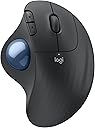
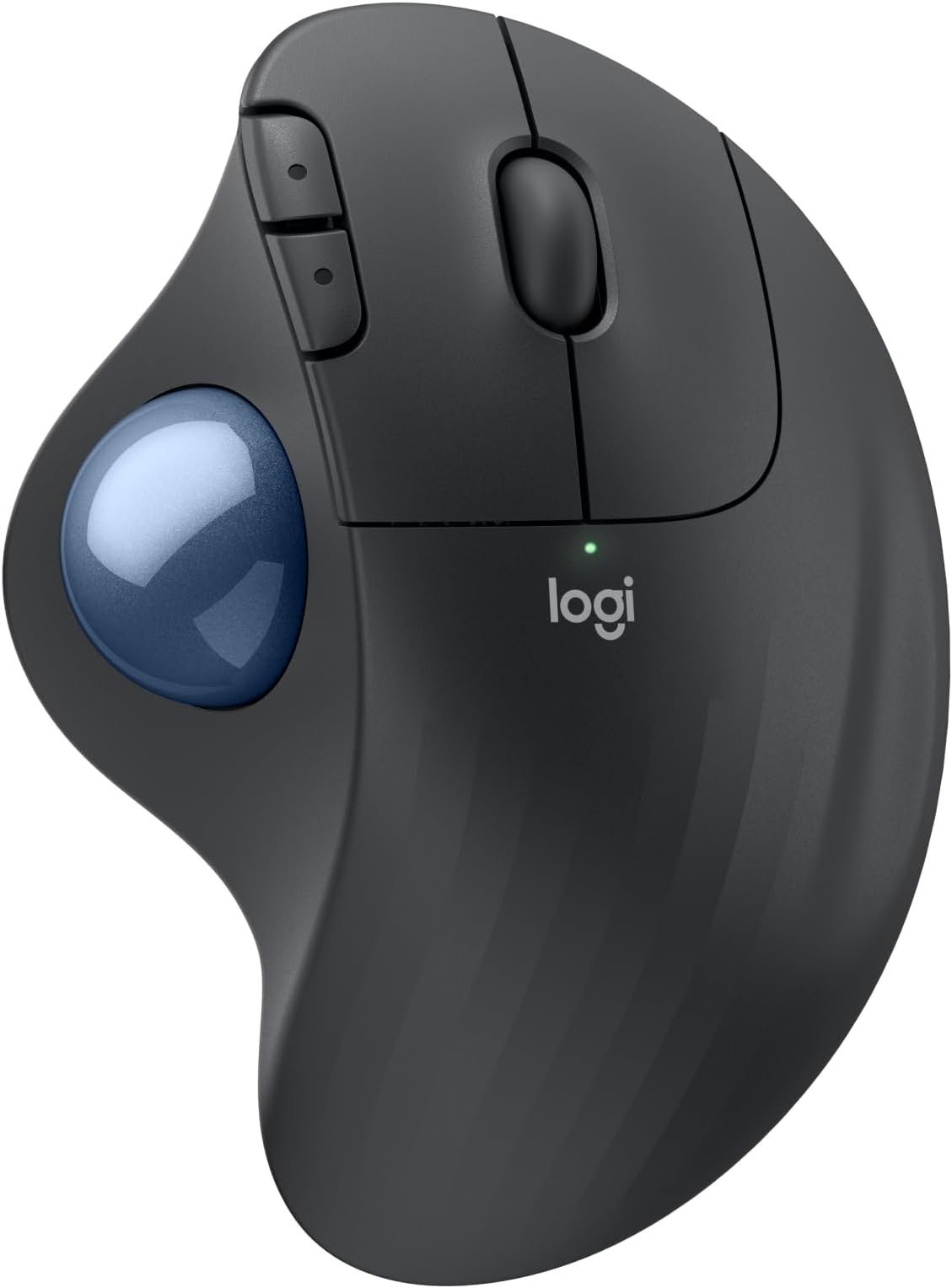
The Logitech Ergo M575S is a wireless ergonomic trackball mouse designed to reduce forearm strain by 25%, featuring precise 2000 DPI optical tracking controlled by your thumb. It offers versatile connectivity via Bluetooth or Logi Bolt USB receiver, with up to 18 months of battery life. Crafted with up to 52% recycled plastic, it supports sustainable use while delivering customizable buttons and smart app integration for professional multitasking in compact workspaces.


| ASIN | B0BBQ3ZYNY |
| Additional Features | Lightweight, Portable, Wireless |
| Antenna Location | Gaming, Office |
| Are Batteries Included | Yes |
| Are Batteries Required | Yes |
| Battery Average Life | 18 months |
| Best Sellers Rank | #22 in Computer Mice |
| Brand | Logitech |
| Button Quantity | 2 |
| Color | Graphite + Blue Ball |
| Compatible Devices | Personal Computer, Tablet |
| Connectivity Technology | Bluetooth, USB |
| Customer Reviews | 4.6 out of 5 stars 2,124 Reviews |
| Enclosure Material | Plastic |
| Global Trade Identification Number | 00097855186744 |
| Hand Orientation | Right |
| Hardware Platform | PC |
| Manufacturer | Logitech |
| Mfr Part Number | 910-007027 |
| Model Name | ERGO M575s |
| Model Number | 910-007027 |
| Mouse Maximum Sensitivity | 2000 Dots per Inch |
| Movement Detection | Optical |
| Movement Detection Technology | Optical |
| Number of Buttons | 2 |
| Operating System | Windows, macOS |
| Power Source | Battery Powered |
| Range | 100 millimeters |
| Special Feature | Lightweight, Portable, Wireless |
| Style Name | Modern |
| UPC | 097855186744 |
| Unit Count | 1.0 Count |
| Warranty Description | 1 Year limited Hardware Warranty |
A**R
Woks perfectly. Warranty cut from 3 to 1 year.
I've been using Logitech since the wired mouse/keyboard days, switching to wireless in 2012 along with moving from mice to trackballs to conserve desk space (and easy use at home on my recliner's armrest). Like a microwave: once you go trackball (and develop some muscle memory in your thumb) you'll never go back to a mouse you have to move your whole arm around to move a cursor. This review was done only a few days into using this new M575S Reliability? I've only had one Logitech failure in 2018 - 2 months before the 3 year warranty expired. Logitech promptly replaced it without my incurring shipping charges. Was disappointed, and a little nervous, when I finally saw on the box for this M575S (in VERY small print) that the warranty has gone from 3 to one year since my last purchase in 2022. So... has the quality gone down too??? Only time will tell. Right now, after reading reviews for cheaper M570 trackball knockoffs of unreliability and flaky behavior I don't mind paying more for a time-tested trackball. The M575S works as a trackball with expected basic functions out of the box (like every Logitech product I've purchased -- 15 of them for my business and home. Just plug in the USB receiver and pull the battery connection paper tab to connect it. After downloading Logi Options+ app (and a PC restart. It won't load without a restart) I could reassign buttons the way I am used to. The Logi Options+ app has been updated sometime last year I think, because it now works without the serious glitches it previously had disconnecting or not starting at all, or misbehaving inside the app. Works perfectly now. For another PC that I use for gaming I love the ability to make app specific trackball changes for a particular gaming app (or any app), like speeding up the trackball pointer just for that app to get across the screen without a thumb reset -- then going back to a word processing app having it slow back down for cursor placement without having to reset cursor speed. For internet or word processing I like resetting the forward and backward keys to Copy and Paste. Just use the app to assign Ctrl+C and Crtl+V. I've found that very, very useful over the years. My only [small] complaint is that if you have a perfectly good Logitech K270 keyboard [ that has been around for years and working perfectly] that you cannot use with this M575S as the M575S uses the newer "BOLT" USB receiver. The work-around so you CAN use that older keyboard is to use both the old "Unifying" USB receiver that came with your K270 keyboard and the "BOLT" USB receiver at the same time. So, you use up 2 USB A ports -- better than buying a new keyboard. It is GOOD, however that the same "Logi Options+" software will recognize both USB receivers and allow cursor speed,pointer & button programming so you don't have to run 2 different apps. That's not much of a problem with most PC's coming with more than one USB A port even though most peripherals have moved to USB C. Like almost all mice and trackballs nowadays this one has a very high resolution ball for smooth scrolling and precise cursor placement. Battery life: I get about three months out of a fresh Duracell with heavy use out of my older M570's and my M575 Pro. I've stopped using generic and rechargeable batteries. I DO always turn it off at night, weekends. You should too. And for devices that really last a long time like Logitech keyboards or less used mice or trackballs change the batteries at least once a year to forestall the formation of corrosion of battery terminals from batteries that are nearing end of life. Logitech devices have a pretty darn good coating on those battery connection terminal compared to many other battery-run devices, and I've only had one trackball (the 2012 one - Yes, still working!) start corroding. A visit to my workshop to fix it and it's back in service. The weight is irrelevant to me since it sits in one place on a desk or leather armrest and is far less muscle/tendon strain than a moving mouse. The shape is very comfortable to the hand causing no pain at all after hours of continuous work, and the buttons are still working perfectly on all 15 of my M570 and M575S and Pro trackballs. If anything goes wrong with this M575S I'll update this review. Right now I'm happy that I only spent 5 minutes installing and optionally programming the buttons and cursor speed for a game. If you don't require that optional programming then your time will be less than 1 minute to use it.
T**N
A familiar favorite with a much quieter click
I picked up this Logitech trackball to pair with a new Windows machine, and it has integrated into my workflow perfectly. Having used the previous version for over five years, I already knew the ergonomics were top-tier, but the improvements here are immediately noticeable. The most significant change is how quiet the clicks areโthey are almost completely silent, which is a great touch for a focused workspace. What makes this a powerhouse for my desk is the connectivity. I switch between systems seamlessly by pairing via Bluetooth to my Mac and using the 2.4GHz dongle for my PC. Iโve even moved my older trackball over to my iPad; using it with the newer "desktop-style" iPadOS layout makes the tablet much more user-friendly and precise. This is a highly reliable tool that stays comfortable through long hours of use. It is definitely worth the price of admission, especially if you can catch it on sale. Whether you are upgrading from an older model or starting fresh, itโs a fantastic investment.
S**7
Must have! Worth the price vs cheap junk
Arrived as advertised in two days, perfect conditions. The usb was secured inside the bottom and will stay in slot when stored without making a lot of noise if banging around inside. The ball is good! After returning a couple Knock offs, I truly understand why this one twice the price as those. Itโs good product, reliable, and smooth quiet rolling ball. Now it takes time to get used to it if you are doing digital artwork and stuff, but I would definitely recommend this brand to everyone.
S**I
Excellent mouse. Linux compatible and great for gaming
Great mouse. This is my second one. I also have one MX ergo buyt hoenstly these feel just as good and are half the price.
N**B
Love this type of mouse
I have purchased different Logitech trackball mouse items over the years. This one was the most recent purchase. I gave 4 stars rather than 5 due to the connection difficulty (USB dongle and Bluetooth both had issues with connectivity where in the past the connection was instant no matter which was used) and the smoothness of the roller ball (seems to stick a little at first but that evens out with use). The scrolling speed is good and the click sound is exceptionally quiet - my keyboard clicks are much louder after experiencing this. When you are working in a quiet environment, every noise stands out so this mouse makes a big difference. This is my preferred mouse because if you have limited desk space or are working on the go, you do not need additional space to maneuver the mouse. This is a benefit for those like me who do not like using the mousepad on a laptop, it is just not as fluid for me as a separate mouse. Typically, I have found that the battery lasts for at least a year depending on use and when the one that came with it drains, I will switch to the lithium which lasts even longer. There is a rechargeable version, but if you have to use a cord anyway, you might as well get the corded mouse rather than the battery one. The fit to me is great - whether I am using this or my husband is, there is no issue. The fact that the mouse is ergonomic is a bonus as well, at least for someone who is right-handed - if you are left-handed, you may have issues with this particular design. You can find other brands that are less expensive, but I have found that those you have to make changes in the computer settings to mouse click speed, etc. This brand offers an accuracy with click and scrolling speeds from the factory. I am very pleased with the value and quality.
C**S
mouse buttons are close to silent: great mashup between mouse and trackball
The quiet buttons was exactly what I was looking for. I found that my Kensington Orbit ball is great, but the clicking is super loud, so at night, I'm working and the clicking is really distracting. These clicks are nearly silent. The ball is small and I prefer using my fingers instead of my thumb, but it rolls very smoothly. I'm kind of a nut and I use multiple track balls at the same time, but it is a great fit into my arsenal and it was easy to get set up on the Mac. You can assign the buttons as well. It is also nice to just take a AA battery instead of charging. There are pluses and minuses, but AA batteries are easy to find. The combination of the mouse style buttons and scroll bar with the track ball is good. I prefer the mouse roller button to the scrolling ring. It is a good mashup between a mouse and a track ball and very comfortable in my hand. I have fairly large hands. I wear 2XL gloves.
C**M
Simple, precise, and reliable anywhere!
Best trackball I've used to date. A bit pricier than other trackballs, but haven't had any problems with the ball getting stuck. Easy to clean. So good, I bought 2 of them. They work with my laptops and desktops and I can move them anywhere and plug-n-play!
Z**N
Great Mouse!
Product works great! Bought it for my wifeโs office set up and once she got used to it she keeps mentioning how easy it is to use and how it helps with stopping her wrist from hurting! Definitely look to add this to your office set up!
S**Y
Funcional
Muy lindo y prรกctico
A**R
Takes like a day to get used to
I really like this mouse! There's an adjustment period when you're starting out (I kept wanting to switch back to my regular mouse when using it) but by the second day I'd gotten a lot more comfortable using it. While it's still not as easy to navigate as with a traditional mouse, my hand doesn't hurt nearly as much after using it for long periods. In fact, it doesn't hurt at all. I thought my thumb would tire out on the trackball, but it doesn't. I can't attest to its ability in gaming since I use a controller. Precise movement is more difficult so I imagine it's not great for that. You can adjust the tracking speed though and set one of the extra buttons to toggle between speeds. I find the default 50 speed a little too slow so I raised it to 60, and I have a button to switch to a much lower speed when I need the precision. Really minor, but I wasn't expecting the buttons to be so quiet. It's actually pretty nice. Overall, really happy with this mouse. It's comfortable and easy to use once you get the hang of it.
A**S
A very comfortable and natural feeling device from the industry leader in computer mouse design.
With this Logitech trackball mouse, I have effectively "graduated" from my older preferred Logitech M510 mouse. This was my standard choice for years and only required replacing because I tended to slow the smooth operation of the track wheel with gummy fingers. The track ball mouse on the other hand is easy and simple to keep clean and fully functional with an occasional simple wiping of the ball itself. Once you are used to the difference in the feel and the hand position over this mouse, I think many will come to prefer working with the track ball design. A little more expensive perhaps, but the convenience and the comfort is a big plus and a definite advantage over a mouse like the very effective but somewhat less natural feeling Logitech M510.
J**D
This is a good modern version of the classic Logitech trackball
I have been struggling to keep my original 3-button PS/2 Logitech trackball workable, but with cables and adapters it's clumsy. This is modern version is about as close as I can get to that (though I do bemoan the loss of a proper middle button). Works perfectly right out of the box. It comes paired with a USB dongle so it doesn't need pairing (but the instructions do state how to pair it if desired).
T**E
Great for PC VR needs.
Works. Itโs not as precise as it could be but does what I need. Iโm using a Racing Sim Rig in VR so I have this attached to my frame setup so I can reach for it without looking and trackball the mouse to do the things I need on the display whilst still in VR.
Trustpilot
2 weeks ago
1 day ago