🎮 Level up your PC gaming with authentic Wii control—no compromises, just pure play!
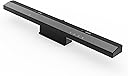
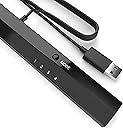
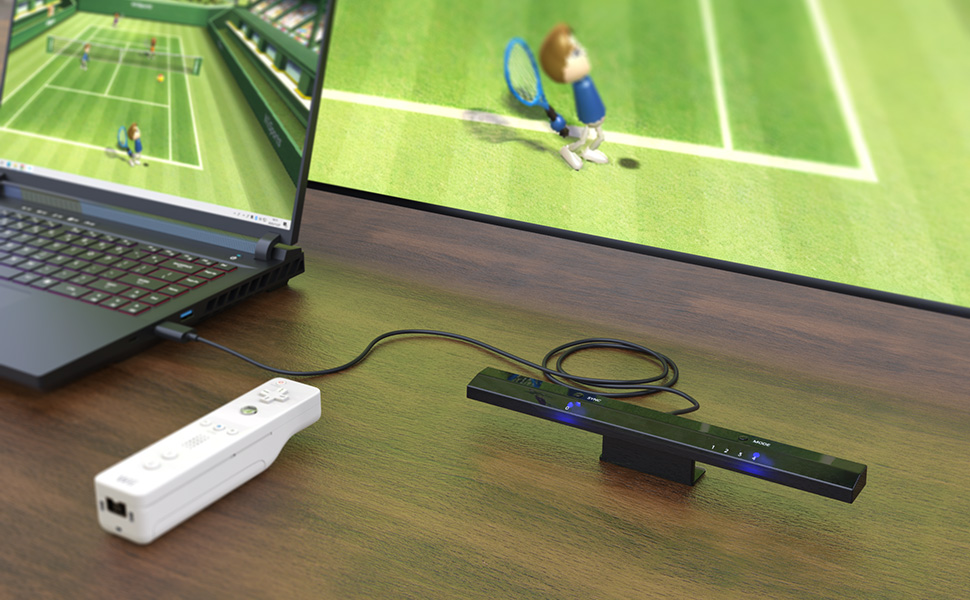
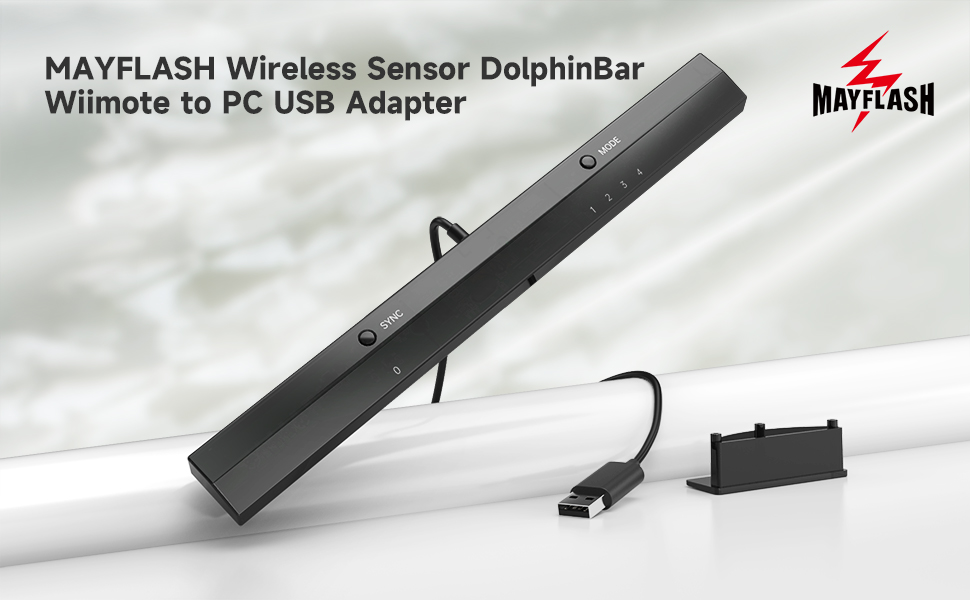
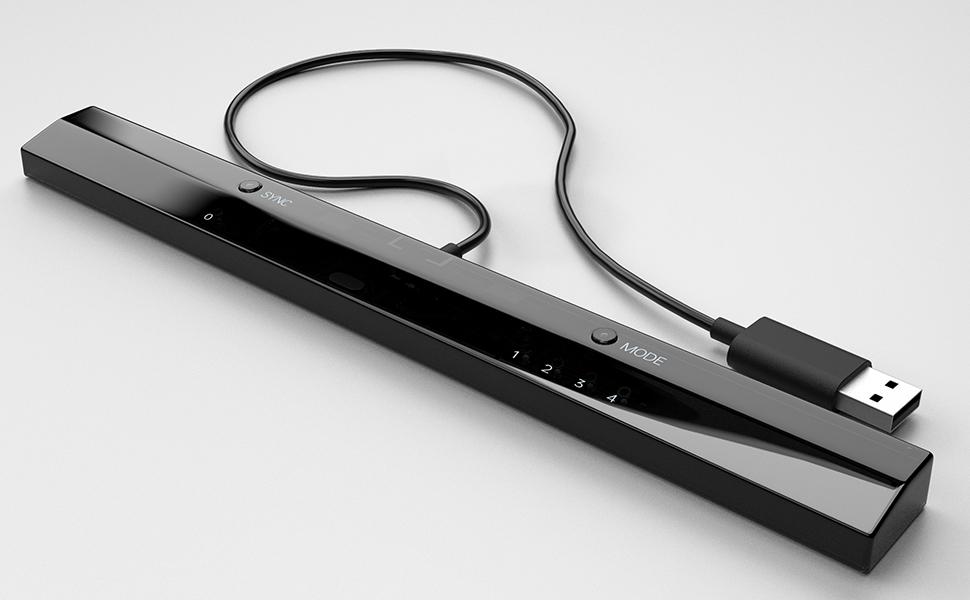
The MAYFLASH W010 Wireless Sensor Dolphinbar is a compact USB adapter that connects Wii Remote Plus controllers to Windows PCs via Bluetooth. It features an anti-shake cursor for enhanced precision, supports multiple controller types including GameCube via adapters, and requires no drivers for easy plug-and-play setup. Optimized for Dolphin emulator mode 4, it delivers near-OEM sensor bar performance, making it the go-to choice for millennial gamers seeking nostalgic yet cutting-edge gameplay on their PC.


| ASIN | B00HZWEB74 |
| Best Sellers Rank | #624 in Video Games ( See Top 100 in Video Games ) #1 in Wii Sensor Bars #195 in PC Accessories |
| Brand | MAYFLASH |
| Color | black |
| Customer Reviews | 4.5 4.5 out of 5 stars (5,395) |
| Date First Available | January 23, 2014 |
| Hardware Platform | PC |
| Is Discontinued By Manufacturer | No |
| Item Dimensions LxWxH | 10 x 1 x 0.7 inches |
| Item Weight | 0.188 ounces |
| Item model number | W010 |
| Manufacturer | MAYFLASH |
| Operating System | Windows |
| Power Source | Corded Electric |
| Product Dimensions | 10 x 1 x 0.7 inches |
| Series | W010 |
R**F
This is what you want--just be sure to download the right version of Dolphin and set to mode 4
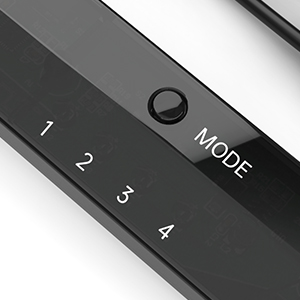
I lost my Wii in a divorce back in 2011, though at times I missed it. I didn't miss having another power brick; I didn't miss finding a home for another gizmo; and I didn't miss component cables. I've been HDMI only since then, and while there are some adapters that let you use a Wii via HDMI, this allows me to use my HTPC to run the Dolphin emulator. Dolphin is free (as in speech), works very well, and though it works with any controllers (can emulate Wiimotes or GameCube controllers using anything that works on your PC), it allows you to use authentic (or knock off) Wii controllers. Wii sensor bars are a misnomer, as the bar does no sensing (the Wii remote does that), but they need power for their USB emitters. Wireless sensor bars work, as do any number of other solutions, but this is among the best. That's not the magic bit, the reliable Bluetooth connection for Wii remotes is what's special. There are other solutions, but not cheaper nor easier. This is what you want. Setting it up is kinda easy once you know what to do. It took a bit long to figure out what to do, so let me help you. Note I didn't bother with the included CD for a variety of reasons (notably I don't have a built in drive on my machine). * there is no driver required nor available. Try as I might to find one, it doesn't exist. * there is a firmware update, and as it's tiny and easy to install, we'll start there. 1) Download the firmware update at http://www.mayflash.com/support/download/ (look for W010 Wireless Sensor DolphinBar MAYFLASH DolphinBar) 2) Unrar it (need to do this twice) and run updater (note sensor bar not plugged in) 3) while holding synch, plug sensor bar into usb port (a good quality extender should work, but unpowered hubs not recommended) 4) after plugging in and releasing synch, option to install firmware will pop up; Update firmware (take a second, as it's tiny) 5) there's a hardware switch for above and below TV placement on the back of the bar (never seen one of those), so fill that out. Also change to mode 4 6) Make sure your copy of Dolphin is a recent one from dolphin-emu.org (not dolphin-emulator.com--that caused hours of issues!) 7) Pair Wiimote(s) and everything should work with default settings. You may want to verify "continuous scanning" is enabled on the controller settings (I believe it was defaulted to on). * note that the Wii Remotes will automatically turn off in time, but using the power button will turn it off sooner. * all accessories (classic controller, nunchuck, etc...) should work * four controllers should work * I got 90-95% OEM Wii sensor bar performance (it has a harsher cut off than I recall, but when pointed at the screen, it works great). * remember that Dolphin like a Wii has a software setting for above/below TV placement * the cable is disgracefully short, though it does kind help in cable routing, as you basically run the extender cable to the TV and plug this in there. I had no issues with a quality (though only $6-8) USB 2.0 extension cable. There are reported issues with unpowered hubs. My biggest hardware issue came from not knowing what mode to use (If everything else wasn't so good I'd deduct a star). 1&2 aren't really for gaming. 3 kinda works, but it's not what you want. Choose mode 4. Note you can change modes with the Wiimote (press home and the D pad--each direction corresponds to a different mode). The biggest issue overall is downloading from the wrong site. It's latest version wasn't recent and simply wouldn't work. Use mode 4 and a recent version from dolphin-emu.org, and you should be fine!
R**.
Works flawlessly
Works flawlessly. Just switch it to Mode 4 and you can easily start connecting Wii remotes straight to it. Then, on Dolphin, have the controller set to "Real Wii Remote" and it'll work just like it would on a normal Wii. Great product!
A**R
Works Perfectly
This product works great with Dolphin. Setup is fairly easy: - Connect Dolphinbar to computer (I used a USB hub but other people have reported issues with those but none for me) - Make sure the Dolphinbar is set to Mode 4 - Press "Sync" on your Wii remote and the Dolphinbar. Now your Wii remote is paired with your computer. You do not need to go into bluetooth settings on your computer at all. -Open Dolphin emulator. Click the "controller" icon in Dolphin. Set "Emulate the Wii's bluetooth adapter" under the Wii Remotes section. Select "Real Wii Remote" from the dropdown and you should be all set! (I also clicked continuous scanning and enabled the Wii remote speaker). Long story short, it worked fine for me with little fussing about. The only issue I ran into was having to adjust its placement in my entertainment console. Two minor gripes: First, the unit has two prominent LEDs that are on. I don't think there's a way to turn them off. They're fairly noticeable sitting right underneath the TV. Second, the range is only about 10 feet or so before the Wii remote cursor starts wobbling and jittering on screen. It may not work well for use cases farther than that. This might be a limitation of the Wii remotes themselves rather than the sensor bar though. All in all, this product works exactly as advertised. Update: Several days later and this thing just continues to work flawlessly - it's fantastic. One thing I have learned is that the Wii remotes stay connected and powered on indefinitely - they will not automatically turn off (I've left them on overnight twice now). The solution is simply to hold the power button on the Wii remote, causing the controller to turn off but having no effect on your computer.
M**G
Instant four-player fix in Dolphin
Worked perfect and amazing to game in Dolphin on both Windows 10, Windows 11, and macOS 16 Sequoia on my M1 MacBook Air. It has modes to emulate a mouse. Be sure to save the instructions and change it to “mode 4” which acts like a regular Wii Controller. In Dolphin I only had to set the controllers to “Real Wii Controller” for all four players to get some 4K Mario Kart Wii gaming action happening. I did not have to select the “bluetooth pass-through” option to get this to work. Highly recommended for anybody, but especially for those on macOS as modern Macs have trouble pairing more than one Wii Controller due to bluetooth handshake issues and the Wii Controller’s non-standard bluetooth implementation.
A**S
Great product, but kind of difficult to set up.
This worked great for me. It let me play Wii games on Dolphin Emulator with a real Wii remote. It was kind of hard to set up and I had to look up some tutorials on it, but once I got there it worked flawlessly. However, after long use, the infra-red light went out and I can’t use it as a sensor bar anymore. However I found an easy fix for it with just a plain USB sensor bar that I bought. Found it on Amazon too, but you gotta make sure it is USB and not a Wii sensor bar replacement, since your computer probably won’t have a port for the regular Wii sensor bar. I just used that as the infra-red light I needed and used this mayflash bar as the connector for the Wii remote and it worked great!
J**A
Llego en buen estado, tardo un poco pero funcionan correctamente tal cual como un Wii, probé solo con wiimotes originales además que con este accesorio ya no ocupas un módulo bluetooth adicional, desconozco si también funcionan con terceros, solo he probado en SteamOS y todo correcto. Recomiendo leer el manual antes de usar, tiene varias configuraciones
I**.
While I was impressed with the great build quality and apparent functionality of this product, it ultimately didn't suit my needs because my controllers weren't compatible. I'm confident it would perform flawlessly with original Wii controllers, so I didn't want to penalize the rating for my specific situation. For anyone seeking a quick and easy solution that bypasses the complexities of Bluetooth passthrough, this is an ideal choice. Just a heads-up: if you're using third-party controllers, they might not work with this adapter, even if they're recognized through Bluetooth passthrough – that was my experience
S**N
Why I Bought It Dolphin, of course. Seeing how my Wii sensor bar is proprietary and wouldn't connect to an HTPC, I looked into getting a wireless sensor bar and luckily heard about the DolphinBar before spending money a dedicated wireless bar. Having been through the pain of futzing with getting Wiimotes recognized on a PC, I was instantly intrigued by the DolphinBar. A couple of caveats: My HTPC is Windows so I can't speak to its effectiveness on Mac. I also have my original Wii controllers with the Motion Plus attachment so I can't speak to third party wiimotes either. What I like * It just works. I didn't even install the enclosed drivers, upgrade the firmware or read the manual. When you plug it in, it defaults to mode 4, which is the mode you want for Dolphin. Mode 3 lets your Wiimotes work as HID controllers for other apps. I didn't spend much time in Mode 1 or 2, which appear to be keyboard/mouse emulation. The amount of time you'll save by just getting this bar is worth the price alone. * Worked fine with my classic controller and my Intec fighting stick (which oddly enough sometimes has issues on my actual Wii) * Pairing - super easy. Just press the pairing button on the bar and the one on your controller and bang, you're done. * Dolphin - click on "Refresh" in the controller config and the Wiimotes are detected right away * Optional stand elevates it about an inch * Looks nice enough What I don't like * It is super lightweight, which means it will possibly shift around or even get knocked onto the floor if you even just touch the cord. This applies to both the bar and the stand. * The cord is super short -- just a few feet. * Your mileage may vary, but those LEDs in the front of bar may be a distraction. You can cover it with electrical tape, but then you wouldn't know the status of the bar. Perhaps the solution to that would be a hole punch? * Would have been nice if the cord was detachable. This way you can replace it with an extra long cord vs having to use an extension. Tips * In Dolphin's controller configuration, enable "continuous scanning" - I found that it automatically detects your controllers when you restart Dolphin * You probably don't want Windows Explorer open while messing around with the mouse/keyboard emulation, it's very easy to accidentally drag a folder and drop it somewhere * If you don't have a USB extension cord, make sure you add one to your cart before checking out, otherwise you may be scrambling to find one after it arrives, due to the short cord. * If you're using it with a laptop, make sure you're a decent distance from the bar, otherwise the Wiimote may be too close to be picked up as a pointing device. * You will definitely want to find a way to securely mount the bar, it looks super easy to knock onto the floor. Other Notes * While the bar uses Bluetooth to talk to the Wiimotes, it is NOT a Bluetooth dongle. If you want to connect additional Bluetooth devices, you will need a separate Bluetooth dongle. * I did not not test it with my nunchuk, but I assume it should work fine. * I did not test it with my Wii balance board, although I have seen reports that it will work fine.
B**D
It’s working fine except the IR it’s working with lots of issues that’s why it’s 4 stars
K**I
Product received in good condition . Thks
Trustpilot
2 weeks ago
5 days ago