


๐ Master your multi-device universe with ultra HD clarity and effortless control!
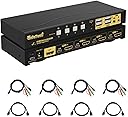
This 4-port HDMI KVM switch lets professionals manage up to 4 computers using a single keyboard, mouse, and monitor setup. Supporting 4K UHD at 60Hz with HDR10 and HDCP2.2, it ensures superior video quality. Compatible with major OS platforms and featuring audio input/output ports, it offers versatile connectivity and flexible switching options including hotkeys, mouse, front panel, and remote control for seamless multitasking.




| ASIN | B0D1YBWJNJ |
| Actuator Type | Push Button |
| Best Sellers Rank | #886 in KVM Switches |
| Brand | JideTech |
| Brand Name | JideTech |
| Circuit Type | 4-way |
| Compatible Devices | PC, Servers, Hard disk, NVR, Game consoles, AppleTV |
| Connectivity Protocol | USB HDMI |
| Connector Type | Plug In |
| Contact Material | Copper |
| Contact Type | Normally Open |
| Control Method | Remote |
| Control Type | Full |
| Controller Type | Push Button |
| Current Rating | 2 Amps |
| Customer Reviews | 3.5 out of 5 stars 34 Reviews |
| Included Components | 1*USB power adapter 4*USB 3.0 cable 4*HDMI cables 1*manual 1*wire remote |
| International Protection Rating | IP54 |
| Item Dimensions | 2.95 x 0.97 x 8.07 inches |
| Manufacturer | JideTech |
| Material Type | Metal |
| Model | 64H2UA |
| Mounting Type | Surface Mount |
| Number of Items | 1 |
| Number of Positions | 4 |
| Operating Voltage | 5 Volts |
| Operation Mode | ON-OFF |
| Part Number | 64H2UA |
| Specification Met | CE |
| Switch Type | Push Button |
| Terminal | Spade |
| Unit Count | 1.0 Count |
| Upper Temperature Rating | 60 Degrees Celsius |
P**I
Works with my set up but I HATE the BEEP
UPDATE 2: I was having some struggles with the audio, and finally got my RGB speakers to work by turning on the hot keys, and then CTRL+CTRL+P+ENTER to enable the "loudspeaker" setting. This is also in the manual. UPDATE: I was able to disable the beep! It's amazing how helpful reading the user manual can be... With the hotkey thing on, you press the right CTRL button twice, then B, then Enter. Don't hold them! So my set up is a brand new PC I built like last week (Dec 2024) and a work laptop that's currently a lenovo thinkpad of some sort. I additionally have my mechanical keyboard (wired) and my logitech mouse that uses a USB dongle plugged in. When I initially set everything up, my mouse kept becoming unresponsive, but once I turned off the "hot key" thing, all was well! My keyboard initially had some issues being recognized by both PCs, but I'm typing this review with my keyboard connected through the KVM now. I just had to unplug it and plug it back in, which is an issue I've had occasionally with my previous KVM as well. I assume (based on my limited experience) that this is just a thing that happens sometimes. I was also very impressed with the build quality of this! It's hefty! I love that it comes with a remote too. My one complaint is the fact that when you switch from one PC to another, it lets out a single beep that is as loud and shrill as my fire alarm and I CANNOT stand it. It doesn't matter if it only lasts a second, it's the worst!! If someone can tell me how to disable it, or I figure out how to disable it on my own, I'll report back. Overall though this thing is great so far.
A**E
Keep you fingers crossed
This product worked great, it did everything that it advertised ... and then just stopped working before it was a year old. As in, it would beep when powered on, but immediately go completely dark and powerless. I hope the rest of you have better luck.
J**S
Very good KVM, until it suddenly isn't
I was extremely happy with this KVM. It had some audio crackling, but switching audio was not a priority for me. However, after using it with no problems for about two months, I plugged in a new USB device, and the HDMI on the KVM just quit-- black screens on all devices, no more HDMI throughput on any of the channels. If not for that, I would have been extremely happy with this KVM. I am giving it four stars because I assume this was just some random manufacturing defect and I had bad luck. It did fail within the warranty period and Amazon would have replaced it free of charge if I wanted. I opted to go with another solution because I don't want to risk a similar incident in the future.
R**.
Once I got all the cables hooked up everything worked.
I tested this KVM switch with 3 different computers: A Windows 10 deskside tower, a Ubuntu Linux 22.04 deskside tower, and a Windows 11 laptop, as well as an HP LaserJet 1012 printer. All three computers were able to transmit sound via HDMI to my 23 inch diagonal monitor's internal speakers. I also successfully tested non-HDMI audio output on the Linux computer via the combination USB/3 mm audio cable to a separate 3 mm audio input to my monitor's internal speakers. I was able to change the Linux audio output between the HDMI and 3 mm audio output using the Sound Settings application. The printer worked on all 3 computers. (I had the printer itself plugged into the USB 2 hub port in the front of the KVM switch.) The only minor issue I encountered is that my Logitech wireless mouse transceiver only worked reliably when plugged into the other USB 2 hub port of the KVM switch. The wired keyboard worked fine when plugged into the intended keyboard USB port on the KVM switch.
B**R
Cheap KVM switch.
It worked for a couple of weeks until the 1st port failed. The included cables are very weak and made with the same quality as any Chinese made USB cable. Spend more money and get something better.
C**S
It's a great little KVM, until you replace a mouse/USB device and it kills it.
7 months in, I replaced the mouse used with this KVM. After this, that mouse USB port is no longer recognized, and I lose video out on the HDMI. Re-reading some other reviews this is *exactly* what happened to me too: "I plugged in a new USB device, and the HDMI on the KVM just quit-- black screens on all devices, no more HDMI throughput on any of the channels." So putting this out there as now 'happens too often to be a coincidence'
C**M
Very Good KVM
This is a great KVM. I picked this one because it had hotkey support, and 3.5mm audio + mic input and outputs for every PC port (a very desirable feature that isn't commonly found in KVMs). The KVM's audio routing doesn't seem to have built-in "3.5mm audio ground loop isolators", I can hear a background buzzing sound when i tried routing PC audio through the KVM. When I used a "3.5mm audio ground loop isolator" between "PC audio out" and "KVM's audio in", it removed the buzzing noise typically caused by electromagnetic interference (EMI). Having this setup makes audio routing a lot more manageable when you want audio directly from each PC's sound card (enhanced equalizer software) instead of generic HDMI audio. switching between PCs is very fast, approx 1.4 seconds (timed using stopwatch), tested using KVM's hotkey performed by my keyboard's dedicated macro keys. gaming mouse passthrough fine when using the KVM's usb2.0 hub ports.
M**E
Good at first but Failed after a year
HDMI started failing after a year. Not total fail, but constant display cutouts and some last indefinitely. Failed just in time for warranty period to end. Its super cheap but you get what you pay for.
Trustpilot
5 days ago
1 month ago