Desertcart purchases this item on your behalf and handles shipping, customs, and support to Kenya.
🚀 Elevate your multi-device workflow with 4K clarity and instant control!
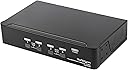
The StarTech 4-Port DisplayPort KVM Switch (Model SV431DPUA2) enables professionals to control up to four Windows or Mac computers via a single keyboard, mouse, and 4K 60Hz DisplayPort monitor. Featuring a built-in USB 2.0 hub and audio passthrough, it supports MST for multi-display setups and offers both hotkey and push-button switching. Its compact steel design is TAA compliant and backed by a 3-year warranty, making it an ideal solution for high-res multimedia, post-production, and multitasking environments.


| ASIN | B079NYVT8R |
| Actuator Type | Push Button |
| Best Sellers Rank | #429 in KVM Switches |
| Brand | StarTech.com |
| Brand Name | StarTech.com |
| Circuit Type | 4-way |
| Color | Black |
| Compatible Devices | Windows and Mac computers |
| Connectivity Protocol | Usb |
| Connector Type | Usb |
| Contact Material | Gold |
| Contact Type | Steel |
| Control Method | Touch |
| Control Type | Switching between multiple computers and managing USB peripherals |
| Controller Type | Push Button |
| Current Rating | 1.5 A |
| Customer Reviews | 3.9 out of 5 stars 28 Reviews |
| Global Trade Identification Number | 00065030826372 |
| Included Components | 4xFoot Pads,1xUniversal Power Adapter, 1xQuick-Start Guide |
| International Protection Rating | IP54 |
| Item Dimensions | 8.7 x 5.2 x 1.8 inches |
| Item Type Name | KVM Switchbox |
| Item Weight | 2.3 pounds |
| Manufacturer | StarTech.com |
| Material Type | Steel |
| Model | SV431DPUA2 |
| Mounting Type | Plug In Mount |
| Number of Items | 1 |
| Number of Positions | 4 |
| Operating Voltage | 12 volts |
| Operation Mode | Push Button |
| Part Number | SV431DPUA2 |
| Specification Met | RoHS, WEEE |
| Switch Type | Temperature Switch |
| Terminal | Physical |
| UPC | 065030826372 |
| Unit Count | 1 Count |
| Upper Temperature Rating | 40 °C |
| Warranty Description | 3 Year |
| Wattage | 18 watts |
H**R
No issues yet
I got a "StarTech" 2-port mini displayport KVM awhile back. It worked poorly and died after a few months. So I was reluctant to buy another from the same company, but this one is working fine so far. I'm using a Dell USB-C dock and linux reports the monitor is running at 4k 30Hz. My linux desktop reports 4k 60Hz. There are no display artifacts. The shortcut to switch computer by keyboard works. Buyers should note that, especially with a KVM between computer and monitor, the cables you use can make or break the setup. Buy good cables in the shortest length you possibly can. The cable between the KVM and my monitor is only 2ft long.
V**K
Great, but requires homework
I've used this for 3 years and I'm quite happy. To echo others, it has issues with HDMI to DP which can ONLY be solved with a converter that has an extra USB connector. Overall, it wasn't a deal breaker for me. I love how with 4 USBs I have enough for a keyboard, mouse, camera, and on-desk mic. I've sometimes used it with 4 laptops (like when I had my own Mac and PC and a work Mac and PC), but I currently use it with my gaming PC, my work laptop, and a Mac mini that was overwritten with Fedora. I use the same keyboard with all and just reprogram all Mac keyboard shortcuts to Windows standards. CAUTION for those with powerful microphones: check what your USB version needs are. If not everything is backwards compatible.
D**N
Great KVM, but not for every setup
This is working well for me; however, only 4 stars because it does not work with certain setups. My display is a 4K IPS monitor from Monoprice. My late 2013 Macbook Pro connected with mini-displayport to the displayport on the monitor worked fine. However; my late 2013 Macbook Pro connected with mini-displayport to the KVM displayport, and then to the displayport on the monitor did not work (distortion on the screen and frequent blackouts). Later I upgraded to a 2018 Macbook Pro and connected a USB-C to displayport cable to the KVM displayport and then to the displayport on the monitor and all is working well. Beautiful 3840X2160@60Hz.
L**N
Was skeptical but it works perfectly
I've had a decades-long love/hate relationship with KVM switches. When they work, it's great, but often past versions would lock up, not sync, etc. This one works perfectly, at least for 4K 60Hz video (that's all we're using it for). And the heavy metal case keeps it from sliding around when you push a button on the front. UPDATE: Originally we only used this for switching video, but now I have a PC and a Mac connected to it, sharing a mouse, and both sending music to an external DAC and headphone amp. This also works perfectly. (The only reason I'm not also sharing a keyboard is that keyboards have different keys for PCs and Macs.)
G**N
Very good 60Hz 4K video, but it didn't work for me.
Bought this to switch my 40" 4K monitor between 4 computers, 3 of which support 60 Hz. I was very worried that the switch would not handle 4K 60 Hz, but so far it has done an admirable job with all the odd old cables, some of which I've had for about 5 years. The Amazon basic DP cables work very well with it. So far I've used 3, 6 and 10 foot cables, no worries. The Amazon cables are elegant, thin and flexible, so I'm glad they work well. When you flip between computers, the computers see your monitor vanish and then reappear. You can see this very clearly if you have a second monitor attached because the second desktop resizes when you switch computers. This drives a poor quality monitor, like the Philips BCM 4065 nuts, because it has a lot of trouble syncing up with 4K 60Hz in the first place, and often goes into power save, or reverts to 30Hz. Switching off and back usually fixes it. Better quality monitors handle it just fine. On Windows and Linux, Nvidia video cards seem to be able to recover from the switch. An old Dell Latitude of mine often fails and must be rebooted to recover. When I plugged my favorite keyboard and mouse into the KVM, I found the keyboard dropped characters and the mouse stalled like I had a bad spot on my mouse pad. At first I thought I was becoming a bad typist, and I repeatedly cleaned my moused pad and switched batteries trying to fix it. Eventually I discovered it was the KVM, and called Startech Tech Support. They told me the problem was my lighted keyboard (a pretty stock WASD Code Keyboard) and my wireless mouse (A Logitech Anywhere MX). They recommended I switch to a cheap stock keyboard and a wired mouse. That did seem to fix it, but I don't want to type on a cheap keyboard, or use a wired mouse. I like my keyboard, which has a standard layout and no funny stuff. I also like my premium Logitech mouse, which is not a gaming mouse. It's a pretty standard mouse, except that it even works on a glass tabletop. I'm not ready to switch. Fortunately, I got around the keyboard/mouse problem by plugging into the two accessory USB ports, which appear to just send stuff right through. Doing that means when you switch computers, your OS sees your keyboard and mouse appear and disappear, the same way the display does. This can drive keyboards, mice and OS software crazy. My lighted keyboard has an orgasm every time I switch, but it seems to recover okay in a second or two. The mouse handles it fine. Now as anyone who's used a KVM knows, when booting a computer, you should always select the computer and not switch away until the OS is running. Most computer boot firmware doesn't take kindly to missing monitors and keyboards. They tend to hang and not come back. Alternately they misjudge your model of keyboard and mouse, and refuse to work correctly until you reboot with those peripherals connected. It's important to know I understand this before reading the paragraph that follows ..... The one problem I couldn't get around is that I have a couple home-brew machines, one with an ASUS, and one with a Gigabyte motherboard. Both of those machines will boot just fine when connected to my 4K hardware, but they won't boot when connected through the KVM, and nothing is displayed to tell me why. One of them will boot when connected through the KVM to an HD monitor, but the other one will not. I don't know why, and a problem like this is hard to debug. The ASUS just gets stuck, but the Gigabyte complains that the overclock settings are bad, and reboots over and over again. I know the Gigabyte is complaining about overclock only because the message is there when I connect directly to a monitor. My Dell laptop will not boot through the KVM, but if you open the lid before boot, it will boot just fine. My Dell tower boots and runs just fine. I bought this Startech KVM to replace my old Avocent KVM, which had none of these problems, but could support only a single link DVI monitor. With the Avocent, I had none of these problems, although about once a week my keyboard would start flashing, and would have to be unplugged and plugged back in. WASD said that problem was my Avocent, and I believe them. I've come to believe that no KVM is perfect. Over the last 20 years, I've owned or regularly used a half-dozen KVMs at home and at work. Most of them had bothersome quirks, because it's really hard to make a KVM that works with everyone's hardware. I've across a few I couldn't use, and this is one of them. So, in spite of the excellent 4K 60Hz display, it didn't work for me, and I had to return it. This KVM is definitely worth considering if you have regular old name-brand computers, a stock keyboard, and a wired mouse. For one thing it is significantly cheaper than the competition. It might work for you and save you a bunch of money. I hope so.
M**O
what the
It says 4k on the box 3180 but its NOT 4k 2550
P**L
Easy switching between several computers
Works exactly as described. High quality item.
B**N
Works well, but for $350.....
...should have come with cables.
H**E
Success with DP
This product worked out of the box as a DP/DP solution, however despite using a 4K DP/HDMI cable, it failed to connect my HDMI laptop. Tried researching for solutions such as DP/HDMI converters etc but found the mixed reviews and lack of quality advice frustrating. I’m using the monitors HDMI port for the laptop, which is annoying when I’ve a £400 kvm on my desk! The unit comes with a good selection of cables. The button array on the unit isn’t as tactile as I’d expect. Each button press comes with a beep which as far as I’m aware can’t be turned off. The switch latency between multiple devices is reasonable - Difficult to quantify in words unless I had a device to measure in milliseconds, so apologies if my review lacks that detail. I’ve not had any errors or unexpected behaviour since installing so overall I’m happy with the performance. Price wise it’s on the high side as a home purchase but necessary I think if working from home and need a reliable solution. The sound quality is questionable. It wasn’t a factor for me but I use occasionally and find it lets the unit down with interference, intermittent connectivity and generally very poor sound quality in both head phones and desktop speakers. I wouldn’t recommend this device if sound connectivity is an important requirement. Others may have a different views and experiences.
T**2
若干ですが問題あり
1か月以上使用した感想を書きます。 Display Portケーブルはできるだけ短いものを使用しましょう。 長いと不安定になります。私はAmazonベーシックを使っています。 また、キーボードとマウスは、有線のものを使いましょう。無線だと相性問題がでます。 ごく稀に映像信号が途切れることがありますが、すぐに復旧します。 それ以外には特に問題はありません。しっかりと4K60Hzで表示されます。 切替にはおそよ3秒~4秒ほどかかります。Ctrlキーを2回押して数字キーを押すと切替できるので便利です。もちろん本体のボタンによる切替もできます。 USBケーブルとDisplay Portケーブルは別途購入する必要があります。 USBケーブルは(タイプAオス - タイプBオス)を購入しましょう。
H**E
切り替えにまごつきます
4K60Hzに対応する国産のKVMスイッチがないため、購入しました。 4台のパソコンを接続し使っていますが、パソコンの切り替えがスムーズでなくいらいらします。 1番に接続したパソコンの画面はストレスなく映りますが、そこから他の番号に切り替えると、~60秒ほど かかります。その間のディスプレイの省電力設定が有効になりスリープ状態になってしまいます。 以前使っていたKVMではそのようなことは一切なく、やはり「海外製」という印象です。 サーバの監視用途では問題ないのかもしれませんが、当方のように手動で頻繁に切り替える使い方には 向いていないようです。 製品は小型で置き場所もとらず ソフト切り替え (Ctrlキー ×2 + 1~4)ができる点は評価できるので、 切り替えがせいぜい5秒以内になれば良いと思います。 続 先日、#2に切り替えた時マウス、キーボードが認識しなくなりました。 今現在も4K,60Hzに対応した4ポート切り替え器が見つからないため我慢して使っています。 品質の点ではToo Bad です。 続2 ついに、#1-#4すべてで切り替え時キーボード、マウスを認識しなくなりました。 パソコンに直接接続すると動作するのでキーボード、マウスの故障ではありません。 また、別のキーボード、マウスを接続しても動作しないことから内部的な不具合と 思われます。 さらに調べると、4つあるすべてのUSBが使えなくなっていることを確認しました。 現在、映像信号のみの切り替え器と化しています。
博**司
動作不安定
切替て画面が表示されなかったり、マウスやキーボードがきかなかったりと動作不安定です。 2023/07/06追記、画面表示についてはショップより使用している変換アダプタ(パッシブタイプ)が原因とのことで、変換アダプタを同社のアクティブタイプへ変更し解決しました。 マウスやキーボードの動作不安定については、対象PCの電源を切ることができないので確認できていませんが、マニュアル通りの接続と起動を行えは解決すると思われます。
Trustpilot
1 day ago
3 days ago