🖊️ Digitize your ideas, amplify your productivity—never miss a beat!
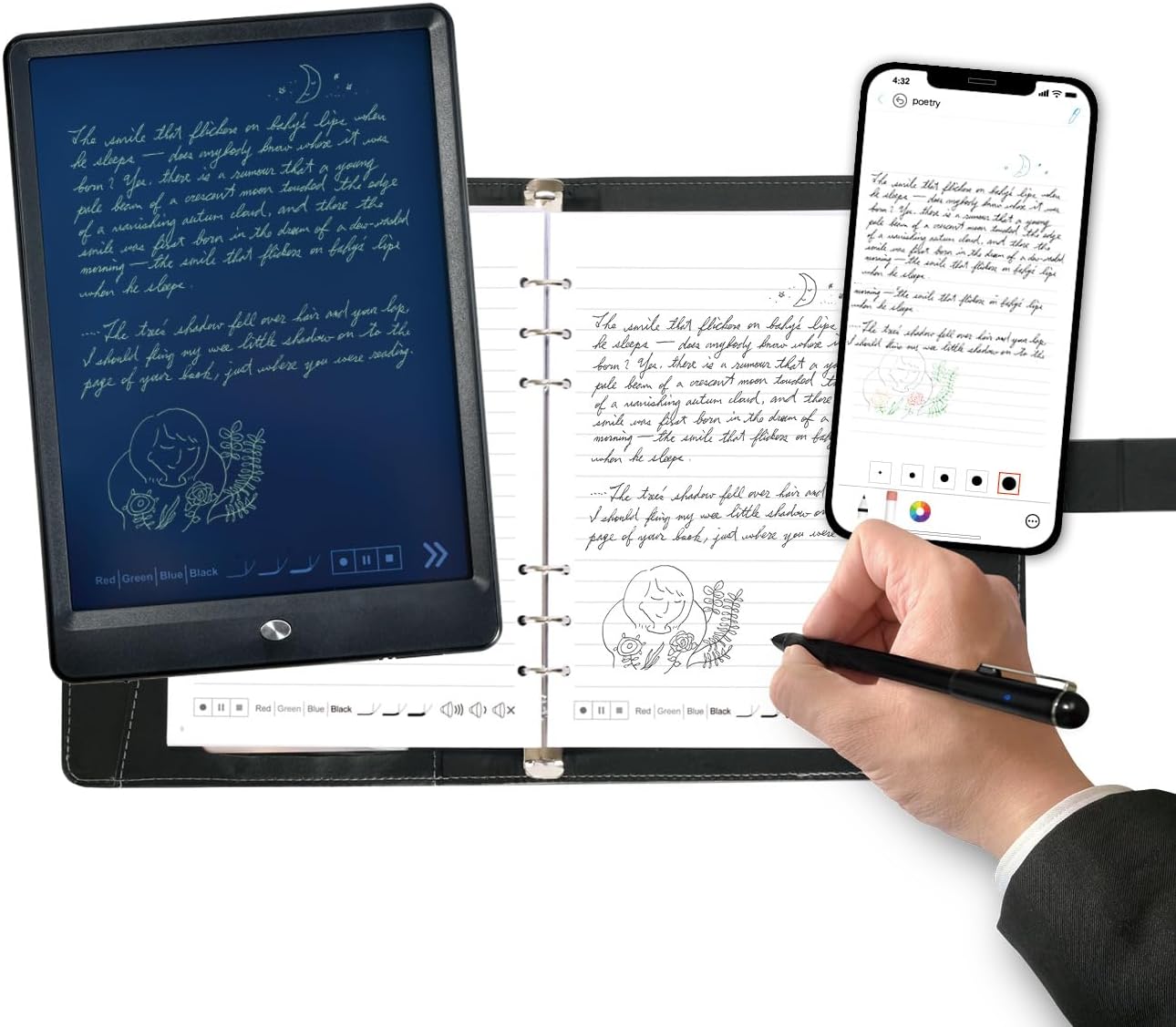
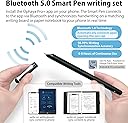
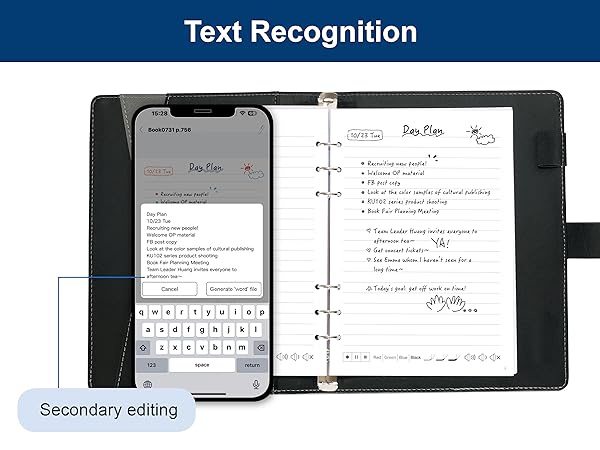
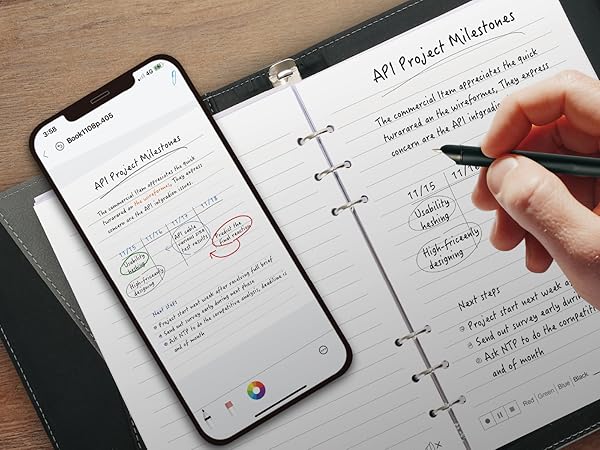
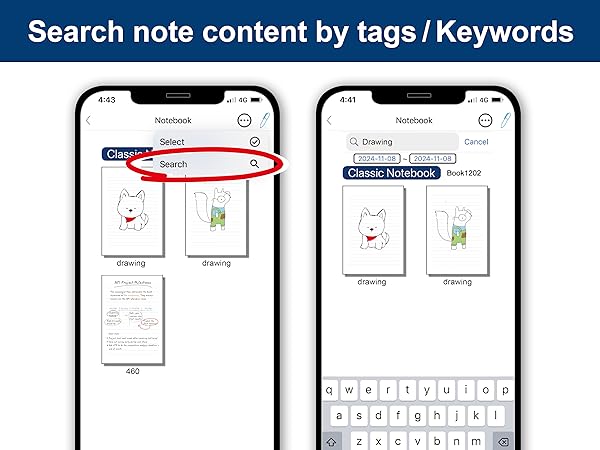
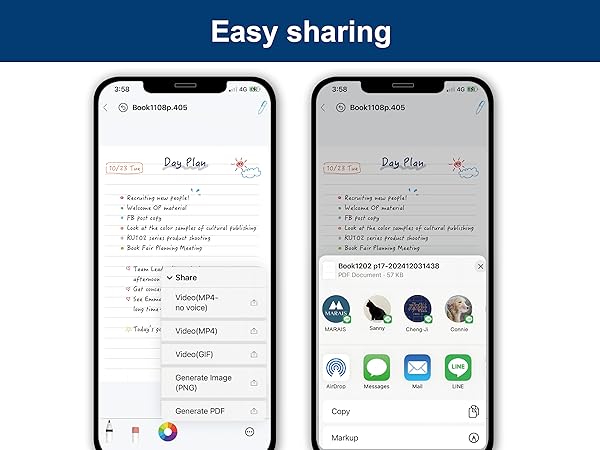
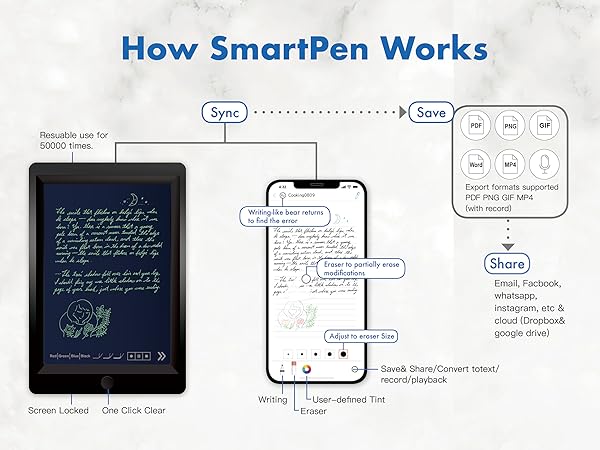
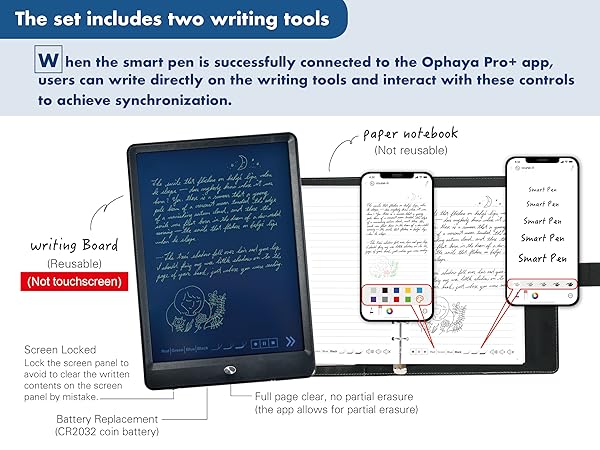
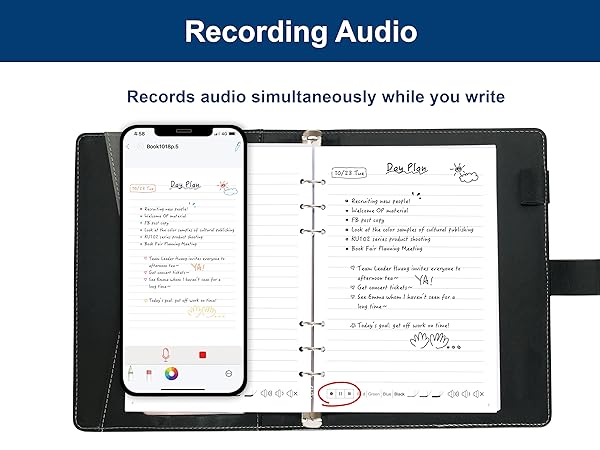
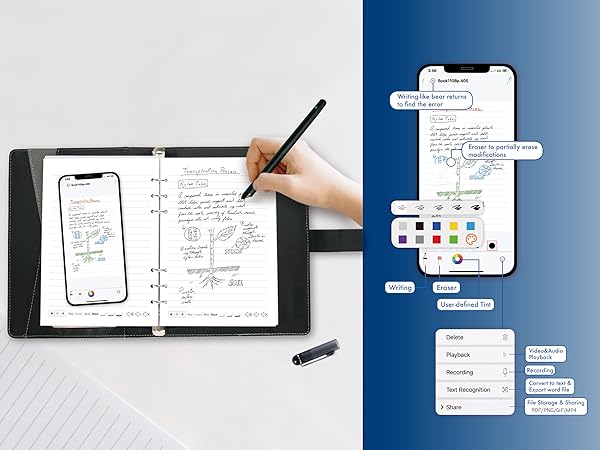
The Ophayapen Smart Sync Pen is a cutting-edge digital note-taking solution that combines a precision smart pen, PU notebook, and writing board to capture, convert, and sync handwritten notes in real-time. Compatible with iOS and Android via the Ophaya Pro+ app, it features OCR handwriting recognition, searchable notes, multi-format export, synchronized audio recording, and offline storage—empowering professionals to effortlessly digitize, organize, and share their ideas anytime, anywhere.
| Manufacturer | Ophayapen |
| Brand | Ophayapen |
| Item Weight | 2.44 pounds |
| Product Dimensions | 11.42 x 9.92 x 1.77 inches |
| Item model number | SMP-3 |
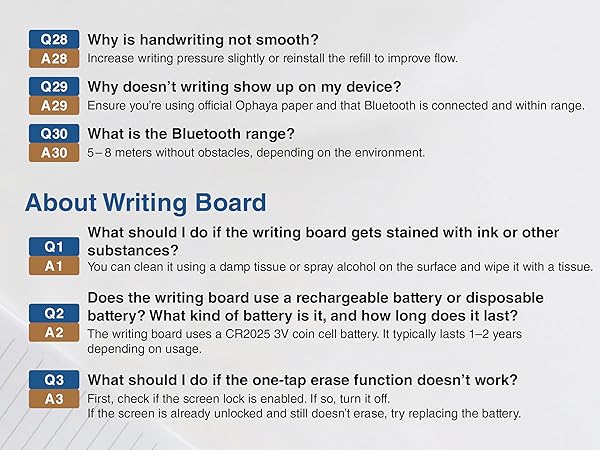
| Batteries | 1 Lithium Ion batteries required. (included) |
| Color | Black |
| Closure | Snap |
| Material Type | ps, Aluminum, Paper |
| Number of Items | 2 |
| Size | smart pen +writing board+ notebook |
| Manufacturer Part Number | smp-3in1 |
K**7
Great Product
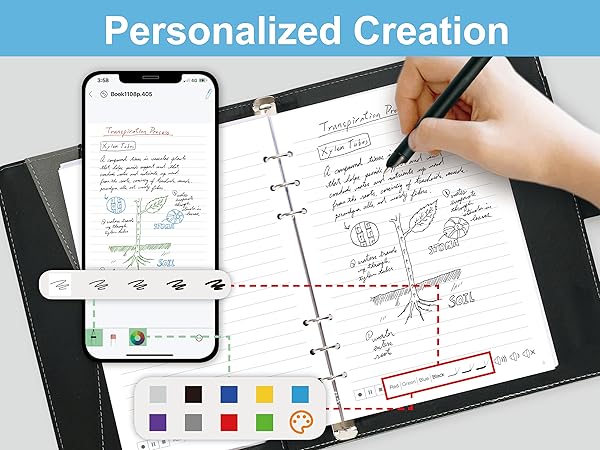
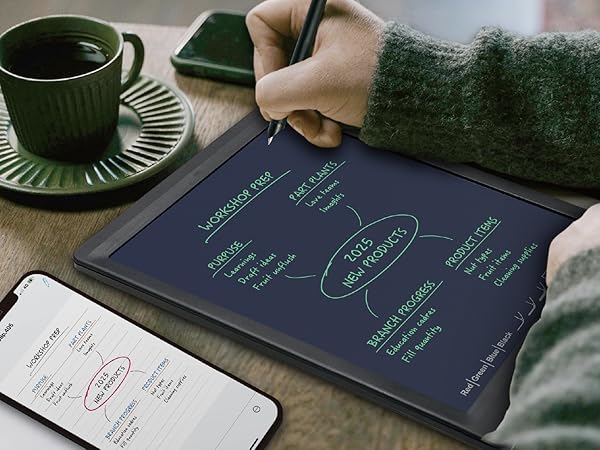
I am surprised at all the negative reviews. This was not my experience at all. I regularly read reviews and those reviews feel like someone review bombed this product.I run a lot of meetings and take a lot of notes. But typing distracts me from the flow and management of the meeting. For me, writing on paper is much less distracting. But the problem is that my notes then need to be typed up. Ophaya is the perfect solution for me as it takes my handwritten notes and, with one click, types them up on my cell phone. Then I can quickly edit through them to expand them from notes to reports or summaries.My hand writing is terrible but the first time I used Ophaya it did an amazing job recognizing my words with only a couple of misses (but I couldn’t read them either 🙄) And it did this right out of the box.It comes with a nice tablet sized notebook with paper and a very nice magnetic closing cover. The cover has space inside for spare ink cartridges, with pockets for ID, business cards, and a pen that writes on paper and on the included tablet. The tablet is perfect for sketching out ideas or diagrams like one might do on a whiteboard.It’s very simple to link your cell and the pen. When you do, Ophaya, through the free included app, automatically puts what you write on the notebook paper into the cellphone, including any doodles or diagrams.As you handwrite notes you can change the color of the digital ink with a tap to the notebook paper to keep concepts or content color separated. It’s the tool I have waited a long time for. I’m sorry I didn’t know about it sooner.
W**G
Great Smart Pen for Easy Note Taking
This smart sync pen works very well with the notebook and writing board. It can record my notes in real time and send them to my phone or iPad quickly. The text conversion is smooth, and I can store and share my notes easily. It is light, easy to use, and very helpful for both work and study.
J**T
Terrible app
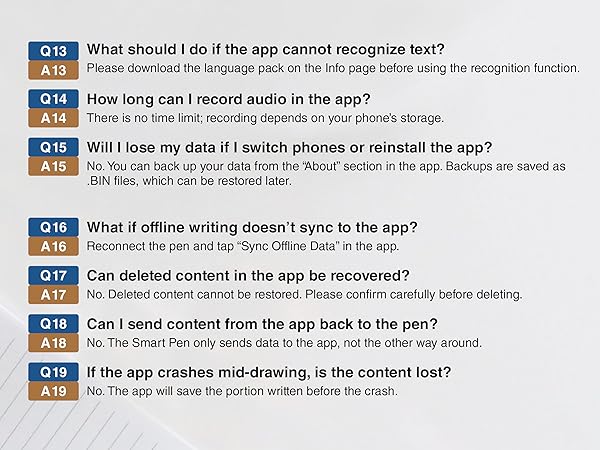
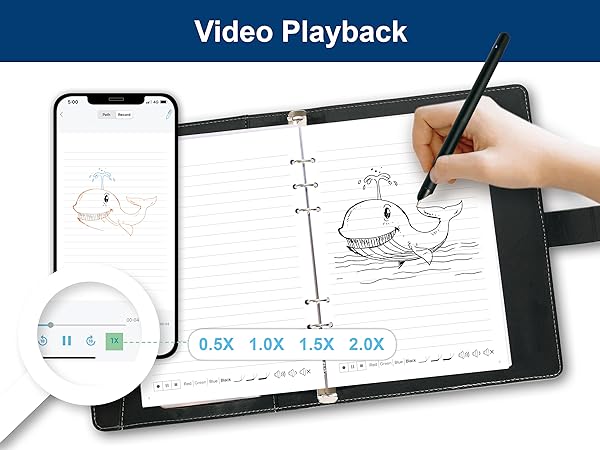
So I had previously used a Livescribe Echo and really loved it. I lost the pen and wanted to try something different. I'm really disappointed with this. A couple things to understand, the audio recording is done on your phone, via their Ophaya Pro+ app. So keep in mind that notification sounds etc will be captured in your audio. The user experience in the app for listening back to your recordings is terrible. It's extremely difficult to move through your notes and through the audio. There's no way to increase the speed of the audio (sometimes I want to listen at 1.5 or 2x speed to get to the spot I'm looking for) either. And for a recent meeting I was in, I recorded for about 2 hours, multiple pages of notes, and I couldn't navigate to different sections of my notes at all. I would expect to be able to click on a place in my written notes (in the app) and have the audio play at the point I was taking notes. Not the experience here.The tablet is a nice option for drawing or if you're just taking a few notes, but the app just falls so short of any expectations for this type of pen. Not to mention I couldn't find any way to get support for it. So if anyone from Ophaya wants to help, please let me know! I was so disappointed that my return window expired before I was able to really use this and see how terrible it was.
C**E
English Directions needed in startup manual
Nice product but difficult for me to get started with. I was trying to charge the tablet but didn't understand how to plug in the cable. I'm blind & it was just too difficult, so I gave it to my Son.
L**Z
Amazing product
The smart pen exceeded my expectations with instant sync, accurate handwriting-to-text conversion, and a natural writing feel on high-quality paper. It connects seamlessly to my smartphone, making it easy to store, share, and organize notes, while the tablet adds convenience for quick memos. It’s still a powerful, versatile tool that’s well worth the price.
D**E
It's a very helpful and fun tool.
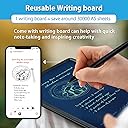
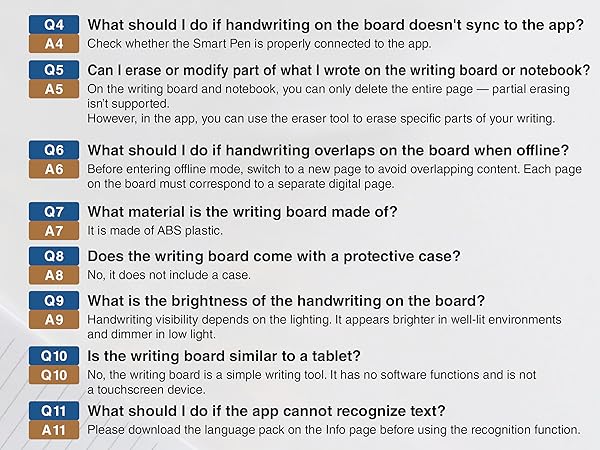
I am very much enjoying the Ophaya board and pen set. I have thus far not used the "paper" so can not comment on that. This is a very good product. I am very happy with the brightness of the new board that they gave me. They tell me now that everyone is getting this new brighter board. That's good.The fact that you can see your drawing or handwriting is a fun aspect, and the audio recording that you can append to the writing/drawing is very helpful as well.Note to those who have criticized the audio recording saying that it does not always work: I had the same experience but found a work around that works for me. Here is my way of working with this. I use the writing aspect to make a brief note on the board. Then I tap the record button on the writing board to read the note as well as any other pertinent information. Then I PAUSE the recording IN THE APP, not on the board, and write whatever I want in the board again, and then PRESS the RECORD ICON on the board to say whatever I want and PAUSE the recording in the APP to write again. Repeat till you run out of time or space or thoughts!In other words, tap to begin or resume recording only on the board, pause or conclude the recording only on the app, and write only during the pauses of audio recording and this function will work well.It's an excellent note taker when you get past that little quirk.Ophaya - when will you have a letter size board? That would be great!Original review"It works pretty well! The main thing that was not so good for me was that the writing board to me was very very dim; requiring an exterior light to see what you are writing. And then, when you use an outside light, the glare off the board made that difficult! But I contacted the company and they said that they would replace the board. Should they do that, I will report what happens when I use it, and spend some more time in the review explaining the other things that I like! I'd like to upgrade to 5 stars -- if the screen works well, I will do that.
A**A
Does what it says; with difficulty
It does turn writing into text. Yes. It does allow you to write in different colors. Yes. The app is not user-friendly. And if you lose the cap, you know, the hardest part to keep track of with a pen, be prepared to chatge it every time you have to use it. I don't feel like this has any ease of use.
Trustpilot
5 days ago
2 days ago