Desertcart purchases this item on your behalf and handles shipping, customs, and support to Kenya.
๐ Stay connected, stay ahead โ never miss a beat with Keep Connect!
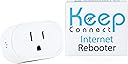
The Keep Connect Wi-Fi Reset Device is an automatic router rebooter designed to maintain seamless internet connectivity by monitoring your network and rebooting your router or modem when needed. Supporting 2.4 GHz Wi-Fi, it sends SMS or email alerts upon resets and offers remote management via a dedicated cloud app. Its compact design suits homes, offices, and remote sites, backed by reliable customer support and a 1-year warranty.


| Antenna Location | Business, Home |
| Antenna Type | Internal |
| Asin | B0C6YCQ2ZV |
| Best Sellers Rank | #5,345 in Computers & Accessories (See Top 100 in Computers & Accessories) #185 in Computer Routers |
| Brand | Keep Connect |
| Built In Media | Keep Connect Wi-Fi Reset Device |
| Compatible Devices | Devices with Wi-Fi connectivity technology, such as personal computers, gaming consoles, smart thermostats, security cameras, printers, televisions, tablets, and smartphones. |
| Connectivity Protocol | Wi-Fi |
| Connectivity Technology | Wi-Fi |
| Control Method | Touch |
| Controller Type | iOS |
| Coverage | 2.4GHz routers |
| Customer Reviews | 4.2 4.2 out of 5 stars (170) 4.2 out of 5 stars |
| Frequency | 2.4 GHz |
| Frequency Band Class | Single-Band |
| Lan Port Bandwidth | 100 Mbps |
| Manufacturer | Keep Connect |
| Maximum Upstream Data Transfer Rate | 100 megabits_per_second |
| Mfr Part Number | KC11 |
| Model Name | Keep Connect |
| Model Number | KC11 |
| Operating System | Ios |
| Other Special Features Of The Product | WPS |
| Router Network Type | 2.4GHz |
| Security Protocol | WPS |
| Unit Count | 1 Count |
| Upc | 860002944548 |
| Warranty Description | 1 year |
| Wi Fi Generation | Wi-Fi 4 |
| Wireless Compability | 2.4 GHz Radio Frequency |
User
Keeps us online
Solved our problem. Inevitability whenever we went out of town our electricity blinked and knocked out our security cameras and everything. This keeps us online. Easy to install and so far this works great!
User
Great device...Good idea
This device works great. Of course I've only had it a few days but I am very impressed. I chose this model because of the size. Pretty small. It hooked up immediately. It has nice settings in it as well. The instructions are a bit confusing so I'll try to help with tips.You don't need to download the APP. Just plug it in. Scan to the Keep Connect WiFi spot on your phone or tablet. (Didn't work on my laptop). Select the Keep Connect. It takes you to a page to make a password. Once you do that it takes you to a setup page. Find your WiFi you want to monitor. Select it and put in your Wifi password (not the password you just made) to connect to your WiFi. Save and it takes over. There are a lot of other settings, but I like the defaults. Default is: Retry up to 3 times then wait if no connection then try again in 4 hours. This protects the unit and your devices. If you want to change the settings. Just press the button on the side while scanning on your phone. Select the Keep Connect SSID again and open the browser. If you happened to catch the IP address it came up on, you can just type in that address. You can change it to a static address. But It's easy enough just to press the button. There is a setting also to once a day and a given time it reboots for those that have a router problem. But I just left this off.There have been times over the years that I was out of town and my WiFi would go down when the power flickered during a storm and I hate to ask my wife or someone to go into my closet of wires.
User
a bit confusing to set up but works as promised
so th esser things are always initially confusing and this didnโt disappoint. iโma techie and still get flummoxed but this kind of setup. what was great was the super fast help response with solutions for everything i asked!so - if it confuses you fear not you will get nearly immediate email help!!i wanted this for a mountain cabin where power goes out al the time. and the crappy cell hotspot just stops after a while. god knows why, or does she???anyway-this sniffs the dns and when it sees outage reboots. works great. i have it auto reboot once a week and the sniffing is delayed so it doesnโt reboot unless 3-4 tries fail. often the outage is temporary. this thing is small! working now for a few weeks - already caught & corrected one outage. it also has a web based status for free and you can manage the thing remotely.good stuff.
User
Exactly what it says on the tin and then some
I picked up the Keep Connect Automatic Router Rebooter after one too many frustrating fibre dropouts that needed a manual fix and I wish I had done it sooner. Setup took only a few minutes. Plug it in, configure the basics and it is immediately watching over your connection. No fuss, no complicated configuration.The core functionality is exactly what you need it to be. Keep Connect monitors your internet health continuously and triggers an automatic remote reboot the moment it detects an internet connection drop, all without any intervention. No more being tied to the physical location of the router to sort out connectivity issues. The device handles it silently and reliably in the background.The wide rated voltage of 100 to 250V means it works straight out of the box whether you are in North America or anywhere with a standard 220 to 240V supply. The compact form factor tucks neatly into the wall socket without blocking adjacent outlets, a thoughtful design detail that matters in practice.For anyone who manages a property remotely, relies on a smart home setup or simply cannot afford unexpected downtime, this device earns its keep immediately. Solid build, reliable performance and genuine peace of mind. Highly recommended.
User
Stopped working after 4 months.
Stopped working after 4 months. Worked great for a while, and then suddenly stopped working. Reset the device to factory defaults and reprogrammed it to no avail. I would love it if it worked.
User
It just works
This thing just works. I have a slightly more complicated setup with a separate internet modem and wifi router. While the router is rock solid, the modem has maybe 1-2 connection issues a month. And they always occur while Iโm away from home.I bought this little device, connected it to my wifi network and it just works right out of the box. If it detects my network lost connection to the internet, it reboots my modem and texts me.So far Iโve had it for a couple months and itโs recovered my internet 4 times. No more need to worry!
User
Truly useful product
I have several networks spanning a couple of buildings. All but one depend on fiber optic while another uses cellular internet. Both serve as backups for one another for the various networks.Although it's straightforward to monitor the gateways, routers, and multiple switches (basically any hardwired components) it's not as easy to make sure the wireless access points are doing what they should because these devices often report that the bandwidths are "enabled" but not whether they're really working. That's where the KeepConnect comes into play.The instruction insert is a bit confusing (perhaps due to the limitations that come from needing to be small enough to fit into the box) but the product is straightforward to use and satisfyingly rich with robust settings for various attempts and timings that affect how many opportunities the wireless access point has to respond, how long to wait after resetting, whether you want a scheduled reset at a certain time a day, etc.The free website is useful for seeing when the device last checked in and for noting how many times the monitored wireless access point needed to be reset. Additionally, the server sends emails and texts to let you know when there was a reset. Frankly, I rarely think about my backup network when my primary network is working, so I otherwise wouldn't know if there was a problem until I actually needed the backup connection.My setup might be out of the ordinary, so this suggestion might have limited benefit to a lot of people: When a wireless access point fails, the KeepConnect power-cycles the device. When the reset is successful, the KeepConnect notifies its server and then an email or text notification is sent. But if that reset fails to solve the problem, you wouldn't know unless you checked the KeepConnect website and noticed that the KeepConnect had not checked in. In other words, the email/text notifications can only alert you after and if the problem was solved.If you have multiple wireless access points in one location, as is the case in my setup, it would be nice if you could enter a backup SSID. That way, when the wireless access point that is being monitored fails, the KeepConnect could temporarily jump onto another wireless access point and send an update (which shouldn't be an issue since it's waiting for service on its assigned wireless access point anyhow). In the best case, you'd receive two notifications: the first alerting you to a problem and the second confirming that it has been resolved. In the worst case, you would only receive the first notification but would then know to follow up. Actually, the very worst case would be both wireless access points not functioning, but then you'd still be no worse off than you are without that feature.My suggestion aside, this is a very useful product.p.s. Some negative reviews have asserted that one has to pay for the monitoring services. That's not how it works. Everything I described above is offered at no extra cost. The for-pay service provides a method of monitoring multiple networks through a single web page.
User
Great for resetting your while away
When I travel my home internet goes out and needs to be rebooted. These will detect if there is a loss of internet connection and will recycle the power. So far it works well to keep my internet connection going and it has rebooted on several occasions.They have a subscription program to help manage your devices. It is not required, but for my needs it is worth it.
User
It works well and has several useful options
After trying an Ankuoo auto switch which kept going into a loop as the delay to wait for full reboot was set too short and was not adjustable, making it useless, this unit works perfectly!The setup is simple. If you want to test the unit to see if it works, do NOT change the default settings. If you set a check time other than 5 minutes, it does not work. This minor problem has been solved in the new firmware. My unit came with firmware KeepConnect_KCMINI_4M_V3_Rev2 and I upgraded it to the latest KeepConnectVPN_KCMINI_4M_V4_Rev1. You need to send an email to support to get the link for the new firmware.I tested it several times and it worked each time.You can also have it programmed to reset your modem once a day, every 2nd day, every 3rd day etc... I have not tested that part, as I don't need to do this, but I don't see why it would not work.It is also much smaller than their former model which is a plus.Overall I do recommend this little unit: it does what it is supposed to do!
User
Invaluable !!!
This device has been a life saver resetting my router when it crashes !! Would HIGHLY recommend it for those experiencing crashes. Emails received once it resets allow me to monitor how often my wifi is needing a reset. With an older router (that I need to keep for a number of reasons) it has been invaluable !!
User
Works, but now I don't need it
I had trouble setting this up, nothing was appearing on my phone. I contacted support and they said I should be able to connect through my network. I couldn't connect with the IP provided, and it did not appear on my network map. Support wasn't very helpful, but I ended up trying to connect to my tablet and it worked. If the light on the unit is still yellow, it means it is not set up properly, a blue light and it is good to go. After it was set up, was able to connect through my network and make changes, it had a new IP address, and it may be necessary to record it for future changes. After I got this function, I was getting an average of 3 resets a day, and my ISP wasn't able to determine the problem, so I lived with it until I was getting 4 to 5 resets an hour. I contacted my ISP again and explained the function of the Keep Connect, and that I had 25 to 30 dropouts in one day, so they sent a tech to my house. The tech found and fixed a few problems, and I don't have any more dropouts. So, this worked for me, and for the moment, I don't need it anymore, but at least I had proof of my problem and my ISP had to take it seriously.Edit: My internet is still dropping out, so I will keep using my Keep Connect.
User
Works exactly as expected
Iโve been looking for a device like this for years and it worked exactly as I would hope. I have two properties 325km apart, on occasion I would experience an internet outage, more so lately after switching my home to Bell Fibre. Internet outages would always happen at one place when I was at the other. In the last 2 weeks my home lost internet 5 times, this device reset my Bell modem and everything was up and running in minutes. I no longer have rely on friends and family to reset my modems, when Iโm away. I have one internet rebooter at each location, I now have confidence both location will have a stable internet connection. Great product.
User
It's worse than not having it
For a while I thought my internet was unstable... turns out Keep connect kept restarting my router for no reason.
Trustpilot
3 weeks ago
3 weeks ago