Desertcart purchases this item on your behalf and handles shipping, customs, and support to Kenya.
🎥 Elevate your video presence—because your image deserves the spotlight.
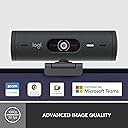
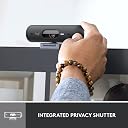
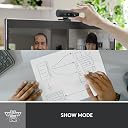
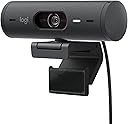
The Logitech Brio 500 is a premium Full HD 1080p webcam designed for professionals who demand crystal-clear video and audio. Featuring advanced RightLight 4 auto light correction, dual noise-cancelling microphones, and dynamic auto-framing, it ensures you look and sound your best in any environment. With Show Mode for easy presentations and a built-in privacy cover, it’s the ultimate tool for seamless, secure video conferencing on platforms like Microsoft Teams, Google Meet, and Zoom.
| ASIN | B07W5JKKFJ |
| Antenna Location | Video conferencing |
| Best Sellers Rank | #60 in Webcams |
| Brand | Logitech |
| Built-In Media | - Brio 500 with attached USB-C cable - Mount clip with removable mount adapter - User documentation |
| Camcorder Type | Webcam |
| Color | Grey |
| Compatible Devices | Devices with a USB-C port |
| Connectivity Technology | USB |
| Customer Reviews | 4.4 out of 5 stars 1,253 Reviews |
| Digital Zoom | 4 x |
| Display Resolution Maximum | 1920 x 1080 pixels |
| Effective Still Resolution | 4 mp |
| Effective Video Resolution | 1080 pixels |
| Exposure Control Type | Automatic |
| File Format | JPEG |
| Flash Memory Installed Size | 1 bytes |
| Flash Memory Speed Class | C10 |
| Flash Memory Type | SD, SDHC |
| Flash Memory UHS Speed Class | 1 |
| Flash Memory Video Speed Class | V30 |
| Focus Type | Auto Focus |
| Form Factor | Webcam |
| Global Trade Identification Number | 05099206104914 |
| Image Aspect Ratio | 16:9 |
| Image stabilization | false |
| Item Dimensions D x W x H | 11"D x 3.15"W x 3.15"H |
| Item Type Name | Webcam |
| Item Weight | 6.4 ounces |
| Lens Type | Prime |
| Manufacturer | Logitech |
| Maximum Aperture | 1 f_stop |
| Maximum Focal Length | 9 centimeters |
| Minimum Aperture | 2.8 millimeters |
| Minimum Focal Length | 90 |
| Model Name | Brio 500 |
| Model Number | 960-001422 |
| Number of Batteries | 1 AA batteries required. |
| Operating System | Chrome OS, Windows 8 or later (Windows 8.1 or higher required for resolutions greater than 1080p), macOS 10.10 or later |
| Optical Zoom | 2 x |
| Photo Sensor Size | < 1/4 inch |
| Photo Sensor Technology | CMOS |
| Screen Size | 1.2 inches |
| Sensor Type | CMOS |
| Shooting Modes | Automatic, Low Light |
| Special Feature | Low Light |
| Style Name | Webcam |
| Supported Audio Format | MP3, AAC |
| Supported Image Format | JPEG |
| Unit Count | 1 Count |
| Video Capture Format | MP4 |
| Video Capture Resolution | 1080p |
| Video Resolution | 1080p |
| Viewing Angle | 90 degrees |
| Water Resistance Level | Not Water Resistant |
| White Balance Settings | Auto |
| Wireless Compability | 802.11n |
| Zoom | smooth |
B**R
Great quality and easy to set up
This was simple and play. The video quality is great and am told the microphone works very well. Quite happy with this.
D**.
Great camera for your home office
This camera was a little more expensive than others, but definitely works better.
J**N
Would buy again
No issues, working as advertised and easy to install. Would suggest a longer USB cable, but still a good product.
L**E
Very easy to set up
This really was as easy to set up as it says. I'm not technologically inclined, so anything more than plugging something is above my pay grade. The sound and picture were great. I like the privacy shutter so you can be sure you aren't being seen.
A**2
Works well in low light
Camera is great. Setup was easy on windows 11 and a msi raider. I used the logitech app to help with camera settings.
J**4
GREAT Web Cam
Very nice, great quality and picture
R**T
Excellent Teams/Zooms camera
I bought this device for work on a Windows 11 laptop/docking station. Works great on Teams. I tried it at home on my personal workstation and laptop, both using linux and Zoom. It also worked great so I bought one for home as well. I'm not going to knock it for this but note that it does have a USB C connector which is not as ubiquitous as USB A.
W**M
Laptop camera is better than this. Disappointed
It's ok. Not as good as I expected from the reviews. Not really adjustable once you have it adhered to the back of your monitor. Also doesn't let you do a blurred background which even native laptop cameras do - so that is inconvenient. Auto/Low light performance is not terrible but again, my native laptop camera is better. I almost notice zero difference when I set the auto and the manual controls don't help at all. Too late to return it, but I would not buy it again - nope.
م**د
ممتازة
ممتازه
A**L
Produto entrega o que promete!
Simplesmente compacta, versátil. Recomendo. O potencial máximo da webcam é explorado no software com diversas configurações e parâmetros importantes.
F**I
ممتاز
منتجات ممتاز جدت
N**Ò
Fantastica
Webcam Logitech Brio 500 Risoluzione massima: FullHD 1080P 30FPS HDR: SI Tramite l'applicazione Logi Tune, disponibile sia per Windows che Mac, si possono gestire tutte le impostazioni: - aggiornamento firmware - risoluzione immagine 1080P (FHD) 30FPS o 720P (HD) 60FPS - RightSight è la funziona per farsi inquadrare dalla webcam, se ci muoviamo la webcam terrà sempre al centro dell'inquadratura - Distanza di inquadratura: vicino, predefinito, lontano (solo se l'opzione RightSight è abilitata) - Velocità di inquadratura: lento, predefinito, veloce (solo se l'opzione RightSight è abilitata) - SlowMode: inclinando la webcam verso il basso si possono inquadrare oggetti sulla scrivania che dobbiamo mostrare - Microfono: si può attivare o disattivare il microfono integrato nella WebCam - Regolazione dell'immagine: si può attivare/disattivare l'HDR, l'anti sfarfallio (cioè si può passare dalla frequenza PAL 50Hz a NTSC 60Hz), la messa a fuoco automatica, esposizione automatica, compensazione scarsa luminosità, bilanciamento automatico del bianco, ed infine si possono regolare manualmente i livelli di luminosità, contrasto, saturazione e nitidezza, oltre a poter aggiungere dei filtri colore. La qualità dell'immagine è veramente ottima, anche in caso di scarsa luminosità mantiene definizione pazzesca, anche il microfono funziona alla grande e non ho mai avuto bisogno di un microfono esterno. Il meccanismo per il blocco sopra il monitor è studiato veramente bene, anche se su monitor un pò spessi, come il mio BenQ, bisogna perderci un attimo di tempo per trovare l'appoggio migliore. Si connette direttamente al computer tramite cavo USB-C. Semplicissima da usare e applicazione molto intuitiva.
M**E
plakker werkt niet geweldig verder prima camera
Trustpilot
3 weeks ago
1 week ago