We remain fully operational. Our teams are working around the clock to ensure your deliveries continue safely.

DOWNLOAD THE APP


Customer Services
Copyright © 2025 Desertcart Holdings Limited
DOWNLOAD THE APP
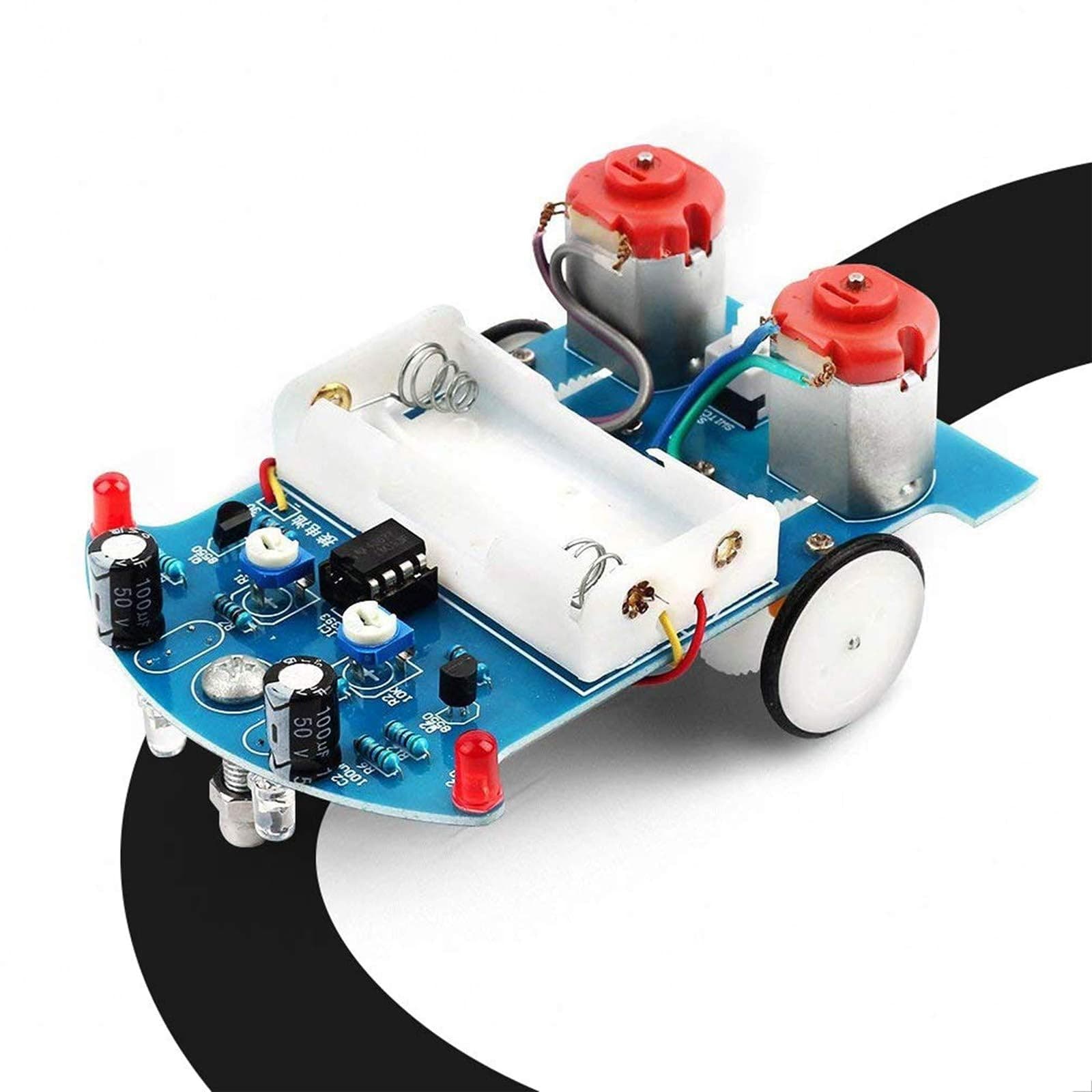


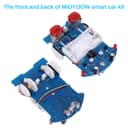
🤖 Own the Track: Build, Customize, and Race Your Smart Robot Car!
The MiOYOOW Line Following Robot Car Kit is a compact, beginner-friendly STEM project that combines soldering practice with smart sensor technology. Powered by dual motors and a LM393 op-amp, it autonomously follows black tape tracks using photoresistors. Designed for ages 15+, it offers hands-on learning in electronics, mechanics, and programming logic, making it ideal for home or classroom use to inspire the next generation of tech innovators.


| ASIN | B0732Z1FZC |
| Age Range Description | over 15 years old |
| Battery Description | Alkaline |
| Best Sellers Rank | #35,259 in Toys & Games ( See Top 100 in Toys & Games ) #353 in Educational Science Kits |
| Brand Name | MiOYOOW |
| Customer Reviews | 4.2 4.2 out of 5 stars (636) |
| Educational Objective | electronic skills, mechanical skills |
| Included Components | circuit board |
| Is Assembly Required | Yes |
| Item Dimensions | 4 x 2.8 x 0.06 inches |
| Item Weight | 0.15 Pounds |
| Manufacturer | WHDTS |
| Manufacturer Maximum Age (MONTHS) | 960.00 |
| Manufacturer Minimum Age (MONTHS) | 156.00 |
| Manufacturer Part Number | 43234-1592 |
| Material Type | fiberglass |
| Model Number | 10168 |
| Size | Compact |
| Theme | Car,Robot |
| UPC | 615135207530 |
| Unit Count | 1 Count |
L**.
Neat little kit, great for starting out with electronics and soldering
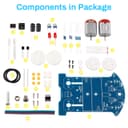
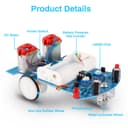
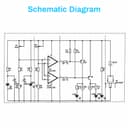
Thought I'd try this little smart car kit, I built one long ago, wasn't as nice as this one though. The kit seems small at first, everything is in a little anti-static bag perhaps 3in by 5in (8cm x 13cm?). Spread the components out and it takes up a fair bit of space. Uh, don't do that though... my cat thinks red LED's are fun to bat around. Let's see... 8 resistors, two transistors, two 10K potentiometers, 4 LED's (2 kinds of red), 2 LDR's, 2 electrolytic capacitors, 2 motors, gear sets and wheels, one battery holder (2 AA) and clicky power button. An LM393 dual op-amp, a nice blue PCB, some wire and a handful of screws. Oh, and a bolt with nut and acorn nut to work as a 'caster' wheel. Plenty to do! The kit comes with a sheet of instructions, one side has an oval track on it so you can play with your smart car right away, while the other side has instructions for assembly, a parts list and a good schematic. If you download the 'Smart Car Instruction' PDF file, it expands on the assembly instructions with good quality color photos, allowing you to visually verify you've got things in the right places, right orientation (electrolytic caps, transistors, LED's and op-amp!). Very helpful. Assembly is straightforward, start with the lowest components (the resistors, usually), and solder them to the PCB as directed, paying attention to the silkscreen for LED & eCap polarity and others as needed. I suppose it took me about an hour, I've been soldering for some years (we won't discuss how MANY years!), and it wasn't difficult at all. The possible problem areas might be the 2 pair of LED/LDR's, which are soldered on the BOTTOM of the PCB, where the solder pads are... so you're kinda soldering them in 'backwards', be sure to leave the leads long on those components so you can get your iron in under them. They need to be long anyways to shine on surface and detect reflected light (or not). The gear sets, axles, wheels and motors were fiddly to assemble, you may need three hands to keep the axle and its supports aligned while you tighten the screw on the other side of the PCB. You'll get it... but you may need to try a couple of times to get it all lined up, I did. Get one screw going good, suddenly the other axle support rotates away from its position. GRRRR! Sometimes blue-tak or masking tape can be very helpful! I have a grumble, I feel the battery holder should be installed LAST, as if you're not really careful centering it and keeping it away from other solder holes/pads, you'll have difficulty placing the four wires to power the two motors. The motor power wires must be inserted into small pads which are very close to the side of the battery holder. I'd really recommend leaving the holder until last, as you'll have more room to get your fingers, pliers, tweezers, chopsticks... whatever... in the area to connect the motor wires. Then solder the two leads for the battery holder, wrap the wires around the PCB, double-sided sticky tape the battery pack in place, and voila! Examining my car, I placed the battery holder a bit off-center (only a teensy bit!), crowding the M1/M2 motor wire contacts. just FYI. Now the really fun bit! Turning it on and tweaking the two potentiometers! This is where I'd like to have a blurb in the instructions describing the potentiometer functionality. Yes, you can figure it out by playing with them, the schematic is very helpful as you can determine that they are bias voltage level controls for the dual op-amp trigger levels. And they interact with each other a little bit, so that can frustrate a less experienced kit builder. Basically, they set the threshold for the two LDR's (Light Dependent Resistors). Depending on how much light is reflected back by the surface, the resistance of the LDR changes, changing the voltage presented to the inputs to the dual op-amp (LM393). If the voltages differ, the op-amp output either goes to Vcc or Gnd, depending in which voltage is higher (wikipedia has a good article on op-amps, check it out). If the output is low (Gnd), it turns on its appropriate transistor and energizes a motor. If the output is high (Vcc), it turns OFF the transistor (PNP) and the motor is de-energized, stopping it. You'll have to tinker with the potentiometer settings to get Mr Smart Car to behave, My experience thus far is to start both pots at dead center, and with the power on, tweak them every so very very slightly CCW (counter-clockwise). My car likes to go to the right preferentially, sometimes I can get it to go left... but generally he likes going around the track in a clockwise direction. Your experience will likely vary from mine. You'll swear it has a mind of it's own though. I took mine into work and set up a huge track using electrical tape on a large table. It ran for several hours with people picking it up and looking, then putting it down to zoom around again. We all had fun! I've enjoyed the kit and will likely order more to give to my friends and their kids, perhaps I can spark their interests in electronics. Or maybe a smart car racing club!
K**N
Cute little project
This little line following robot features a Texas Instruments LM393 comparator as its main MCU, and it does a great job of mating digital electronics with mechanical components in a small package. The parts are fair, but the battery holder is of average quality. It works but the springs and positive terminal contacts seem a bit cheap and I had some difficultly getting AA batteries to fit in the holder, but once they were in they made decent contact and were snug. I didn't need to worry about them popping out, but the contacts had a little bit of an alignment issue. Some of the mechanical parts had unclear instructions, but were intuitive enough that they could be figured out with some guess work. The PCB construction has one feature that I initially thought was a bug: the solder points are only on one side, which makes it somewhat difficult to solder the photoresistors and LEDs. However, this also prevents a builder from soldering them flush to the board, which would make the line reading much more difficult because it would create too much space between the surface of the 'track' and the photoresistors. making the LEDs and photoresistors hang a bit lower improves the ability of this little robot to 'see' the lines more clearly. My particular unit seems to take right turns better than left turns, but I have not yet attempted to tune the potentiometers for cleaner comparisons. It functions rather well and moves quicker than I expected given the gearing. This is a fun little project to help interest kids and enthusiasts in electronics and diy build kits. This seems like it would be a fun kit for a classroom setting because of its inclusion of electronic and mechanical components. The comparator is socketed, so it can be reused in future projects if an enthusiast wants to create something with more utility, and many other parts like the motors, gears, battery holder, and potentiometers could be salvaged for other projects as well. I wouldn't suggest salvaging other soldered parts since many of them have short leads after clipping the excess.
B**C
Fun Beginner Kit With Some Extra Tweaking
This is a fun little build that gives beginners a chance to practice soldering while ending up with a working line‑following robot. The board layout is straightforward, the components are easy to place, and everything comes together without much trouble. One thing the directions don’t mention is the need to adjust the small pots to fine‑tune the sensors, which makes a big difference in how smoothly it tracks the line. Once those are dialed in, the car behaves exactly as expected and becomes a satisfying little STEM project.
C**N
Excelente para principios de robótica
F**K
Nunca funciono, es muy mal producto
Trustpilot
1 month ago
2 weeks ago