🚀 Elevate Your Document Game!
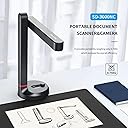
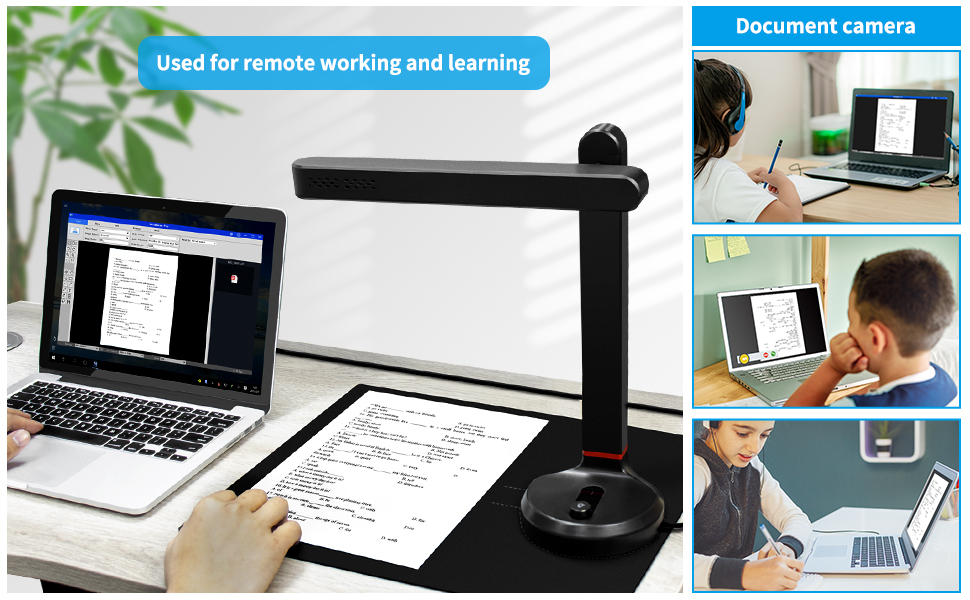
The NETUM High-Speed Document Camera is a versatile A4 scanner featuring an 8-megapixel lens and advanced OCR technology, allowing users to scan and convert documents in over 100 languages. With adjustable LED lights for precision and a portable design, it's perfect for both office and classroom settings.


| ASIN | B09PBNST2G |
| Best Sellers Rank | #1,452,248 in Office Products ( See Top 100 in Office Products ) #1,932 in Document Scanners |
| Brand | NETUM |
| Built-In Media | Cassette |
| Color Depth | 24 bpp |
| Connection Type | USB |
| Customer Reviews | 3.3 3.3 out of 5 stars (76) |
| Greyscale Depth | supported NA |
| Item Dimensions D x W x H | 13.8"D x 12.2"W x 12.2"H |
| Item Weight | 0.6 Kilograms |
| Light Source Type | LED |
| Manufacturer | NETUM |
| Media Type | document |
| Minimum System Requirements | Windows 7 or later |
| Model Name | SD-3000NC |
| Optical Sensor Technology | CMOS |
| Paper Size | A4 |
| Resolution | 3264 x 2488 |
| Scanner Type | Document |
| Standard Sheet Capacity | 1 |
| Warranty Description | 1 |
| Wattage | 14 watts |
-**N
Ready-made Cell Phone Camera Jig with Good Software
I'm still exploring the usefulness of this NETUM document camera system. A multi-function printer with an automatic document feeder is the ultimate way to scan documents, and this NETUM camera is far from that. The intended user base is the small home office with only the occasional need to scan a set of documents into a PDF file. It can also do JPG snapshots and videos. The document scanning purpose begs the question of whether my cell phone could do a better job, and I suspect that it could. There are a dozen choices of jigs available for around $20 that will hold a cell phone in position so that one can have their hands free to swap documents in and out of view. Some are like music stands that hold the paper almost vertically so that pages can be dropped onto the level floor of the frame and be immediately straight. Jigs for cellphones partner with various applications like Microsoft Lens, CamScanner, and others. After capturing the PDF, I can instantly print directly from my phone to my printer. This NETUM document camera system is an average quality cell phone camera (8MP) mounted on a jig that sits on a mat with markings to show where to place the paper. That rollout mat is helpful in roughly positioning everything, but laying sheets flat on a template is more cumbersome than simply dropping them onto a stand. This Netum device is integrated with the Netum desktop software, so your only choice is to learn to like the software despite its many quirks. There is a USB flash drive packaged with the camera. In my case, the flash drive contained 'NetumScan Pro Install 1.7.55.exe'. When I looked on Netum's website for the latest version, I was surprised to see "NetumScan Pro Install 1.7.20.zip". The "Settings/About" doesn't return anything about the software version I installed, but it appears that it is newer than the latest. The software only works with Windows. After playing with this for an hour or two, I've come to appreciate it. The camera boom is a fixed distance from the mat, and there is an integrated light that can be brightened and dimmed, which makes setup quick and easy. The software has an automatic capture mode that will snap a photo of the document several seconds after it detects that you're no longer adjusting it. I quickly copied four two-sided pages into a PDF file reasonably smoothly. The OCR function was a nice bonus and promptly converted the image to a text document with reasonable accuracy. In my video, I just used my old Kindle as an example. A wave of my hand started the automatic capture and then page flips on the Kindle screen triggered the next captures. The software's autocrop feature trimmed off anything outside of the screen. The PDF was neat and clean.
M**I
Really disappointed
Using this device as a doc cam worked fine on Zoom, but when I went online to install the software needed to use this as a scanner, it was really difficult to install and it would not run. My laptop (almost new) would not recognize the device. It's packed up and ready to return the day after I received it.
S**Z
Excellent for documents, very fast for bulk scanning, limited quality options, lighting is critical.
I have mixed feelings about this scanner, and it's hard to pick a single rating. On the one hand, it's absolutely perfect for my primary need: I've moved to a smaller cubicle and have much less filing space, so I needed to scan hundreds of pages (and toss many more) in a reasonable time with minimal effort. This scanner is FANTASTIC for this task. I use the Photo tab and had a choice of file formats; I picked .jpg and auto-trim, which means that my page, set against a black background (that they provide), doesn't have to be level. I can just put it on, even at an angle, the edges are detected and then I hit the button, the picture is scanned instantly, and I remove the page and put another one. If I'm working fast the only problem I've had is that I accidentally caught my fingers in the picture because there's a one-second lag for the image on the screen - but I quickly learned the timing to avoid that. The biggest issue on this is the lighting. If you use the light that's attached to the camera you'll get a glare in the center that washes out the image, so that LED light is worse than useless. Room lighting is better, and the camera is very sensitive, but in my new cubicle I have direct overhead lights that forced me to build a cardboard darkroom around the scanner. Enough diffuse light comes through the front opening that I can get perfect scans. If I have a set of related pictures I can change the name for the saved picture files, and they are adjusted by either a 3 digit serial number or the date/time added to my name. There are no other options. Nor can I adjust the quality of the .jpg, or even see in the settings or manual what the default settings are. It's just whatever they use, which is good enough for my documents, charts, articles and handwritten notes. It saves all images into a Netum folder that you can rename, and I created subfolders based on the content (Personal, Cartoons, different project names, etc). Using a good image viewer like Faststone I can quickly move lots of images to their proper folder in seconds after I'm done scanning, or whenever it's convenient. There's an OCR function and a couple of others that I haven't done much with; my documents aren't well suited to OCR so I can't judge whether the problems were with my docs or the OCR. Scanning photographs was meh; I found that I got better images by just holding my iPhone 12 just below the scanner and taking a picture. They're good enough if they're work-related images that don't need to be perfect, and of course it's much faster to use the scanner. But the biggest reason I can't give this scanner a five-star review is that it's supposed to be portable, and it does fold up nicely, but when I took it home to use on my Windows 10 Home computer it never worked. At all. The software couldn't detect the camera, even after I updated all drivers and restarted and tried different USB ports. Their customer service took two weeks to answer repeated emails, finally telling me to update drivers and restart, and eventually sending me a link to the latest software. I did all that again, it still didn't work, and they never responded to my email again. To sum up: It might not work at all on your computer, or it might. It's worth the risk (you can return it if it doesn't) because it's FANTASTIC for fast scanning of many documents and charts if it works, as long as you can adjust the lighting for less glare. The included light is useless for most documents and the image options are extremely limited, and photo quality isn't as good as a phone camera, and customer service is terrible, but if you have a ton of papers you need to scan AND IT WORKS, it's really really good.
M**N
Kann eventuell am smartboard ohne zusätzliche Software Installation genutzt werden.
T**O
He tenido la oportunidad de probar el escáner perteneciente a la marca Netum, una marca especializada es escáneres de códigos de barras, unidades portables o impresoras de etiquetas. En esta ocasión se trata del nuevo modelo SD-3000NC, un escáner orientado para escanear imágenes o documentos sin ser necesario disponer de mucho espacio, además, el dispositivo tiene un diseño que permite ser recogido ocupando un espacio realmente muy reducido, algo genial para tener siempre a mano sin que ello ocasione ninguna molestia. El escáner lo recibimos con una estupenda protección, encajado en una espuma densa que lo protege muy correctamente, en la caja encontramos además del dispositivo, una alfombrilla con unas marcas donde nos indica la zona donde tendremos que colocar el escáner y el documento según sea su tamaño, también añaden un cable USB, un manual de instrucciones y un pendrive donde se encuentra el software necesario para poder utilizar el escáner. Para utilizar el escáner tan solo tendremos que conectar el cable suministrado USB, ya que no es necesario conectar ninguna fuente de alimentación para hacerlo funcionar, seguidamente, solo nos queda seguir la intuitiva ilustración que tiene su brazo, para desplegar en la dirección correcta. El proceso para instalar el software, es muy sencillo y exitoso al primer intento, este software se instala automáticamente en español y resulta muy fácil de manejar, con el que podremos escanear documentos, imágenes, crear PDF como resultado final e incluso crear un video. Después de hacer varias pruebas, los resultados son estupendos, pudiendo escoger el tipo de recorte que queremos haga al documento, personalmente pienso que su modo automático o el modo personalizado son los modos que mejores resultados ofrecen. En general, la calidad de los documentos creados es muy correcta, sin encontrar diferencias con el escáner que utilizo actualmente, que curiosamente tiene un precio mucho más elevado que este dispositivo. El producto me ha encantado, ofrece unos resultados excelentes, ocupa poco espacio y tiene una correcta calidad en su construcción, tan solo tendremos que seguir con mimo la ilustración que nos indica la dirección para abrir o cerrar su brazo plegable.
J**N
Att företaget har allt som jag behöver att köpa.
P**O
NON è compatibile con le stampanti NONè daprendere
G**Z
Bardzo szybko się skanuje (robi zdjęcie), idealne do książek i spiętych kartek. Nie potrzebuje dodatkowego zasilania z powodzeniem może zastąpić skaner z drukarek. Bardzo dobry OCR, nawet ADOBE tak dobrze nie radził sobie z tabelami exel, jak program dołączony do tego skanera. Projektor działa intuicyjnie oprogramowanie dobrze zoptymalizowane, raczej szybko się ogarnia co jest do czego
Trustpilot
1 month ago
2 weeks ago