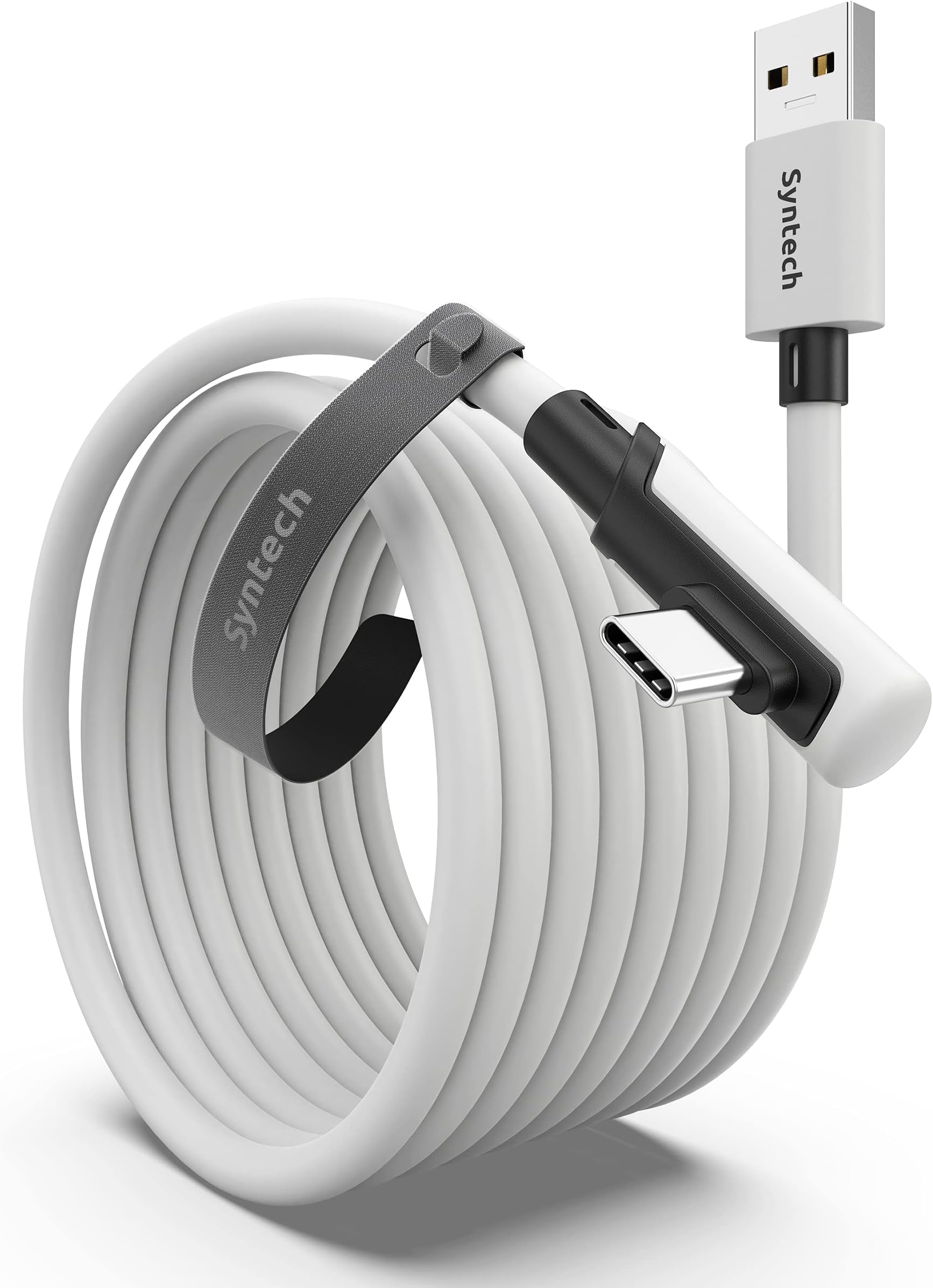
🎮 Level up your VR game with Syntech’s sleek, speedy, and stretch-proof link cable!
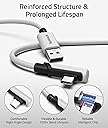
The Syntech Link Cable is a 5-meter USB 3.0 to USB-C cable designed for seamless PC VR connectivity with Meta Quest 3/3S/2/Pro and Pico 4/Ultra headsets. It delivers high-speed data transfer for smooth SteamVR gameplay, features an ergonomic L-shaped USB-C connector for comfort, and includes a velcro strap to secure the cable during intense VR sessions. Built for durability and flexibility, it offers a cost-effective solution to elevate your VR experience with reliable performance and broad compatibility.


| ASIN | B098399X91 |
| Batteries Required? | No |
| Batteries included? | No |
| Best Sellers Rank | 379 in PC & Video Games ( See Top 100 in PC & Video Games ) 107 in PC Consoles, Games & Accessories |
| Colour | White |
| Customer Reviews | 4.4 4.4 out of 5 stars (20,900) |
| Date First Available | 28 Jun. 2021 |
| Included components | cable, strap |
| Item Package Quantity | 1 |
| Item Weight | 300 g |
| Item model number | Mark32 |
| Manufacturer | Syntech |
| Package Dimensions | 25 x 22.2 x 2 cm; 300 g |
| Part number | M32 |
| Shape | Round |
| Size | 5M |
| Special Features | High Speed |
| Specification met | CE, FCC |
| Wattage | 50 watts |
E**T
Solid performance and great value
Picked up this 5m Syntech Link Cable for my Quest 2, and it's been a game-changer. The length gives me plenty of room to move without feeling tethered too tightly. Connection has been rock-solid—no dropouts or lag during sessions. The L-shaped USB-C connector is a thoughtful touch, keeping the cable out of the way while playing. Data transfer speeds are impressive, and it even charges the headset during use, which is a big plus. Overall, it's a reliable and affordable solution for anyone looking to dive into PC VR gaming
M**S
Purchased this for the Meta Quest 2 and 3 VR headset
I purchased this for meta quest 2 and 3 headset. On opening the package the quality of the cable/sheath and connector’s look and feel of good build quality , although I must admit when I purchased the meta quest 2 I purchased an official shorter data cable which I have since lost , but I seem to remember official cable was much thicker than this one, so not sure if this will effect the longevity of the cable. When I got the Meta Quest 2 I tried to use cable tethering to allow me to play PCVR/Steam games, but after several weeks of trying to get it to work properly I simply gave up. Since then after upgrading my home PC to something considerably above the minimum specification’s recommended by Meta I thought I would give it a whirl again, hence the purchase of this cable. As mentioned above the quality of the cable seemed good , unrolled from its original packaging it seemed likely to be well made enough not to kink or twist. Has a 90 degree connector which fits the quest nicely and connected to the PC via the front USB socket with no problems .. PC then detected the headset very quickly and setup in meta quest app and steam VR with no issues. I can’t see anything on the cable usb connector that shows it being a USB 3 connector/cable in fact the usb insert is black denoting this is a USB 2 cable. I checked the cable box supplied and it only mentions it’s suitable for a USB3 socket and not that it’s a USB 3 cable In saying that the cable works absolutely fine with the headset and works well with Steam VR. But if you are going to purchase this cable you NEED to assume it’s a USB2 cable and not a 3 as advertised. When I get a few minutes I’ll do a speed test on the cable and add the results here .
N**K
Works as described
I bought this for my Quest 2 as I was getting fed up of random connection glitches when playing F1 or working in Unreal Engine, using airlink. So far, the connection with the link cable has been flawless. The cable feels sturdy and well built. The one issue I have with this cable is the connection to the headset. The angle the cable comes out from the headset makes it awkward to position so you do not feel the weight of it. I found passing it round the side strap and having the cable drop down from the back of my head the best solution for me so far. Keep in mind this cable does not offer charging while the headset is in use. I do not find this an issue personally but your needs might be different. Despite these drawbacks I would recommend this cable if you need a replacement or are having issues with airlink.
L**E
Great Cable, Does the job
I purchased this cable after my oculus link one had broken, at first it didn't show up as a USB 3.0 connection but once plugged directly into mother board this issue was fixed. The display it out puts is amazing with no latency delay, never has wiggled out nor have i ran out of cable (5m) feels sturdy but i have seen thicker cables out there for this price range, also on original oculus charging port is vertical to you cant cable manage this, where as oculus two charging port is horizontal so this works just fine, either way doesn't bother me. One thing to note is this cable will not charge your oculus whilst playing although it will die much slower than normal, isn't the end of the world in my case but most display cables will be the same. overall impressed with quality and worth it when you need it, as airlink is great but currently doesnt beat connection through a cable in my opinion, Recommend
P**K
Quest 3
Works great with Quest 3.
T**O
Absolutely amazing Link Cable
Made this review 2 YEARS after buying Absolutely amazing Link Cable for my Meta Quest 2 128gb Never had a single issue with it for the 2 years of owning Quality of it is very good and feels great Length is perfect for most rooms And gives me more time to play when connected to my computer as it slightly charges while playing 5 Stars - Highly Recommend Easy to plug in and play instantly!
P**L
Slow charging on Quest3
Cheap alternative to genuine product, but on quest3 it slow charges, so not good for long term use
S**O
Works out of the box, 3m is actually perfect length for most PCVR uses outside AirLink
Airlink works fine with most titles I have used, of course PC is connected to the router via LAN, in my case is a provider's router AC non WiFi 6, of course the Quest is connected using the 5g frequency whilst the rest of the house stuff is on the 2.4 (this is basics), however when playing PCVR such as Flight Simulator the performance were not enough especially considering the sim streams most of its data. This cable did the trick and I mostly use it just for that, 3m is plenty as with my Rift-S I had to tuck the cable away under the computer's case. It worked out of the box and it seems very sturdy, of course ensure you use the velcro provided to secure it to the headset when in use to avoid torque force on the USB port on the Quest.
中**人
高いな〜と思いながら買いましたが ちゃんとしっかりしてます 長さもちゃんとあり ギターシールドくらい太いので 何回か椅子で轢きかけましたが大丈夫でした。
H**I
The line is very long and the transmission is relatively stable. But the charging is slow, and the wire is thick and a bit heavy.
N**A
Le câble fonctionne très bien avec le Meta Quest, la connexion est stable et le débit est suffisant pour le PCVR. Les 6 mètres sont vraiment pratiques pour avoir de la liberté de mouvement. Bonne qualité dans l’ensemble, aucun souci à l’usage.
F**.
On the brightside, it does what it says on the tin, you can use this cable to do Quest Link and that works fine. Charging the device or rather keeping it at the same battery level seems to be dependant rather on your usb port moreso than the cable itself.
A**7
عندما وصلني المنتج وجدت أن الصندوق مفتوح وتم استخراج محتوياته ومن ثم تم إرجاعها مرة أخرى،على الرغم من ذلك قررت ان استخدم المنتج وأجربه ، لأن إجراءات الاسترجاع تأخذ وقتا طويلا ولا يوجد تعويض لأن المنتج وصلني من الخارج. ــــــــــــــــــــــــــــــــــــــــــــ تجربتي استمرت حوالي 20 يوما على نظارة الواقع الافتراضي " اوكلس كويست 2" تم توصيلها بجهاز كمبيوتر والمنتج ادائة بالنسبة لي رائع جدا حيث لا يوجد اي تقطيع او تأخير في نقل الصورة. مع العلم ان السلك عند اختبارة ينقل بيانات بسرعة 2.2 جيجا على منفذ يو اس بي إصدار3.1 وهذا مناسب بالنسبة لي. ـــــــــــــــــــــــــــــــــــــــــــ -توجد لدي ملاحظة وجب التنبية لها، وهي ان بعض الاشخاص و أرى حالياً انهم غالبية يواجهون مشكلة تقطيع الصورة وذلك حسب بحثي البسيط يرجع الى ان الاشخاص يوصلون السلك بمنفذ يو اس بي اصدار2.0 وهذا الامر خاطئ، يجب عليكم توصيل السلك بمنفذ 3.0 او 3.1 لأنه الاسرع على الاطلاق حتا لا تواجهو اي تقطيع بالصورة او بالمحتوى المعروض، وإذا توفر عدة منافذ ذات الاصدار 3.0 او 3.1 يجب ازالة اي جهاز مشبوك عليها سواء فأرة الكمبيوتر او لوحة المفاتيح ودع المجال لسلك نظارة الكويست فقط حتا تستفيد من كآمل السرعة، لانهُ كلما كان هناك أجهزة اخرى مشبوكة على نفس منفذ اليو اس بي سواء إصدار 3.0 او 3.1 كلما كانت السرعة تنقسم بين جميع هذه الاجهزة وهذا لا يدعك تأخذ الاداء الكامل للسلك. ــــــــــــــــــــــــــــــــــــــــــــ يمكنكم الاستزادة بالمعلومات بالبحث في محركات البحث عن هذه الكلمة وسوف تفهمون اكثر" USB Controller"
Trustpilot
2 weeks ago
5 days ago