🔥 Level up your rig with FireCuda speed and space! 💾
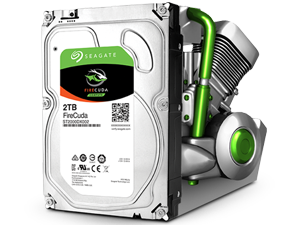
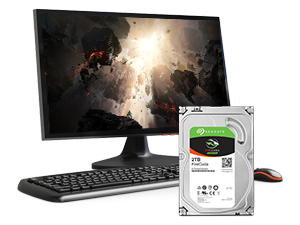
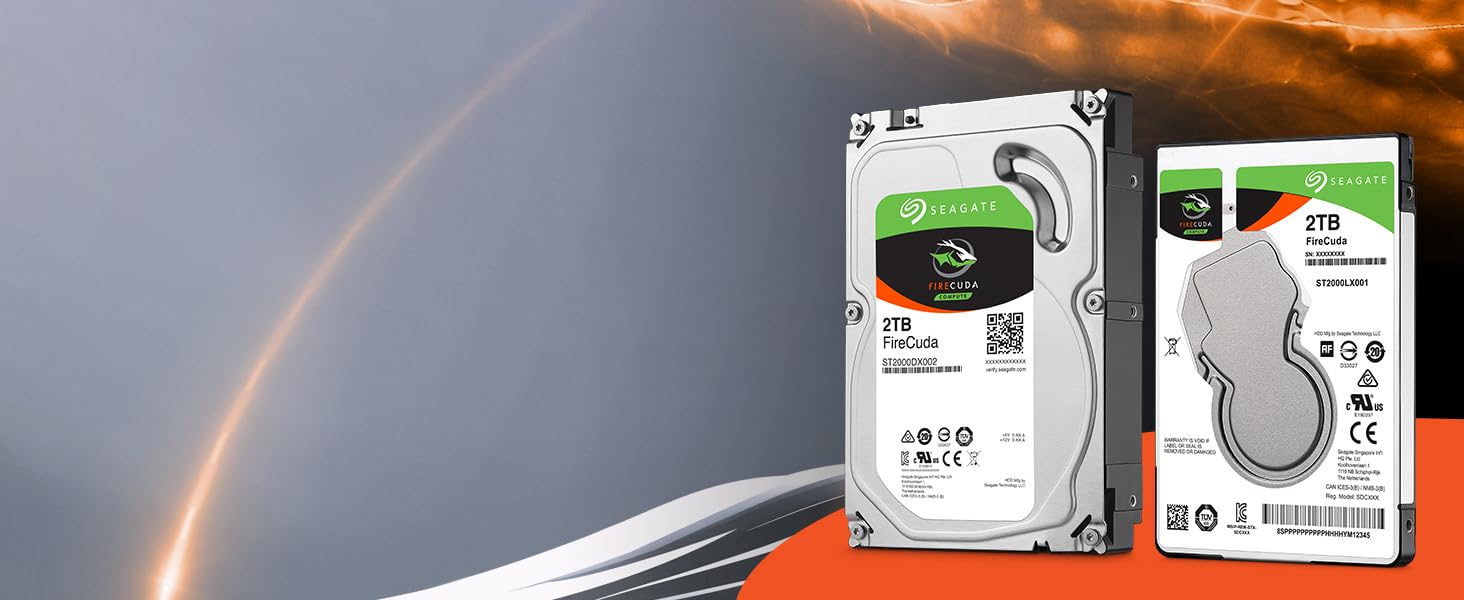
The Seagate FireCuda 2TB SSHD combines the best of SSD speed and HDD capacity in a compact 2.5-inch SATA 6Gb/s form factor. Designed for gamers, creative pros, and power users, it delivers 7200 RPM performance enhanced by flash memory for faster boot times and game loading. Its low power consumption and 5-year warranty make it a reliable, cost-effective upgrade for laptops, PCs, and consoles.


| ASIN | B01M1NHCZT |
| Best Sellers Rank | #602 in Internal Hard Drives #8,548 in Computer Internal Components |
| Brand | Seagate |
| Customer Reviews | 4.4 4.4 out of 5 stars (4,948) |
| Date First Available | October 3, 2016 |
| Flash Memory Size | 2 |
| Hard Drive | 2 TB Solid State Drive |
| Hard Drive Interface | SATA 6 GB/s |
| Hard Drive Rotational Speed | 5400 RPM |
| Hardware Platform | PC; Workstation |
| Is Discontinued By Manufacturer | No |
| Item Dimensions LxWxH | 3.98 x 2.76 x 0.39 inches |
| Item Weight | 3.25 ounces |
| Item model number | ST2000LX001 |
| Manufacturer | SEAGATE |
| Operating System | PC/Mac |
| Product Dimensions | 3.98 x 2.76 x 0.39 inches |
| Series | FireCuda |
M**X
Perfect replacement HDD for the PS4
Purchased this hard drive after reaching the limits of the 500gb that comes standard on the original Ps4. After researching numerous web sites for suggestions, the Seagate FireCuda appeared to be a popular option. I opted for the 2TB option but a 1TB is available. Package arrived timely. Backed up the data of my original HD to an external Hard Drive (PS4 makes it pretty simple) and downloaded the full system update data from Playstation.com to a thumb drive (make sure it's the 900+ MB file located in the download link near the bottom of the web page. Don't be like me and started panicking when the ps4 said it couldn't use the software update because it wasn't the right version and spent another 30 minutes re-downloading the wrong software version over again and scouring the internet looking for answers) The install of the HD itself was straight forward. Remove the cover hiding the hard drive, remove one screw holding the hard drive in place an pull the enclosure out, remove the 4 screws holding the hard drive to the enclosure, remove old hard drive, replace with the new one, screw the hard drive back to the enclosure with the 4 screws, slide hard drive back into ps4, secure the final screw and replace the cover back on the ps4 and done. Boot the ps4 back up. When prompted, plug in the thumb drive containing the system software update. Let it run. System will boot like a fresh brand new ps4. Go to settings and locate the restore option. Plug in the external hard drive with your backed up files. And boom, you're back in business with a massive amount of storage space at your disposal.
C**C
The perfect TiVo replacement drive
Yes, I'm showing my age, but I still have a TiVo. It's got lifetime service and has been fine for almost ten years but the hard drive finally gave up the ghost. So in come this drive! It works fine, doesn't seem to give off any more heat than the original, doesn't have any excessive noise (I basically can't hear in in the case), and it fits the exact size of the original. The entire thing even weighs the same. So far it has been reliable after many months of use, and it is a bit faster than the original hard drive so the menus are nice and snappy. Other than that, barely a difference, which is exactly what I wanted.
G**N
long review, the quick version: awesome PS4 upgrade no regrets!
If you own a ps4 this is a must. Iv had the original ps4 since they were released. It has been giving me issues running slow, glitching, straight up freezing at times. I have had to delete games off the drive plenty of times in the last few months mostly because after it fills 50% it runs like garbage. Took a hour to back my original HD up to a spare 400G I had lying around. The install couldn't be easier you don't have to do anything to this SSHD just pop the old one out pop this one in straight from the box. download the ps4 update from sony on a flash stick pop it in a usb port and 20 mins later the things running better than new! the restore took a hour but when it was done ooooh boy. boot speed is noticeably better, connections to online games "fortnite" are more stable and now I'm one of the first to load in maps waiting on my friends its awesome. I don't understand how its effecting online play so much but I wish I had upgraded 2 years ago now.
M**N
Yep. Latest HP BIOS, UEFI, Win 10 Pro Creator's, it flies.
Update: April 30, 2018: After backing this drive out of my HP Elitebook, and cloning the contents onto another (non-hybrid) 2TB Seagate, I received an update notice from Microsoft, and downloaded that update onto DVD. My Elitebook, though UEFI capable, was running a non-UEFI load, but I realized that if I did a Windows 7 backup, and used a UEFI format DVD for a full Windows restore, it might convert the drive load to UEFI (just Google UEFI if you don't know what the heck I am whining about). That indeed worked, my laptop is now running from the Firecuda, smooth as a baby's bottom, fully under UEFI (which means I can upgrade to a larger drive should that become necessary), and the silicon does make much of what I do faster. An updated UEFI BIOS from HP seems to have helped. So if you want this drive for everyday operation, experience tells me you had best have a fully updated system, and fully updated version of Windows, and I think Windows 10 Pro then works well with this drive. Since it was a bit finicky, I'll add one star, getting us to four. Next step will be a 2TB SSD, which are now coming down in price, but thanks to the Firecuda, no rush... Update, March 2, 2018: Again, this is a gaming drive, and that isn't something I do. Having said that, I am not sure Windows 10 Pro with Creators' Update quite knows what to do with this combination of 8GB of fast silicon, and 2TB of slow-ish conventional hard disk, I am not impressed with the physical drive's speed, in this configuration. It all depends on the size of the files and the code that need to be swapped in and out, with Windows' virtual memory and the way multitaskers work, I am not seeing a real speed and access improvement over the HGST 1TB 7200rpm drives I used before, and I am under the impression that if only some of the files or code the OS asks for is in the silicon, the drive has to go back to the hard disk, and fetch everything all over again, and that can slow things down, or, on occasion, not happen at all. I sometimes, for instance, see the system login (customized by HP Protecttools) not complete at all, and I have, on one or two occasions, seen applications simply hang forever. 8GB, you see, isn't that much storage space, and considering the way operating systems work I would recommend that Seagate put much more SSD in this architecture, especially now that an entire 2TB SSD costs less than $400. I am seeing some failures I've never seen before (including on my other HP, which has a 2TB Samsung conventional drive), and even the occasional force-reboot-with-chkdsk, which is, these days, a rarity. With regard to use in a gaming system, if your laptop or PC is purely used for that, I can't comment, it is too specialized for my expertise, but if you use it in hybrid fashion and need something really fast, you're introducing an additional variable that may or may not give you what you need. I am leaving it at three stars, this drive is a bit iffy, but having said that, I can work with it so am not returning it. I'll likely end up getting a full SSD, eventually, and use this for spare and backup. Original, February 15, 2018: Not wanting to let the side down, I'll do a review, but please be aware I am just, what's the technical expression, futzing with this. I didn't buy it as a gaming drive, just wanted to see how a hybrid silicon/winchester disk would do. I am assuming Seagate built intelligence in this device that lets it "pre-fetch" oft used code from the drive to the silicon, and overall make it faster. I can see how this would have benefits in gaming, where you may have gobs of data, most of which isn't used all the time. So from the gaming perspective, you don't need to read this, since my observations aren't relevant to gaming. The closest I ever got to gaming was 10 years on Wall Street. While the drive is currently doing fine (I have so much data that this is the second laptop I am updating to 2TB), I have had a mishap already, and at this point I think this may be related more to my Windows 10 Pro load, than anything else. I won't know until I do more testing, and I can't do that until I run a full backup. Will let you know. In "ordinary" use, this load sometimes takes a long time to boot, sometimes is blisteringly fast. What that probably means is that the 8GB of silicon just isn't enough to keep everything loaded. I know that another laptop, with Windows 10 Pro, on an Intel SSD, is blisteringly fast, so I have to think that if this 5400rpm Firecuda doesn't have the code or data you need in the silicon, fetching it from the physical drive, putting it in the silicon, then letting you access it, actually takes more time than my previous 7200rpm HGST 1TB drive did. But as I said, the jury is still out, and this drive is designed for gaming, they said so, and I don't do that. I am not sure Seagate's Discwizard is fully acclimated to hybrid drives - after a boot fail I repopulated the drive with Windows Image Restore, and that seems to have worked better than cloning. Come back in a couple weeks (2/15 as I write this) and I'll be able to tell you more, once I have this thing booting UEFI, and using Bitlocker with TPM. Three stars for now, as it is working, but not smoothly.
F**A
El artículo va perfectamente una vez instalado. Excelente
A**N
I have been wanting to get it for a while now and It meets my expectations. Used it to expand my PS4 storage with many games on the horizon (Doom Eternal, RE 3, Marvel's Avengers, The Last Of Us Part II, Ghost of Tushima & Cyberpunk 2077) It's worth the storage expansion.
B**Y
I used this as a secondary storage on my laptop and for the size (2TB) it is worth the value even though this is still a mechanical drive with a NAND memory cache which is what it uses to speed up 'reads & write'. Highly recommended for those looking for extra storage and is still overall faster than a purely mechanical drive. The drive will store in the NAND memory cache your most used files and naturally learns what you access frequently so that future access to these files is speed up because it stores this in the memory cache part of the drive. This isn't an SSD (Solid State Drive) but for performance it doesn't comes too far behind in speed (loading) when files are already loaded from the memory cache.
D**É
utilisé pour remplacer la disque dur interne de ma Playstation 4 slim devenu trop juste en capacité, celui ci rempli sa fonction à merveille !
S**A
Good chosen
Trustpilot
5 days ago
2 months ago