We remain fully operational. Our teams are working around the clock to ensure your deliveries continue safely.

DOWNLOAD THE APP


Customer Services
Copyright © 2025 Desertcart Holdings Limited
DOWNLOAD THE APP

Buy anything from 5,000+ international stores. One checkout price. No surprise fees. Join 2M+ shoppers on Desertcart.
Desertcart purchases this item on your behalf and handles shipping, customs, and support to Kenya.
🔥 Game Hard, Work Smart — The Predator Never Sleeps ⚔️
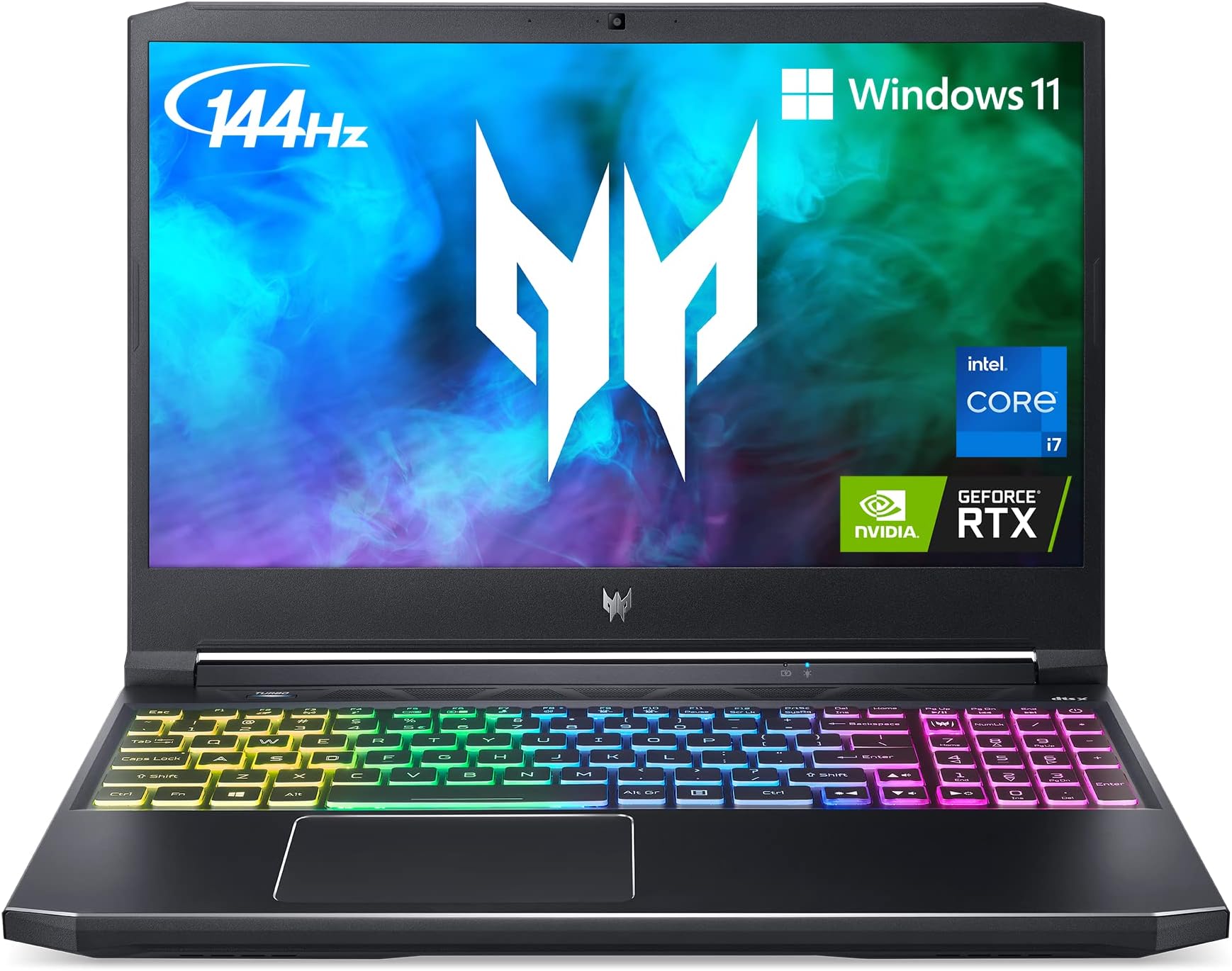
The Acer Predator Helios 300 PH315-54-760S is a premium mid-tier gaming laptop powered by an 11th Gen Intel Core i7-11800H CPU and NVIDIA GeForce RTX 3060 GPU. It features a 15.6-inch Full HD IPS display with a 144Hz refresh rate and 3ms response time, 16GB DDR4 RAM, and a 512GB PCIe Gen 4 SSD. Designed for gamers and professionals alike, it offers advanced cooling with AeroBlade 3D fans, Killer DoubleShot Pro networking for lag-free connectivity, and a customizable RGB keyboard. This laptop balances high performance, future-proof expandability, and sleek design to keep you ahead in gaming and productivity.


| ASIN | B092YHJLS6 |
| Audio Output Type | Headphones, Speakers |
| Audio Recording | No |
| Automatic Backup Software Included | Talk |
| Available M2 Slot Count | 2 |
| Battery Average Life Standby | 6 Hours |
| Battery Cell Type | Lithium Ion |
| Battery Life | 6 Hours |
| Best Sellers Rank | #8,447 in Computers & Accessories ( See Top 100 in Computers & Accessories ) #1,057 in Traditional Laptop Computers |
| Bluetooth Version | 5.1 |
| Bluetooth support? | No |
| Brand | acer |
| Built-In Media | AC Adapter, Laptop, Power Cord |
| CPU Model Generation | 11th Gen |
| CPU Model Number | i7-11800H |
| CPU Model Speed Maximum | 4.6 GHz |
| Cache Memory Installed Size | 12 MB |
| Camera Description | Front |
| Cellular Technology | Wifi |
| Color | Black |
| Compatible Devices | Laptop accessories |
| Connectivity Technology | wired, wireless |
| Control Method | Touch |
| Customer Reviews | 4.5 4.5 out of 5 stars (1,916) |
| Display Resolution Maximum | 1920x1080 |
| Display Technology | LED |
| Display Type | LED |
| Form Factor | Notebook |
| Graphics Card Ram | 6 GB |
| Graphics Coprocessor | NVIDIA GeForce RTX 3060 |
| Graphics Description | RTX 3060 |
| Graphics Ram Type | GDDR6 |
| Hard Disk Description | SSD |
| Hard Disk Interface | Solid State |
| Hard-Drive Size | 512 GB |
| Hardware Interface | Thunderbolt 4 |
| Has Color Screen | No |
| Human-Interface Input | Keyboard |
| Item Dimensions L x W x Thickness | 14.31"L x 10.04"W x 0.9"Th |
| Item Weight | 5.07 Pounds |
| Keyboard Description | gaming,backlit |
| LAN Port Bandwidth | 1000 Mbps |
| Lithium-Battery Energy Content | 54 Watt Hours |
| Manufacturer | Acer |
| Memory Clock Speed | 4.6 GHz |
| Memory Slots Available | 1 |
| Memory Speed | 3200 MHz |
| Model Name | PH315-54-760S |
| Model Number | PH315-54-760S |
| Model Year | 2021 |
| Native Resolution | 1920 x 1080 pixels |
| Number Of Cells | 4 |
| Number of Ports | 7 |
| Operating System | Windows 11 Home |
| Optical Storage Device | No Optical Drive |
| Other Special Features of the Product | Multi-touch Gesture |
| Power Device | AC adapter |
| Processor Brand | Intel |
| Processor Count | 8 |
| Processor Series | Core I7 11800H |
| Processor Speed | 4.6 GHz |
| RAM Memory Installed | 16 GB |
| RAM Memory Slot Total Count | 2 |
| RAM Memory Technology | DDR4 |
| RAM Type | DDR4 SDRAM |
| Ram Memory Maximum Size | 16 GB |
| Refresh Rate | 144 Hz |
| Resolution | 1080p |
| Screen Size | 15.6 Inches |
| Speaker Description | 2 speakers (stereo) |
| Specific Uses For Product | Business, Gaming, Multimedia |
| Supported Monitor Maximum Quantity | 1 |
| Total Number of HDMI Ports | 1 |
| Total Usb Ports | 2 |
| Touchpad Feature | True |
| UPC | 195133349703 195133116251 |
| Video Output | HDMI |
| Video Processor | NVIDIA |
| Virtual Reality Ready | No |
| Voltage | 230 Volts |
| Warranty Description | One-year International Travelers Limited Warranty (ITW) and 24/7 access to a dedicated support team, specialized in the Predator brand |
| Warranty Type | Limited |
| Webcam Capability | Yes |
| Wi-Fi Generation | 802.11ax |
| Wireless Compability | 802.11ax |
| Wireless Technology | Wi-Fi |
F**K
Lifetime laptop
I bought this laptop at the end of 2021; it’s now 2026 and it’s still going very strong. The laptop has been fantastic for both games and work. I’ve played games such as Elden Ring and Rainbow on it; it did well with both. Additionally, I accompanied me through my entire undergrad degree with nothing but good performance. The screen is good and responsive, it could only be better if it was OLED. The keyboard is the best one I’ve had on a laptop, very responsive and solid. The only detail that is not great are the speakers, they are not loud, though quality wise they’re not bad.
J**Y
One of the best mid-tier gaming laptops available!
My gaming rig was on its way out, with an outdated i5 processor, GTX 1060 graphics card (which I paid too much for used on eBay) and 16GB of RAM, so my partner and I discussed what our next PC purchase would be. After much research, I found that the Acer Helios 300 provided a decent integrated graphics card (3060) that could play older AAA titles on Ultra, and newer ones on either High or Medium with little overclocking using stock settings most of the time. Most recently I played the Diablo IV Beta & the Resident Evil 4 remake on High settings, and it looked great on the 1920x1080 screen. On occasion I do plug it into my 4K LG Monitor, or the 4K TV in the family room via HDMI port or Mini Display Port (and doing so increasing the screen resolution to 3840x2160). At this point, its when the overclocking tool(s) become most advantageous. Yes, the fans are a bit loud, but that's normal for these devices. To combat this I pair either my Apple Airpods Max via BT or my Razer THX headset when gaming on the TV. I also use a cooling mat that has a couple fans on the bottom that help dissipate heat. I've also been using this laptop for school work which it does in a flash on anything Office 365. Webcam and built-in mic are more than enough for Zoom calls and proctored exams. This thing is overkill for school work. (Which is just an added bonus.) I've also done a bit of video editing using Adobe Premiere and it renders video files much quicker than my old PC. I'm not much of a content creator, but I imagine this computer would be great for extensive 4K video or other more complex projects. Finally, this machine has several options for expand-ability and future-proofing. Since purchasing it, I have upgraded the RAM to 32GB and have installed a second SSD drive (using the included adapter that came in the box). And I'm happy knowing that there is an empty M.2 slot available when I decide to install a third hard drive for when I need to. I have no qualms about the price, and believe it was more than fair for what's available on the market today. It's a solid mid-tier gaming laptop that's more than capable with keeping up with newer titles. With chip shortages, supply chain issues, not to mention the folks who do bitcoin mining grabbing up all the graphics cards, which in turn jack up prices to insane amounts, it was a no-brainer to replace my aging gaming rig with this laptop instead of holding out hope for a better graphics card in the future.
K**.
A lot of power in a small frame
This has been my daily driver computer for almost a year now and I've been very impressed. It's handled every game I've thrown at it and more. GPU: I'm going to do this first since this is arguably the most important part. I have the RTX 3060 version. The important thing to note is that this is the MOBILE 3060, which is slightly less powerful than the desktop 3060. It's nearly equivalent in power to a desktop 1070 Ti. I have been playing some pretty intensive games on it over the last year including, most recently, Baldur's Gate 3 on max graphics. I keep the screen refresh rate at 60Hz instead of the 144Hz that you can use because it saves battery while also allowing your GPU to rest a bit while gaming. I've also capped the FPS at 60 directly through the Nvidia app. Same reason there, I don't need 144Hz. In BG3, It keeps a consistent 50-60fps while using only about 50% of the GPU. I also consistently play games from Xbox Gamepass on here on max graphics with very little stutter or issues. All in all, I'm very impressed by what a mobile 3060 can do. Screen: The screen is a very bright, crisp IPS screen that's capable of up to 144Hz. The viewing angle is good and even from the side you can still make out details (albeit a bit dimmer). It gets very bright at max level, almost headache causing, so I personally keep the brightness at about 20%. Battery: Depending on what you're doing, the battery is...fine. If I'm running a game (not recommended on battery), I can get about an hour out of it. But if I'm just using it day-to-day with my settings (60Hz refresh rate, 20% brightness), I can get 3-4 hours of solid use. CPU: I've never had any issues with it multi-tasking or running any app or game. Even when using CPU intensive programs like Handbrake, it will max the CPU but still give you decent performance to continue using it for web browsing and videos. Cooling: The fans themselves are somewhat loud if you get in to heavy duty gaming and I do recommend getting a stand to prop it up to allow for airflow, which drastically helps. There is a physical turbo button which makes the fans go to 100% and are pretty effective at lowering temps but are also loud, so best to only use that with headphones. Under load in BG3, it will run about 60C, which is fairly low. In a more intense game, I have seen it get to 70-75C which is warmer, but still in acceptable range. Overall, I'd recommend giving this a buy if you want a solid gaming laptop but also a daily driver.
U**1
الاب ده احسن من ديل ديل بيبوظ بسرعه
A**.
El primer equipo que pedí me salió mal y tuve que devolverlo en menos de una semana, le di una segunda oportunidad y este funciona correctamente, los juegos se ven super bien, hay quienes dicen que el sonido se escucha muy bajo pero tengo entendido que es sonido espacial (dtsx), la batería dura poco pero es razonable, es súper rápida y me encanta su diseño, también puedes hacerle upgrade a la Ram e instalarle un nuevo SSD sin problemas.
M**D
Very happy with the order. Laptop is amazing! No any issues!
F**O
Good laptop, but the seller doesn’t sent invoice, doesn’t answer his customers.
T**.
screen start flickering after few days of use. I bought it from Alzaytoon trader. Buy from shop not online. very bad experience.
Trustpilot
2 days ago
1 week ago