🖨️ Print smart, work smarter—join the productivity pros!
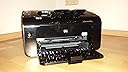
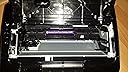
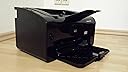
The HP LaserJet Pro P1102w is a professionally refurbished wireless black & white laser printer delivering fast 18 ppm print speeds and sharp 1200 dpi resolution. Featuring automatic duplex printing and USB 2.0 connectivity, it’s optimized for office and business document needs. Each unit is thoroughly tested, cleaned, and comes with a 90-day warranty, making it a reliable, eco-friendly choice for the modern professional.
| Power Consumption | 370 Watts |
| Included Components | Power cable, Network cable |
| Print media | Envelopes, Paper (plain), Card stock |
| Max Input Sheet Capacity | 150 |
| Max Copy Speed (Black & White) | 18 ppm |
| Compatible Devices | Laptops |
| Sheet Size | 8.5 inches |
| Maximum Black and White Print Resolution | 1200 x 1200 |
| Warranty Type | limited warranty |
| Dual-sided printing | Yes |
| Maximum copies per run | 150 |
| Wattage | 370 watts |
| Max copy resolution black-white | 1200 dpi |
| Duplex | Automatic |
| Hardware Interface | USB 2.0 |
| Ink Color | black |
| Additional Printer functions | Print Only |
| Control Method | Remote |
| Compatible Cartridge | Arthur Imaging compatible HP LaserJet Pro P1102W Toner Cartridges |
| Output sheet capacity | 150 |
| Processor Count | 1 |
| Series Number | 657 |
| Number of USB 2 Ports | 1 |
| Total USB Ports | 1 |
| Model Series | P1102 |
| Specific Uses For Product | Office/Business Document Printing |
| UPC | 886111917150 884962408049 884420709411 |
| Resolution | 1200 x 1200 |
| Number of Drivers | 2 |
| Printer Ink Type | toner |
| Global Trade Identification Number | 08844207094118 |
| Memory Storage Capacity | 8 MB |
| Manufacturer | HP |
| Item Weight | 11.7 pounds |
| Product Dimensions | 13.74 x 9.37 x 7.72 inches |
| Item model number | CE657A |
| Is Discontinued By Manufacturer | No |
| Manufacturer Part Number | CE657A |
J**E
Printer isn't printing "the printer is offline"
I connected the printer with the cable that the vendor provided and when i send a file to be printed this is what I get "printer is offline"
T**E
Why are we not allowed to return?
This is not a new unit, it didn't come in a box and it has a 2015 manufacturer date. It is covered in dust and does not function at all! When I got it hooked up it screamed and made some loud chattering noise. It is definitely well used.
S**I
Broken Pirces
This item came in total shattered pieces. The cable is missing. I bought a cable, but it doesn't work at all.
S**R
Does not work with Win 11. HP does not support
From the HP community: This is not a question, but sharing my experience.While the official HP position is that LaserJet P1102W is not supported on Windows 11, I have installed and re-installed it and it works very well.There are many wrong ways to do it, that work only partially. Some users might be satisfied with that; I was not.For example, one can download the drivers from the HP website and use Windows built-in printer install. This creates a weird port, and may get the printer working but won't recognize that it can print double-sided. In other words, it doesn't know how to interrogate the printer.Then one might think that, surely, HP's Smart Printer Install should do the job well since it is their printer. Yes, but Windows 11 is not their OS! It seems to use the same install process as is built into Windows, and furthermore gives the printer a strange name consisting of letters and numbers, followed by the correct name in parentheses. It, too, doesn't recognize that the device can print double-sided.But, using the most old-fashioned way possible, I have succeeded every time. First, uninstall any previous installations so you start with a clean slate. Connect the wireless printer to the Windows PC with a USB cable. Go to the folder downloaded from the HP website containing the driver files for this printer. Double-click HPSetup.exe. Answer the questions that you want to use the printer on WiFi. If it was installed in the past, you can select the option that asks if the printer (its IP address) is recognized by the WiFi network. That's it. It will be recognized with all its capabilities, and it will work properly with a prompt window that pops up for manual duplexing.
I**E
NOT USEFUL
NOT USEFUL
Trustpilot
2 days ago
1 day ago