Desertcart purchases this item on your behalf and handles shipping, customs, and support to Kenya.
🚀 Elevate your Raspberry Pi setup with a touchscreen that means business and style!
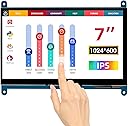
The ELECROW 7 Inch Touchscreen is a high-definition 1024×600 IPS capacitive display designed for Raspberry Pi and other mini computers. It features a 5-point touch interface, wide 170° viewing angle, and plug-and-play HDMI and USB connectivity, requiring no driver installation. Lightweight and bezel-free, it supports multiple devices and operating systems, making it an ideal portable monitor for professional, creative, and entertainment applications.


| ASIN | B01GDMDFZA |
| Additional Features | Lightweight, Portable, Touchscreen |
| Aspect Ratio | 1.71:1 |
| Aspect ratio | 1.71:1 |
| Best Sellers Rank | #47,564 in Computers ( See Top 100 in Computers ) #1,294 in Computer Monitors |
| Brand | Elecrow |
| Brightness | 300 Candela per Square Meter |
| Built-In Media | 7inch HDMI-compatible LCD (C) Display× 1, Copper pillar kit x 1, DVD x 1, HDMI-compatible cable x 1, Micro USB cable x 1 |
| Color | black |
| Compatible Devices | Raspberry Pi |
| Connectivity Technology | HDMI |
| Contrast Ratio | 800:1 |
| Customer Reviews | 4.4 out of 5 stars 265 Reviews |
| Display Resolution Maximum | 1024 x 600 |
| Display Technology | IPS |
| Display Type | LCD |
| Global Trade Identification Number | 00606276648221 |
| Hardware Connectivity | HDMI |
| Has Color Screen | Yes |
| Image contrast ratio | 800:1 |
| Is Electric | Yes |
| Item Dimensions D x W x H | 12.3D x 15.4W x 0.8H centimeters |
| Item Weight | 209 g |
| Manufacturer | Elecrow |
| Model Name | RC070 |
| Model Number | touchscreen monitor |
| Mounting Type | Panel Mount |
| Native Resolution | 1024x600 |
| Number of Component Outputs | 1 |
| Picture Quality Enhancement Technology | IPS |
| Power Consumption | 12.5 Watts |
| Refresh Rate | 60 Hz |
| Resolution | 1024 x 600 pixels |
| Response Time | 8 Milliseconds |
| Screen Finish | Glossy |
| Screen Size | 7 Inches |
| Screen size | 7 Inches |
| Screen surface description | Glossy |
| Shape | Rectangular |
| Specific Uses For Product | Business, Entertainment |
| Total Number of HDMI Ports | 1 |
| Total USB 2.0 Ports | 1 |
| Total Usb Ports | 2 |
| UPC | 606276648221 |
| Unit Count | 1 Count |
| Viewing Angle | 170 Degrees |
| Voltage | 5 Volts |
| Warranty Description | 1 Year Manufacturer |
| Warranty Type | 1 Year Manufacturer Warranty |
ぬ**ぬ
写真通りのものが到着・特に問題なし
基盤むき出しではありますが、セールで安価だったため購入。 純正のものよりも解像度が高く表示自体もとても綺麗です。 タッチパネルの反応も素直で問題はありません。 結構有名な基盤メーカーみたいだし大丈夫かなと楽観的に買いましたが心配する必要もありませんでした。 HDMIで接続+USBケーブルで給電という風になっています。 取り扱い説明書は付属DVDに入っており、ドライバーもGitHubからダウンロードするだけで簡単。 音声出力は付いていませんがRaspberry Pi3で使うので特に問題は感じません。 現在はアクリル板でケースを自作し使用しています。 この値段でこのクオリティは中々お得な買い物でした。
N**G
Works
Easy to setup worked great could use some screws to mount it but works great
T**R
Quality product and excellent price
Not my first, or second product I've purchased from elecrow. Compatible with the RPI5, touch screen works flawlessly. I have a 5 inch that's a bit small, this is much better to work with for my eye sight. Easy to use, plug and play. I love this screen size. I used this along with my 5 inch display to make a dual screen go box for amateur radio. Very portable.
展**ン
コストパフォーマンス良好
PC(Win/Mac)は接続するだけ。 Raspberry Pi では、解像度が一般的でないこと(と USB 給電)のため config.txt への設定の記述が必須で、これがないと「縦線がでるだけで画面が表示されません」になります。 設定は、付属CDのドキュメントにあるドライバ(設定書き込みソフト)で書き込むか、ネットでメーカーによらず Raspberry Pi 用 7 inch HDMI 1024x600 ディスプレイの設定を探して書き込めば、問題ないようです。 ただし、本製品は DC in をもっておらず Micro USB 給電なので、Raspberry Pi の USB で給電する場合はフルパワー対応のアダプタと config.txt への設定、もしくは別に電源供給用に接続、が必要です。 そのへんの注意がたりず、起動が途中までうまく行くが、サービスが起動するあたりでカーネルパニック、というのを繰り返してしまいました。
A**R
Great value for the money. Nice, but does NOT work with Windows 10!
Excellent value for the money. Worked right out of the box on an older Gateway desktop system running Linux. Great color rendition, and lots of resolution. Not quite as successful on a mini-PC running Windows 10, but I suspect I need to load the special drivers that come with it on a DVD (I have no DVD input to the mini-PC, so I'll have to transfer files using a jump drive) to get proper performance. This is the mini-PC I'm using: Beelink Z83-II Mini PC Intel Atom x5-Z8350 Processor (2M Cache, up to 1.92 GHz) Intel HD Graphics 400, DDR3 2GB + 32GB(C:)/ 1000Mbps LAN/ Dual-Band WiFi/ BT 4.0 [Support Windows & Linux System ] At least, I hope that solves the problem. Update One: It turns out that there are no special drivers needed for Windows. I just needed to reboot the mini-PC, and that got all the proper Windows drivers running. The display on the mini-PC was rock solid, with great definition and color. However, after some testing, I found that the touch portion of the screen interface appeared to be defective. Elecrow was very supportive, and corresponded with me daily to iron out this issue. They even offered to credit me some cash if I wanted to accept the screen with the defect. But touch functionality is necessary for my project, so I am sending this one back to get another - because the display functionality is that good! Update Two: Well, now I know the real issue. This display is compatible with Windows 7, but NOT with Windows 10. According to the Seller, their technician determined that a system running Windows 10 cannot identify the device number correctly (I suspect the touch screen is driven as a mouse, and not a true touch screen, because a USB mouse device "ByQDtech" appears when the display is connected to the computer - other displays similar to this one have the same problem). There may be a software update in the future, but for now, this display does NOT work with Windows 10.
Trustpilot
1 month ago
2 weeks ago