We remain fully operational. Our teams are working around the clock to ensure your deliveries continue safely.

DOWNLOAD THE APP


Customer Services
Copyright © 2025 Desertcart Holdings Limited
DOWNLOAD THE APP
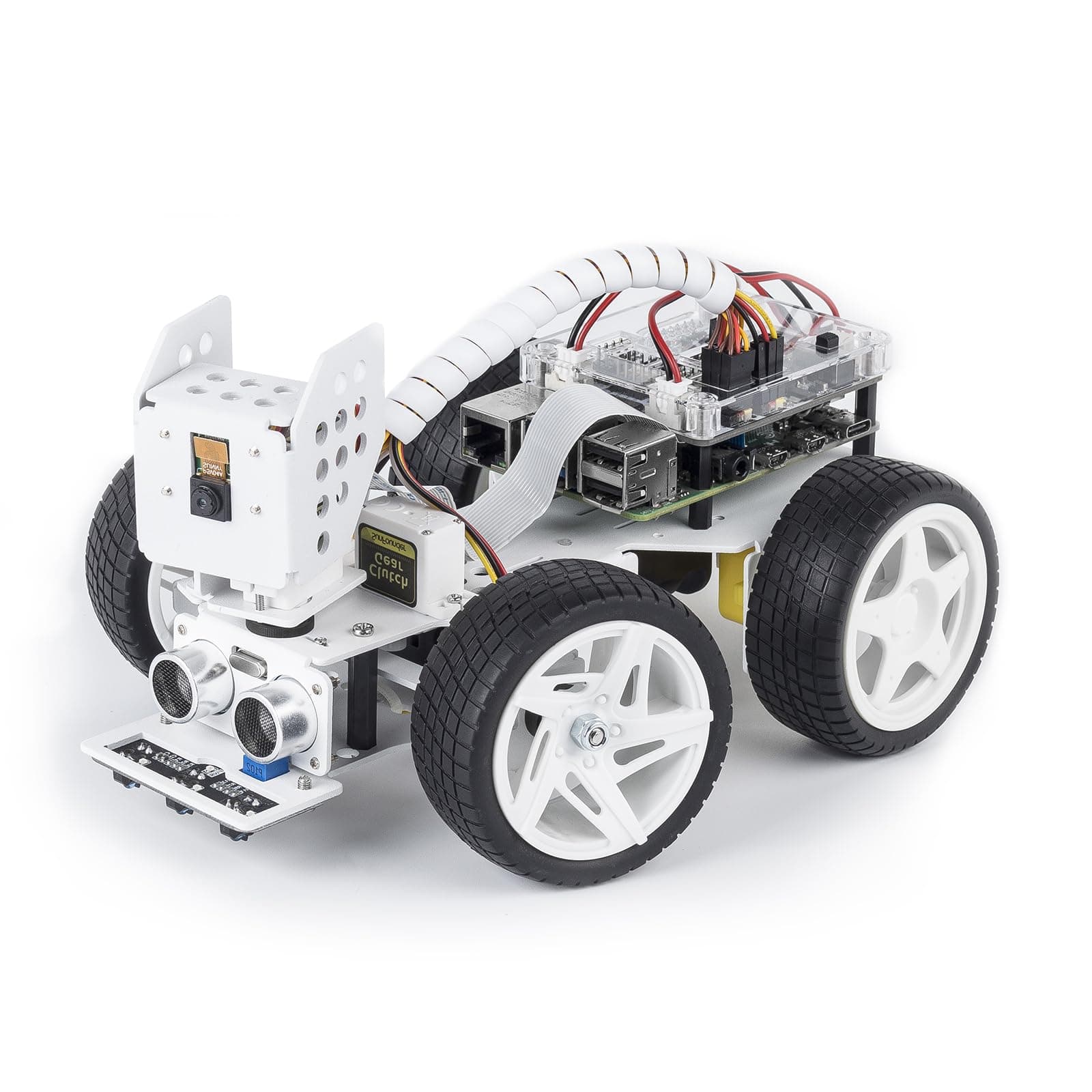
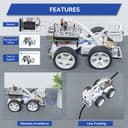
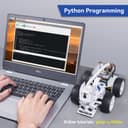
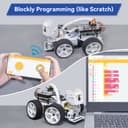
🚀 Unleash Your Inner Engineer with PiCar-X!
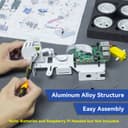
The SunFounder Smart Video Robot Car Kit is an innovative robotics kit designed for Raspberry Pi enthusiasts. It features an easy-to-assemble aluminum alloy structure, multiple functional modules, and supports both Python and Blockly programming. Ideal for teens and adults, this kit provides a comprehensive learning experience with online tutorials and a variety of interactive features.


| ASIN | B08F46Q24N |
| Age Range Description | 12 years and up |
| Best Sellers Rank | #6,310 in Single Board Computers (Computers & Accessories) |
| Brand Name | SunFounder |
| Customer Reviews | 3.9 out of 5 stars 112 Reviews |
| Educational Objective | Logical Thinking |
| Is Assembly Required | Yes |
| Item Dimensions | 8.46 x 5.71 x 4.72 inches |
| Item Weight | 0.84 Kilograms |
| Manufacturer | SunFounder |
| Manufacturer Maximum Age (MONTHS) | 840.00 |
| Manufacturer Minimum Age (MONTHS) | 180.00 |
| Manufacturer Part Number | Picar_X |
| Material Type | Aluminum |
| Theme | Car,Robot |
| Unit Count | 1 Count |
S**E
A great kit to expand your Raspberry Pi knowledge
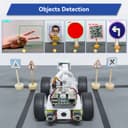
Overall: Five star recommendation for this neat and innovative idea in Raspberry Pi kits. This kit is a great introduction to the many great uses of the Pi, and shows the practical uses of a couple of the commonly available sensors on the market. The interface and kit are laid out well and have easy to follow instructions. The set includes a wide variety of demonstration projects to exercise the various sensors and to show how a more complex program might be written. The included programs show off the wide capability of the car quite nicely, demonstrating the automated facial recognition, color detection, line following and more. Each of the projects has a corresponding Python project to show the more advanced experimenter how to run it. Saving your programs requires an account on Sunfounder’s project server for Ezblock. Needed to use: You’ll need two 18650 4.7V batteries and a Raspberry Pi to use the kit. I also found that I needed a tablet, as I couldn’t get the interface to work on my phone. Pros: The kit is very complete, all parts are separately packaged and many spares of easily dropped or fragile connections are included. They include a screwdriver and wrench for the fasteners that are nice enough to keep for future projects. The kit is, except the Pi and batteries, extremely complete and well documented. The website for the car is a quite thorough guide to the use cases for the various projects and setup of the kit. The documentation is some of the best I’ve seen for a kit like this. The EzBlock language is an interface to a customized version of Blockly, a complete graphic programming language that allows for very complex projects to be prototyped with no conventional programming used. It’s a great interface. The included projects and how to guide are very well thought out, and showcase the variety of sensors with practical simulations and demonstrations that can easily be extended. All of Sunfounder’s interface libraries can be found on their GitHub site. They have extensive documentation for the more advanced experiementor there. Cons: I feel like the packaging could be more clear about what you need to get the car to work. The batteries are not a common thing for many people. Pi not included could also be added. It’s clear from the description on Amazon, but I feel like it should be mentioned more explicitly. I found the software unusable without using a tablet. It functioned fine on my iPhone, but you couldn’t get to the buttons correctly navigate the screens to use it. It worked great on a tablet. You really want a tablet to be able to see the video well anyway. I think that although the documentation is very good, it’s not clear how to transition from experimenting with the car to running the programs on the car autonomously. This is a great kit for just about any level of electronic experimenter to delve into Raspberry Pi automation and sensors used in a practical sense. With the extensive documentation, the time from completion of assembly to use of the car is about five minutes. The auto calibration and setup is well thought out, and will get you up and running in no time. I’ve had a lot of fun putting it through it’s paces.
C**T
Excellent little car!
Updates on Nov 21, 2021 Short review: I am very pleased with this little car. Everything works as expected - it will be fun to dig into the code and start making changes and updates. Only one or two minor suggestions to get everything working. Assembling the car takes some time (probably about an hour). The directions for assembly seem clear and straightforward; I had no trouble following these directions. In addition, there are extra screws, bolts, nuts, and wires provided, so if you happen to drop one of the small screws or pieces, there are backups. Let me also say how nice it was to have a magnetic screwdriver provided as part of the kit. Some of the screw holes are hard to get to, and being able to have the screw stuck to the screwdriver as you try to line pieces up to fit it into place made the entire assembly process much easier. About halfway through the assembly, though, you are to plug in the servos and zero them. It is not clear, but this program is contained in the picar-x/examples folder on the raspberry pi – after you download and get things set up. Make sure to run it before continuing with the build, it will make a lot of things easier. The instructions on the paper weren’t clear on this, so I didn’t zero things until after the car was assembled. It was still possible to do, but not as simple. On completing the car, I set up the pi. Downloading the Rpi OS takes a while (depending on your connection speed, I guess). I did a new install of the most recent OS to try to prevent any problems. I then downloaded the picar-x software from Sunfounder. The first download did not succeed, so I removed everything and tried again. The second download was successful; there was no indication that any libraries or anything else were not installed. I connected to the car through putty and was able to run through the first two or three programs. The car did move as it was supposed to, and the obstacle avoidance was able to detect an obstacle. My car did not drive straight (zeroing the servo and trying to reconnect the axle is a bit tedious...) Unfortunately, I haven’t yet been able to get the computer vision programs to work. On trying to run the code, I received an error message. I am still trying to track down the reason for it and determine if it is a hardware or software issue. UPDATE: The computer vision is now working - for some reason I was having trouble getting things to run through remote desktop, but everything works fine using VNC. All the example programs run. Be sure to go to the picar-x/examples folder in the pi to find them (this isn't really clear in the online documentation). The online documentation contains a nice explanation of the code but doesn't tell you which programs to run (though it isn't really difficult to figure out). Other than this one small caveat, it is a very nicely put together piece of equipment. I like the code explanations, which gives a jumping-off point for exploring more of the code on your own. You could easily begin to update it to make self-driving... Enjoy playing with your new car. Thanks for reading – I hope this was helpful.
Z**Z
This is an proved version with many modules integrated.
I had Smart Video Car Kit V2.0 PiCar-V bought years before. This PiCar-X comes with almost everything I added to the PiCar-V by myself like UltraSonic Sensor, Mic, Speaker as well as facial recognition software. Pros: More compact. Highly integrated. Medal Frame. Better wheels(comparing to picar-v) During the building I noticed something to watch out: The screws for ultrasound module are very tiny. Need skills and luck to put them on. The python desktop app seems deprecated, web version and ezblock are used instead to control the car. Overall this product can bring joy to anyone with various experience. EZblock is mainly for beginners and kids. Raspberry SSH and Python API, web control can be used for further development activities.
A**L
Unecessary flaws but otherwise a decent, usable kit
I was drawn to this unit by the metal chassis and the steerable motor/wheel combination. In general wheels offer less rolling resistance than tank tracks resulting in extended battery life. The chassis fundamentals are good too - holes line up and rigidity of the frame is good. However.... 1 - My kit arrived without the M1.4 * 6 screws needed to secure the ultrasonic transducer. I used a heat gun. 2 - You need to purchase two batteries ahead of construction. These are 18650 batteries - common in a variety of tools and rechargeable torches. I settled on Samsung 35E INR 18650 3500mAh and they work well. At time of review these could not be obtained through Amazon. Stick to Japanese or Korean batteries as these perform well. There were a few other notable issues: 3 - The 8mm pillar used to lift the Raspberry Pi above the chassis are not tall enough and as a result several ports on the Pi are blocked by the rear, right hand wheel. This is a problem that could easily have been avoided by taller pillars. 4 - Similarly, the robotic hat is too close to the top of the Pi which means the cable running to the camera is unpleasantly crimped. Again, a bus extender and taller pillars could easily have mitigated this problem. 5 - There does not appear to be provision for recharging the lithium ion batteries on-board. It seems bizarre to specify the use of 18650 batteries and not provide on-board re-charging. However SunFounder do make a power supply module for rechargeable batteries which looks like a candidate for future integration to my picar-x. 6 - The camera module is shown as flush-mounting to the camera cage. However I noted a couple of surface-mount components on my camera module which interfere with a flush mount. I chose to fabricate tiny pillars to provide space for these components. I recommend you check your camera module for possible interference - I may have been unlucky with the particular version of the camera module I received with this kit. 7 - The written assembly instructions I received make no mention of the battery ribbon. This ribbon should be installed before securing the raspberry pi to the chassis! I recommend you do not try to assemble this unit without referencing the youtube video on assembly of the picar-x - it is easier to follow than the written instructions. 8 - I would've preferred the orientation of the raspberry pi be reversed - this way the USB and network ports would be easily accessible from the rear of the car. When programming I expect to connect my pi to screen/keyboard/mouse and unhindered access to these ports would be preferable. This isn't a deal breaker but it seems like a strange design decision. Overall I feel the unit is decidedly "delicate" and will not survive rough usage. Combined with the aforementioned design decision and issues, this hardly seems appropriate for a STEM project. Shame, as there is plenty of potential here! I will probably fix the design problems and upgrade with a Google Coral USB accelerator (attached via USB) so I can do more advanced ML activities. The Picar-x is good value form money, but I would really like to see a kit aimed at easy expansion, integrated re-charging and incorporation of additional hardware/sensors/hats. Addendum: I've now extensively modified my Picar-X. I wanted to reverse the orientation of the Raspberry Pi and add spacers so I can retrofit a fan for the CPU and also provide more space for the camera cable. This was achieved with new pillars, a GPIO extender and an intermediate plate fashioned from a CD plastic cover (see photos). Overall this is a much more satisfactory solution and no need to lengthen or otherwise alter the wiring. Writing in python is ultimately far more satisfying than using the ez-block approach. Unfortunately ez-block takes up too much screen space on my iPad and lacks key features such as "undo" and threading. But to test out the hardware ez-block works perfectly. One anomaly I uncovered was the ultrasonic range finder which runs on 3.3V rather than the 5V which is nominal for almost every HC-SR04 sensor you can buy at retail. I was getting erratic readings from this sensor (moreso than is normal for an HC-SR04) so wanted to swap this device out. I was only successful after I reconfigure the wiring to use Vcc from a 5V rail and a resistor divider (1.2kohm and 2.2kohm) to drop the Echo signal down from 5 V to 3.3V. I have now ordered a stereo camera unit with an edge processor (Coral, USB) so I can use the cameras for more sophisticated ranging and object recognition. I also found that when driving the picar-x it pays to link motor power to steering angle. So, for instance, if you turn left, you want more power on the right-side motor and less on the left-side motor - in effect creating a powered differential. This prevents 'crabbing' where the real wheel drive overpowers the steering wheels on low friction surfaces. Overall a satisfying experience but this unit could so easily have been better thought-out by the designers!
J**N
Great car. Had a bad control card.
This is a good item to learn Raspberry Pi Python coding. After I assembled the car, I found the steering servo did not work. Through troubleshooting I found the card (Robot Hat) was bad. I contacted SunFounder support. They got back to me pretty fast. After a couple of emails back and forth they sent me a new Robot Hat card. That fixed the issue. Now that the servo issue is fixed, I am running the supplied code sample to test and learn the Python control. I am thinking about buying a second card for more fun and testing.
O**.
Don't buy this piece of junk
I bought it as a birthday gift for my son. The car came with no batteries included. I bought the exact battery model as instructed by the manual. The moment batteries were in, they rapidly got hot and caught fire, melting a bit of the battery holder. They burned my hand a bit trying to get them out and put of the fire. I guess there was a short circuit somewhere in the controller board. So typical of these crappy products, no QA at all. It is very dangerous, especially for kids. They should have mentioned fire hazard in the manual or on the box! I contacted Amazon, described the situation and requested a refund. They agreed and refereed me to the seller. The seller stalled for time as much as they could and asked me to hold off on sending back the car and to wait for them to contact me with instructions. I made a mistake by trusting them since they tricked me and never contacted me back. In the end, I lost the opportunity to get a refund Result: My son was disappointed by this crappy birthday gift, the money is gone, and I'm stuck with this junk. Advice: If you value your safety, do not trust this car, its producer and the seller p.s. I attached a photo of the melted battery holder
K**N
Great for Begginers and advanced Raspberry Pi Enthusiasts
I liked the packaging and contents as this kit was organized and put together well with labels and a guide. There's all kinds of information in the supplied paperback guide for both beginners using scratch and also for advanced users programming with Python. This is my third or fourth Sunfounder product and I really like the quality and how complete these kits come for whatever project build they are for. Very good value for the money and range of things you can do with this. If you buy this kit- keep in mind that it doesn't come with the raspberry pi board. You'll need to get the Raspberry pi board seperate and you also may want to buy some extra batteries to go with the kit!
S**E
Read the docs, their youtube tutorial is helpful
I really loved putting this together. I learned a lot on the way. One thing to be aware of is the zeroing of the servos which needs to be done prior to final assembly. You really want to install the robot hat on the Pi and go through the zeroing step before you put the wheels on (although I did manage to do it afterwards but it was a little tricky). Overall I was amazed at what this robot can do. Also, seems to work fine with 2500 mAh 3.7V panasonic batteries which I bought locally.
Trustpilot
1 month ago
2 weeks ago