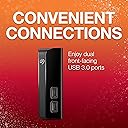
🚀 Elevate Your Storage Game!
The Seagate Backup Plus Hub is a powerful 14TB external hard drive designed for both Mac and Windows users. With its dual USB 3.0 ports, it not only provides ample storage but also allows for quick file transfers and device charging. Plus, enjoy a complimentary four-month membership to Adobe Creative Cloud for enhanced creative capabilities.


| ASIN | B087R27HQV |
| Best Sellers Rank | 145,260 in Computers & Accessories ( See Top 100 in Computers & Accessories ) 514 in External Hard Drives 34,296 in Components & Replacement Parts |
| Box Contents | Backup Plus HUB 14TB, USB cable, The actual capacity may vary. |
| Brand | Seagate |
| Brand Name | Seagate |
| Cache Memory Installed Size | 14 |
| Color | Black HUB |
| Compatible Devices | Desktop, Tablet |
| Connectivity technology | USB |
| Customer Package Type | FFP |
| Customer Reviews | 4.5 out of 5 stars 6,305 Reviews |
| Data Transfer Rate | 625 Megabytes Per Second |
| Digital Storage Capacity | 14 TB |
| Digital storage capacity | 14 TB |
| Enclosure Material | Hard Plastic or Metal |
| Form Factor | 3.5-inch |
| Hard Disk Description | Mechanical Hard Disk |
| Hard Disk Form Factor | 3.5 Inches |
| Hard Disk Interface | USB 3.0 |
| Hard disk form factor | 3.5 Inches |
| Hard disk interface | USB 3.0 |
| Hard-Drive Size | 14 TB |
| Hardware Connectivity | USB 3.0 |
| Installation Type | External Hard Drive |
| Item Length | 118 Millimetres |
| Item Type Name | Seagate Backup Plus HUB, External Hard Drive with Dual USB Hub, 14 TB, 3.5 Inch, USB 3.0, PC & Mac, Includes 2 Year Rescue Service, Model No. : STEL14000400 |
| Item Weight | 1062 Grams |
| Item Width | 41 Millimetres |
| Manufacturer | SEAGATE |
| Manufacturer Part Number | STEL14000400 |
| Media Speed | 1.2E+2 megabytes_per_second |
| Model Name | Backup Plus Hub 14 TB |
| Model Number | STEL14000400 |
| Network Connectivity Technology | USB |
| Number of Items | 1 |
| Product Features | Portable |
| Product Warranty | 2 year manufacturer |
| Read Speed | 120 Megabytes Per Second |
| Special feature | Portable |
| Specific Uses For Product | Gaming |
| UPC | 763649146576 |
G**T
Great Storage Solution for Mac or PC adds two additional ports to System too.
The TRUTH UNBOX Studio uses tons and tons of data storage to the point that our original Seagate storage drives 4TB were becoming near to capacity these original drive it's worth noting had gone strong for 7 years on continuous with heavy usage (Graphics Rendering of large files etc). We are pretty sure this would last a lot longer than they have but as a preemptive measure we chose to get the latest drive and double the storage on each. It's worth noting Seagate have a new feature pay $14.99 per drive and get 3 years Data recovery this gives you piece of mind that all your data is safe. Amazon does have the option during product selection to add it on, but I personally found going directly to Seagate's Website and registering / Purchasing this direct meant I got directly an extra years recovery. So going onto this Drives what I personally loved about them was there some they contain two extra ports on the facia but they still even incorporating this into the design size is only a Centimeter it so size difference so great of you have these sat on your desk easy access USB Ports. They run on USB 3.0 format so data transfer speed is not bad at all to transfer 6TB took around 12 hours using Macs Carbon Copy application which includes Validation as well as the data transfer if your copying your old data I would strongly advice this method of transfer so it warns you if any data hasn't copied important especially if your formatting or destroying you prior data storage device. All in all extremely good unit so lets give you the full Truth Unbox lowdown: Pros: - Cost per TB good compared to larger unit it's actually cheaper to buy two of these 8TB than but the 12TB. - Setup extremely easy if your a PC User the drive is already formatted ExFat so assuming you want a basic setup you can leave but advisable copy the Programs on the drive then Format to NTFS much quicker solution for windows users. Mac users go into disk utility and partition and format. - Very quite drive gives you the little sounds that let you know it's working but not clunky like other drives. - Fast transfer using USB 3.0 - Able to setup up laid down or on its side so nice and neat alongside other matching drives. - Optional Data Recovery plan available up to 3 years which is a must, would strongly suggest purchasing and then buying this protection on there website rather than here in Amazon many have purchased as add on here but when you register online you lose some of your support months rather than getting the full 2 years you lose 3-6 months. With going direct also you can opt for that extra year as Amazon add on you can only opt for 2 years. Cons: - Units get quite hot not massively but ideally need be put in an spacious area and not hidden away, allowing correct air flow. - Would be good to have thunderbolt 1 version for macpro users but not necessity just would improve transfer speeds massively. So to conclude if you have a small office this is perfect it Does what it says on the tin and then some. Very easy to set up, good transfer speeds & Fairly quiet operational noises. It's important to say the Data Recovery add on is a must, the $14.99 is nothing compared to the recovery costs without anything from £250 - £10,000+ this service you can't add on after a few months it must be done within the first week of purchase.
M**D
Perfect solution for your storage needs
This Seagate 6TB storage external hard drive (HDD) Hub is one of the best storage solutions I've ever invested in. It is relatively light, nice and compact as well as being extremely quiet. The access and storage speeds are very good although I could not tell you exact speeds. I originally wanted the white xbox one that is an 8TB HUB but it was like £40 more everywhere and I couldn't justify that when I probably would never use the full 6TB of this HDD. The last thing to note on this product is the 2 extra USB ports at the front of the hard drive hub. They are very neatly placed on the front of the external hard drive. They can be used for many things from charging phones, plugging phones or usb sticks into to download files onto, or from, and they can even be used for charging playstation controllers or any other USB power required device. Very durable and worth the asking price.
U**S
Works as expected for what a hard drive does
I would say this drive narrow scrapes into the 5 star range instead of 4 star range because as a drive it works fine. There are a few things that could be better, but none of them was my reason for buying it, I just wanted extra external space for backup. The backup software that comes with it may look visually good but it is certainly not great. If you have an old motherboard (i.e. one that has mostly USB 2 and some USB 3 ports) and you connect to one of them in a hub with too many other devices or you attempt to connect it to a USB 3 port from an internal PCI Express card instead of a motherboard USB 3 port, you may get a blue screen when the software runs (I did, first blue screen in months!). Looking at the USB connections I managed to reallocate my devices to get the drive to not blue screen (this would not be an issue for a more recent computer that has more USB 3 ports than USB 2 but this is not a simple plug and play operation - you may have to try more than one port before it works fine but when it does, it does). After that, the software has the very annoying feature of decided you need to backup everything, all the time, including every file that you open. So if you decide to open a new word document it will try to back it up immediately and then show you an error on the screen that some items were not backup up! Whereas it is commendable that the software wants to really, really, backup everything, surely someone could decide not to show error messages about the new file you just created 30 seconds ago and while you're still typing! It is not immediately easy to figure out how to see what the error message is but eventually you do figure out it is always about the file you currently have open. So I decided to just stick to Windows Backup and use tasks to do the backups which is a bit non-straightforward but works fine with the drive. Can't fault the Adobe software that comes in with a few months trial, but whether or not you can afford the full version after that it is up to the individual. Then we have the two USB ports on the drive. I would have been happy to buy one without them but based on the price and availability decided to go for the drive that has a 2-port hub. Looking at the fine print, these ports will work for non-phone devices that don't drain much (keyboard, mouse, webcams, printers) but if you look at the amp ratings it is extremely unlikely you will be able to plug in the last two phones you bought yesterday. So the USB ports are a bit of a marketing gimmick, useful but not really essential. The drive is also advertised in the pictures with the two USB ports at the bottom. Maybe it is just me, but looking at the drive in detail, I am not too comfortable having the drive that way because there are very few ventilation holes and the drive is too close to the surface, so I prefer to place it the other way with the two USB ports up. I did not have any overheating problems (and the drive seems designed to withstand higher temperatures than other drives) but I just do not want to take any chances. However, as a drive it does what I expect it to do: Just works. It is recognised immediately by the computer, all the files are there and maybe sometime in the distant future some software that works better will be available. The actual capacity for the 8 TB out of the box is 8,001, 427,599,360 bytes or 7.2 TB and the idea is that a backup drive must have more space than you are using, so it is fit for purpose.
A**R
It's a good 10TB drive, serves it's purpose and does the job.
Decent enough to store pics, videos and movies. But is a little on the slow side. Slows my pc down too. I think it's the seagate toolkit that slows my pc down. Storage capacity is good at 10TB (some space is already taken for the software, so its 9.1TB) and at the time of purchase it was on offer for £149.99. So i got a very good deal. This is a CMR drive and does the job for what i require it for. I like the USB hub on the front, can connect other usb devices or even charge my phone! I have laid it down flat, if i leave it standing upright as in the picture, it's going to take one knock before it falls and damages the drive.
P**E
Huge storage, quiet running
I wasn't sure on the drive because there was a few reviews stating it was slow or it was loud, but I decided to go for it cause the price was really good! Now that I've used it a fair amount, I can say for sure that even at full price, I would've been happy with the drive. Speeds are good, it's definitely taking advantage of the USB 3 connection. There was people moaning that it topped out at 20MB per second read and write, it's become clear to me at this stage that they did not know what they were doing, cause that's USB 2.0 speeds. The drive sits in the 90 to 110MB per second transfer rates with a USB 3 connection. The drive is quite, you'll hear it spin up if your in a silent room. But if you have a TV on quietly, you won't notice. When the drive is actively reading or writing, you can hear it working, again though, a reasonable level of sound. It's 2 USB ports on the front are perfect for extending my computer's connectivity. You're using 1 for the drive, but gaining those 2 for other things. The ports are always powered, regardless of the drives state, or the PC state. Charging a phone or something else off of those will work fine. The drive will only spin up when it's connected to an active system, if the PC goes off, the drive powers down. Saves power and drive longevity. Also means you don't have to turn the power supply off and on when needed. The drive will also enter power save states when not being used by windows. I'm unsure at this point if the power save state is triggered by something built in, or if it simply responds to windows 10 built in power management, I'm inclined to believe it's the latter since moving from power saving mode to high performance in windows causes the drive to spin up immediately It's not what I'd call a portable drive by today's standards, usually that's reserved for a small drive with one cable. But the drive can be packed away relatively easily, and set up in another computer. Drivers aren't needed so it's basically plug and play. Having the need for a power supply is the main downside here, but it's not horrible. I'd recommend the drive for anyone looking to archive large volumes of data, but who also might want regular access to the drive. A media server would be a good example.
Y**N
Great drive. Love the extra USB3 ports.
This is my 2nd Seagate Backup Plus; previous was a 4Gb version which is still going strong after 4 years. As a backup drive, I don't expect blistering speed, but managed to replicate nearly 5Tb overnight, which is quite acceptable to me. The new drive is whisper quiet, and I really like having the 2 extra USB ports, which means I can daisy-chain my drives and save the 5V rail on my computer's PSU. I haven't owned it for long enough to comment on longevity, but seeing as I also own 3 other portable drives (2Tb each) in addition to my 4Tb, all of which were bought in 2015-16 and are still running fine, I'm not expecting any trouble. And for the price I got it (£105), it's a steal. Update: A minor annoyance is that there's no "operations" light that tells you when the drive is reading or writing (as opposed to merely turned on). Otherwise, it's working fine and plenty fast enough for my use.
E**B
Definitely the business!
This is a very neat, very well-priced piece of kit. As a reflection of the unstoppable onrush of progress in IT, it is smaller, lighter and cost a lot less than the 400GB drive purchased about 6 years ago which it is replacing! Contrary to other reviews posted on Amazon and elsewhere it is whisper-quiet; and even hard-used it runs only ever-so-sightly warm. (But from the positioning of the ventilation grilles it does definitely seem to be designed to stand on its side - as shown in the product illustration - not on its 'base'. The two USB ports at the front are a great bonus. They are fully functional and can be used to daisy-chain drives if you are short of ports on the PC itself. When you first connect it up to the mains, absolutely nothing happens: no lights, no action! You look for an on/off switch, there isn't one! You check your mains socket, you wonder if there's a fault. Then you boot your PC - or plug the drive into one already booted - and it comes alive, a little logo lights up, it's recognized and you're in business. Contrary again however to some reviews, the included back-up software doesn't launch automatically - a good thing in my view. It's on the disc if wanted: Start_Here_Win.exe (or Start_Here_Mac.app). Buy two! Why not? Back-up regularly, turn and turn about and you will be unlucky indeed if you ever again lose any data.
G**E
My view - great drive
I just wanted to leave some feedback as I've seen some quite negative comments regarding this external hard drive. I bought the 8Tb version as an external work drive for my home business. It arrived fine and very quickly as I used the next day service from Amazon. I am using it with an Apple iMac and just wanted to give some clarity below: - Contrary to what others have read, if you have an Apple computer it's very easy to set up. You don't need to install Seagate's software. Simply erase the disk using the Disk Utility app and make sure it's set to Mac OS Extended Journaled and GUID Partition Map. It takes seconds and then appears ready to use on the desktop. – I copied 15GB worth of files in about 2 minutes so it's more than fast enough. – Anyone complaining their disk broke after a few weeks or months - in the grand scheme of things disks with moveable parts like these are subject to a small failure rate but I wouldn't let that put anyone off. All the people whose drives haven't broken don't leave reviews to say "it's still working"... – The 2 x USB ports on the front work well and are very useful. Only time will tell how long this drive will last but first impressions are excellent.
M**Z
No creo que vuelva a comprar por Amazon
El título no corresponde con mi valoración porque el producto es genial. Un disco de 14Tb silencioso, compacto, con hub usb, preparado para Backups,... una maravilla y que lo compré a un precio expectacular. ¿Por qué mi título? Porque vivo en Canarias y, pese a que soy Premium me ha llegado com 40€ de gastos de envío. Amazon anteriormente lo enviaba mediante Correos desde que pisaba España, y ahora ha cambiado a DHL. Sí, es más rápido, pero siempre me llega con gastos aduaneros desorbitados. Por estar en Canarias no pago IVA y el artículo se me quedó en 168, y veo justo y necesario pagar el IGIC, pero no un gasto aduanero tan elevado. Con correos nunca tuve que pagar gastos aduaneros. Todo esto sumado a que me resulta extremadamente complicado pedir cualquier cosa porque casi nunca envían a Canarias y me quedo con las ganas casi siempre. Si encima, los envíos los hacen así y pago tantos gastos, no creo que vuelva a comprar por Amazon. En AliExpress no pasa, 0 patatero, ni en PcComponentes, además de que me lo envían todo. No sé, quizás ni renueve el Premium, no me sale a cuenta.
S**X
Great Value for money
Nice compact design, 2 usb front ports adds value to the space. Overall good product, Works fine with MAC too.
Q**M
Excellent Product
Seller "StorazeBiz" provided very proper bill. Fully stamped an signed. Should have no problem with warranty. Packaging was excellent. This is a powered desktop drive. USB 3.0 Comes with two plug heads, 3 Flat pin & Two Circular pin Disk Specs: 3.64TB on NTFS, 3.5" 7200 RPM. May produce a slight hum when operating heavily.
H**O
A great backup option.
Does exactly what it’s supposed to and hasn’t put a foot wrong.
T**M
Way better than the WD counterpart…
I bought this to replace a WD MyBook 18TB. The only con is that Seagate doesn’t currently offer an 18 or 20TB option, so I took a hit on space. It far exceeds the MyBook in every other way: Data transfers are roughly 10-12% faster. This drive is WAY more quiet than the MyBook. This drive is noticeably (but not significantly, per the IR temperature scan) cooler than the MyBook. This drive is compatible with a Roku, which makes RV-ing with a boatload of entertainment a huge plus. This drive acts as a USB hub, with the two USB 3.0 ports on the front, allowing daisy-chaining when necessary. I really do like these drives, and have a number of them in varying sizes. Now if only they’d offer bigger drives….
Trustpilot
2 months ago
2 weeks ago