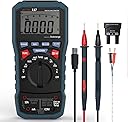
⚙️ Elevate your toolkit with precision, safety, and smart connectivity!
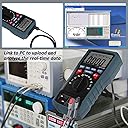
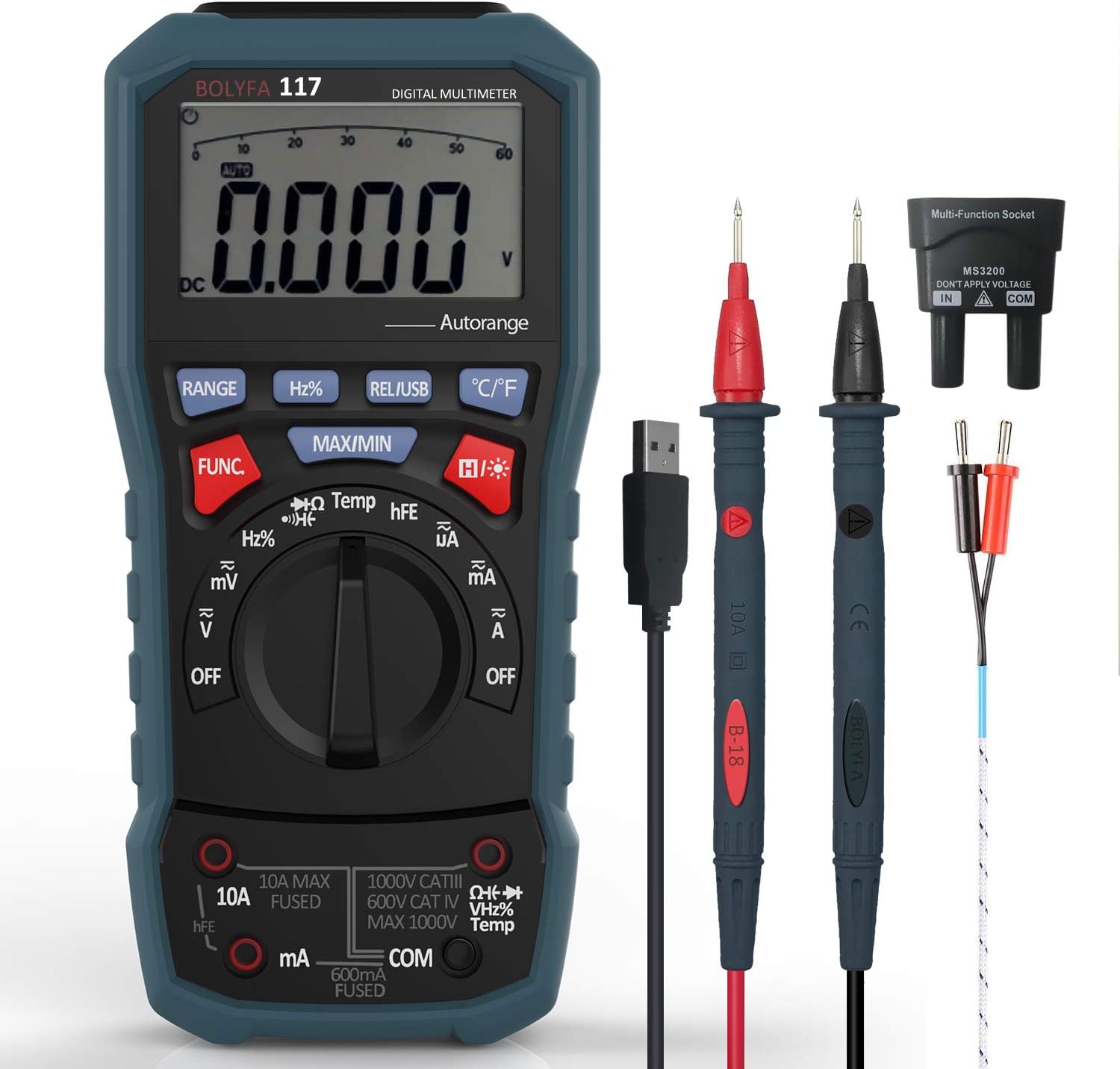
The BOLYFA BF117 Digital Multimeter is a professional-grade True RMS meter featuring auto/manual ranging, 6000-count display, and comprehensive testing capabilities including voltage, current, resistance, capacitance, frequency, temperature, diodes, and transistors. It integrates a USB interface for real-time data logging with PC software, boasts advanced safety features like explosion-proof fuses and reverse polarity protection, and is housed in a flame retardant shell for durability in demanding environments. Ideal for electricians, technicians, and enthusiasts seeking reliable, precise measurements with modern connectivity.
| ASIN | B07MR2S95J |
| Batteries | 2 AAA batteries required. (included) |
| Batteries Required? | No |
| Batteries included? | Yes |
| Colour | BF117 |
| Customer Reviews | 4.0 4.0 out of 5 stars (150) |
| Date First Available | 27 Dec. 2018 |
| Item Package Quantity | 1 |
| Item Weight | 840 g |
| Manufacturer | Vorstik |
| Manufacturer reference | BF117 |
| Package Dimensions | 30 x 15 x 7 cm; 840 g |
| Part Number | BF117 |
| Power Source | Battery Powered |
| Special Features | DC Voltage (V): 60mv/600mV/6V/60V/600V ±(0.7%+2), 1000V |
| Style | Modern |
J**P
USB interface protocol revealed
Disclaimer|: I have obtained the following info by observation and experimentation and so I don't guarantee that it is correct or complete. BOLYFA 117 technical description Circuit The Bolyfa 117 is based on the Hycon Technology DTA0660L single chip DMM IC. This connects via an SPI interface to a HY11P14 microcontroller which drives the LCD and also a free space opto-coupler which sends data to a CH340G serial to USB converter. The USB connection is therefore fully safety isolated from the rest of the meter. The 6V battery is regulated down to 3.3V by a HT7533-1 low drop out linear regulator. A T24C02A EEPROM is also provided to store 256 bytes of calibration data. USB interface An opto isolated USB connector is provided which permits the readings and current settings of the meter to be read remotely. This interface is one way only and, after a long press of the REL/USB button the meter starts to send out a constant stream of 22 byte frames at a rate of 5.2 frames/s. The bytes hold the LCD segment drive data and therefore must be decoded to obtain meaningful data. The frame format is as follows; Bytes 0 to 5: Fixed pattern = AA 55 52 24 01 10 Bytes 6 to 9: These are the four display digits, in seven segment format Byte 6 = least significant digit Byte 9 = most significant digit When the digit is preceded by a decimal point this adds 128 to the value. The table below shows the hex value of the each byte and the text that should be substituted in order to build up a string representing the display. (NB when overload occurs O/L is displayed which is not shown in this table). Hex Text 5F 0 06 1 6B 2 2F 3 36 4 3D 5 7D 6 07 7 7F 8 3F 9 DF .0 86 .1 EB .2 AF .3 B6 .4 BD .5 FD .6 87 .7 FF .8 BF .9 The Hex bytes are converted to a text string representing the display using the table above and starting with byte 9 Eg a byte 6 to 9 sequence 2F 3D DF 06 represents the display value 1.053 Byte9 = 06 = 1 Byte8 = DF = .0 Byte7 = 3D = 5 Byte6 = 2F = 3 Join them together to give text string = 1.053 then convert string to a floating point number if required Byte 10: 0x24 = DC (with +ve reading) 0x2C = DC (with –ve reading) 0X22 = AC 0x00 = No indicator Byte11: 0x01 = Voltage present and range correct 0x00 = Voltage absent or manual range incorrect 0xFF = Over range Bytes 12 to 17 These six bytes are all 0x00 for normal operation and 0xFF for over-range (The lower 4 bits of byte 19 are also 0x0 for normal operation and change to 0xF for over-range) Byte 19 Byte 20 Byte 21: 01 00 08 = Volts 03 00 08 = Volts MAX 09 00 08 = Volts MIN 00 08 0F = Volts MAX-MIN (this repeats for other measurements but not shown in this table) 01 00 0A = mV 01 00 80 = Hz 21 00 00 =% 01 00 60 = kOhms 01 00 50 = MOhms 01 00 40 = Ohms 01 A0 00 = Capacitance 01 01 00 = Temp C 01 02 00 = Temp F 41 00 00 = HFE 01 00 05 = uA 01 00 06 = mA 01 00 04 = A Setting up the virtual COM port The USB interface is based on the CH340G virtual COM port. In Device Manager identify which port has been selected. Then for that port select the ‘port settings’ tab and set to; Bits per second = 2400 Data bits = 8 Parity = none Stop bits = 1.5 Flow control = none Tip: Clear the buffer immediately before taking each reading otherwise you get significantly out of date values.
M**K
Brilliant
Very good tester checked a lot of electric components with this and very accurate. Worth the money.
F**S
Great Value, Basic Device. Poor USB Support.
I love this multimeter; its look, it's feel, the fab screen & backlight, and quite importantly, the price - it's in that perfect, let's give it a chance - it's inexpensive enough that even if the USB functionality is no good, I still have a decent looking & primarily functional multimeter. I would very much like to use the USB connection to log the data from the multimeter, but the support for this is somewhat lacking. I tried to run the installer on my Windows 10 VM, but the provided software is old and doesn't support modern Windows OS versions. However, I am a Linux user & system administrator, so I'd prefer if I could use it natively in Linux. I looked through all of the files on the driver CD and found (inside one of the configuration files, deep within the file structure - not in any actual documentation), that the USB serial connection is at 2400 baud (& guessed at 8 bits, No parity, and 1 Stop bit). On my desktop Linux workstation I have managed to serially connect to & can see output from the device, but it is not easily decipherable by the human eye. Here are some CLI commands & output, showing my experience with the USB connection: - # My PC's detail % uname -a Linux aphrodite 5.4.0-7642-generic #46~1598628707~20.04~040157c-Ubuntu SMP Fri Aug 28 18:02:16 UTC x86_64 x86_64 x86_64 GNU/Linux # Watch Linux see it handle the insertion of the new USB device & if it recognises the hardware (it does) & attaches a driver (it did) % dmesg -w usb 3-2.4: new full-speed USB device number 66 using xhci_hcd usb 3-2.4: New USB device found, idVendor=1a86, idProduct=7523, bcdDevice= 2.54 usb 3-2.4: New USB device strings: Mfr=0, Product=2, SerialNumber=0 usb 3-2.4: Product: USB2.0-Serial ch341 3-2.4:1.0: ch341-uart converter detected usb 3-2.4: ch341-uart converter now attached to ttyUSB0 # View the USB device and driver info % sudo lsusb -s 66 Bus 003 Device 066: ID 1a86:7523 QinHeng Electronics HL-340 USB-Serial adapter # Check ownership of the USB device % ll /dev/ttyUSB0 crw-rw----+ 1 root dialout 188, 0 Oct 23 11:27 /dev/ttyUSB0 # Add my user to the group (so that I can access it without elevated privileges) % sudo usermod -a -G dialout myuser # Connect to the USB via serial (Ctrl-A K Y, to quit) % screen /dev/ttyUSB0 2400 # # Serial output while the LCD is reading: 15.2 Ohms �UR$�= @�UR$�= @�UR$�= @�UR$�= @�UR$�= @�UR$�= @�UR$�= @�UR$�= @�UR$�= @�UR$�= @�UR$�= @�UR$�= @�UR$�= @�UR$�= @�UR$�= # # Serial output while the LCD is reading: 25°C �UR$=k�UR$=k�UR$=k�UR$=k�UR$=k�UR$=k�UR$=k�UR$=k�UR$=k�UR$=k�UR$=k�UR$=k�UR$=k�UR$=k�UR$=k�UR$=k�UR$=k�UR$=k�UR$=k�UR$=k�UR$=k�UR$=k Not ideal, so far! I would like to help get this working in my Linux environment & wondered if anyone could please share with me, how I can interpret the output from the device, so that I may find a way to make the data logging feature actually useful. I would be happy to OpenSource my final result (github.com/furriephillips/BOLYFA117-USB-DMM) so that anyone else in the Linux community knows that this multimeter is compatible and potentially the preferred device for users of the Linux OS. Alternatively, it'd be great if the manufacturer could OpenSource their Windows software & perhaps get help from the wider GitHub community, to improve support for any OS flavour...
K**A
Great product
Very happy with this and can not fault it at all. I use it in a professional enviorionment on a daily basis and can say that it has got great range of functions, its very easy to use, and most importantly it's accurate, definitely reccommend!
T**S
Bargain
Nice tool that is worth the money. These tools aren’t cheap at the hardware store but I really like this one. The batteries sent along with it had oxidized so they were not useable, not that it matters really but it could have occured during the shipping. Very fast shipping!
V**A
Excellent!
My partner had a conventional test meter for many years and now realise how great and accurate digital model is, e.g. giving a digital display of battery voltage to 3 decimal places. Easy to use, good instructions, great quality
S**D
Works well
Really good product
M**S
Anything electrical.
A sophisticated and versatile multimeter. I used it for checking circuitry on a motor bike.
D**L
Muy bien 100% recomendado
S**I
Ottimo tester! Perfetto se non si vuole spendere molto. Facile da usare
B**Y
Das Multimeter macht einen sehr stabilen und gut verarbeiteten Eindruck. Ich finde die Größe Optimal da es so richtig gut in der Hand liegt. Das schön große LCD Display lässt sich sehr gut ablesen. Zudem hat es eine Beleuchtungsfunktion. Das Bedienrad ist übersichtlich gestaltet und ist nicht zu schwergängig. Ich habe gleich einige Messungen durchgeführt, inkl. Temperaturmessung : Super. Mehr Messgerät braucht kein Amateur. Kann’s nur empfehlen für den Preis unschlagbar.
S**T
Je ne m'attendais pas à cette qualité pour ce prix ! Un excellent multimètre vraiment très complet. Je pense que je n'utiliserai que la moitié des fonctions pour mon usage. Il fait même thermomètre ! Il est équipé de rétro éclairage pour les endroits obscurs et d'une excellente qualité d'écran testé en plein soleil, on voit parfaitement l'écran. Il bénéficie même d'un testeur de transistor. Vous pouvez tout tester avec lui (courant continu, alternatif, résistance, plombs...). Ce qui n'apparait pas sur la photo, c'est la qualité de finition de l'appareil, le plastique est digne des appareils professionnels, le bouton pareil, l'écran idem. Un super produit que je recommande chaudement et sans aucune réserve.
D**R
l'appareil fonctionne très bien dans les mesures de base mais, comme il n'y a pas de notice en français on passe sans doute à côté d'utilisations qui pourraient être intéressantes. Si quelqu'un peut me fournir une notice en français, je suis preneur!... Merci d'avance
Trustpilot
1 week ago
2 days ago